


Content
Page Table of Contents
About the Author
Hot Topics
Imagine it: You open your computer after a long vacation, but you'are stuck at the login screen because you forgot your Windows login password. It's frustrating to be locked out of your computer. Reinstalling Windows feels like the only option, but it's time-consuming and worse. You might lose files or software that you didn't back up in time if you reinstall Windows.
Don't worry; there's good news. There are 6 reliable password resetting tools that can safely unlock your PC. Before you start, please verify whether you use a local account or a Microsoft account. It determines which method you choose to reset your Windows password.
- If you log in using a Microsoft Account, you can reset the password online through Microsoft's recovery page.
- If you use a local account, your password is stored directly on the computer. You'll need an offline reset tool to regain access. Dedicated password resetting software, such as EaseUS Partition Master, is the most reliable option.
How to Choose the Windows Log-in Password Resetting Tool
Choosing the right password reset tool depends on many factors, such as:
- Compatibility: Ensure it supports your Windows version (Windows 10, 11, etc.).
- Ease of Use: Look for a straightforward interface.
- Success Rate: Some tools work better on UEFI systems or newer drives.
- Data Safety: Choose software that resets passwords without risking system files.
- Customer Support: Reliable technical support can make a huge difference in emergencies.
Here are six Windows password-resetting tools that stand out for reliability, user feedback, and features.
| Tool | Best For | Data Safety | Price | Success Rate |
| All-in-one, easy password reset | 100% data-safe | Free & Pro version | ⭐⭐⭐⭐⭐ | |
| Microsoft account & reset disk users | Fully safe (official tool) | Free | ⭐⭐⭐ | |
| Tech-savvy users, open-source fans | Safe if used properly | Free | ⭐⭐ | |
| IT pros, multiple PCs | Non-destructive reset | Paid | ⭐⭐⭐⭐ | |
| Home users, simple reset | Data preserved | Free basic; Pro paid | ⭐⭐⭐⭐ | |
| Fast, automated recovery | Secure and reliable | Paid | ⭐⭐⭐⭐ |
If you want to know more about how we test the password reset tools and our workflow, please check:
Download Windows Log in Password Resetting Tool [6 Best Picks]
Windows login password resetting tools help you get access to your computer. This section introduces the 6 best Windows password resetting tools that fix the forgotten Windows login password issue.
1. EaseUS Partition Master
👍Best for: Users looking for an all-in-one, easy password reset tool with the highest success rate.
EaseUS Partition Master offers a powerful password reset feature that easily unlocks both local and Microsoft accounts. With this Windows login password resetting tool, you can create a bootable USB on another PC. Then insert it into the locked computer, and reset the Windows password in a few clicks.
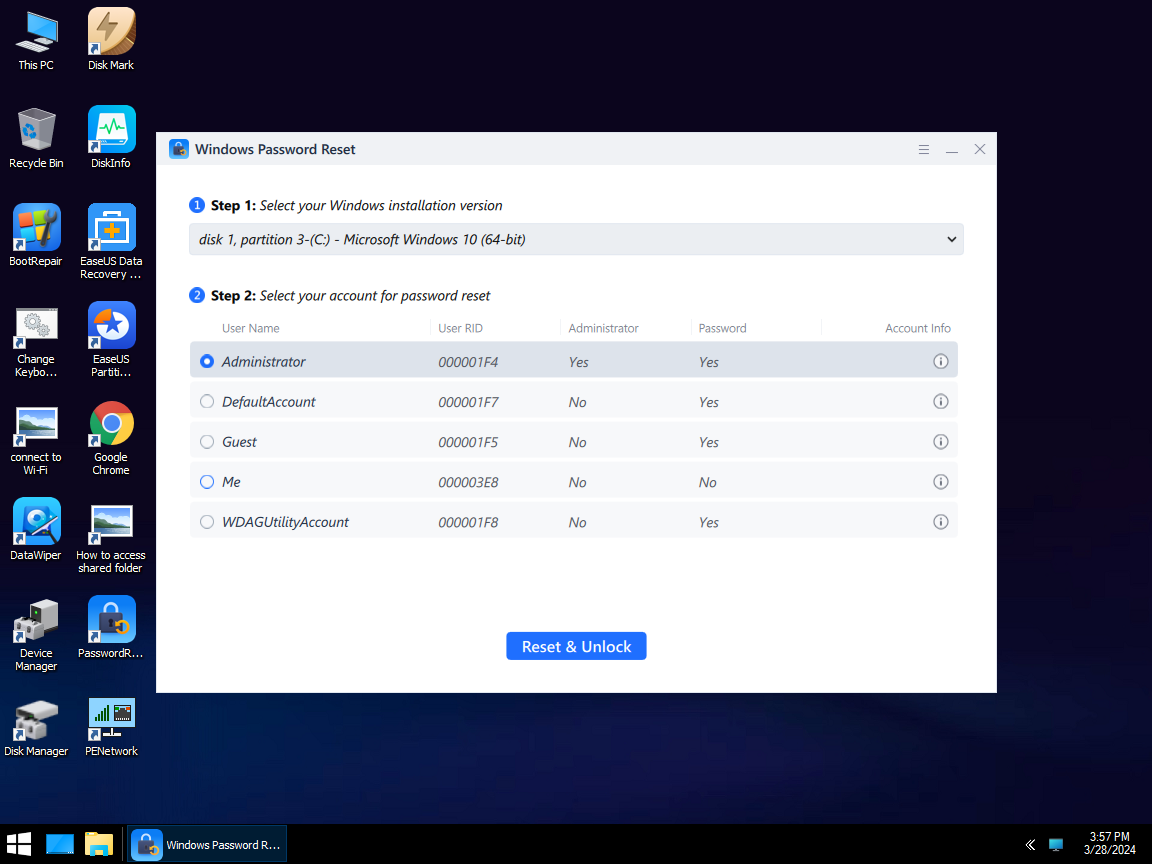
- Create a password reset disk with just one click.
- Reset or remove Windows local and Microsoft account passwords.
- 100% data-safe; lower risk to partitions, apps, or personal files.
- Compatible with Windows 11/10/8/7 and Windows Server.
- Fast bootable media creation via USB/CD/DVD.
| ✅Pros | ⛔Cons |
|---|---|
|
|
📖TechRepublic Review: With EaseUS Partition Master, a well-designed interface helps make technical partition management tasks easy to manage.
Download Windows Log in Password Resetting Tool:
2. Windows Built-in tool
👍Best for: Users signed in a Microsoft account or prepare a recovery option in advance.
Windows itself offers basic tools for password recovery and resetting. While somewhat limited, these built-in methods can help in certain situations. especially for users signed in with Microsoft accounts or those who have prepared password reset disks beforehand.
1️⃣Microsoft Account Recovery
If your computer uses a Microsoft Account (usually linked to your Outlook or Hotmail email), you can reset your password by visiting Microsoft's official recovery page.
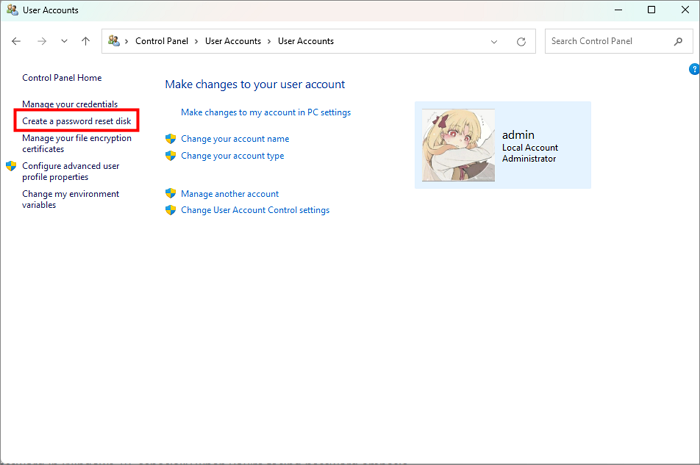
2️⃣Password Reset Disk
If you previously created a Windows password reset disk, you can also use it to reset your Windows login password. Simply insert it into your computer on the login screen and follow the Windows Password Reset Wizard.
| ✅Pros | ⛔Cons |
|---|---|
|
|
Free Download: Built in Windows
3. Ophcrack
👍Best for: Advanced and tech-savvy users who prefer open-source solutions and manual recovery.
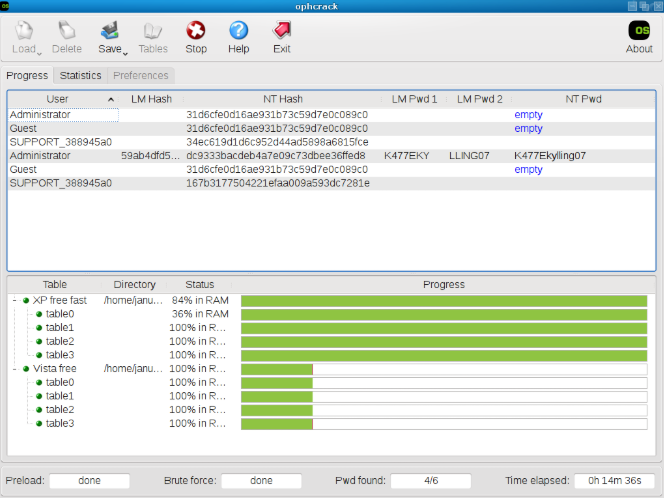
Ophcrack is an open-source password recovery tool that uses rainbow tables to crack passwords. It's free to use. But the setup can be complex, and it's mainly effective for shorter passwords. Ophcrack is a good option to bypass the Windows login screen.
| ✅Pros | ⛔Cons |
|---|---|
|
|
Free Download: https://ophcrack.sourceforge.io/
4. PCUnlocker
👍Best for: IT administrators and professionals managing multiple locked PCs or enterprise systems.
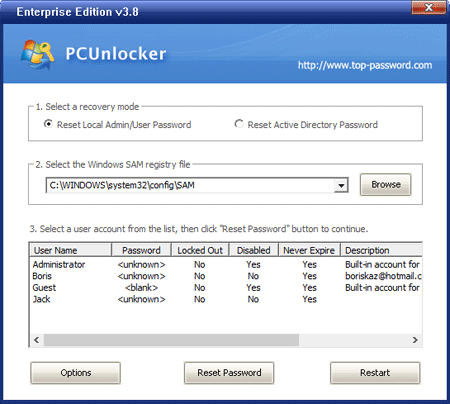
PCUnlocker is a powerful password reset tool designed for professionals who manage multiple Windows machines. It can reset local administrator, Microsoft, and domain user passwords. Users can create a bootable CD/DVD or USB drive to unlock a locked PC in minutes. This Windows login password resetting tool is compatible with Windows 11, 10, 8, 7, and older versions.
| ✅Pros | ⛔Cons |
|---|---|
|
|
Free Download: https://www.pcunlocker.com/
5. Lazesoft Recover My Password
👍Best for: Home users who want a simple, free, and safe way to reset their Windows password.
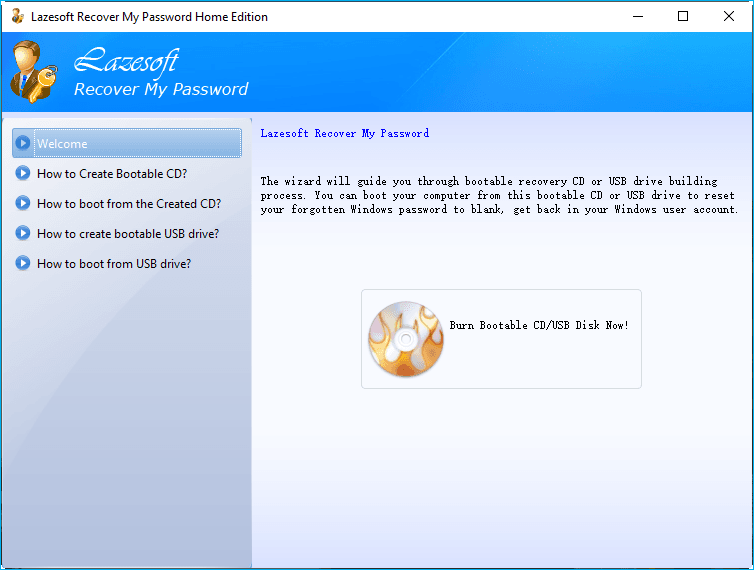
Lazesoft Recover My Password is a beginner-friendly program that helps users reset local Windows account passwords easily. Its free edition is excellent for home users and small organizations that need a simple recovery option. This password resetting tool helps users create a bootable CD/USB for password reset.
| ✅Pros | ⛔Cons |
|---|---|
|
|
Free Download: https://www.lazesoft.com/lazesoft-recover-my-password.html
6. PassFab 4WinKey
👍Best for: Power users who want rapid, automated password removal.
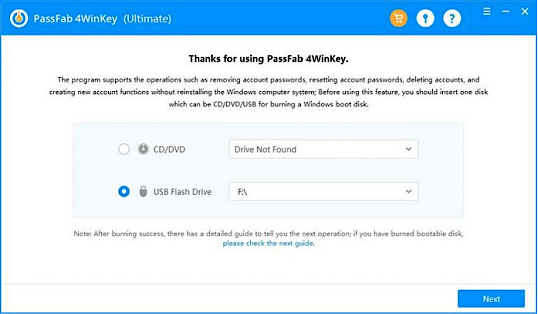
PassFab 4WinKey is a professional tool that quickly resets Windows passwords, deletes accounts, or even creates new administrator accounts. It's ideal for users who prefer automation and speed. This Windows login password resetting tool can remove local, administrator, and Microsoft accounts.
| ✅Pros | ⛔Cons |
|---|---|
|
|
Free Download: https://www.passfab.com/products/windows-password-recovery.html
Data Security Best Practices
Data safety should always come first when using any password resetting software. The following best practices help protect your system, files, and privacy before and after you regain access to your computer.
1. Tips When Downloading & Using Any Tool
When you download or use any Windows login password resetting tool, please note:
- Download only from official or verified websites.
- Use a clean, working computer to create the bootable USB or CD.
- Temporarily disable antivirus if necessary, but only during tool setup and from trusted sources.
- Use authorized tools to avoid privacy breaches or system damage.
- Read user manuals or guides before resetting.
2. Tips after Resetting Windows Login Password
There are some tips after you reset the Windows login password.
- Set a strong new password. Use a combination of uppercase and lowercase letters, numbers, and symbols.
- Enable password recovery methods. For example, link your Microsoft Account to your PC.
- Turn on two-factor authentication if you use a Microsoft account.
- Back up important data regularly. Use external drives or cloud storage to ensure quick recovery.
- Keep your Windows and antivirus software updated.
Share this guide to help more users find the Windows login password resetting tools.

Conclusion
Getting locked out of your Windows account doesn't mean you need to reinstall your system. This post has introduced 6 best Windows login password reset tools. By using a trusted tool like EaseUS Partition Master, you can safely and quickly regain access in minutes while keeping all your files intact. With its simple user interface and proven reliability, it's the top recommendation among the best password reset tools.
FAQs
1. Can I reset a Microsoft Account password offline?
No. Microsoft account passwords can only be reset online through Microsoft's official recovery page. Offline tools work only for local or administrator accounts stored on your computer.
2. What if I don't have a USB drive to reset the Windows password?
You can also create a bootable CD/DVD instead. Or use Microsoft's online recovery if it's an online account. Some tools also support network-based reset options.
3. Will resetting my password affect my data?
No, professional tools like EaseUS Partition Master reset passwords without deleting system or personal files. Your applications, settings, and saved data remain completely safe and intact after recovery.
How Can We Help You
About the Author

"I hope my articles can help solve your technical problems. If you are interested in other articles, you can check the articles at the bottom of this page. Similarly, you can also check my Twitter to get additional help."

Written by Joey Albert
Joey is an enthusiast of science and technology. With a passion for uncovering the latest tech innovations, she creates clear, engaging how-to guides that make technology accessible and enjoyable for all.
Product Reviews
-
I love that the changes you make with EaseUS Partition Master Free aren't immediately applied to the disks. It makes it way easier to play out what will happen after you've made all the changes. I also think the overall look and feel of EaseUS Partition Master Free makes whatever you're doing with your computer's partitions easy.
Read More -
Partition Master Free can Resize, Move, Merge, Migrate, and Copy disks or partitions; convert to local, change label, defragment, check and explore partition; and much more. A premium upgrade adds free tech support and the ability to resize dynamic volumes.
Read More -
It won't hot image your drives or align them, but since it's coupled with a partition manager, it allows you do perform many tasks at once, instead of just cloning drives. You can move partitions around, resize them, defragment, and more, along with the other tools you'd expect from a cloning tool.
Read More
Related Articles
-
Fixes for Windows Stop Code Inaccessible Boot Device 💡
![author icon]() Sherly/2026/03/31
Sherly/2026/03/31 -
BSOD Repair Tool for Windows PC (with Guide)
![author icon]() Oliver/2026/04/05
Oliver/2026/04/05 -
How to Disable Bitlocker in Windows 11: in BIOS
![author icon]() Shelly/2026/04/05
Shelly/2026/04/05 -
How to Reset Windows Password When Locked Out🔥
![author icon]() Cici/2026/04/15
Cici/2026/04/15
 Sherly/2026/03/31
  Oliver/2026/04/05
  Cici/2026/04/15
 Hot Topics








EaseUS Partition Master
Version 20.0 is here - full exFAT support, easier disk partitioning, and PC performance optimization.


