Unlock More Surprises by Downloading it!
Unlock More Surprises by Downloading it!
Data Recovery Wizard for Windows
Recover lost data from HDD, SSD, SD cards, USB drives on Windows PC.
Recover lost files from Mac SSD, Time Machine backups, memory cards, Trash, and external storage devices.
Recover Lost iPhone/Android Data – Photos, Messages, Contacts & More in 3 Clicks.
Windows partition manager: create, resize, clone partitions and upgrade HDDs/SSDs safely.
Windows Backup Freeware - One-click system, disk, and file backup with reliable recovery for peace of mind.
PC data transfer software: transfer data, apps, user account and personal files to new PCs and disks.
Remove vocals from songs and separate vocal and instrumental tracks from audio or video with AI.
Capture any area of your screen with customizable settings and record video/audio/webcam.
Channel Partnerships
Affiliate Earn commissions when you drive sales through your affiliate links. Resellers Sell EaseUS products as a distributor. Creators & Influencers Partner with us on YouTube, TikTok, Twitch to earn commissions. OEM & Outsourcing Service Put your brand on EaseUS software, or get custom solutions.Self-Service
Manage your products, licenses, and subscriptions in one place. Find guides and resources for quick self-service.
Live Chat Support
Get real-time answers from our experts.
Premium Human Services
Human-led solutions for complex system & data emergencies.
EaseUS Partition Master Free
Smarter Workflow, One-Click Partitioning & Full exFAT Management
Available for Windows 11/10/8.1/8/7/Vista/XP/Windows Server
EaseUS Partition Master 20.0 delivers a smarter, safer, and more effortless disk management experience with enhanced protection, intuitive interactions, one-click partitioning, full exFAT support, a new beginner's guide, and AI Assistant. Let's have a closer look at them below!
EaseUS Partition Master offers a safer, faster and more flexible exFAT support for cross-platform devices - Windows, Mac, Cameras, and gaming consoles. Just one plug and ready to go.
Breaking the 4GB limit of FAT32, this exFAT partition manager enables you to transfer large files like 4K or gaming data without interruption or slowdowns. Faster, smoother, and more reliable for your removable drives.
Not only supporting partitioning exFAT drives, but EaseUS Partition Master also enables you to resize, move, clone, and even convert your drives safely. It offers the most complete exFAT management toolkit to improve the performance of removable devices and protect data on your exFAT devices safely.
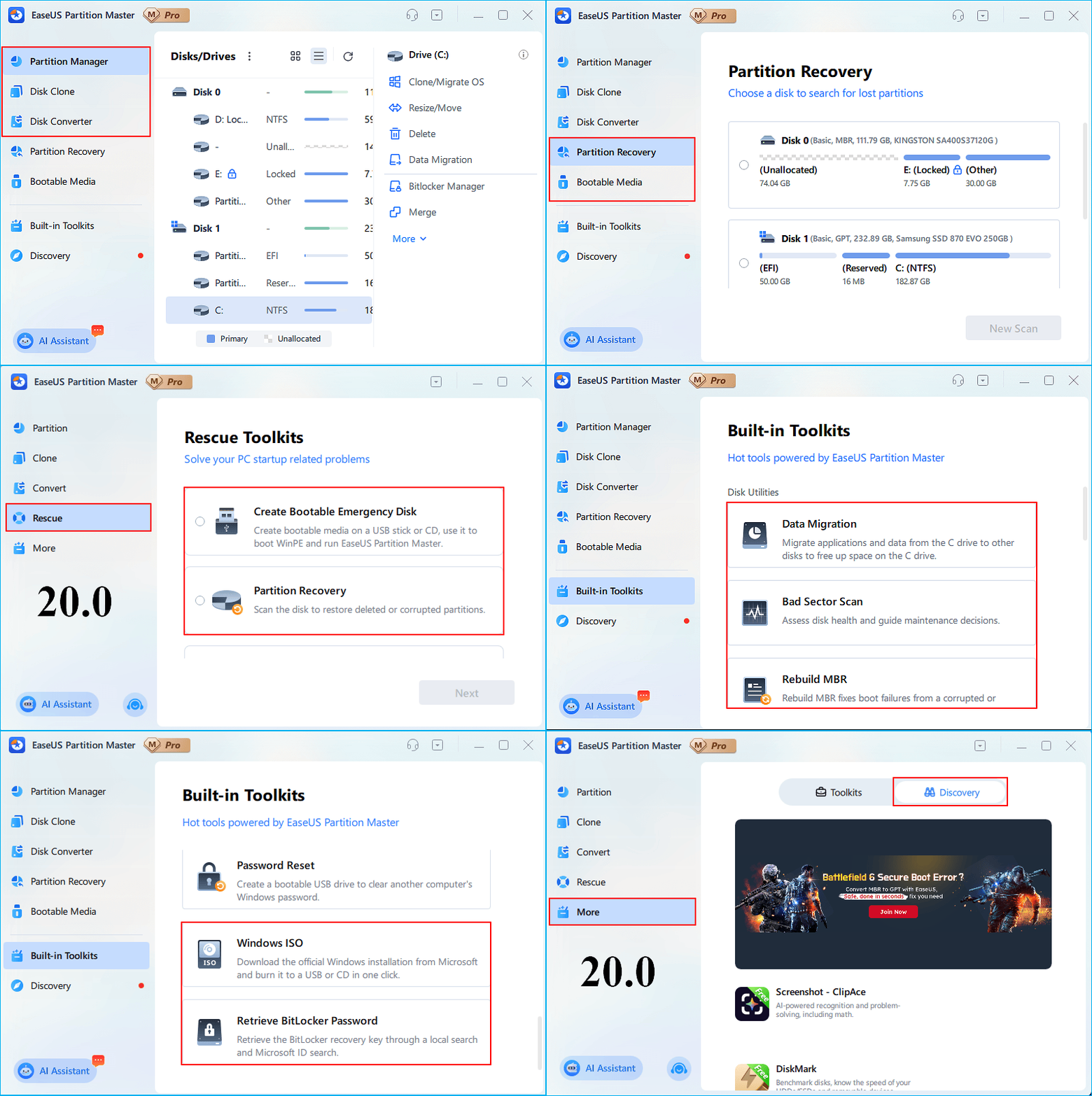
Let's show users a simple side-by-side comparison of EaseUS Partition Master 20.0 and 19.23 to highlight key updates and demonstrate how the new version improves the overall experience.
Feature 1. Adjust Navigation Structure
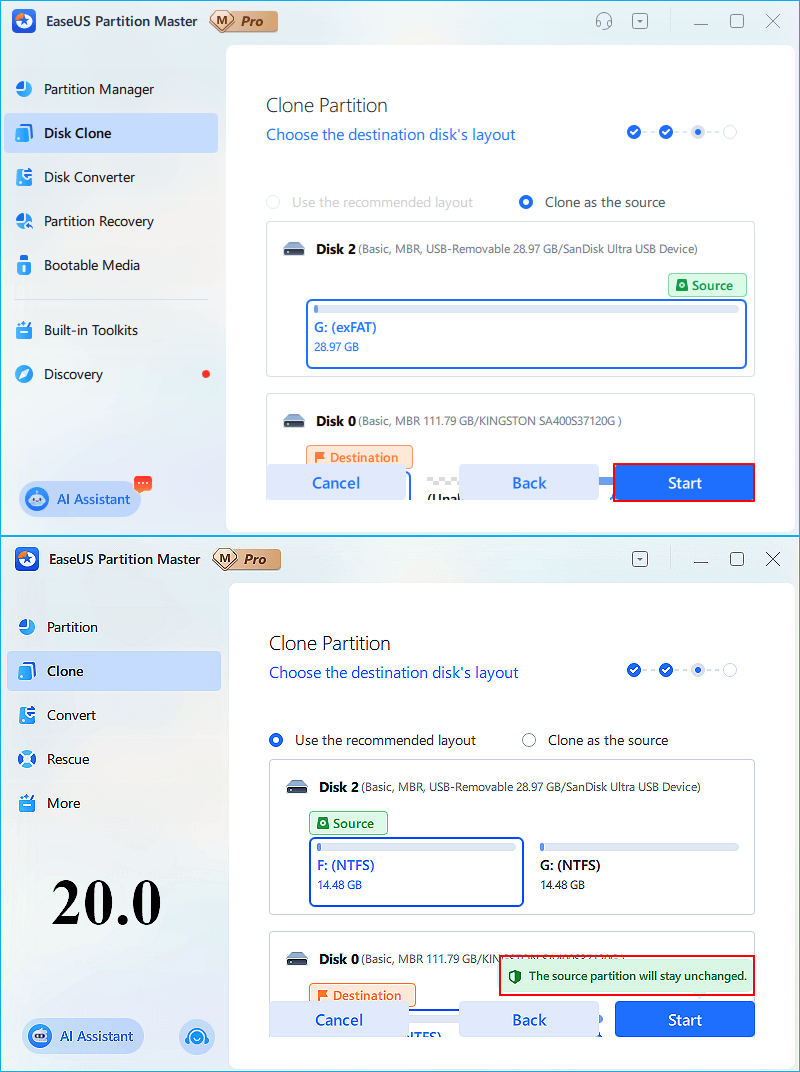
Feature 2. Enhance User Sense of Security
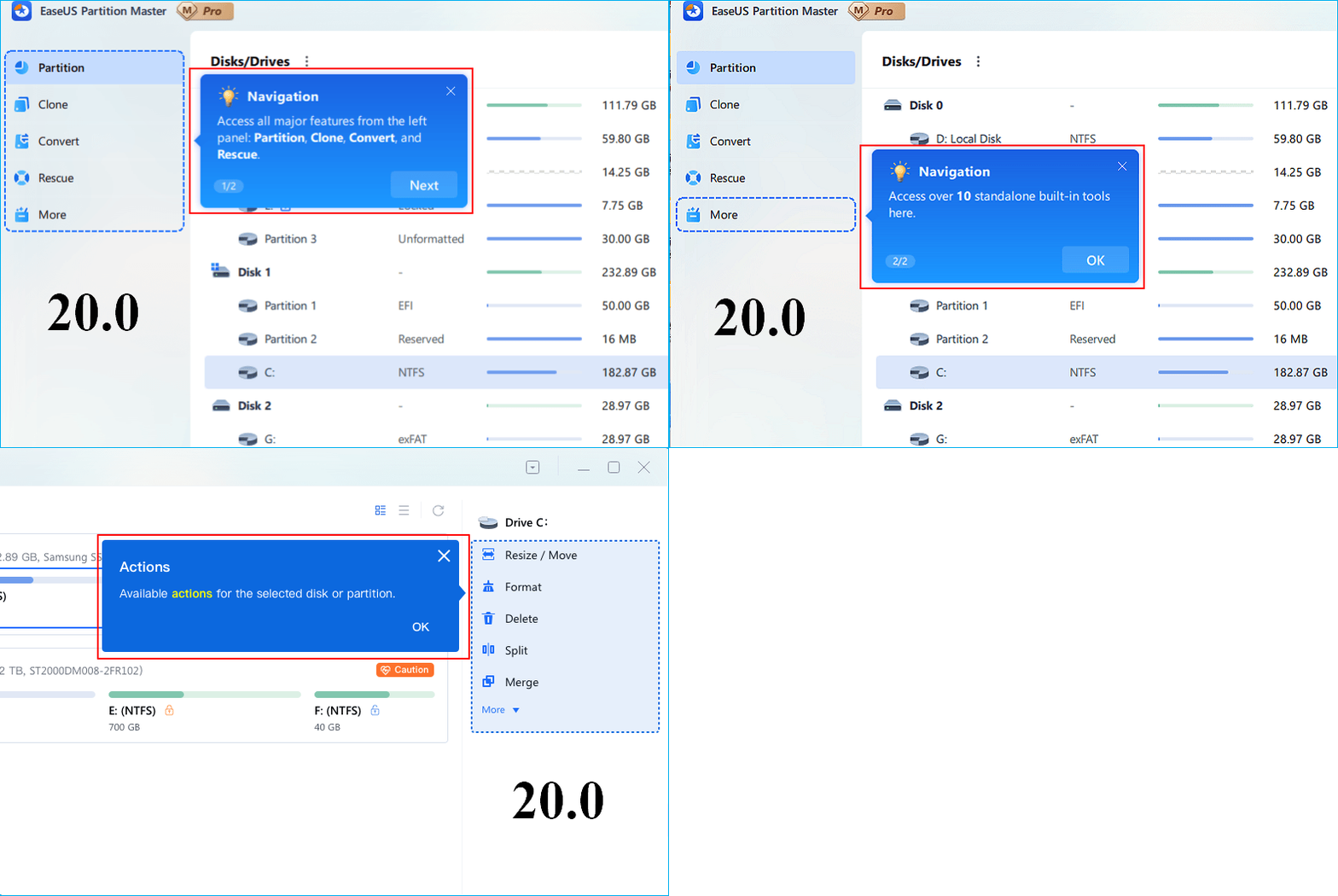
Feature 3. Add a Beginner's Guide
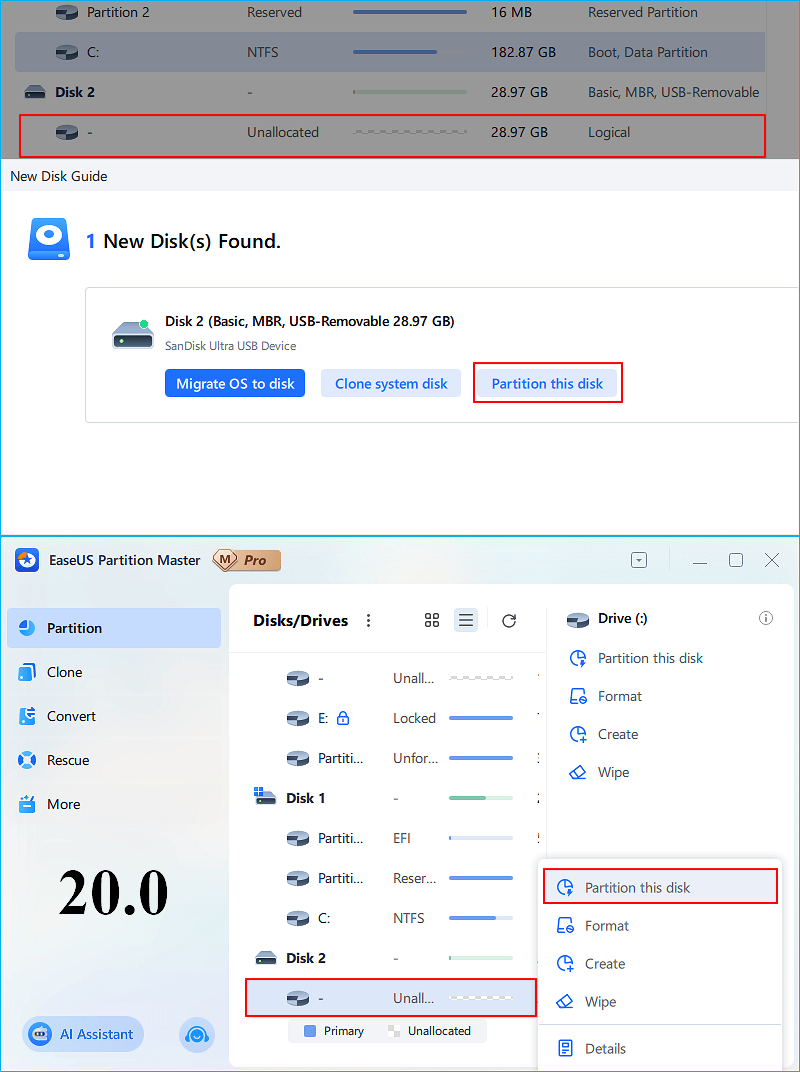
Feature 4. Add One-Cick Partition
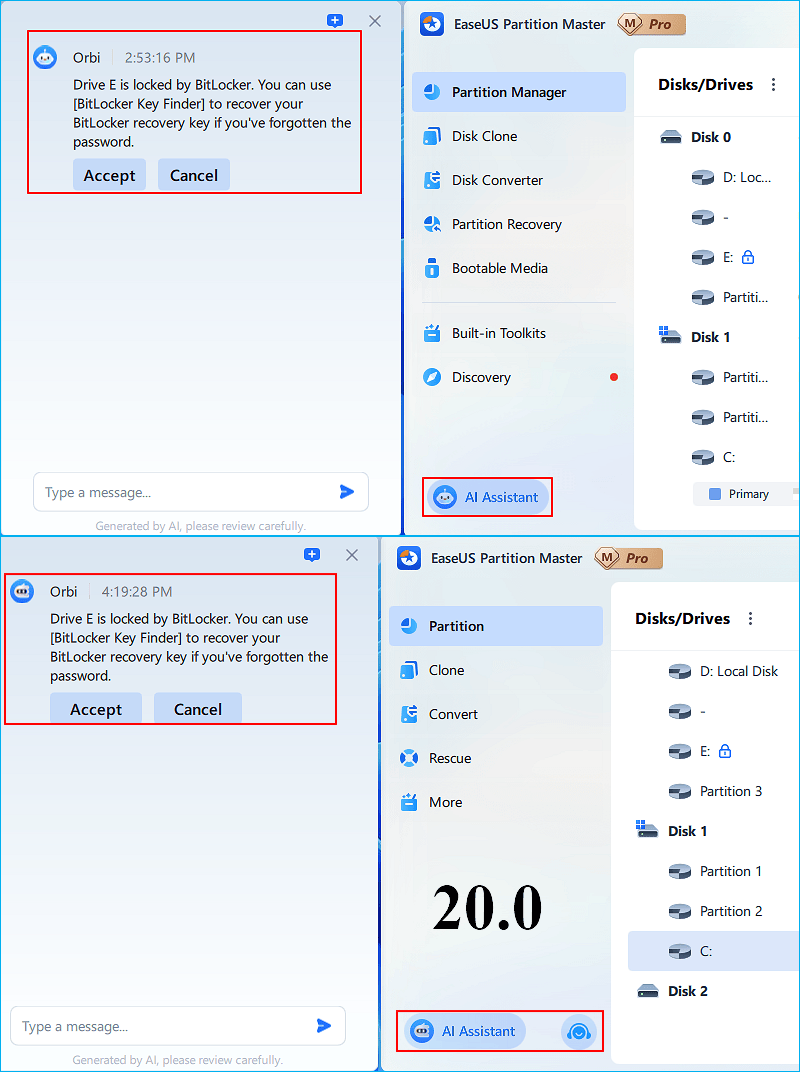
Feature 5. AI Assistant
This video demonstrates how EaseUS Partition Master makes exFAT management fast and effortless, letting you convert FAT32 to exFAT, resize exFAT partitions, and format USB or external hard drives in just a few clicks. Unlock powerful, all-in-one exFAT tools to manage your storage with confidence and efficiency. You can also use the enhanced AI assistant for smarter, faster disk management.
November 21
2024
December 25
2024
July 22
2025
November 21
2025
December 18
2025
1. Is EaseUS Partition Master free?
Yes, EaseUS Partition Master offers a solid free edition for basic tasks. You can resize, move, or merge partitions without paying. It is free for home users. It provides various disk and partition management features such as creating, resizing, merging, and deleting. Some advanced features, like OS cloning, are available in the paid version.
2. Is EaseUS Partition Master safe to use?
Sure, EaseUS Partition Master is a secure partition software. It uses strong encryption and previews changes before applying them. This partition tool strongly protects users' data and drives security. Its built-in data protection algorithms and operation previews help prevent data loss during disk management tasks. Users and reviews confirm it's virus-free and reliable for everyday use.
3. What is the best partition manager?
The best partition managers should be user-friendly to accommodate both beginners and advanced users. They offer a comprehensive set of features and ensure data safety during operations. It works on many Windows versions with free basic and advanced features. EaseUS Partition Master stands out as a top choice offering these features and data protection.
4. How does EaseUS Partition Master work?
EaseUS Partition Master works by providing an easy-to-use interface to manage disk partitions without data loss. Users launch the software, select the partition, and then choose operations like resize, move, merge, or format. Changes are scheduled and applied after confirmation. It supports MBR and GPT disks, dynamic disk management, and can create bootable USB drives for partitioning outside Windows.
5. How to Use EaseUS Partition Master?
To use EaseUS Partition Master, first install and launch the software. It displays your disks and partitions graphically. Right-click the target partition and choose an operation like resize, move, merge, or format. Adjust the size by dragging the edges. After setting tasks, hit "Apply" to execute changes safely.
6. Can I convert the MBR system disk to GPT with the EaseUS tool?
With EaseUS Partition Master, you can convert MBR disks to GPT disks. Just launch it, go to Disk Converter, pick your system disk, and select MBR to GPT. This process is easy and safe. EaseUS tool supports both system and data disks. This is especially useful when upgrading to Windows 11. Windows 11 requires GPT on the system disk.
7. Should I back up data before resizing the partition?
Yes, creating a backup is advised before resizing or moving partitions. While EaseUS Partition Master is designed to protect data, unexpected issues like power failure can occur. A quick backup to an external drive or cloud storage gives you complete peace of mind.
8. What is the best free Windows disk management tool?
The best free Windows disk management tools offer a user-friendly interface for common tasks like creating, resizing, and deleting partitions. Windows already comes with built-in tools like Disk Management. However, there may be some issues when using Disk Management, like data loss and interruption. EaseUS Partition Master Free is widely regarded as one of the best free tools for Windows disk management. It offers more features than the built-in Disk Management utility and has a friendlier interface.
9. Is my upgrade to EaseUS Partition Master 20.0 free?
If you are a lifetime user of EaseUS Partition Master, the answer is Yes. For lifetime upgrade users, you can instantly upgrade your current version to EaseUS Partition Master v20.0 for free. If you have already installed an older version of EaseUS Partition Master Free, you can simply download and install the latest version (v20.0) to enjoy the latest updates in this partition manager.
10. What are EaseUS Partition Master 20.0 system requirements?
EaseUS Partition Master 20.0 requires a 500 MHz processor, 512 MB of RAM, and about 100 MB of free disk space. The software supports Windows 11, 10, 8.1, 8, 7, Vista, and XP (both 32-bit and 64-bit). It works with HDDs, SSDs, USB drives, and RAID arrays up to 16 TB.
Copyright © EaseUS. All rights reserved.