Page Table of Contents

For many longtime PC users and IT professionals, Norton Ghost was once the go-to tool for disk imaging and system deployment. Before SSDs became mainstream and Windows adopted UEFI-based boot systems, Ghost helped millions of users clone hard drives, create system backups, and restore computers after hardware failures.
However, the PC landscape has changed dramatically over the past decade. Modern computers now rely on GPT partition tables, UEFI firmware, Secure Boot, NVMe SSDs, and Windows 11, technologies that didn't exist when Norton Ghost was actively developed.
As a result, users who still remember Ghost often find themselves asking questions such as:
- Does Norton Ghost still work on modern PCs?
- Can Ghost clone an NVMe SSD?
- What is the best Norton Ghost alternative nowadays?
- Is Clonezilla a good replacement for Norton Ghost?
- Which tool is more reliable for Windows 11 migration?
In this guide, we'll compare Clonezilla and Norton Ghost across key areas, including usability, hardware compatibility, disk cloning capabilities, imaging features, and modern Windows support.
What Happened to Norton Ghost?
Norton Ghost was originally developed by Binary Research in the 1990s and later acquired by Symantec. During the Windows XP and Windows 7 era, it was one of the most widely used disk imaging and cloning tools in both enterprise and home environments, and was considered the industry standard for system imaging.
However, the software's development eventually slowed as the PC industry evolved. Symantec officially discontinued Norton Ghost in 2013 and ended mainstream support shortly afterward.
The challenge isn't that Ghost suddenly stopped working; it's that modern hardware has moved far beyond the environment it was originally designed for. While some advanced users have managed to run older Ghost versions on modern hardware under specific conditions, compatibility is no longer guaranteed. Users frequently encounter issues involving boot failures, partition alignment, UEFI detection, or unsupported storage controllers.
Clonezilla and Norton Ghost at a Glance
Before diving deeper, here's a quick overview of how the two tools compare.
| Clonezilla | Norton Ghost | |
| Current Development | Actively Maintained | Discontinued |
| Cost | Free and Open Source | No Longer Sold |
| Latest Hardware Support | Yes | Limited |
| Windows 11 Compatibility | Yes | Not Officially Supported |
| GPT Partition Support | Yes | Partial |
| UEFI Support | Yes | Limited |
| NVMe SSD Support | Yes | Limited |
| Disk Imaging | Yes | Yes |
| Disk Cloning | Yes | Yes |
| Graphical Interface | No | Yes |
| Learning Curve | Steep | Moderate |
| Technical Knowledge Required | High | Medium |
At first glance, Clonezilla clearly benefits from ongoing development and support for modern storage technologies. Norton Ghost, on the other hand, still appeals to users familiar with its traditional workflow and graphical interface. The real differences become more apparent when examining how each tool performs in practical scenarios.
Clonezilla vs Norton Ghost: Feature-by-Feature Comparison
1. Ease of Use
If user-friendliness is your primary concern, Norton Ghost has a clear advantage.
Ghost was designed during a period when desktop software focused heavily on graphical user interfaces. Most operations could be completed through straightforward menus and wizards, making it accessible even for less experienced users.
Clonezilla takes a very different approach.
Although powerful, Clonezilla operates through a text-based environment that resembles a Linux recovery utility. Users must navigate multiple screens, select cloning modes manually, and understand concepts such as source disks, target disks, partition tables, and boot loaders.
For experienced technicians, this is rarely a problem. For casual users migrating a Windows installation to a new SSD, the learning curve can be intimidating.
🎯Winner: Norton Ghost
2. Disk Cloning Capabilities
Both tools were built around disk cloning, but they were developed for very different generations of hardware.
Norton Ghost was highly effective in environments dominated by:
- Traditional HDDs
- BIOS-based systems
- MBR partition tables
- Windows XP and Windows 7·
Clonezilla supports a much wider range of modern environments, including:
- SATA SSDs
- NVMe SSDs
- GPT disks
- UEFI systems
- Multiple Linux distributions
- Windows 10 and Windows 11 installations·
Clonezilla also supports numerous file systems such as NTFS, FAT32, ext4, XFS, and others, making it more flexible across operating systems.
For modern deployment and migration scenarios, Clonezilla offers significantly broader compatibility.
🎯Winner: Clonezilla
3. SSD Migration Support
SSD migration is where the gap between the two tools becomes most noticeable.
When Norton Ghost was actively developed, SATA hard drives were still dominant and NVMe SSD technology did not yet exist in the consumer market.
Modern storage upgrades often involve:
- Migrating Windows to an NVMe SSD
- Expanding from a smaller SSD to a larger one
- Preserving GPT partitions
- Maintaining UEFI boot functionality
Clonezilla supports these scenarios much more effectively because its development has continued alongside evolving hardware standards.
Ghost may still function in certain SSD migration situations, particularly on older systems, but it lacks official support and optimization for many modern SSD-related technologies.
🎯Winner: Clonezilla
4. Compatibility with Windows 11
Windows 11 introduced stricter hardware requirements than previous Windows releases, including UEFI firmware, secure boot, and TPM support.
Clonezilla remains compatible with Windows 11 environments because it operates independently of the installed operating system and continues to receive updates.
Norton Ghost predates Windows 11 by many years. Since development ended long before Windows 11 was introduced, no official support exists.
🎯Winner: Clonezilla
5. Backup and Recovery Features
Both tools support image-based backup and restoration. Users can create full disk images, restore failed systems, clone partitions, and replicate operating system installations.
Historically, Norton Ghost earned its reputation because of its reliable imaging engine and recovery capabilities. Clonezilla continues this tradition while adding support for newer file systems, larger storage devices, and modern partition structures.
The main difference lies not in the existence of backup features but in long-term compatibility.
🎯Winner: Clonezilla
6. Long-Term Viability
When choosing cloning software, users should consider not only current functionality but also future support.
- Clonezilla continues to receive updates, bug fixes, hardware compatibility improvements, and community support.
- Norton Ghost has not received official development updates for more than a decade.
🎯Winner: Clonezilla
Real-World Scenario: Migrating a Windows 11 PC to a New SSD
To better understand the differences between Clonezilla and Norton Ghost, let's look at a common real-world upgrade scenario.
Imagine a user with a Windows 11 laptop that currently runs on a 512GB SSD. After several years of use, the drive is nearly full, and the user decides to upgrade to a new 2TB NVMe SSD for additional storage and improved performance.
Using Norton Ghost
Although Ghost was highly effective during the Windows XP and Windows 7 era, it was never designed for modern Windows 11 environments.
Users attempting to clone a Windows 11 system with Ghost may encounter issues such as:
- Boot failures after migration
- Missing EFI partitions
- GPT-related compatibility problems
- Difficulty recognizing modern NVMe drives
- Lack of official support documentation
Even when the cloning process appears successful, the migrated drive may fail to boot properly due to differences in modern boot architecture.
Using Clonezilla
Clonezilla is much better equipped to handle modern storage environments. It supports:
- GPT disks
- UEFI boot systems
- NVMe SSDs
- Large-capacity drives
- Windows 11 installations
As long as users carefully select the correct cloning options, Clonezilla can successfully migrate an entire Windows 11 system to a new SSD without reinstalling the operating system.
The downside is that the process can be intimidating for less technical users. Because Clonezilla relies on a text-based interface, mistakes such as selecting the wrong source disk or destination disk can result in data loss.
Which Tool Makes More Sense?
For a Windows 11 SSD upgrade in 2026, Clonezilla is the safer choice from a compatibility perspective.
However, users who prefer a simpler workflow may find both Ghost and Clonezilla less convenient than modern GUI-based cloning software specifically designed for SSD migration.
Why Many Former Ghost Users Choose EaseUS Disk Copy Instead
Many users comparing Clonezilla and Norton Ghost are actually looking for something different. They don't necessarily want the most advanced cloning tool. This is where many former Ghost users begin looking for modern alternatives.
The Problem with Clonezilla
Clonezilla is undeniably powerful. It offers excellent hardware compatibility and supports a wide range of operating systems and file systems.
However, it was primarily designed for IT professionals and advanced users.
Common complaints from first-time users include:
- Complex setup procedures
- Text-based navigation
- Numerous cloning options that can be confusing
- Requirement to create bootable media before cloning
- Limited guidance for beginners
For users who previously enjoyed Ghost's relatively straightforward workflow, Clonezilla can feel unnecessarily complicated.
Why EaseUS Disk Copy Appeals to Ghost Users
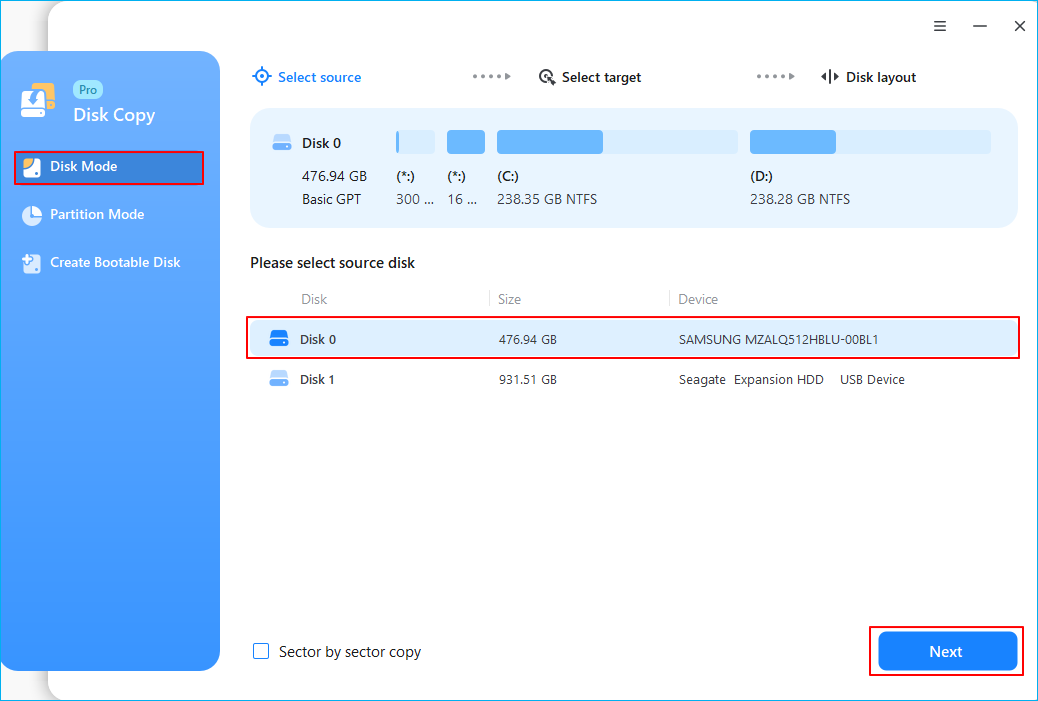
EaseUS Disk Copy takes a different approach. Instead of focusing on technical flexibility, it emphasizes simplicity and migration success.
Key advantages include:
- Intuitive graphical interface
- Step-by-step cloning wizard
- Automatic SSD alignment optimization
Unlike Clonezilla, users do not need to understand Linux-based recovery environments or memorize cloning modes before starting the migration process.
 Free Download
Windows 11/10/8/7
The Modern Replacement Philosophy
In many ways, Clonezilla and EaseUS Disk Copy represent two different approaches to disk cloning.
Clonezilla prioritizes flexibility and technical control.
EaseUS Disk Copy prioritizes convenience and ease of use.
Clonezilla vs Norton Ghost vs EaseUS Disk Copy
The following comparison summarizes how the three solutions stack up in modern SSD migration scenarios.
| Clonezilla | Norton Ghost | EaseUS Disk Copy | |
| Active Development | ✅ | ❌ | ✅ |
| Windows 11 Support | ✅ | No Official Support | ✅ |
| NVMe SSD Support | ✅ | Limited | ✅ |
| GPT Compatibility | ✅ | Partial | ✅ |
| UEFI Support | ✅ | Limited | ✅ |
| Graphical User Interface | ❌ | ✅ | ✅ |
| Beginner Friendly | Moderate to Low | Moderate | High |
| Bootable Media Required | Usually Yes | Often Yes | Optional |
| SSD Optimization | Limited | ❌ | ✅ |
| Technical Knowledge Required | High | Medium | Low |
| Official Support | ✅ | Discontinued | ✅ |
| Best For | Advanced Users | Legacy Systems | Home users and business users |
Bottom Line
If you are maintaining older systems or researching historical cloning tools, Norton Ghost remains an interesting part of PC history.
If you want a free and highly capable cloning solution for modern hardware, Clonezilla remains one of the strongest open-source options available.
If your goal is simply to migrate Windows to a new SSD as quickly and safely as possible, EaseUS Disk Copy is generally the easiest option for most users.
Free Download
Windows 11/10/8/7
FAQ
Is Clonezilla better than Norton Ghost?
For modern PCs, yes. Clonezilla supports current technologies such as GPT disks, UEFI firmware, NVMe SSDs, and Windows 11. Norton Ghost was discontinued years before these technologies became standard, making Clonezilla a more practical choice for modern hardware.
Does Norton Ghost still work on Windows 11?
There is no official Windows 11 support for Norton Ghost. Some users have reported limited success under specific configurations, but compatibility is inconsistent and not guaranteed. For Windows 11 migrations, newer cloning software is generally recommended.
Why was Norton Ghost discontinued?
Symantec discontinued Norton Ghost in 2013 as the backup and recovery market evolved. The company shifted its focus toward other data protection and security solutions, and Ghost no longer received feature updates for emerging storage technologies.
Can Clonezilla clone an NVMe SSD?
Yes. Current versions of Clonezilla support NVMe SSDs and can clone Windows installations between SATA SSDs and NVMe SSDs, provided the hardware configuration is properly recognized.
What is the best alternative for Norton Ghost?
The answer depends on your needs. Clonezilla is a strong choice for advanced users who prefer a free, open-source solution. EaseUS Disk Copy is often preferred by home users who want a simpler migration experience with a graphical interface.
Is Clonezilla difficult for beginners?
Many beginners find Clonezilla challenging because it uses a text-based interface and requires users to manually select cloning modes and disk options.
-
Updated by
![]()
Larissa
Larissa has rich experience in writing technical articles and is now a professional editor at EaseUS. She is good at writing articles about data recovery, disk cloning, disk partitioning, data backup, and other related knowledge. Her detailed and ultimate guides help users find effective solutions to their problems. She is fond of traveling, reading, and riding in her spare time.…Read full bio