Page Table of Contents

If you've been researching disk cloning software, there's a good chance you've come across Acronis True Image vs Clonezilla. On the surface, both tools can clone a hard drive, migrate Windows to a new SSD, and create disk images. But once you start using them, the differences become obvious.
One is a polished commercial product designed for everyday users. The other is a free open-source utility that has earned a loyal following among IT professionals and system administrators. The challenge is that "better" depends entirely on what you're trying to accomplish.
Are you upgrading a laptop to a larger SSD? Recovering from a failing drive? Managing dozens of office computers? Or are you simply looking for a free alternative to paid cloning software? Let's take a closer look.
Acronis True Image vs Clonezilla: Quick Verdict
For those who want a short version:
| If you prefer | Recommended tool |
| Free disk cloning | Clonezilla |
| Easy SSD migration | Acronis True Image |
| Mass Deployment | Clonezilla |
| Full backup solution | Acronis True Image |
| One-Time SSD Upgrade | Dedicated Cloning Software |
Choose Clonezilla If:
- Your top priority is getting a powerful cloning solution without spending money.
Choose Acronis True Image If:
- You want a smoother experience and additional backup features.
Consider EaseUS Disk Copy If:
- If you only need one-time simple disk cloning and don't want to pay for an entire backup suite.
Share this article on social media to help others compare Clonezilla and Acronis True Image.

Understanding the Difference Between the Two
| Feature | Clonezilla | Acronis True Image |
| Price | Free & open-source | Paid (30-day trial version) |
| Ease of Use | No | Yes |
| Supported OS | Windows, Linux, macOS | Windows, macOS |
| Disk Cloning | Yes | Yes |
| Disk Imaging | Yes | Yes |
| Hot Cloning | No | Yes |
| SSD Optimation | Yes | Yes |
| Editing Disk Layout | Limited | Yes |
| Incremental Backup | No | Yes |
| Cloud Backup | No | Yes |
| Ransomware Protection | No | Yes |
| Mass Deployment | Excellent | No |
⚠️Note: The trial version of Acronis cannot clone a disk.
One mistake many comparisons make is treating Acronis and Clonezilla as direct competitors.
Technically, they are. Practically, not really.
Acronis True Image is built around data protection. Disk cloning is only one piece of a much larger platform that includes backup scheduling, cloud storage, ransomware protection, recovery tools, and system restoration.
Clonezilla takes a different approach. It focuses almost entirely on cloning and imaging drives. There are no cloud services, no subscription plans, and very few extras. What you get is a highly capable cloning engine that prioritizes flexibility over convenience.
That distinction matters because it influences everything from setup to everyday use.
Ease of Use: Not Even Close
For many people, the biggest difference becomes apparent within the first 5 minutes.
With Acronis, you install the software, launch it, select your source and destination drives, and start cloning the disk. The process feels familiar.
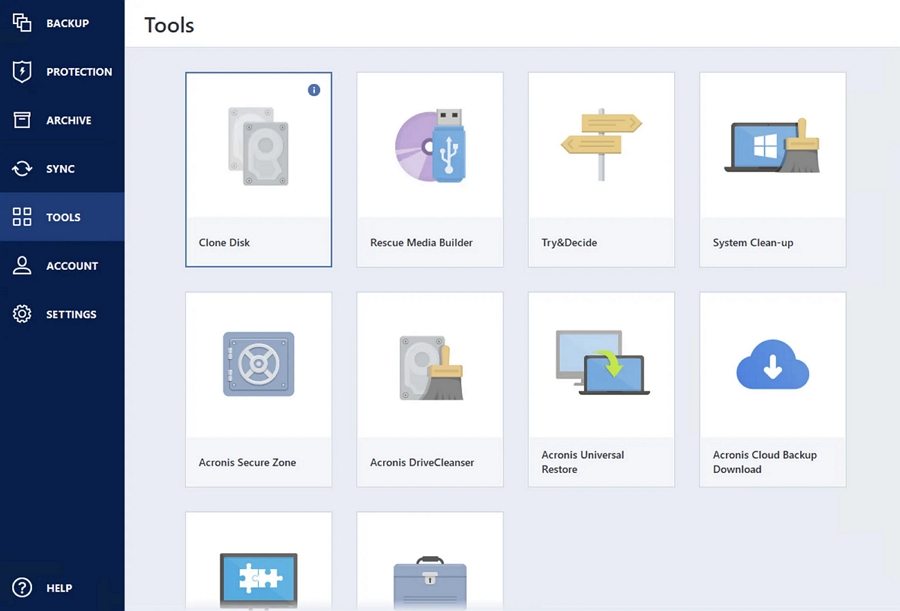
Clonezilla feels different. Instead of launching a Windows application, you'll usually create a bootable USB drive, restart your computer, and work through a text-based environment. The menus, options, and terminology can be intimidating if you've never used Linux-based tools before.
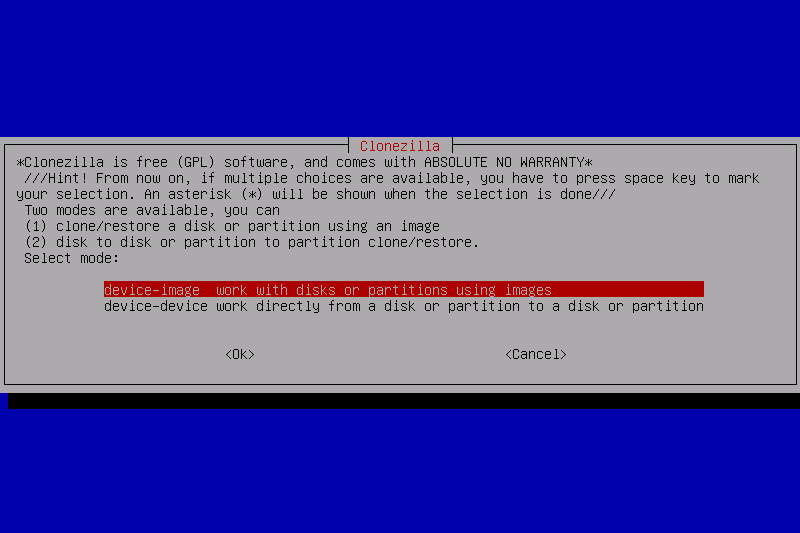
However, this doesn't mean Clonezilla is difficult for everyone. IT administrators often prefer it because it provides more control and fewer restrictions. But for someone upgrading an SSD for the first time, it can feel overwhelming.
If usability is important, Acronis wins this category comfortably.
Hot Cloning vs Bootable Cloning
This is one area that often gets overlooked.
Acronis supports what's commonly called hot cloning or active cloning. In simple terms, you can clone a drive while Windows is still running. That means less downtime and fewer steps. Imagine replacing a laptop SSD on a weekend. You connect the new drive, start the cloning process, wait for it to finish, and then swap the hardware.
Clonezilla works differently. Because it typically runs from a bootable environment, you need to restart the system before cloning begins. For advanced users, this isn't a problem. In some situations, it can even be preferable because no files are actively changing during the operation.
Still, for the average home user, active cloning is generally more convenient.
SSD Migration: Which Tool Handles Better?
One of the most common reasons people search for cloning software is SSD migration. A few years ago, cloning a drive was mainly something enthusiasts did. Today, upgrading storage has become routine for many home users.
Both Acronis and Clonezilla can migrate Windows from an HDD to an SSD, but the user experience differs significantly. For a simple upgrade to a larger SSD, either tool can usually complete the job successfully.
The real difference appears when the destination drive is smaller than the source drive. Imagine moving from a 1TB hard drive containing 400GB of data to a new 500GB SSD.
Acronis generally handles this scenario with minimal user intervention, automatically adjusting partitions as long as the used data fits within the target drive. Clonezilla can perform the same migration, but users may need to shrink partitions beforehand or verify that the partition layout is compatible.
For occasional SSD upgrades, Acronis tends to be the more forgiving option. Clonezilla remains powerful and flexible, but it expects a higher level of technical involvement.
Backup Features: A Significant Gap
At this point, it's worth asking a simple question: Do you actually need backup software, or just a cloning tool?
If regular backups are part of your plan, Acronis gains a significant advantage. In addition to disk cloning, it supports scheduled backups, multiple recovery points, and optional cloud storage. That makes it useful long after a one-time SSD upgrade is finished.
Clonezilla can also create and restore disk images, but it lacks many of the automation and convenience features people expect from modern backup software. There are no built-in scheduled backups, cloud synchronization, or user-friendly recovery workflows.
Think of it this way:
- Acronis is a full-featured backup and recovery solution that also performs disk cloning.
- Clonezilla is a powerful cloning and imaging tool that prioritizes flexibility over convenience.
Depending on your goals, that distinction may matter a lot.
Share this article on social media to help others compare Clonezilla and Acronis True Image.
Performance and Reliability
Performance discussions around cloning software can be misleading. In most cases, cloning speed is limited by the storage hardware rather than the software itself. A fast NVMe SSD will typically complete a migration much faster than an older SATA drive, regardless of which cloning tool is used.
In typical consumer and small-business environments, both Acronis and Clonezilla are highly reliable.
Clonezilla has earned a strong reputation among IT professionals, particularly for large-scale deployments and system imaging tasks. Acronis takes a different approach by emphasizing automation and ease of use. Because many configuration decisions are handled automatically, users are less likely to encounter boot issues, partitioning mistakes, or migration errors.
Neither tool has a decisive advantage in raw cloning reliability. For most users, the bigger difference is how much technical involvement the process requires.
Pricing: Free vs Premium Convenience
Pricing is one of the clearest differences between Acronis and Clonezilla.
Clonezilla is completely free and open source. There are no subscriptions, upgrade tiers, or hidden costs. If your goal is simply to clone a drive or migrate Windows to a new SSD, you can do it without spending a dime.
Acronis is a paid product that bundles disk cloning with backup, recovery, and cloud-based features. The extra cost buys convenience, automation, and a more user-friendly experience.
Think of it this way:
- Clonezilla saves money but requires more technical involvement.
- Acronis costs more but makes the process easier for most users.
Neither approach is inherently better. The right choice depends on whether you value simplicity or savings more.
Why Some Users Look Beyond Both Options
Despite their strengths, neither solution is perfect.
Acronis has become increasingly feature-rich over the years. For some users, that's a benefit. For others, it feels like paying for functionality they'll never use. If all you want is to clone a drive once every few years, an entire backup ecosystem may feel unnecessary.
Clonezilla has the opposite problem. It's powerful, but many users find the learning curve steeper than expected. This creates an interesting middle ground.
Some people don't want a subscription-based backup suite. They also don't want to spend time learning a text-based cloning tool. They simply want to replace an SSD and move on.
A Simpler Alternative for Disk Cloning
This is where dedicated cloning software often enters the conversation. Tools like EaseUS Disk Copy focus specifically on disk cloning rather than trying to become an all-in-one backup platform.
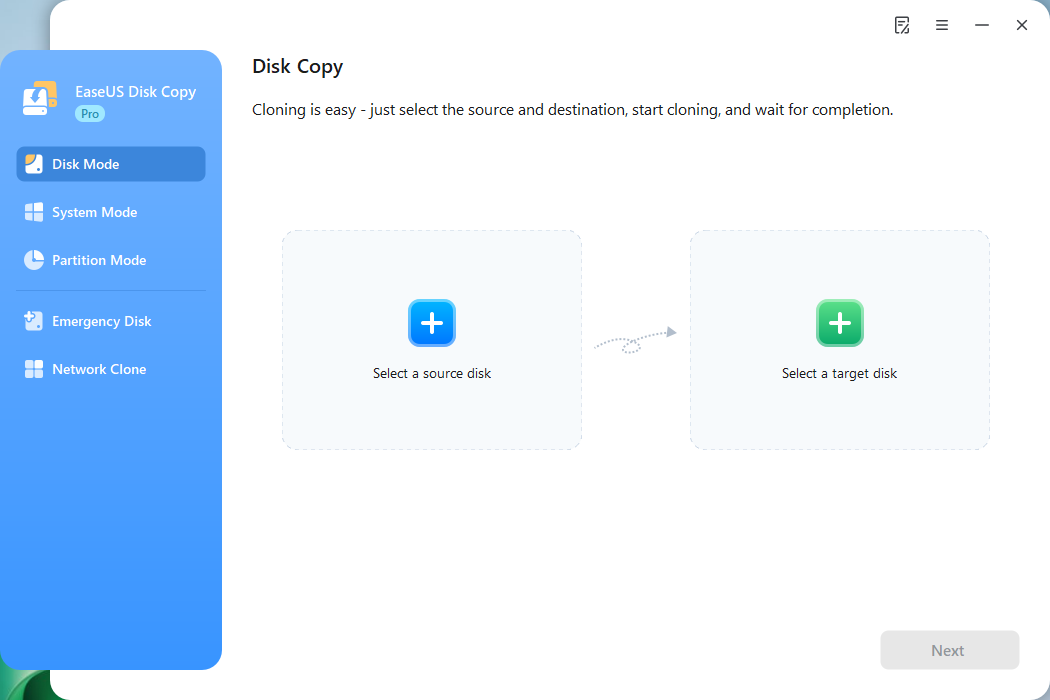
This dedicated cloning software supports:
- Disk cloning
- System migration
- Sector-by-sector cloning
- SSD alignment
- MBR and GPT disks
 Free Download
Windows 11/10/8/7
For users upgrading storage, replacing aging hard drives, or moving Windows to a faster SSD, that narrower focus can actually be an advantage. Instead of navigating many backup-related settings, you simply complete the cloning task and continue using your computer.
Clonezilla vs Acronis vs EaseUS Disk Copy
| Feature | Clonezilla | Acronis True Image | EaseUS Disk Copy |
| Price | Free | $79.99/year | $19.90/month |
| Ease of Use | No | Medium | Excellent |
| Hot Cloning | No | Yes | Yes |
| Disk Imaging | Yes | Yes | Yes |
| Backup Features | Limited | Excellent | Limited |
| SSD Optimization | Yes | Yes | Yes |
| Automatic Partition Resizing | Limited | Yes | Yes |
| Mass Deployment | Excellent | No | Yes |
| Learning Curve | High | Low | Low |
| Best for | Advanced Users | Backup & Recovery | Simple/One-time Disk Cloning |
Final Thoughts
The debate between Acronis True Image and Clonezilla has existed for years, and there is a reason both remain popular.
Clonezilla continues to attract users who value flexibility, control, and open-source software. If you're comfortable working with bootable environments and don't mind a more technical workflow, it remains one of the strongest free cloning solutions available.
Acronis appeals to a different audience. It simplifies the cloning process while adding a broader set of backup and recovery features that many users appreciate.
Ultimately, neither tool is objectively better. Clonezilla offers maximum value for users willing to invest time and technical effort, while Acronis prioritizes convenience and ease of use. The best choice depends less on features and more on how you actually plan to use the software.
Share this article on social media to help others compare Clonezilla and Acronis True Image.
FAQs on Acronis vs Clonezilla
1. Is Acronis True Image better than Clonezilla?
For most home users, Acronis True Image is easier to use thanks to its graphical interface, hot cloning support, and advanced backup and recovery features.
2. Is Clonezilla really free?
Yes. Clonezilla is completely free and open-source software. Users can clone disks, create images, and deploy systems without paying licensing or subscription fees.
3. Can Clonezilla clone a drive to a smaller SSD?
Yes, Clonezilla can clone to a smaller SSD if the used data fits on the destination drive. However, manual partition resizing may be required beforehand.
4. What is the easiest disk cloning software for beginners?
EaseUS Disk Copy and Acronis True Image are popular beginner-friendly options because they offer intuitive interfaces, guided cloning wizards, and straightforward SSD migration tools.
5. Is there an alternative to Clonezilla that is easier to use?
Yes. EaseUS Disk Copy and Acronis True Image are easier alternatives to Clonezilla, offering graphical interfaces and simpler workflows for disk cloning and OS migration.
-
Updated by
![]()
Jerry
"I hope my articles can help solve your technical problems. If you are interested in other articles, you can check the articles at the bottom of this page, and you can also check my Facebook to get additional help."…Read full bio