


-
![]() Ext3/Ext2 Linux Recovery: Check Best Recovery Solutions Here
Ext3/Ext2 Linux Recovery: Check Best Recovery Solutions Here December 03,2025
 6 min read
 -
![]()
-
![]()
-
![]()
-
![]()
-
![]()
-
![]()
-
![]()
-
![]()
-
![]()
Page Table of Contents
PAGE CONTENT:
Both EaseUS Data Recovery Wizard and Recuva are well-known names in the data-recovery area, but they serve very different needs. EaseUS aims to handle tougher cases like formatted drives, RAW partitions, and corrupted SD cards, while the other focuses on being a simple, lightweight tool for everyday file-recovery tasks.
If you're trying to figure out which one is better for your situation, or whether it's worth paying for a more advanced tool, this comparison walks through how EaseUS and Recuva perform in real tests, what each one is good at, and where they fall short. By the end, you should have a clear sense of which tool fits your data-loss scenario.
What Are EaseUS & Recuva Data Recovery
In this article, you'll learn a detailed comparison guide between EaseUS and Recuva data recovery software. Before diving into more features, learn some basic information about these two excellent recovery tools.
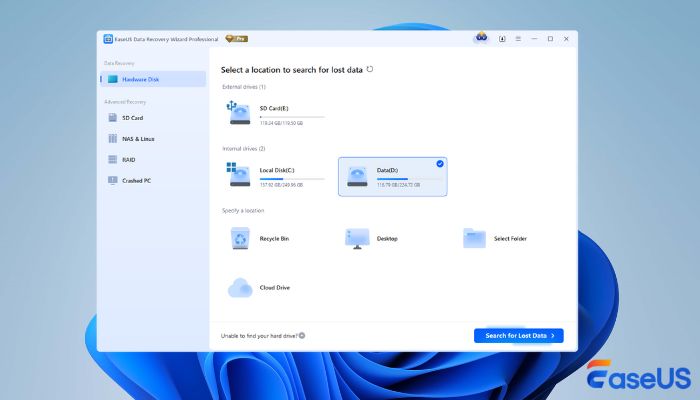
EaseUS Data Recovery Wizard: It is a comprehensive and user-friendly data recovery solution for Windows and Mac users. This tool can basically resolve most data loss situations, including disk formatting, accidental deletion, file systems becoming RAW, etc. This software also offers some extra services like file repair or disk image creation.
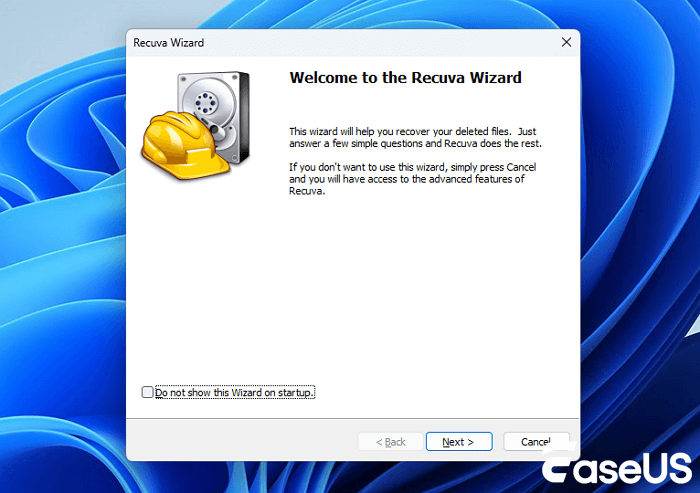
Recuva: It's the classic, nimble first responder for Windows. Its biggest strength is simplicity and speed. While it might not always be the tool for complex, deep-seated data loss, it excels at everyday file recovery tasks. Many users keep it installed just in case, valuing its straightforward approach for common accidents.
EaseUS Data Recovery VS Recuva [Deep Comparison]
To make the comparison fair, both programs were tested under the same conditions and with the same devices. We wanted to see how they behaved in situations that real users actually run into, not just simple "delete a file and get it back" scenarios.
💡How We Test EaseUS & Recuva Data Recovery Software
The tests of these two data recovery software covered a mix of storage devices and file types:
- A 64GB SanDisk SD card that had been fully formatted
- A 1TB SATA SSD with a deliberately damaged partition table
- A USB flash drive containing fragmented video files
- A folder of RAW photos from a Canon and a Nikon camera
Each device went through several test situations, including:
- Accidentally deleted files
- Fully formatted media
- RAW or inaccessible partitions
- Large media files such as 4K videos and RAW photos
- Lightly corrupted file systems
We ran the scans on a Windows 11 laptop with no background applications running to avoid interference. The goal wasn't to create a "perfect lab test," but to replicate the kinds of problems people bring to data recovery tools every day.
 |
 |
|
| Recovery Success Rate | ⭐⭐⭐⭐⭐ | ⭐⭐⭐ |
| Deep Scan Quality | Advanced, thorough sector-level scanning | Basic deep scan; limited for damaged drives |
| Formatted Drive Recovery | Excellent; strong on formatted SD cards & RAW partitions | Limited; works mainly on simple cases |
| Photo/Video Recovery | Very strong; reconstructs fragmented 4K/8K videos and RAW photos | Good for small files; struggles with larger media |
| File System Support | NTFS, FAT, exFAT, HFS+, APFS | NTFS, FAT, exFAT (Windows only) |
| Lost Partition Recovery | Yes; can scan, rebuild, and recover lost partitions | No partition recovery capability |
| OS Support | Windows & macOS | Windows only |
| Free Version | 2GB free recovery | Fully free for basic recovery |
| Ease of Use | Modern UI with preview, filters, and clear scan progress | Simple wizard-style interface |
| Best For | Complex recovery cases (RAW drives, videos, partitions) | Quick undelete tasks on Windows |
✅Photo & Video Recovery
For photos and videos, EaseUS has a clear edge. It handles big, messy files like 4K clips, action camera footage, and RAW shots—much better and usually restores more usable data. Recuva can bring back simple JPEGs or small videos, but it tends to fall short once the files get larger or the SD card has been formatted.
✅File System Support
EaseUS works with a wider mix of file systems, including Windows and Mac formats, so it's more flexible for people using different devices. Recuva sticks to the basics and doesn't read Mac drives, which limits its use if you move storage between platforms.
✅Ease of Use
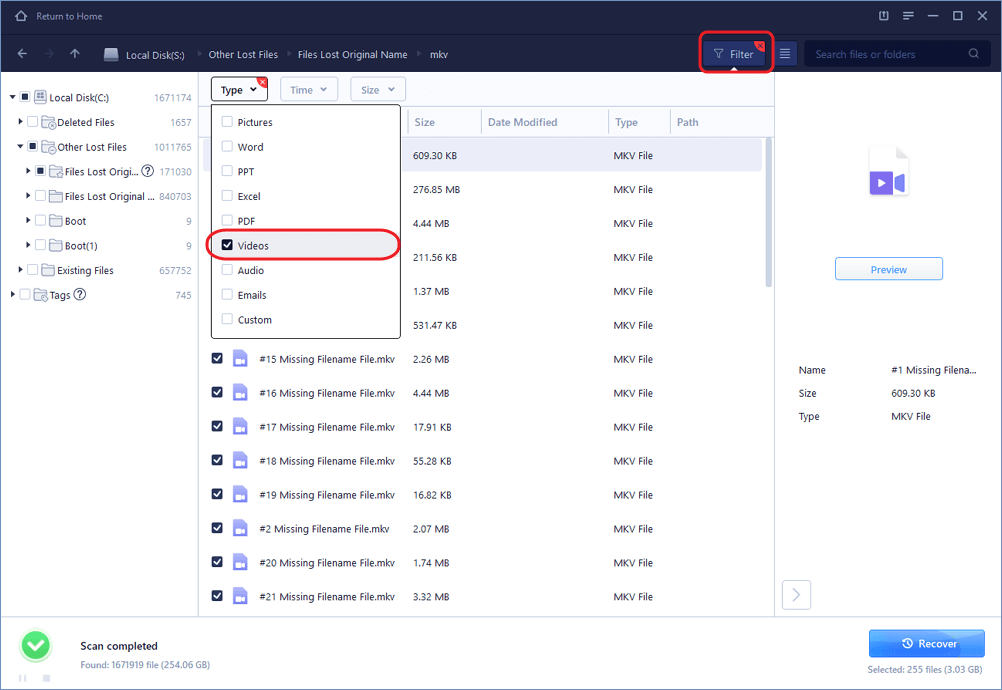
Recuva is simple and lightweight, with an older but very straightforward interface. EaseUS feels more polished and makes it easier to filter and preview results, which helps when you're dealing with a big recovery job. Downloading Recuva is quick; EaseUS is easier to manage when things get messy.
EaseUS & Recuva Performance in Data Loss Scenarios
If you want to know more detailed information about our comparison, you can find the data recovery performance of EaseUS Data Recovery Wizard and Recuva in the detailed aspects.
We ran both tools through a series of everyday data-loss situations - from basic deleted files to formatted drives and lost partitions. Check the results below to learn more:
Deleted File Recovery
| 🔵EaseUS Data Recovery | 🟡Recuva | |
| Success Rate | ~92% | ~58% |
| Scan Time | Medium | Fast |
| Folder Structure Retention | Mostly preserved | Often incomplete |
| Notes | Handles mixed file types well | Best for simple deletions |
Formatted Recovery
| 🔵EaseUS Data Recovery | 🟡Recuva | |
| Success Rate | ~92% | ~58% |
| Scan Time | Longer but more complete | Fast but may miss files |
| Folder Structure Retention | Mostly preserved | Often incomplete |
| Fully Formatted SD Card Support | Very strong | Limited success |
RAW Photo Recovery
| 🔵EaseUS Data Recovery | 🟡Recuva | |
| CR2 / CR3 | Excellent | Partial |
| NEF | Excellent | Good |
| ARW | Excellent | Limited |
| DNG | Very good | Basic |
Lost Partition Recovery
| 🔵EaseUS Data Recovery | 🟡Recuva | |
| Detect Lost Partitions | Yes | No |
| Recovered Usable Data | ~80% | ~50% (file-level only) |
| BitLocker Partition Recovery | Supported | Not available |
| File Structure | Often restored | Not supported |
Crashed OS Recovery
| 🔵EaseUS Data Recovery | 🟡Recuva | |
| Bootable Media | Yes | No |
| Recovery Success | High | Very limited |
| Partition Access | Full access even if system won't boot | Requires Windows to load |
| Notes | Useful for severe OS crashes | Not suitable for system failures |
If your friends ask you, "Is Recuva safe?" "Is EaseUS safe?" Share this page with them!

Recuva VS EaseUS: Pricing Comparison
Price is often the deciding factor, especially when the recovery job isn't too complicated. EaseUS and Recuva take two very different approaches here: one is a full-featured professional tool with tiered plans, while the other keeps things simple with a free option and a low-cost upgrade. The table below gives you a quick look at how both options are priced and what you get at each level.
| EaseUS Data Recovery | Recuva | |
| Free Version | 2GB free recovery | Fully free for basic recovery |
| Paid Plan | $69.95 - $149.95 (depending on license type) | $24.95 (Professional) |
| What You Get | Full recovery features, RAW/partition support, video repair, and bootable media | Basic recovery + virtual disk support in Pro |
| Best For | Users with serious data loss or large media files | Simple deleted-file recovery on Windows |
EaseUS VS Recuva: Pros & Cons
Choosing a recovery tool isn't just about performance - it also comes down to how it feels to use, how much it gets in your way, and whether it behaves reliably when things go wrong. After running both programs through different recovery tasks, a few strengths and weaknesses stood out on each side. Here's a more down-to-earth look at what it's like to actually use EaseUS and Recuva.
| 🔍EaseUS Data Recovery Wizard Pros & Cons |
|
Pros:
|
|
Cons:
|
The followings are pros & cons of Recuva data recovery:
| 🔍Recuva Pros & Cons |
|
Pros:
|
|
Cons:
|
Which Is Better? EaseUS VS Recuva
Here comes the final conclusion part. In short, if your data is important or if you're dealing with something beyond a simple accidental deletion, EaseUS is the safer and more capable choice. It consistently helps you restore more recoverable files in real tests, especially with RAW photos, SD cards, and formatted or damaged drives.
But you should know that Recuva is still useful, mainly for casual users who want a free way to get back recently deleted files on Windows. It's not built for deeper or more complex recovery work.
EaseUS Data Recovery Wizard VS Recuva FAQs
1. Is EaseUS safe?
Yes, EaseUS Data Recovery Wizard is a safe product. It can scan deeply on your storage devices without introducing malware or bringing computer viruses to your disk. Through various reliable tests, this tool is safe and reliable enough to use.
2. What is the best Recuva alternative?
Recuva is a good data recovery tool, but it can only deal with simple data loss issues like accidental deletion. To recover data that was lost a long time ago or restore a formatted disk, it's better to choose an alternative tool like EaseUS Data Recovery Wizard.
3. Is Recuva 100% free?
Yes. Recuva offers a free version that lets you scan drives and recover lost or deleted files (documents, photos, videos, etc.) without a built-in data amount limit.
The free version supports unlimited recovery of basic files on Windows (hard drives, memory cards, USB drives, etc.)
Was this page helpful?
-
Dany is an editor of EaseUS who lives and works in Chengdu, China. She focuses on writing articles about data recovery on Mac devices and PCs. She is devoted to improving her writing skills and enriching her professional knowledge. Dany also enjoys reading detective novels in her spare time. …

 Why Trust EaseUS
 Editor Reviews

20+
Years of experience

160+
Countries and regions

72 Million+
Downloads

4.8 +
Trustpilot Score





Free Data
Recovery Software
Recover data up to 2GB for free!

