More Recovery Products
Centralized Solutions
MSPs Service
Transfer Products
PDF Solutions
Data Recovery Wizard for Windows
Recover lost data from HDD, SSD, SD cards, USB drives on Windows PC.
Recover lost files from Mac SSD, Time Machine backups, memory cards, Trash, and external storage devices.
Recover Lost iPhone/Android Data – Photos, Messages, Contacts & More in 3 Clicks.
Windows partition manager: create, resize, clone partitions and upgrade HDDs/SSDs safely.
Windows Backup Freeware - One-click system, disk, and file backup with reliable recovery for peace of mind.
PC data transfer software: transfer data, apps, user account and personal files to new PCs and disks.
Remove vocals from songs and separate vocal and instrumental tracks from audio or video with AI.
Capture any area of your screen with customizable settings and record video/audio/webcam.
Channel Partnerships
Affiliate Earn commissions when you drive sales through your affiliate links. Resellers Sell EaseUS products as a distributor. Creators & Influencers Partner with us on YouTube, TikTok, Twitch to earn commissions. OEM & Outsourcing Service Put your brand on EaseUS software, or get custom solutions.Self-Service
Manage your products, licenses, and subscriptions in one place. Find guides and resources for quick self-service.
Live Chat Support
Get real-time answers from our experts.
Call Our Support Team
Speak directly to a specialist for urgent matters.
Premium Human Services
Human-led solutions for complex system & data emergencies.
First of all please install the program on a PC that can normally boot, launch it to create a Bootable Media with your storage device. Then you can use the Bootable Media to recover data within 3 steps from your PC which cannot boot up into Windows.
First of all, please download the program and install it on your computer (DO NOT install it on the disk where you lost your data, otherwise those lost files and data will be overwritten.).
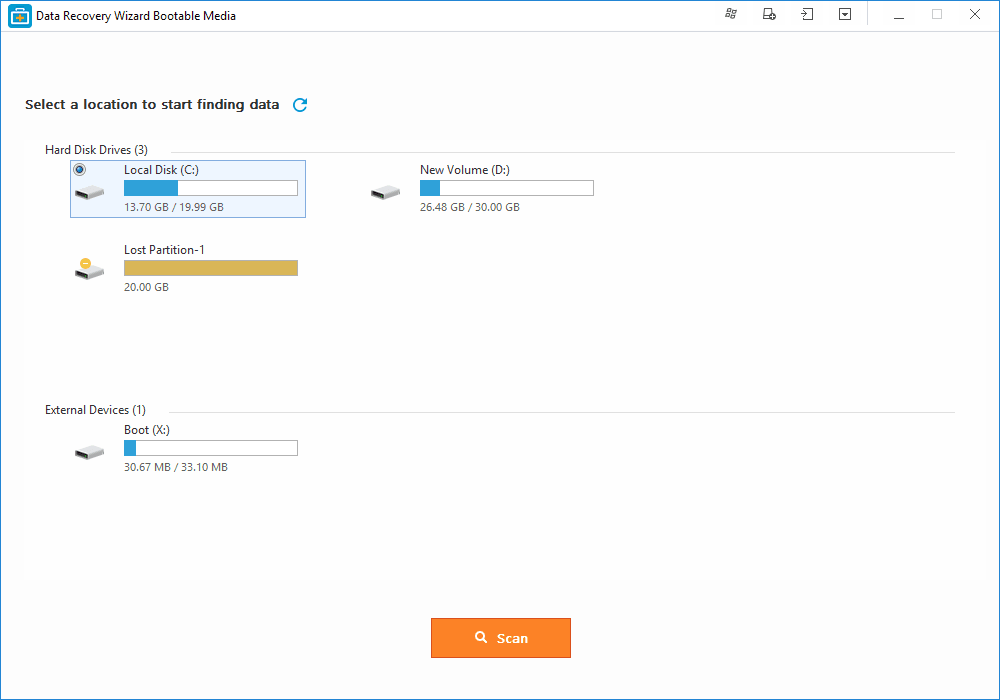
Please select a location to start finding data, like Existing partitions, Lost partitions (This option is suitable for the situation of a data loss caused by deleting a partition, losing a partition or re-partition. Our program will read the partition table and list all the deleted partition info under it.)

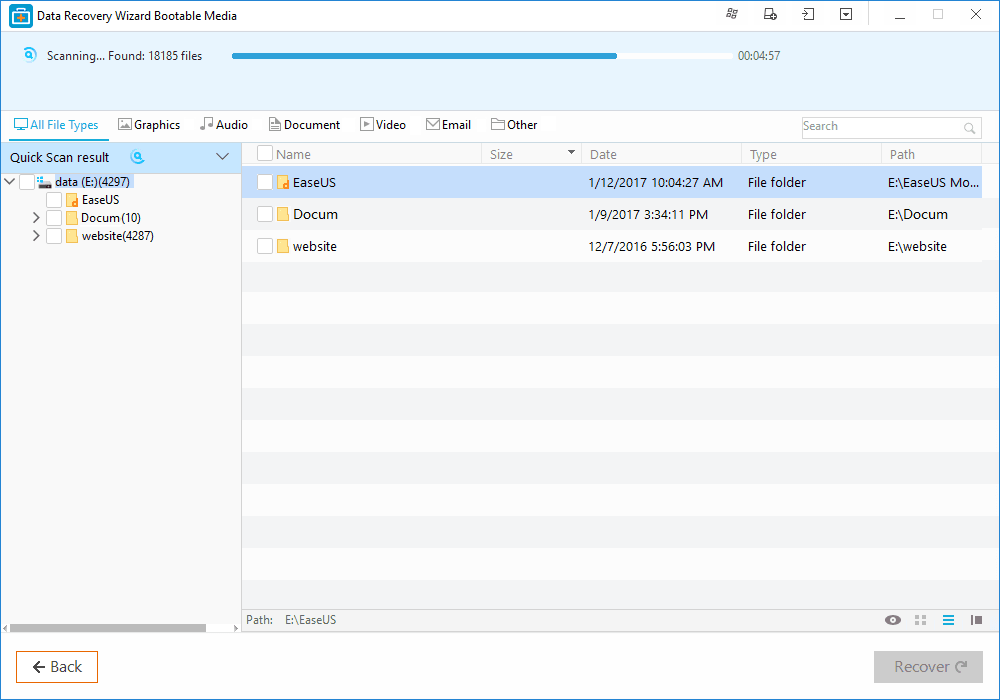
In the upper part of the program is the process bar displaying the status of the recovery. after the process bar is the estimated remaining time.

Technically the first scan will be very quick. Our program will first list all the files that are simply deleted or cleaned from the recycle bin.
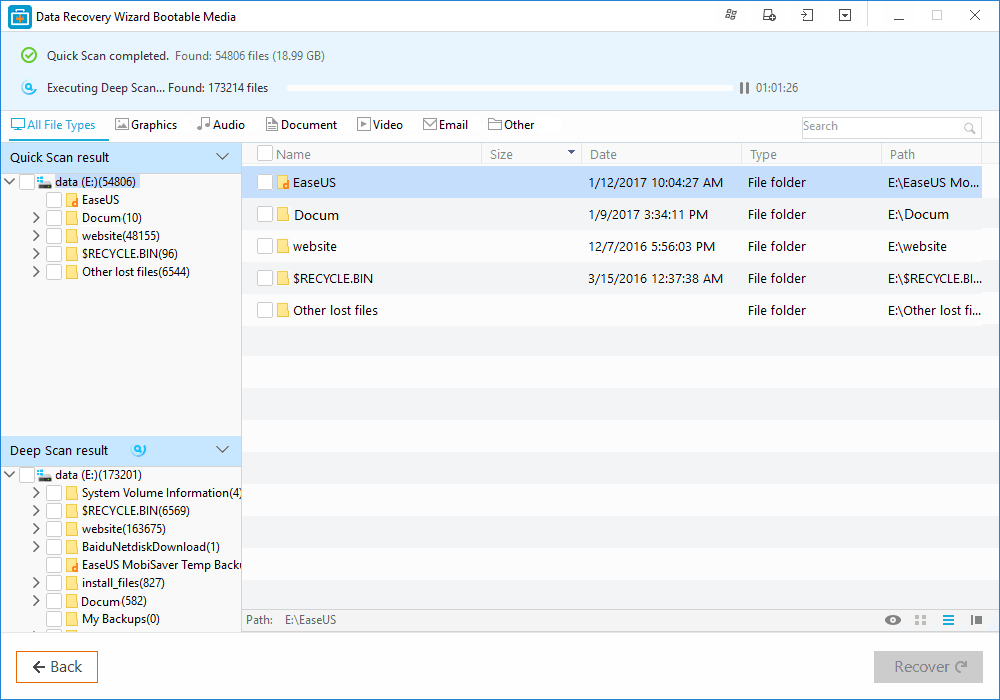
After the quick scan, our program will perform a new sector by sector scan automatically, which will take longer than the first scan. Please be patient and do not interrupt it in the middle of the process if not necessary.

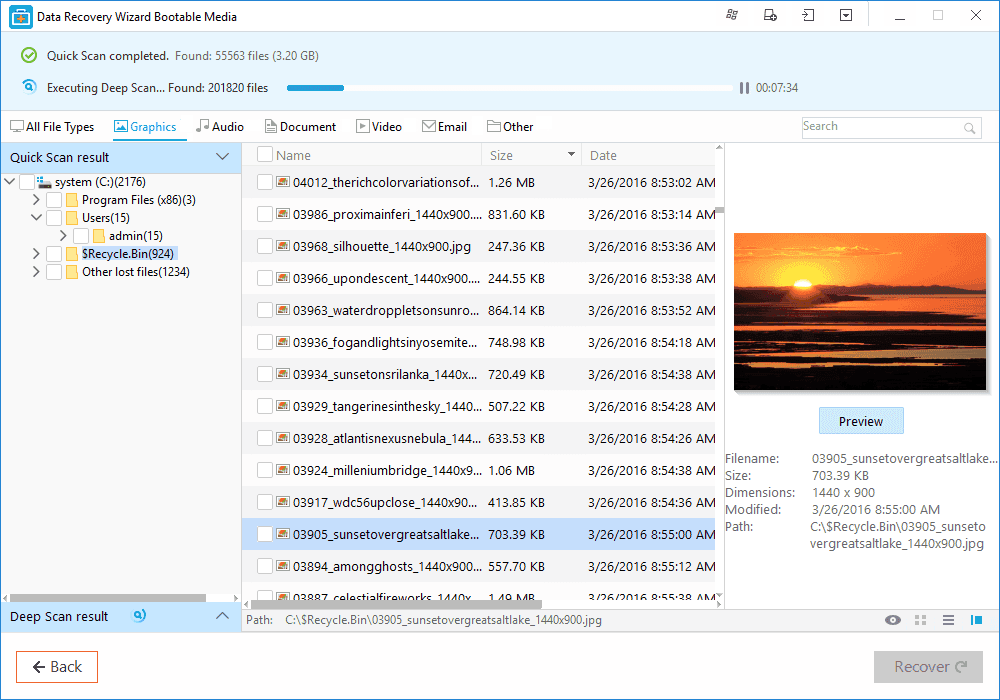
The scan result interface is divided into 3 parts. At the left is the Directory Tree list. The window in the middle displays all the files and folders under the folder selected in the left window with more info (date, type, size and so on). The window at the right side displays a thumbnail and info for the file selected in the middle window. It provides a Preview option to preview some specific file types in the program.

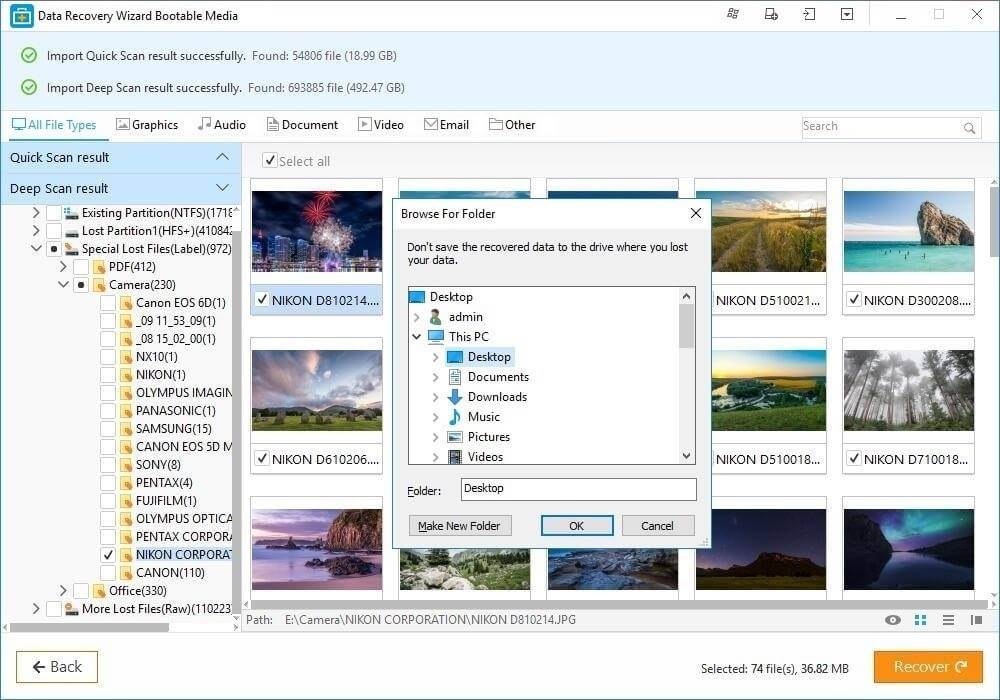
After the preview or search, you can select the targeted files and press Recover button to recover and save them on your computer or storage device (Please DO NOT save the files into the drive or device where you lost the data).

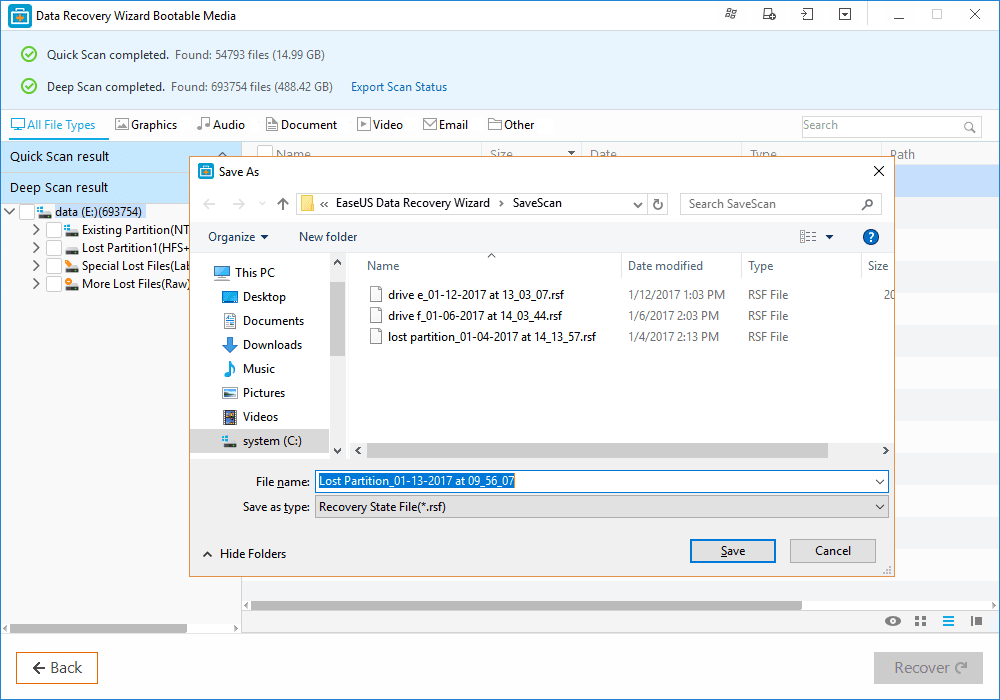
Moreover, you can export the scan results by clicking Export Scan Status, and you can Import the scan results to perform another recovery without scanning again at any time by clicking Import Scan Status.

Trevor
"Just tested out your Data Recovery Wizard and I have to say, it was amazing. I will definitely be recommending this to everyone who needs data recovery software. Keep up the good work!"
Philippe Gautier
"I bought recently recovery pro from EaseUs. I recovered all my data. I would like to thank you and encourage you , your development team, and tell you all my satisfaction using your software."
Brian
"Want to thank you for a great application. I had to use your data recovery software on a crashed Seagate drive (personal computer). It worked fantastically. Really saved me! Thanks again."
Success, thanks for submitting!