






Page Table of Contents
Reviews and Awards


How to transfer a Premiere project to another computer? I'm not sure if this is a dumb question but I haven't found any solution yet. So I'm trying to transfer a big project from my laptop to my main PC, but I can't figure out how. When I export it as a premiere file type it obviously doesn't have the original files and videos so when I open it on my PC it's just error messages. When I export the entire project including the original clips, it DOES locate all the videos but it loses all my time remapping and keyframes.
Want to move Premiere Pro project to another computer without losing your footage, audio, or editing work? The good news is that you can transfer a Premiere Pro project and its related media files to a new PC with ease.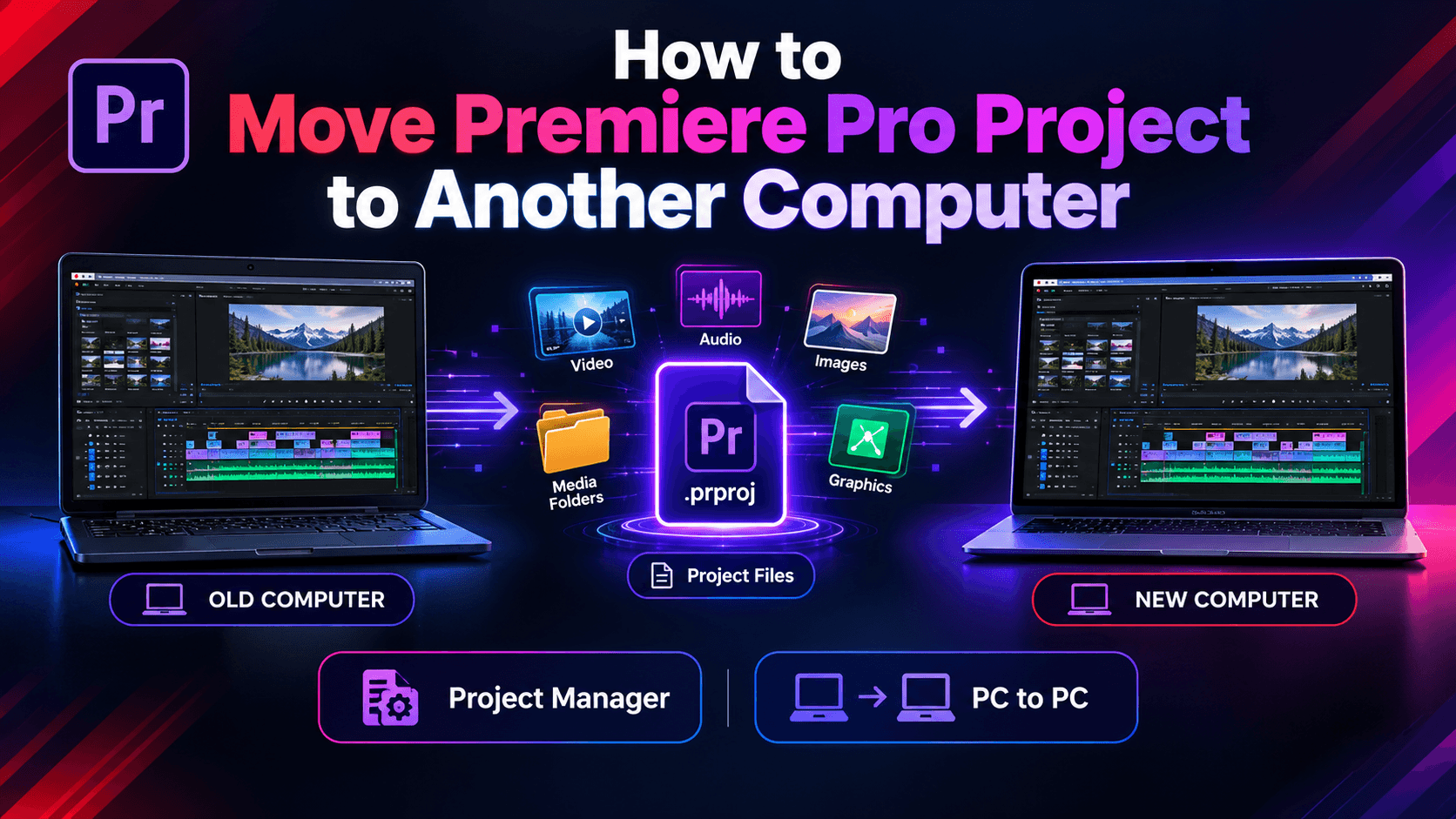
However, simply copying the .prproj file is usually not enough. Your project may contain links to videos, images, audio files, graphics, and other assets stored on the old computer.
In this guide, we'll show you how to move a Premiere Pro project to another computer safely in 2 ways. Scroll through to find the method you like.
Can You Move a Premiere Pro Project to Another Computer?
Yes. You can move a Premiere Pro project to another computer by transferring the project file and all required media files.
Adobe recommends using Project Manager to collect the files used by your selected sequences and copy them to a new location. You can then transfer the resulting folder to the new computer.
There are two common ways to do this:
| Method | Difficult Level | Best For |
| Premiere Pro Project Manager |
⭐⭐⭐ |
Collecting project files and media |
| EaseUS Todo PCTrans | ⭐ | Moving project files and other PC data |
If you only need to move one Premiere Pro project, Project Manager is a straightforward option. If you're moving to a new Windows PC and also need to transfer other files, folders, or applications, PCTrans can help simplify the migration process.
Way 1. Move Premiere Pro Project with Project Manager
Project Manager is is Adobe's built-in method for collecting a project and its associated media. Follow these steps:
Step 1. Open Project Manager
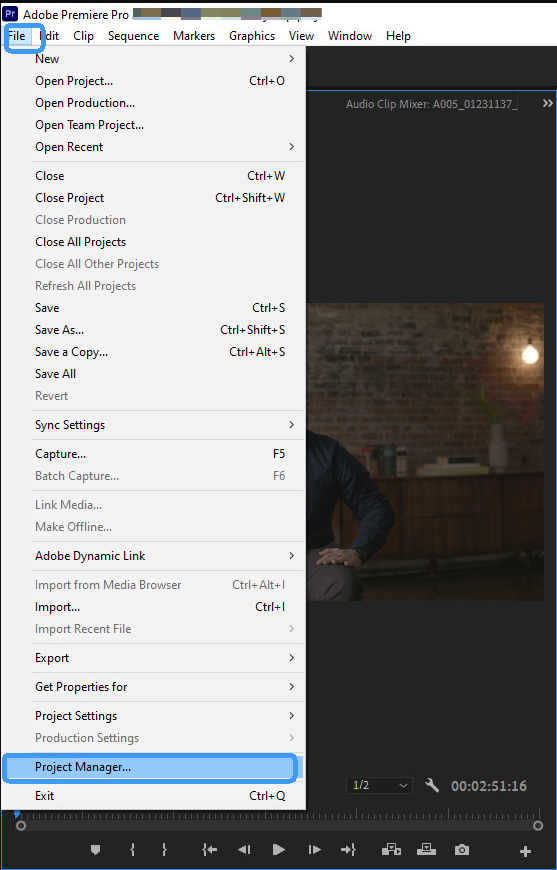
Open your project in Premiere Pro. Then select File > Project Manager.
Step 2. Select Your Sequence
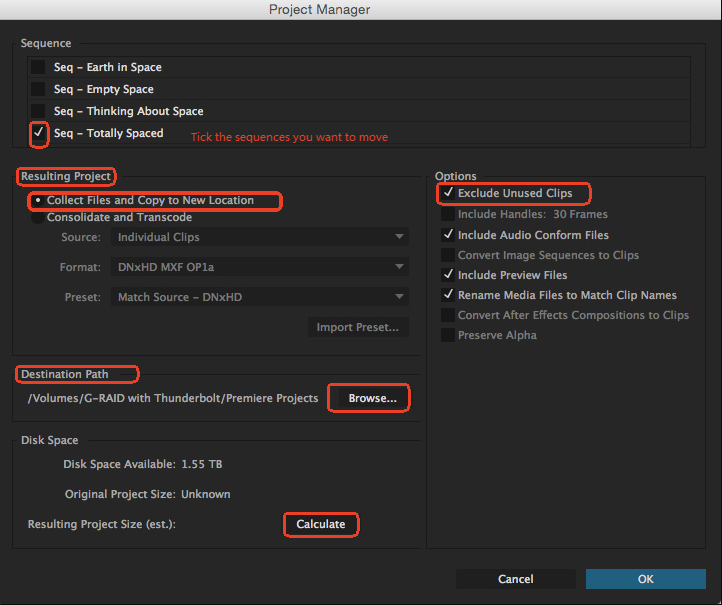
In the Project Manager window, select the sequence or sequences you want to move.
Step 3. Collect the Files
Under Resulting Project, select Collect Files and Copy to New Location.
If you don't need unused footage, you can select Exclude Unused Clips to reduce the amount of data you need to transfer.
Step 4. Choose a Destination
Click Browse and choose a folder on your computer or an external drive.
Click Calculate to check how much storage space the collected project will require.
Step 5. Create the Project Package
Click OK. Premiere Pro will create a new folder containing the project and the files selected by Project Manager.
Step 6. Transfer the Folder
Copy the entire folder to your new computer. You can use an external drive, network transfer, cloud storage, or PC-to-PC transfer software.
Keep the folder structure intact to help Premiere Pro locate the media correctly.
🤓Expert's Rating: ⭐⭐
👍🏻 Pros
- Built directly into Premiere Pro
- Collects project files and associated media
- Helps keep project files organized
- Can exclude unused clips to save storage
👎🏻 Cons
- Requires some understanding of Premiere Pro settings
- Still requires transferring the resulting folder manually
- Mainly focused on project-related files
Way 2. Move Premiere Pro Project with EaseUS Todo PCTrans
When it comes to transfer Adobe programs to another PC, a powerful data migration software called EaseUS Todo PCTrans deserves a shot. It is designed to move all types of data such as installed software, software settings, user accounts and personal files from Windows PC to another. Here's how to transfer Adobe Premiere projects to another computer via it:
Step 1. Install EaseUS Todo PCTrans
Install and launch EaseUS Todo PCTrans on both the old and new computers under the same Wi-fi or LAN.
Step 2. Connect the Computers
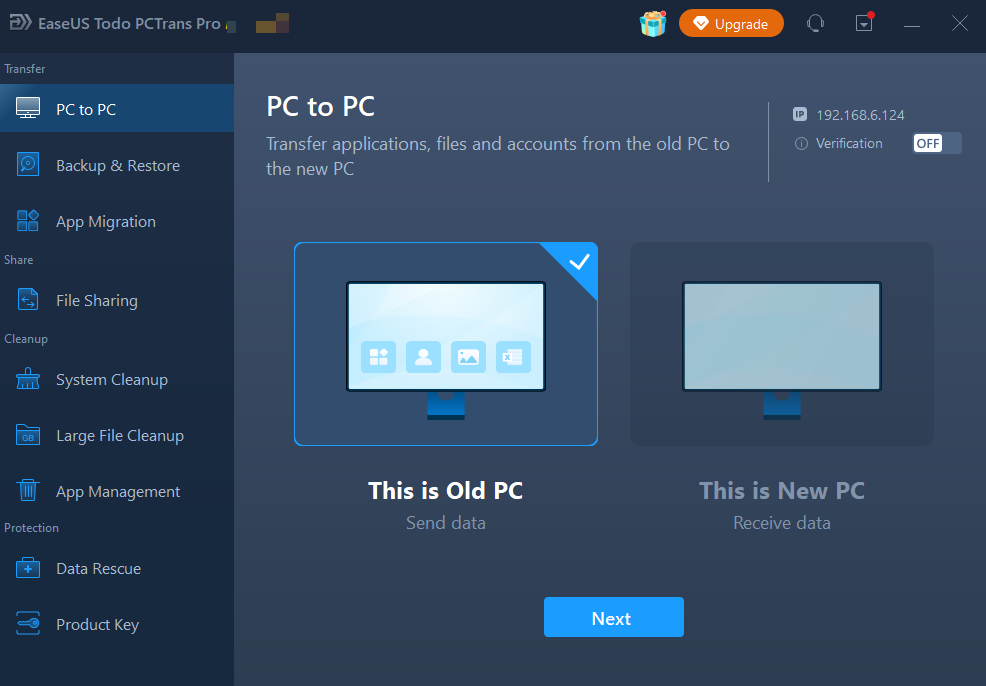
Choose PC to PC from the left panel and connect the two computers through the available transfer method.
Step 3. Select Your Premiere Pro Files
Scan the old computer and select the Premiere Pro project folder, source footage, and other files you want to transfer.
Step 4. Start the Transfer
Confirm the destination location and start the transfer. Wait until the process is complete.
Step 5. Open the Project
Install and sign in to Premiere Pro on the new computer if needed. Then open the transferred .prproj file and check whether all media is available.
🤓Expert's Rating: ⭐⭐⭐⭐⭐
👍🏻 Pros
- Simple PC-to-PC migration process
- Transfers project files and other PC data
- Reduces manual file organization
- Useful when moving to a new Windows PC
👎🏻 Cons
- Requires software installation on both computers
- PC-to-PC transfer requires a network connection
- Better suited to broader PC migration than project packaging
If you find this article useful, click the button below to share it with your friends on social media:

Project Manager vs. EaseUS Todo PCTrans,Which One Should You Use?
Both Premiere Pro Project Manager and EaseUS Todo PCTrans can help move your project, but they work differently. Comparing operation difficulty, transfer time, storage requirements, and supported data can help you choose the right method.
|
Comparison
|
Premiere Pro Project Manager |
EaseUS Todo PCTrans |
|
Ease of Use |
Moderate | Easy |
|
Project Transfer |
✓ | ✓ |
|
Media Transfer |
✓ | ✓ |
|
Other Files |
Limited | ✓ |
|
PC-to-PC |
— | ✓ |
|
Manual Work |
More | Less |
|
Best For |
Single projects | New PC migration |
Premiere Pro Project Manager is useful when you only need to package a Premiere Pro project and its associated media. It is built directly into Premiere Pro and can collect the files used by your selected sequences.
EaseUS Todo PCTrans is more suitable when you're moving to a new Windows computer and need to transfer more than one Premiere Pro project. It can help you migrate project folders along with other files and data, reducing the need to transfer everything manually.
In short: Use Project Manager to prepare a self-contained Premiere Pro project. Use EaseUS Todo PCTrans when your goal is a broader PC-to-PC migration.
Tips for Moving Premiere Pro Projects
To avoid problems after moving a Premiere Pro project, it is important to prepare both your files and the new computer. Before starting the transfer, follow these simple tips to protect your original project and make the transition easier.
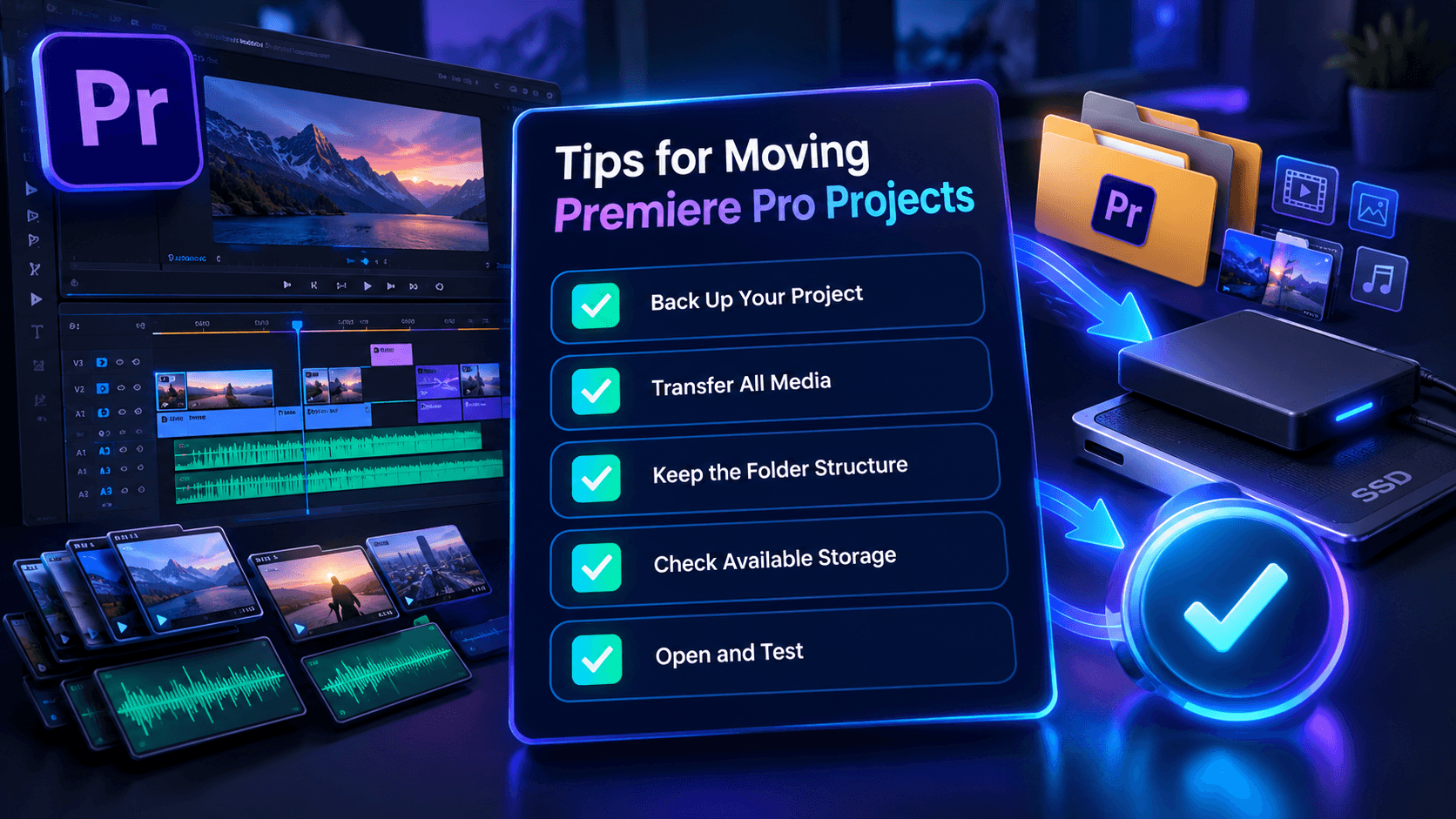
💡Tip 1: Back up your project first. Keep the original project and media on the old computer until you confirm everything works on the new one.
💡Tip 2: Transfer all required media. Missing video, audio, image, or graphics files can cause offline media after the move.
💡Tip 3: Keep the folder structure intact. Avoid randomly moving files after creating the project package.
💡Tip 4: Check available storage. Make sure the new computer has enough space for your project and source footage.
💡Tip 5: Open and test the project. Check the timeline, media links, audio, effects, and sequences before deleting anything from the old computer.
FAQs About Moving Premiere Pro Projects
1. Can I move a Premiere Pro project without the source footage?
You can move the .prproj file alone, but Premiere Pro may show missing or offline media if the required source files are not available on the new computer.
2. Does moving a Premiere Pro project move Premiere Pro itself?
No. A Premiere Pro project file is different from the Premiere Pro application. You need a compatible Premiere Pro installation on the new computer to open and edit the project.
3. How do I move Premiere Pro projects between two computers?
To move Premiere Pro projects between two computers, you can use File > Project Manager > Collect Files and Copy to New Location to package the project and associated media. Then transfer the resulting folder to the new computer.
4. Can EaseUS Todo PCTrans transfer Premiere Pro project files?
Yes. PCTrans can transfer files and folders between Windows computers. You can use it to move your Premiere Pro project folder and related media as part of a larger PC migration.
Conclusion
Moving a Premiere Pro project to another computer doesn't have to be complicated. For a single project, Premiere Pro's Project Manager can collect the project and its related media into one location. If you're moving to a new Windows PC and need to transfer more than just your Premiere Pro project, EaseUS Todo PCTrans provides a convenient way to move files and other PC data together.
Before wiping or replacing your old computer, always open the transferred project on the new PC and make sure your media and editing workflow work correctly.
About the Author

Cici is the junior editor of the writing team of EaseUS. She accepted the systematic training on computers at EaseUS for over one year. Now, she wrote a lot of professional articles to help people resolve the issues of hard drive corruption, computer boot errors, and disk partition problems.
Reviews and Awards
-
EaseUS Todo PCTrans Free is a useful and and reliable software solution created to serve in computer migration operations, be it from one machine to another or from an earlier version of your OS to a newer one.
Read More -
EaseUS Todo PCTrans is by the folks at EaseUS who make incredible tools that let you manage your backups and recover your dead hard disks. While it is not an official tool, EaseUS has a reputation for being very good with their software and code.
![]() Read More
Read More
-
It offers the ability to move your entire user account from your old computer, meaning everything is quickly migrated. You still get to keep your Windows installation (and the relevant drivers for your new PC), but you also get all your apps, settings, preferences, images, documents and other important data.
Read More

Related Articles
-
Transfer Programs from Windows 7 to Windows 10 [2 Ways]
![author icon]() Tracy King/2026/08/14
Tracy King/2026/08/14 -
Transfer Apps and Programs from PC to an External Hard Drive
![author icon]() Brithny/2026/06/29
Brithny/2026/06/29 -
How to Transfer Files to a Flash Drive in Windows 10
![author icon]() Cedric/2026/08/30
Cedric/2026/08/30 -
Windows File Server Migration Tool Free Download 🔎
![author icon]() Tracy King/2026/08/14
Tracy King/2026/08/14
 Tracy King/2026/08/14
  Brithny/2026/06/29
  Cedric/2026/08/30

