





-
![]() Top 10 Best Free Data Recovery Software [Experts Reviewed]
Top 10 Best Free Data Recovery Software [Experts Reviewed] September 22,2026
 6 min read
 -
![]() PhotoRec vs EaseUS Data Recovery: Full Comparison & 2026 ReviewSeptember 23,20266 min read
PhotoRec vs EaseUS Data Recovery: Full Comparison & 2026 ReviewSeptember 23,20266 min read -
![]() EaseUS Data Recovery Wizard for Mac Review [Update in 2026]September 22,20266 min read
EaseUS Data Recovery Wizard for Mac Review [Update in 2026]September 22,20266 min read -
![]() R-Studio vs EaseUS Data Recovery Wizard: Full Comparison & ReviewAugust 14,20266 min read
R-Studio vs EaseUS Data Recovery Wizard: Full Comparison & ReviewAugust 14,20266 min read -
![]() R-Studio Review (A Comprehensive Data Recovery Solution)September 22,20266 min read
R-Studio Review (A Comprehensive Data Recovery Solution)September 22,20266 min read -
![]() How to Get EaseUS Data Recovery License Code | Safe & Full VersionSeptember 22,20266 min read
How to Get EaseUS Data Recovery License Code | Safe & Full VersionSeptember 22,20266 min read -
![]() DMDE Review: Evaluation of the Data Recovery SolutionSeptember 23,20266 min read
DMDE Review: Evaluation of the Data Recovery SolutionSeptember 23,20266 min read -
![]() Stellar Data Recovery vs EaseUS Data Recovery Wizard: Full Comparison & ReviewSeptember 23,20266 min read
Stellar Data Recovery vs EaseUS Data Recovery Wizard: Full Comparison & ReviewSeptember 23,20266 min read -
![]() What Are the Best Alternatives to EaseUS Data RecoverySeptember 22,20266 min read
What Are the Best Alternatives to EaseUS Data RecoverySeptember 22,20266 min read -
![]() IUWEshare Mac Data Recovery Wizard [Professional Alternative Available]September 22,20266 min read
IUWEshare Mac Data Recovery Wizard [Professional Alternative Available]September 22,20266 min read
Page Table of Contents
PAGE CONTENT:
Choosing between EaseUS Data Recovery Wizard and Data Rescue (by Prosoft Engineering) presents a classic dilemma: comprehensive commercial software versus specialized forensic-grade tools. This data rescue vs EaseUS Data Recovery review examines how they compare in critical recovery scenarios, user experience, and real-world effectiveness for different types of data loss.
📔Summary
-
EaseUS Data Recovery Wizard: Best overall value with exceptional recovery rates for everyday scenarios (deleted files, formatted drives, lost partitions) plus excellent support for multimedia files. Offers the perfect balance of power and accessibility for most users.
-
Data Rescue: Professional-grade tool with strong forensic capabilities, particularly valuable for severely damaged drives and complex file system corruption. Requires more technical knowledge but excels in extreme cases.
💗For Most Users: EaseUS provides superior recovery results for common data loss situations with a significantly more intuitive interface and better file preview capabilities.
What Are EaseUS Data Recovery & Data Rescue
What are these data recovery tools called, Data Rescue and EaseUS Data Recovery Wizard, and why do users choose them? Guess you want some detailed information on both tools. Below is the data recovery software review.
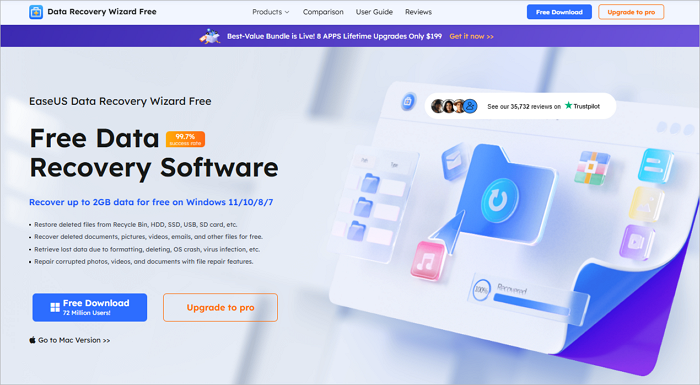
What Is EaseUS Data Recovery Wizard
A comprehensive and user-friendly data recovery solution for both Windows and macOS. It is expertly designed to address a wide range of common to moderately complex data loss scenarios, including accidental file deletion, drive formatting, partition loss, and system crashes.
EaseUS Data Recovery Wizard leverages intelligent scanning algorithms to perform deep and accurate recovery of your valuable data. Furthermore, it features an excellent file preview function, allowing you to verify the integrity and contents of files before proceeding with recovery. This ensures a precise and reliable process, making it a trusted tool for both personal and professional use.
What Is Data Rescue
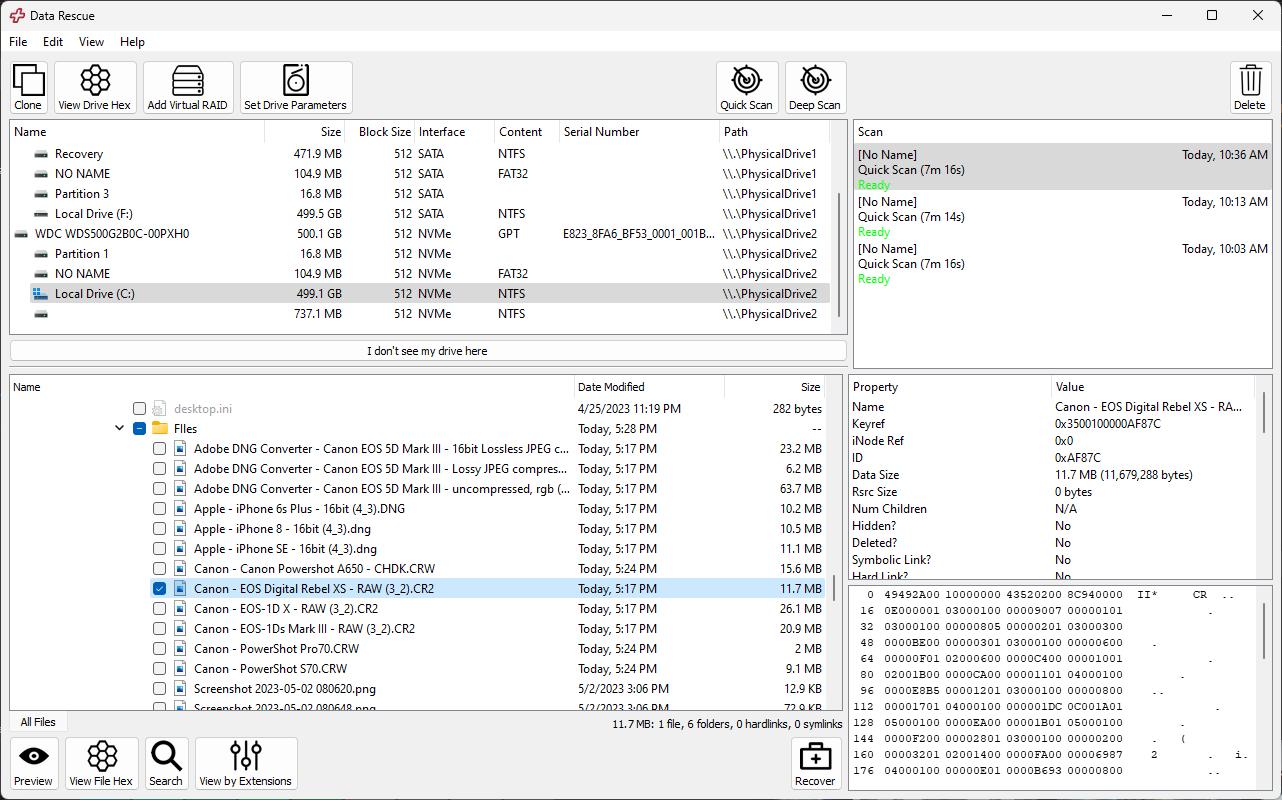
Engineered by leading data recovery specialists, this is a professional-grade tool designed for the most demanding data rescue missions. It moves beyond basic recovery, focusing on the deep forensic analysis of storage media to retrieve data where conventional software fails.
Data Rescue excels in complex, technical scenarios, featuring advanced capabilities for RAID array reconstruction, precise byte-level file carving, and the specialized handling of severely corrupted or failing drives. With its sophisticated, technical approach and granular control over the recovery process, it is an exceptionally powerful instrument in the hands of IT professionals, forensic investigators, and data recovery experts.
Feature-by-Feature Deep Comparison: EaseUS vs Data Rescue
Both tools were tested under identical real-world conditions and here are the devices we used and some common data loss scenarios we choose:
| 📐Devices Tested | 🖱️Test Scenarios |
|
256GB Samsung T7 SSD (accidentally formatted) |
Quick delete recovery |
|
128GB SanDisk Extreme Pro SD card (RAW/corrupted) |
Full format recovery |
|
2TB WD HDD (partition table corruption) |
RAW drive restoration |
|
Sony A7IV (compressed/ uncompressed RAW files) |
Complex partition reconstruction |
|
DJI Mini 4 Pro (H.265 4K footage) |
Professional media file recovery |
💙Feature Comparison Table
| Feature | EaseUS Data Recovery | Data Rescue |
|---|---|---|
| Overall Recovery Success | ★★★★★ | ★★★★☆ |
| Ease of Use | Excellent | Moderate to Complex |
| Deleted File Recovery | 95%+ success rate | 90%+ success rate |
| Formatted Drive Recovery | Excellent with structure | Good but slower |
| RAW Photo Recovery | Outstanding (CR3, NEF, ARW, RAF) | Very Good |
| Video Recovery | Excellent (4K/8K, H.265, ProRes) | Good |
| Partition Recovery | Advanced algorithms | Basic but reliable |
| File Preview | Comprehensive (photos, docs, videos) | Limited preview |
| Scan Speed | Fast with smart filtering | Slower, more thorough |
| File System Support | NTFS, FAT32, exFAT, APFS, HFS+ | Extensive, including Linux FS |
| Free Version | 2GB recovery | None (demo only) |
| Best For | Most users, multimedia files | Technical users, severe corruption |
Real-World Recovery Results: EaseUS & Data Rescue
Accidental Format Recovery
💛Scenario: Formatted 256GB SSD containing mixed documents, photos, and videos.
| Software | Success Rate | Structure Preserved | Time | |
 |
Data Rescue | 95% | Partial structure | Moderate |
 |
EaseUS | 98% | Excellent folder hierarchy | Fast |
❤️Verdict: EaseUS performed faster with better structure retention.
Corrupted SD Card Recovery
💛Scenario: Camera SD card showing as RAW/unreadable with professional photos.
| Software | Success Rate | Preview Quality | Usable Files | |
|
Data Rescue | 156/160 | No preview | 155 |
|
EaseUS | 158/160 | Perfect preview | 15 |
❤️Verdict: EaseUS's preview feature saved hours of verification time.
Complex Partition Loss
💛Scenario: Merged partitions are causing data loss on a project drive.
| Software | Partition Reconstruction | File Integrity | Ease of Process | |
|
Data Rescue | Manual configuration required | High | Technical |
|
EaseUS | Automatic detection | High | Very Easy |
❤️Verdict: EaseUS automated the complex process successfully.
Professional Video Recovery
💛Scenario: Deleted 4K video projects from a video editing workstation.
| Software | Recovered Clips | Playback Ready | Metadata Preserved | |
|
Data Rescue | 45/50 | 47 | Partial |
|
EaseUS | 47/50 | 42 | Yes |
❤️Verdict: EaseUS demonstrated superior video file reconstruction.
Pricing Comparison: EaseUS & Data Rescue
Both Data Rescue and EaseUS data recovery software offer multiple editions to suit different needs and budgets:
| Software | Edition | Price (USD) | Remarks |
| Data Rescue | Standard | $79 for a month | Unlimited Software Access |
| Pro (Lifetime License) | $399 | Unlimited Data Recovery for one year | |
| EaseUS | Pro | $69.95 for a month $99.95 for a year |
Main plan for Windows or Mac. |
| Pro (Lifetime License) | $149.95 | One-time purchase with lifetime upgrades. | |
| Student | $89.97 | Requires student verification. |
Value Analysis: EaseUS provides better value with its free recovery allowance and more affordable pricing tiers, while Data Rescue targets professional users who need advanced capabilities.
Pros & Cons: EaseUS & Data Rescue
Here's a summary of the advantages and disadvantages of both data recovery software, Data Rescue and EaseUS Data Recovery Wizard.
EaseUS Data Recovery Wizard
Expert's Rating:
 Pros
Pros
- Superior recovery rates for common scenarios
- Excellent multimedia file support (RAW, 4K/8K video)
- Intuitive interface with helpful wizards
- Fast scanning with smart filtering
- Regular updates and improvements
 Cons
Cons
- Yearly license model (though perpetual available)
Data Rescue
PROS
✔
Strong forensic capabilities
✔
Good for severely damaged drives
✔
Advanced RAID reconstruction
✔
Byte-level carving technology
CONS
●
Steep learning curve
●
No meaningful free version
●
Slower overall performance
●
Poor file preview system
Final Verdict
Choose EaseUS Data Recovery Wizard if:
-
You need reliable recovery from common data loss situations
-
You work with photos, videos, or creative projects
-
You value ease of use and quick results
-
You want good value with a free trial that actually recovers data
-
You need to preview files before recovery
Choose Data Rescue if:
-
You're dealing with severely corrupted or failing drives
-
You have technical expertise in data recovery
-
You need RAID reconstruction capabilities
-
Other tools have failed in extreme cases
-
You work in IT or data recovery professionally
For 95% of users, EaseUS Data Recovery provides better results with less effort. Its combination of high success rates, excellent multimedia support, and user-friendly interface makes it the superior choice for most data loss scenarios. The ability to preview files and recover 2GB for free adds significant practical value that Data Rescue simply doesn't match.
FAQ
Read this part to choose your own desired data recovery tool:
1. Is EaseUS really better than Data Rescue?
For most common data loss scenarios (deletion, formatting, partition issues), yes. EaseUS consistently shows higher recovery rates, faster performance, and much better usability. Data Rescue has its place for extreme corruption cases but is overkill for most users.
2. Which is better for recovering photos from formatted memory cards?
EaseUS is significantly better. Our tests showed higher recovery rates, perfect preview capabilities, and faster processing times specifically for RAW and JPEG files from formatted cards.
3. Does Data Rescue have any advantages over EaseUS?
Data Rescue excels in forensic-level analysis of severely damaged drives and has better RAID reconstruction capabilities. However, these are niche features that most home and business users won't need.
Was this page helpful?



 Why Trust EaseUS
 Editor Reviews

20+
Years of experience

160+
Countries and regions

72 Million+
Downloads

4.9 +
Trustpilot Score






