





-
![]() Disk Drill vs EaseUS: Features, and Recovery Performance Compared
Disk Drill vs EaseUS: Features, and Recovery Performance Compared September 22,2026
 6 min read
 -
![]() How to Use PhotoRec to Recover Files [Detailed Guide]September 22,20266 min read
How to Use PhotoRec to Recover Files [Detailed Guide]September 22,20266 min read -
![]() EaseUS Data Recovery Wizard 20.1 Review: Major UpdatesSeptember 23,20266 min read
EaseUS Data Recovery Wizard 20.1 Review: Major UpdatesSeptember 23,20266 min read -
![]() 6 Best Free Disk Drill Alternatives for Mac Data Recovery in 2026September 22,20266 min read
6 Best Free Disk Drill Alternatives for Mac Data Recovery in 2026September 22,20266 min read -
![]() M3 BitLocker Recovery Alternative - BitLocker Data Recovery Without Recovery KeySeptember 23,20266 min read
M3 BitLocker Recovery Alternative - BitLocker Data Recovery Without Recovery KeySeptember 23,20266 min read -
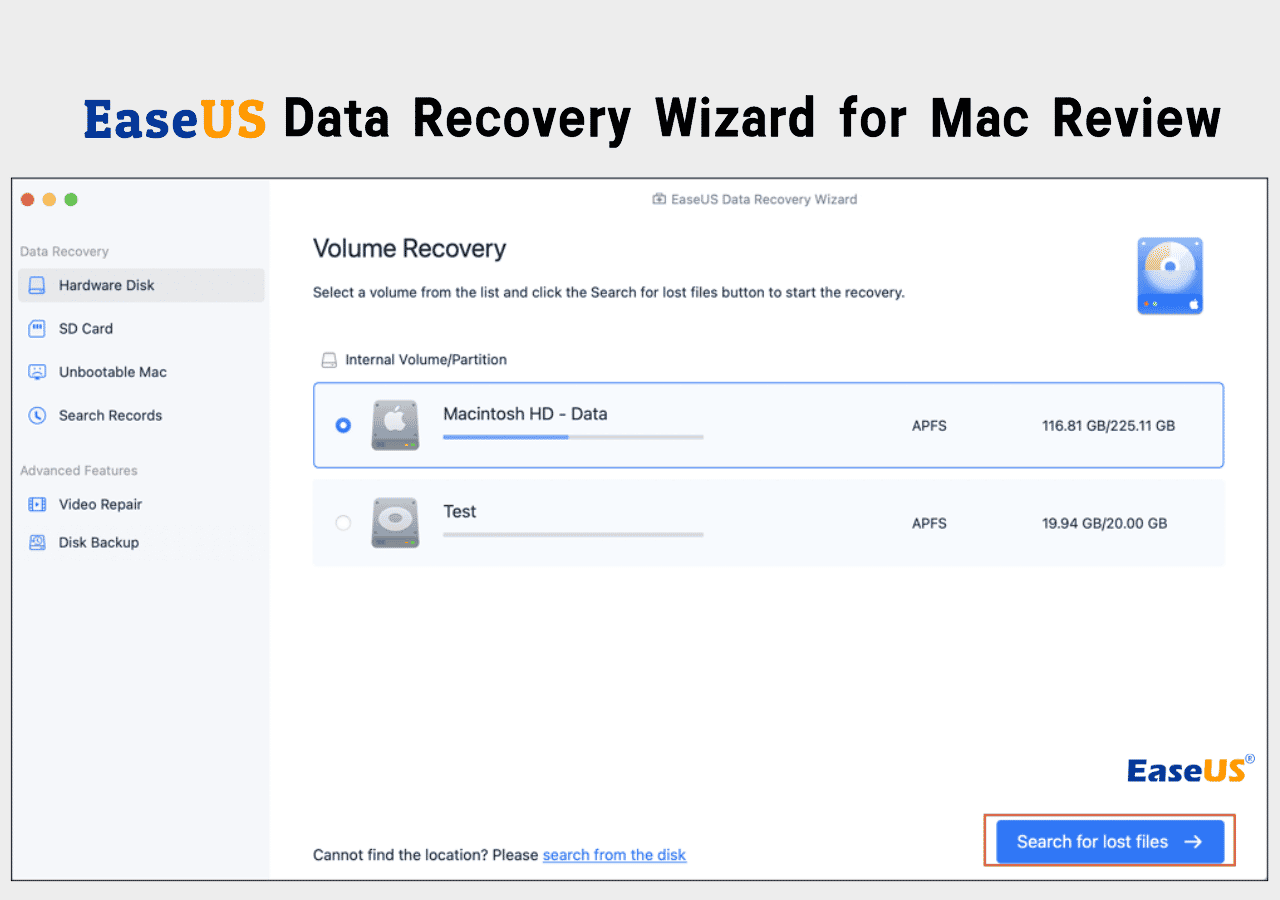
![]() EaseUS Data Recovery Wizard for Mac Review [Update in 2026]September 22,20266 min read
EaseUS Data Recovery Wizard for Mac Review [Update in 2026]September 22,20266 min read -
![]() Recuva Review: Features, Pros & Cons, and Real Recovery ResultsSeptember 22,20266 min read
Recuva Review: Features, Pros & Cons, and Real Recovery ResultsSeptember 22,20266 min read -
![]() Stellar Data Recovery Review: Performance, Pros & Cons [Full Review in 2026]September 23,20266 min read
Stellar Data Recovery Review: Performance, Pros & Cons [Full Review in 2026]September 23,20266 min read -
![]() R-Studio vs EaseUS Data Recovery Wizard: Full Comparison & ReviewAugust 14,20266 min read
R-Studio vs EaseUS Data Recovery Wizard: Full Comparison & ReviewAugust 14,20266 min read -
![]() EaseUS Data Recovery Wizard Free Download in 2026September 22,20266 min read
EaseUS Data Recovery Wizard Free Download in 2026September 22,20266 min read
Page Table of Contents
PAGE CONTENT:
Best Data Recovery Software - Editor's Pick
Looking for reliable data recovery software? Explore our carefully tested reviews, comparisons, and top alternatives, all in one place, to guide you toward the best solution.
All results come from real recovery scenarios and repeatable test environments, and the following is the top recommended data recovery software:
| Feature |
👑EaseUS Data Recovery Wizard |
Disk Drill | Stellar Data Recovery |
| Compatibility | 🟢🟢🟢🟢🟢 | 🟢🟢🟢🟢🟢 | 🟡🟡🟡🟡 |
| Recovery Rate | 🟢🟢🟢🟢🟢 | 🟡🟡🟡🟡 | 🟡🟡🟡🟡 |
| Usability | 🟢🟢🟢🟢🟢 | 🟢🟢🟢🟢🟢 | 🟡🟡🟡🟡 |
| File Type Support | 🟢🟢🟢🟢🟢 | 🟡🟡🟡🟡 | 🟡🟡🟡🟡 |
| Speed | 🟡🟡🟡🟡 | 🟢🟢🟢🟢🟢 | 🟡🟡🟡🟡 |
Data Recovery Software Reviews | Complete List
There are so many data recovery tools out there that choosing the right one can feel pretty overwhelming. To make things easier for you, we've tested each program thoroughly in all the common situations - like files you accidentally deleted, formatted drives, corrupted partitions, and RAW storage devices. Below, you'll find a complete rundown of our in-depth reviews - each one links to a full analysis with real test results, screenshots, and how well each tool performed in recovery benchmarks. Use this list to find the tool that fits what you need fast.
| Detailed Review | Editor's Review | |
 |
EaseUS Data Recovery Wizard Review | EaseUS Data Recovery Wizard is an all-in-one data recovery tool and offers various recovery features to help users quickly regain lost data. This tool can deal with most data loss situations. |
 |
Disk Drill Review | Disk Drill has fast scan times and an easy-to-use interface. It's perfect for casual users or anyone who needs a fast solution. |
 |
Stellar Data Recovery Review | Stellar is a standout for businesses and enterprises. It's got strong RAID support and advanced features that handle heavily corrupted drives really well. |
 |
R-Studio Review |
R-Studio is a pro-level tool that technicians and forensic analysts swear by. It gives you precise control over the recovery process and consistently handles tricky data loss situations. |
 |
Recuva Review | Recuva is light and simple - you can recover basic deleted files for free. It's perfect for people who are seeking a 100% free plan. |
 |
TestDisk Review | TestDisk is all about partition repair and fixing bootable drives. It uses a command-line interface and is good at recovering lost partitions or repairing unbootable drives. |
 |
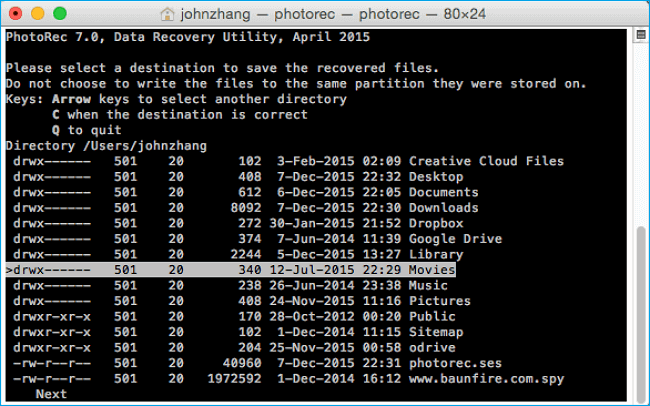
PhotoRec Review | PhotoRec is open-source and uses file signatures to recover tons of different file formats. You'll need a little technical know-how to use it. |
 |
Data Rescue Review | Data Rescue has a clean, easy-to-use interface plus strong deep-scanning features. It works smoothly on both Windows and Mac. |
EaseUS vs Competitors: Head-to-Head Comparisons
EaseUS Data Recovery Wizard can be a reliable choice to fix data loss issues, and we have compared EaseUS with other well-performing recovery programs. You can directly download EaseUS or read the comparisons below to find more information.
These comparisons break down strengths, weaknesses, speeds, recovery accuracy, and pricing details. Check the following comparisons and find all the pros & cons of each data recovery tool:
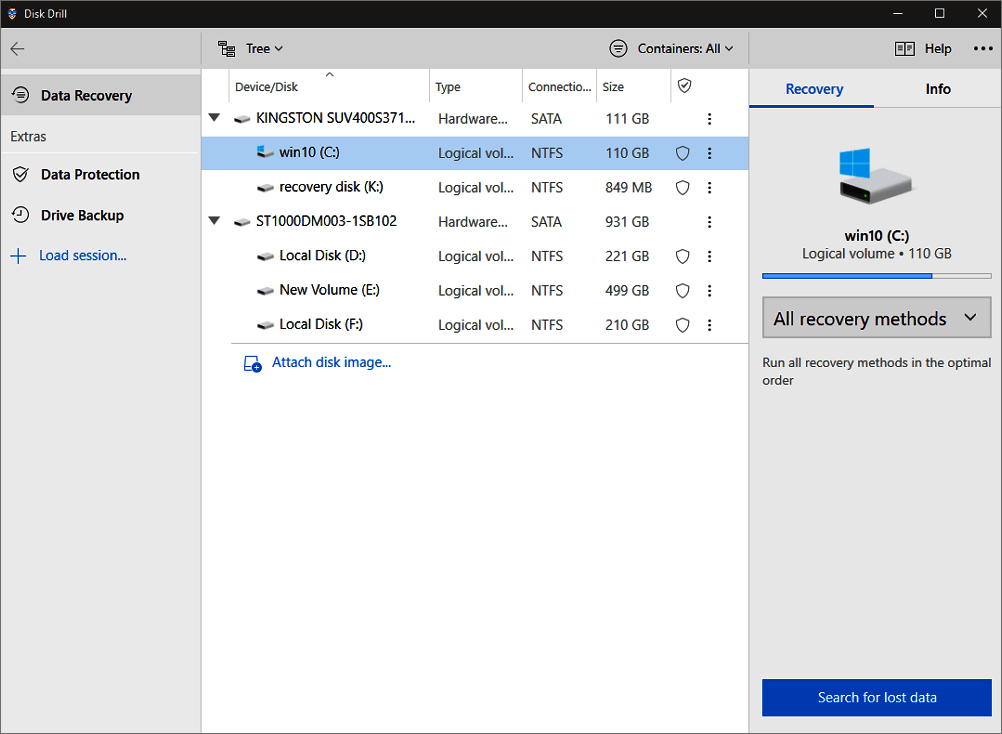
EaseUS vs Disk Drill
When you compare Disk Drill and EaseUS side by side and begin testing them on actual drives, the differences become more apparent. Disk Drill feels faster; its interface makes basic undelete tasks nearly trivial, and its scans operate much faster. Conversely, EaseUS typically delves deeper. It typically retrieves a wider variety of files, particularly from RAW, corrupted, or formatted drives, where Disk Drill occasionally yields fewer results. For larger situations, EaseUS seems more dependable, but Disk Drill is the best option if you want speed and a tidy interface and recovery focused on recently deleted data.

Disk Drill vs EaseUS: Features, and Recovery Performance Compared
EaseUS vs Disk Drill, which one's data recovery software is better? If you lost files but do not know which data recovery software to choose to get your data back, you can find answers here... Read more >>
EaseUS VS Stellar Data Recovery
Despite being well-known names in data recovery, EaseUS and Stellar frequently appeal to different kinds of people. Generally speaking, EaseUS is simpler to use; you can preview files, perform a scan, and restore them without feeling overwhelmed by options. Stellar tends to favor more demanding, technological professions. Although it can feel slower and more complicated for day-to-day use, it provides greater organization for RAID configurations, severely damaged drives, and business-level operations. EaseUS completes the task more quickly in the majority of "lost file" situations, but Stellar makes more sense when working with work systems or complex repair requirements.

Stellar Data Recovery vs EaseUS Data Recovery Wizard (Full Review)
This review explains how Stellar Data Recovery and EaseUS Data Recovery Wizard compare in data recovery performance, including deletion, formatting, partition loss, file system corruption, RAW... Read more >>
EaseUS VS R-Studio
EaseUS and R-Studio can be compared to see how consumer-friendly software differs from expert-oriented software. With its clear panels, straightforward scan routes, and robust deep-scan findings that don't require technical expertise, EaseUS emphasizes clarity. R-Studio, on the other hand, offers complete control over file systems, partitions, hex views, and complex recovery options. If you know how to utilize it, it may be rather strong. EaseUS is more comfortable for the majority of consumers. Professionals choose to use R-Studio when the drive is severely damaged or when forensic-level detail is important.
EaseUS VS Recuva
Because Recuva is free, people frequently compare EaseUS with Recuva even though they are not in the same weight class. For minor problems, such as recovering a few recently erased documents, Recuva functions well without requiring extensive installation. When a more serious issue arises, EaseUS intervenes. It can search for faulty media, RAW partitions, and formatted drives - something Recuva often finds relatively little of. Recuva is handy if your data loss is small, but EaseUS usually offers a much higher recovery rate if the drive is acting suspiciously or entire folders vanish.

Recuva VS EaseUS Data Recovery Full Comparison & Review
Compare EaseUS Data Recovery Wizard and Recuva in real-world tests. See which tool offers better recovery success, features, and value for different data-loss scenarios... Read more >>
EaseUS VS TestDisk
Although the TestDisk command-line interface may seem daunting, it is very effective in reconstructing partition tables that have been corrupted. While EaseUS can still recover data from those disks, TestDisk can fix the underlying structure. In actuality, TestDisk becomes useful when the disk layout itself is damaged, and you need to restore access before recovering anything, although EaseUS is superior for routine file recovery.
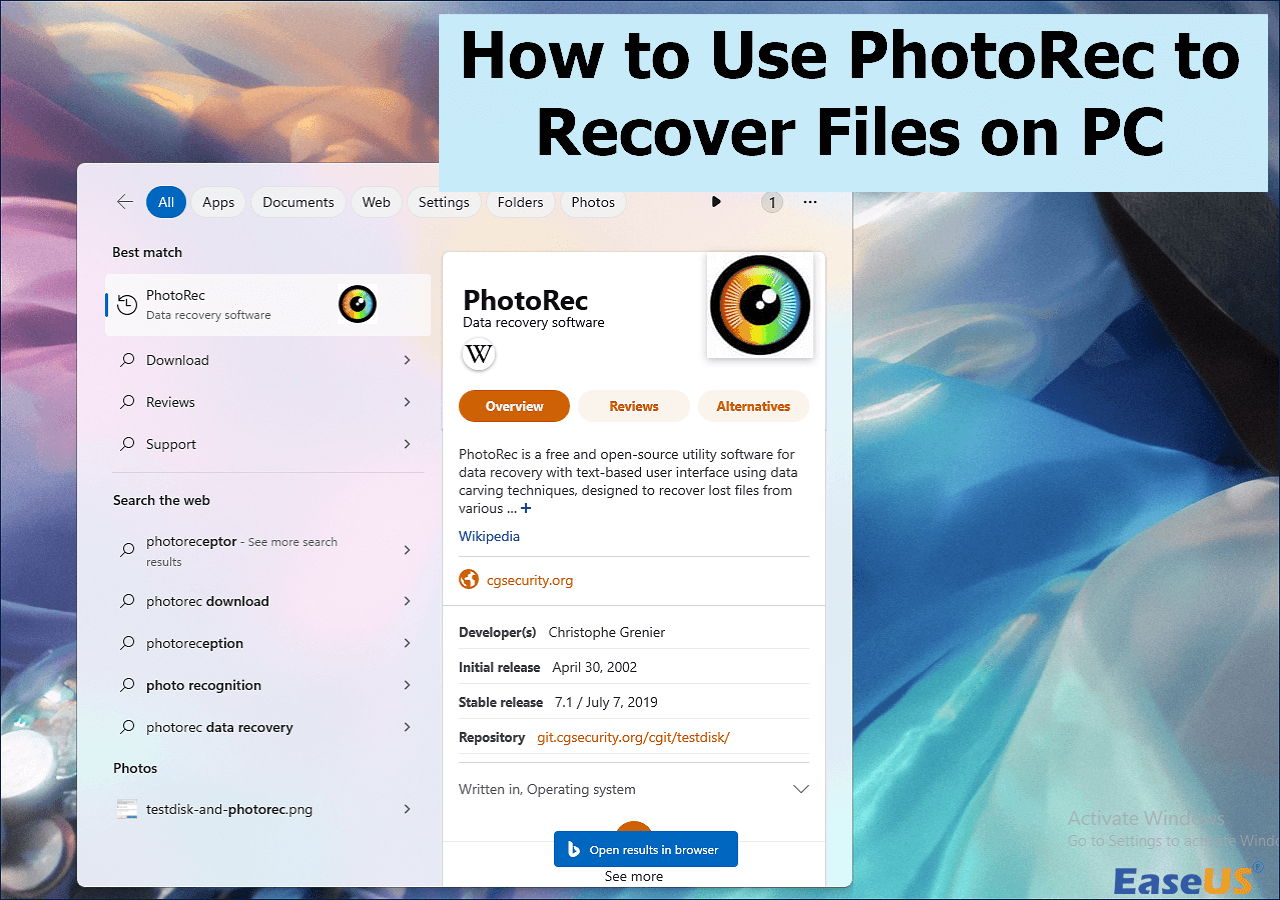
EaseUS VS PhotoRec
PhotoRec and EaseUS approach recovery in very different ways. With previews and filters that make it simple to sort through results, EaseUS provides an easy-to-follow visual process. While PhotoRec attracts people who are experienced with technical command line tools and desire a free, deeper raw scan, EaseUS is the simpler, more polished option.
EaseUS VS Data Rescue
Data Rescue has a very clean interface and feels steady when scanning large amounts of images and videos. Additionally, it divides its tools into discrete modules that some users find useful and others find superfluous. For general recovery, EaseUS functions more smoothly.
You can share all these comparisons on social media and help more readers know more about these data recovery tools!

Alternative Data Recovery Programs for Popular Choices
Alternative solutions are helpful in this situation. Whether you require deeper scans, a more user-friendly interface, or better outcomes on damaged drives, we've compiled useful alternatives to the most well-known recovery programs below.
Use these links to explore options that may be more appropriate for your circumstances:
- Disk Drill Alternatives
- Stellar Data Recovery Alternatives
- R-studio Alternatives
- Recuva Alternatives
- Testdisk Alternatives
- Photorec Alternatives
- Data Rescue Alternatives
Top-Rated Recovery Software Guides for Your Data Loss Issues
If you are looking for a suitable data recovery tool that works for specific data loss situations or storage devices, this section can be very helpful because we'll offer some top reviews and let you know what the best Windows/Mac data recovery software is, and everything about hard drive/USB/SD card data recovery and partition recovery.
- Top 7 Completely Mac Data Recovery Software
- Top 10 Best Data Recovery Software
- 10 Top SD Card Recovery Software
- Top 10 Free USB Data Recovery Software
- Top 10 Partition Recovery Software
- 8 Best Free External Hard Drive Recovery Software
How We Test These Data Recovery Tools
For the software reviews, we run all tests on both Windows and macOS using separate machines and virtualized environments. Our drives include NTFS, FAT32, exFAT, APFS, and HFS+ volumes. Each environment goes through a clean installation before testing begins to avoid conflicts or caching artifacts.
🔍Data Recovery Scenarios
Each software is tested against the four major data-loss situations most users encounter:
- Accidental deletion - files removed and emptied from the Recycle Bin/Trash
- Formatted drives - full and quick formats on USBs, memory cards, and HDDs
- RAW/unreadable drives - partitions converted to RAW or failing to mount
- Corrupted file systems - intentional sector corruption, metadata damage, broken partition tables
These scenarios are recreated on multiple drive types (SSD, HDD, SD card, USB flash drives).
🔍Different File Types
Our dataset includes real-world file types:
- Photos (RAW, JPEG, PNG)
- Videos (MP4, MOV, AVI)
- Documents (DOCX, XLSX, PDF)
- Audio (MP3, WAV)
- Archives (ZIP, RAR)
We check recovered files manually - opening and verifying them to ensure each file is usable.
🔍Tested Storage Devices
SSD Models Used
- Samsung 970 EVO Plus - 1TB
- Crucial MX500 - 500GB
HDD Models Used
- Western Digital Blue - 1TB
- Seagate Barracuda - 2TB
SD / microSD Cards
- SanDisk Ultra SDXC - 64GB
- Samsung PRO Plus microSD - 128GB
USB Flash Drives
- Kingston DataTraveler - 32GB
- SanDisk Extreme Pro - 128GB
⚠️All devices were tested under the same conditions to keep results consistent and comparable. We do not accept paid placements or alter outcomes at the request of any vendor - every conclusion is based solely on what we observed during testing.
Data Recovery Tools Review FAQs
1. How does data recovery software work?
Data recovery software can help users find files that are marked "deleted" and are not visible in Windows or macOS. The software can help you find all the fragments of your files and try to collect them together to make sure your photos and videos show completely.
2. Is EaseUS safe?
Yes, EaseUS Data Recovery Wizard and other products are safe. If you are worried that your personal files will be uploaded to other websites, you should know that all the personal files that are scanned by the EaseUS data recovery tool will not be uploaded, and all operations are done on your local disk.
3. Can I use PhotoRec for Mac?
Indeed. PhotoRec has a straightforward text-based interface and is compatible with macOS. It can recover a variety of file kinds from hard disks, memory cards, and USB sticks despite having a simple design. Although it may seem complicated to novices, it is powerful and free.
4. What is 7 data recovery software for PC?
7 Data Recovery was a little Windows program that addressed partition loss, memory card problems, and erased files. The standalone version is no longer maintained because it later incorporated into Disk Drill.
5. What is DMDE data recovery?
A sophisticated data recovery tool, DMDE is renowned for its deep disk editor, partition reconstruction capabilities, and capacity to recover files from severely damaged drives. It is intended for people who are experienced working with intricate disk structures and require low-level control.
Was this page helpful?
-
Dany is an editor of EaseUS who lives and works in Chengdu, China. She focuses on writing articles about data recovery on Mac devices and PCs. She is devoted to improving her writing skills and enriching her professional knowledge. Dany also enjoys reading detective novels in her spare time. …

 Why Trust EaseUS
 Editor Reviews

20+
Years of experience

160+
Countries and regions

72 Million+
Downloads

4.9 +
Trustpilot Score






