





-
![]() R-Studio for Mac: Ultimate Guide to R-Studio on macOS
R-Studio for Mac: Ultimate Guide to R-Studio on macOS September 22,2026
 6 min read
 -
![]() Best Data Rescue Alternative Ever [Free Download]September 23,20266 min read
Best Data Rescue Alternative Ever [Free Download]September 23,20266 min read -
![]() EaseUS vs Recuva: Which Data Recovery Tool Works BetterSeptember 23,20266 min read
EaseUS vs Recuva: Which Data Recovery Tool Works BetterSeptember 23,20266 min read -
![]() Disk Drill vs EaseUS: Features, and Recovery Performance ComparedSeptember 27,20266 min read
Disk Drill vs EaseUS: Features, and Recovery Performance ComparedSeptember 27,20266 min read -
![]() PhotoRec vs EaseUS Data Recovery: Full Comparison & 2026 ReviewSeptember 23,20266 min read
PhotoRec vs EaseUS Data Recovery: Full Comparison & 2026 ReviewSeptember 23,20266 min read -
![]() Top 5 Best Open Source Data Recovery for Windows/Mac/Linux/AndroidSeptember 22,20266 min read
Top 5 Best Open Source Data Recovery for Windows/Mac/Linux/AndroidSeptember 22,20266 min read -
![]() [Free] TestDisk for Mac - File Recovery Software ReviewSeptember 22,20266 min read
[Free] TestDisk for Mac - File Recovery Software ReviewSeptember 22,20266 min read -
![]() Data Rescue vs EaseUS Data Recovery: Full Comparison & 2026 ReviewSeptember 23,20266 min read
Data Rescue vs EaseUS Data Recovery: Full Comparison & 2026 ReviewSeptember 23,20266 min read -
![]() 6 Best Free Disk Drill Alternatives for Mac Data Recovery in 2026September 22,20266 min read
6 Best Free Disk Drill Alternatives for Mac Data Recovery in 2026September 22,20266 min read -
![]() Recuva for Mac Free Download - Recover Deleted Files!September 22,20266 min read
Recuva for Mac Free Download - Recover Deleted Files!September 22,20266 min read
Page Table of Contents
✅ Key Highlights
Compatible Systems: macOS 10.9+ (supports M1/M2 chips)
Core Features: Recovery Vault proactive protection, deep scan, byte-to-byte backups
Free Version Limits: Only scanning (no recovery rights); basic tools like disk health monitoring available
Ideal Users: Mac users needing proactive data protection; Not Recommended for budget-limited users or those recovering large files
Compatible Systems: macOS 10.9+ (supports M1/M2 chips)
Core Features: Recovery Vault proactive protection, deep scan, byte-to-byte backups
Free Version Limits: Only scanning (no recovery rights); basic tools like disk health monitoring available
Ideal Users: Mac users needing proactive data protection; Not Recommended for budget-limited users or those recovering large files
- Disk Drill Mac data recovery software webpage: https://www.cleverfiles.com/
As you might have browsed the Disk Drill Mac data recovery software webpage, you have an overall understanding of what it does and how it works. In a nutshell, Disk Drill is a Mac OS X software brand developed by 508 Software, headquartered in the US, and its logo features a doctor figure wearing exaggerated magnifying glasses.
In terms of compatibility, it fully supports macOS systems, from older macOS 10.9 to the latest macOS Monterey, and is optimized for Macs with M1/M2 chips. It works seamlessly with various storage devices, including internal Macintosh HD, SSDs, USB flash drives, camera SD cards, and external hard drives. It also supports multiple file systems, including HFS, HFS+, FAT, NTFS, APFS, and exFAT, making it versatile for various data loss scenarios (e.g., accidental deletion, formatting, or inaccessible partitions).
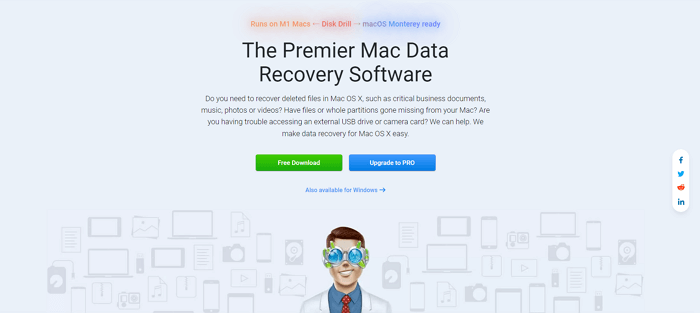
Disk Drill frequently appears on recommendation lists of Best Data Recovery Software from large-scale IT websites and Software & Hardware forums.
Disk Drill Mac Core Features Explained
Why Disk Drill attracts target audiences' eyes when they're experiencing the anxiety of losing business documents, valuable photos, or dozens of pages of a research paper, on the one hand, Disk Drill has a long history (about 10 years) and has already acquired many loyal customers. On the other hand, its marketing strategy is very successful.
In addition to running many advertisements on Google and YouTube, it also establishes long-term partnerships with several authoritative data recovery software review websites. This is why disk drill can always get a lot of exposure on the Internet when target users search for keywords such as "recover deleted files on Mac", "undo empty trash", "best free Mac data recovery software", and more similar terms for seeking solutions to make data recovery for macOS and Mac OS X, both Intel and M1 based Macs.
| Scan Mode | Best For | Time (16GB USB) |
| Quick Scan | Recently deleted files (within 7 days) | ~3 minutes |
| Deep Scan | Formatted disks, lost partitions, or long-deleted data | ~5-10 minutes |
When you're looking for Mac data recovery solutions, you might have come across software such as Pandora Data Recovery and 7 Data Recovery. As a matter of fact, they're still Disk Drill's property.
Disk Drill Mac Price Package Comparison
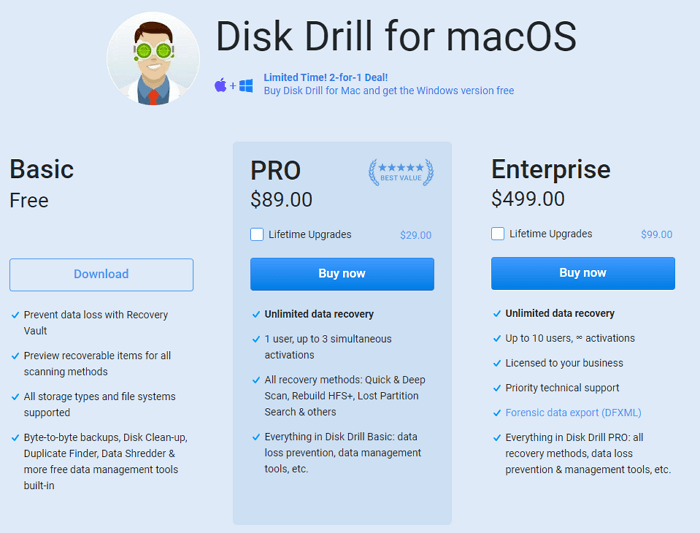
Disk Drill is kind of the most expensive data recovery software for Mac. Disk Drill for Mac offers three pricing tiers, with clear differences in functionality — especially for data recovery rights:
| Plan | Price | Key Features | Limitations |
| Basic (Free) | $0 |
|
No full data recovery; only basic tools available |
| Pro | $89.00 |
|
No priority support; for individual use only |
| Enterprise | $499.00 |
|
High cost; overkill for personal use |
Disk Drill for Mac has three editions, priced at $0, $89, and $499. However, after a trial of the free edition, the free features are limited to additional features such as disk health monitoring. To recover a file, you'll need to pay approximately $ 90.
Is Disk Drill Safe to Use on Mac
Disk Drill Mac is worth trying if you're willing to pay.
Notify that never trust the Disk Drill Mac activation code, license code, serial key, or torrent offer on the web. They're cheating methods that try to sell ads or build ransomware in your PC, to hack your computer's private messages.
Overall, Disk Drill has had great success in Mac data recovery, hard drive recovery, and trash recovery. Beyond the marketing exposure that made it well known to global users, the data recovery results from deep scans are consistently satisfactory.
Here are the steps of using it in different scenarios:
1. Recovering Accidentally Deleted Files
- Download Disk Drill from the official website (avoid third-party links to prevent malware) and install it.
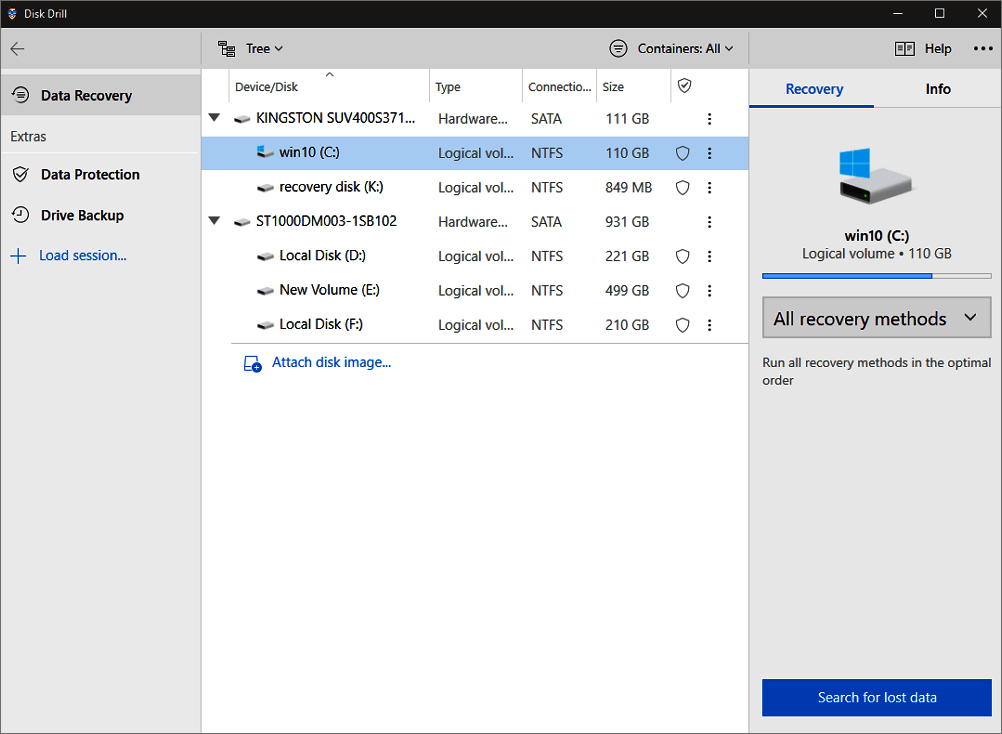
- Launch the software, select the disk where files were deleted, and click "Search for lost files."
- After scanning, filter results by "Type" or "Path" to find target files. Preview them to confirm integrity.
- Check the desired files and click "Recover" and save them to a different disk.
2. Restoring Data from a Formatted SD Card
- Connect the formatted SD card to your Mac via a card reader.
- In Disk Drill, select the SD card from the "External Devices" list and choose "Deep Scan" (Quick Scan won't work for formatted media).
- Once the scan is complete, use the "Filter" function to locate specific file types (e.g., RAW photos).
- Select files, click "Recover", and choose a save location (e.g., your Mac's internal drive).
Real User Reviews of Disk Drill Mac
 Review:
- The Recovery Vault feature saved my work — I accidentally deleted a 200-page research paper, but Disk Drill restored it with the original filename and formatting.
- The interface is intuitive; I recovered 500+ family photos from a corrupted USB in 8 minutes without technical skills.
- The free version is misleading — it lets you scan and preview files, but you have to pay $89 actually to recover anything. Waste of time for urgent needs.
Also Read: Top 4 Disk Drill Alternatives in 2025 [Free Download]

FAQ
If you still have some questions about Disk Drill Mac, check the quick answers below to help yourself out:
1. Is Disk Drill for Mac safe to download and use?
Yes, but only from the official website (https://www.cleverfiles.com/). Avoid third-party links, "activation codes", or torrent downloads - these often contain ransomware or adware that steals private data. Apple's Gatekeeper verifies software to ensure it won't harm your Mac's system.
2. Can Disk Drill for Mac recover 100% of lost data?
No. Success depends on whether data is overwritten - stop using the affected disk immediately after data loss. For example, if you delete photos and then save new files to the same USB, the old data may be overwritten and unrecoverable. Even with Recovery Vault, the success rate for recently deleted files is around 80-90%.
3. Does Disk Drill for Mac work with M1/M2 chips?
Yes, it's fully optimized for Apple Silicon chips (M1/M2). Early 2023 versions had compatibility issues, but the 2025 update fixed bugs. It runs as smoothly as on Intel-based Macs.
4. Is there a free alternative to Disk Drill for Mac?
EaseUS Data Recovery Wizard for Mac's free version allows 2GB of data recovery (no file type limits), making it a better choice for budget users. For photo-specific needs, Recuva (Windows) has a Mac-compatible beta, but it lacks full macOS support.
Was this page helpful?
 Why Trust EaseUS
 Editor Reviews

20+
Years of experience

160+
Countries and regions

72 Million+
Downloads

4.9 +
Trustpilot Score






