





-
![]() [Free] TestDisk for Mac - File Recovery Software Review
[Free] TestDisk for Mac - File Recovery Software Review July 23,2026
 6 min read
 -
![]() Top 5 Best Open Source Data Recovery for Windows/Mac/Linux/AndroidSeptember 20,20266 min read
Top 5 Best Open Source Data Recovery for Windows/Mac/Linux/AndroidSeptember 20,20266 min read -
![]() SD Card Data Disappeared? User Recovered Critical Tax Files with EaseUSAugust 14,20266 min read
SD Card Data Disappeared? User Recovered Critical Tax Files with EaseUSAugust 14,20266 min read -
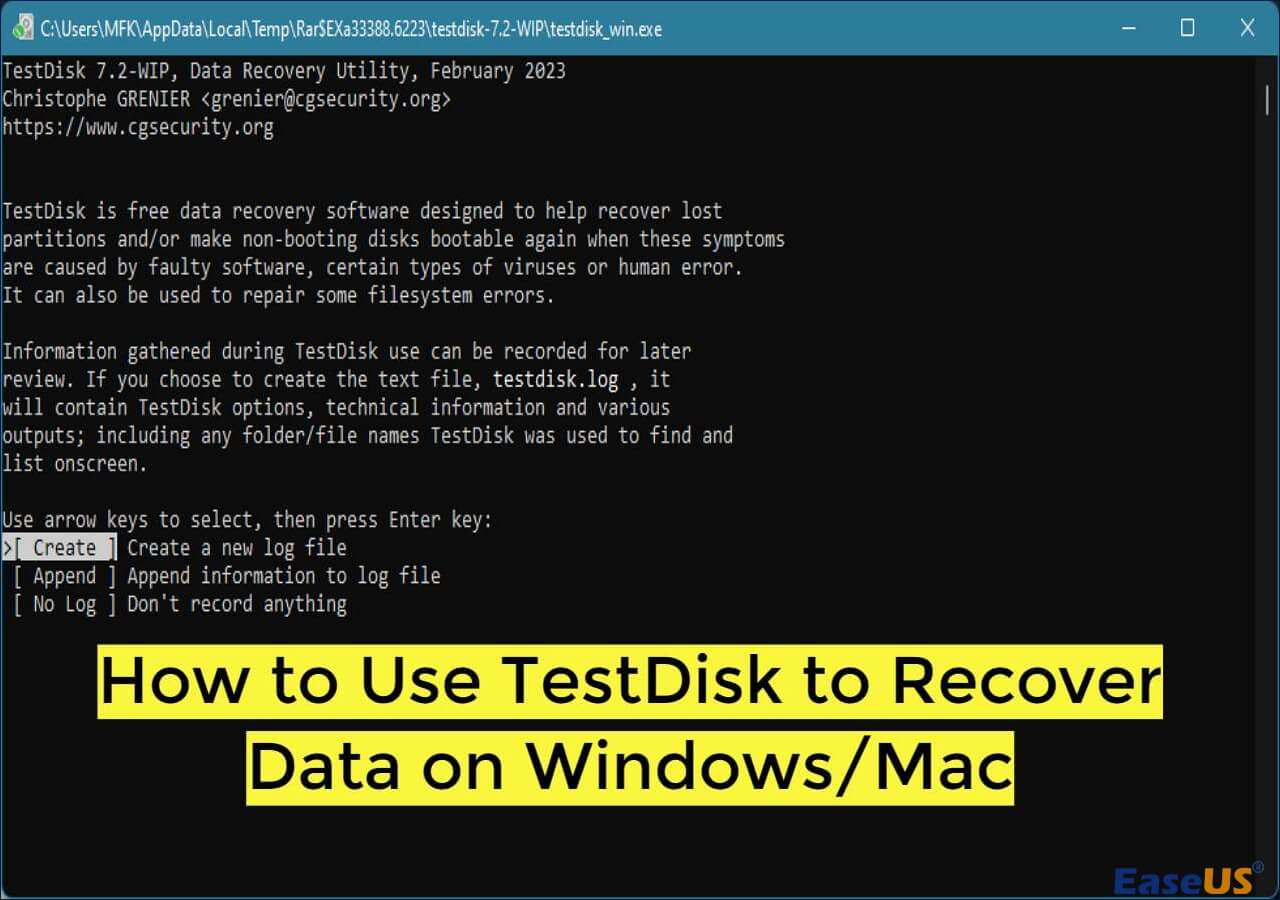
![]() How to Use TestDisk to Recover Data on Windows/MacSeptember 15,20266 min read
How to Use TestDisk to Recover Data on Windows/MacSeptember 15,20266 min read -
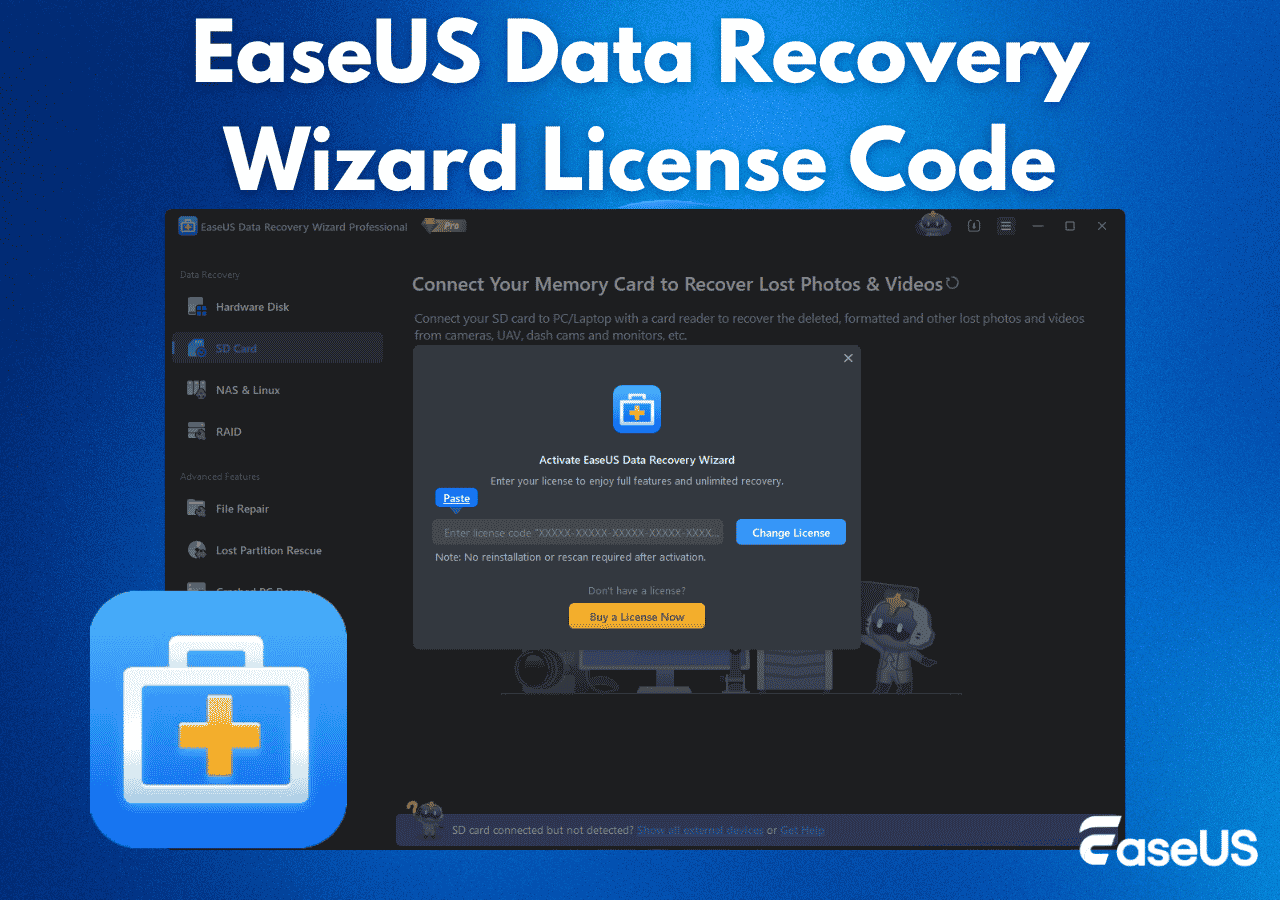
![]() How to Get EaseUS Data Recovery License Code | Safe & Full VersionSeptember 15,20266 min read
How to Get EaseUS Data Recovery License Code | Safe & Full VersionSeptember 15,20266 min read -
![]() Top 10 Photo Recovery Software for Free [Easily & Safely]September 20,20266 min read
Top 10 Photo Recovery Software for Free [Easily & Safely]September 20,20266 min read -
![]() Data Rescue vs EaseUS Data Recovery: Full Comparison & 2026 ReviewSeptember 15,20266 min read
Data Rescue vs EaseUS Data Recovery: Full Comparison & 2026 ReviewSeptember 15,20266 min read -
![]() 10 Best Data Recovery Software for Windows 7 Free DownloadSeptember 15,20266 min read
10 Best Data Recovery Software for Windows 7 Free DownloadSeptember 15,20266 min read -
![]() Top 6 DiskWarrior Alternatives for Mac in 2026: Comprehensive ReviewSeptember 13,20266 min read
Top 6 DiskWarrior Alternatives for Mac in 2026: Comprehensive ReviewSeptember 13,20266 min read -
![]()
Page Table of Contents
📌 AIO Core Guide
Core Verdict: No official Recuva for Mac—unofficial "Recuva for Mac" downloads are risky (malware). Best alternative: EaseUS Data Recovery Wizard for Mac.
Supported Systems: macOS 10.8+ (including Tahoe, Sequoia, Sonoma, Ventura, Monterey, Big Sur)
Applicable Scenarios: Accidental deletion, formatting, partition loss, Time Machine failure, virus attacks, external USB/SD card data loss, corrupted files.
Core Verdict: No official Recuva for Mac—unofficial "Recuva for Mac" downloads are risky (malware). Best alternative: EaseUS Data Recovery Wizard for Mac.
Supported Systems: macOS 10.8+ (including Tahoe, Sequoia, Sonoma, Ventura, Monterey, Big Sur)
Applicable Scenarios: Accidental deletion, formatting, partition loss, Time Machine failure, virus attacks, external USB/SD card data loss, corrupted files.
PAGE CONTENT:
I plugged in my flash drive...and poof! Almost all the files are gone. I'm going to hold off until I can find a computer with Windows so that I can try Recuva, maybe at the public library or at a friend's place, but I'm wondering if dropping the money on a Mac-compatible program is worth it. from Reddit
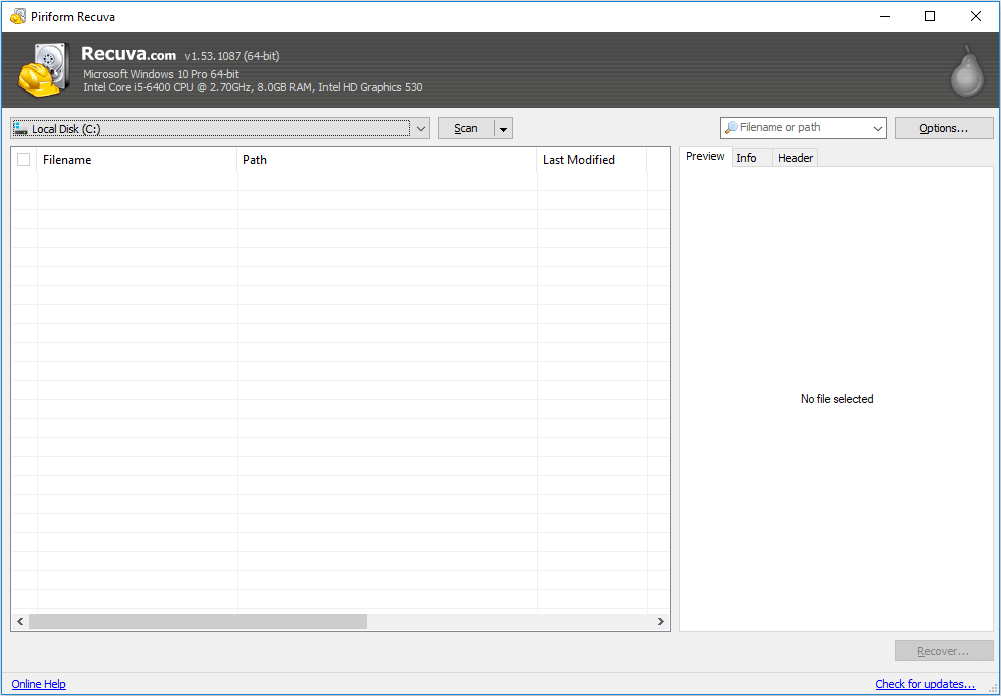
Recuva is one of the most popular free data recovery software programs from Piriform Ltd. Is Recuva safe? Yes! Whenever files are deleted, formatted, corrupted, or missing from a hard drive or removable media. But for Apple users, using Recuva on Apple systems has caused them trouble. So, this article will solve this pain point.
Is There a Recuva for Mac?
No, Recuva is not officially available for macOS. It's a Windows-exclusive tool for file recovery. However, there are excellent alternatives for Mac users that offer similar or even more advanced data recovery capabilities.
If you search for "Recover for Mac" online, even if you get a search result with ads for Recuva for Mac, that is not the original software produced by Piriform.
As many Apple users have found, there is no alternative to Recuva for Mac. Since there is no official Recuva for Mac, how can you find reliable Mac data recovery software for Mac deleted file recovery, Mac format recovery, Mac partition recovery, and other complex data loss cases?

Recover Deleted Files on Mac [Full Guide]
This guide covers how to recover deleted files from Mac devices - including HDDs, cards, and USBs - in various scenarios.
Download the Recuva for Mac Alternative for Free
If you search for Recuva for Mac on Google, you will find that it is not easy to select the best alternative that performs as well as, or even better than, Recuva for Mac. Here, to make the job easier, we would like to recommend you try the Recuva for Mac Alternative. Below are some top options:
✅1. EaseUS Data Recovery Wizard for Mac
Here, one of the most powerful Recuva for Mac alternatives, EaseUS Data Recovery Wizard for Mac, is available. Download the best Recuva alternative for Mac to fully recover your lost photos, videos, emails, music files, documents, etc.
EaseUS Data Recovery Wizard for Mac Free offers up to 2 GB of free data recovery, including 500 MB available by default and an extra 1.5 GB unlocked after sharing on Facebook and X.
We advise using safe alternative data recovery software to recover deleted files rather than downloading Recuva Pro crack serial keygen software from unidentified sources. Experienced developers created this software.
You Can Trust EaseUS Data Recovery Software
EaseUS Data Recovery Wizard has acquired an extensive technical base in data recovery and trusted by billions of users since 2005. Check out reviews on G2.
What Can EaseUS Data Recovery Wizard for Mac Do?
EaseUS Data Recovery Wizard for Mac isn't just a Recuva alternative - it offers more advanced features tailored to macOS's unique file systems (APFS, HFS+, exFAT) and user needs.
1. Dual Scan Modes for All Data Loss Cases
- Quick Scan: 5–10 minutes for recently deleted files. Scans file system indexes to retrieve files with original names and paths.
- Deep Scan: 30–60 minutes for formatted disks, partition loss, or long-deleted data. Scans raw disk sectors to recover lost files even without file system information.
2. 1000+ File Types Supported
Covers all common and professional file types:
- Documents: Word (.docx), Excel (.xlsx), PDF, PPT, TXT, Final Cut Pro project files (.fcpxml).
- Media: Photos (JPEG, PNG, CR3, NEF, RAW), videos (MP4, MOV, ProRes, AVCHD), audio (MP3, WAV, FLAC).
- Others: Emails (.eml, .pst), archives (.zip, .rar), system files, and more.
3. Full Device Compatibility
Works with all storage devices you use with your Mac:
- Internal storage: Mac built-in HDD/SSD (MacBook Pro/Air, iMac, Mac Mini).
- External devices: USB flash drives, external SSDs (Samsung/Toshiba/Seagate), SD cards (Micro SD, CF cards), memory sticks, Time Machine disks.
- Virtual disks: DMG files, encrypted volumes, network drives.
4. File Repair & Recovery in One Step
Unlike Recuva (which only recovers files), EaseUS fixes corrupted files during recovery:
- Repair blurred/corrupted photos (JPEG, PNG, RAW).
- Fix unplayable videos (MP4, MOV, ProRes) due to truncation or codec issues.
- Restore corrupted documents (Word/Excel/PDF with garbled text).
5. Scan Result Export & Import
Save time by pausing and resuming scans later:
- Export scan results as a .scan file (saves all found files' information).
- Import the .scan file later to avoid re-scanning the same disk.
6. Encrypted Disk Recovery
Recover files from encrypted APFS/HFS+ partitions:
- Supports FileVault-encrypted internal disks (enter password to unlock and scan).
- Recovers files from encrypted external USB drives (compatible with BitLocker-to-Go and Mac-native encryption).
Being powerful, safe, and easy to use, the EaseUS data recovery tool works with the recovery of lost, deleted, formatted, or corrupted files/folders that Recuva data recovery software would do. Also, it's 100% free and fully compatible with macOS and Mac OS X above 10.8.
✅2. PhotoRec
Despite being a free and open-source program, PhotoRec for Mac might be challenging for inexperienced users. Data recovery may be delayed by intricate and time-consuming methods, especially in emergencies.
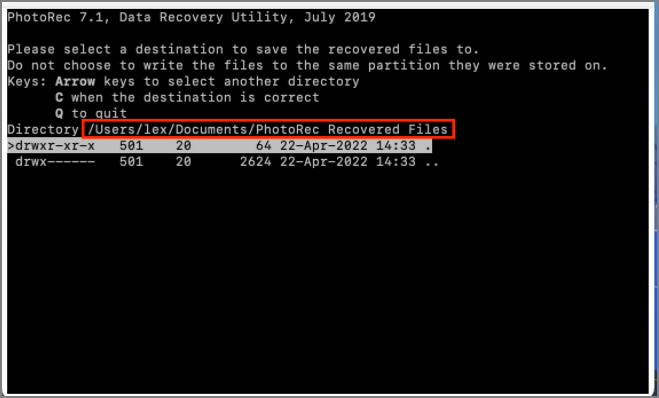
Here is how to use it:
- Select Disk: Choose the storage device (e.g., /dev/sdb1).
- Choose Partition: Select the partition or "Whole Disk" for unpartitioned recovery.
- File Formats: Opt to scan for all file types or select specific ones.
- Output Directory: Specify a different drive to save recovered files (to avoid overwriting).
Why Should You Choose Recuva for Mac's Alternative
With this software, to recover deleted word files on Mac, recover deleted emails on Mac or retrieve other files can do simply done on your own in a few simple clicks. Below is the comparison chart to help Mac users to decide which Mac recovery tool to choose.
| EaseUS Data Recovery Wizard | Piriform Recuva Pro |
|---|---|
|
|
Now, follow the steps below to apply it and fully restore lost files.
Step 1. Select the drive to be scanned
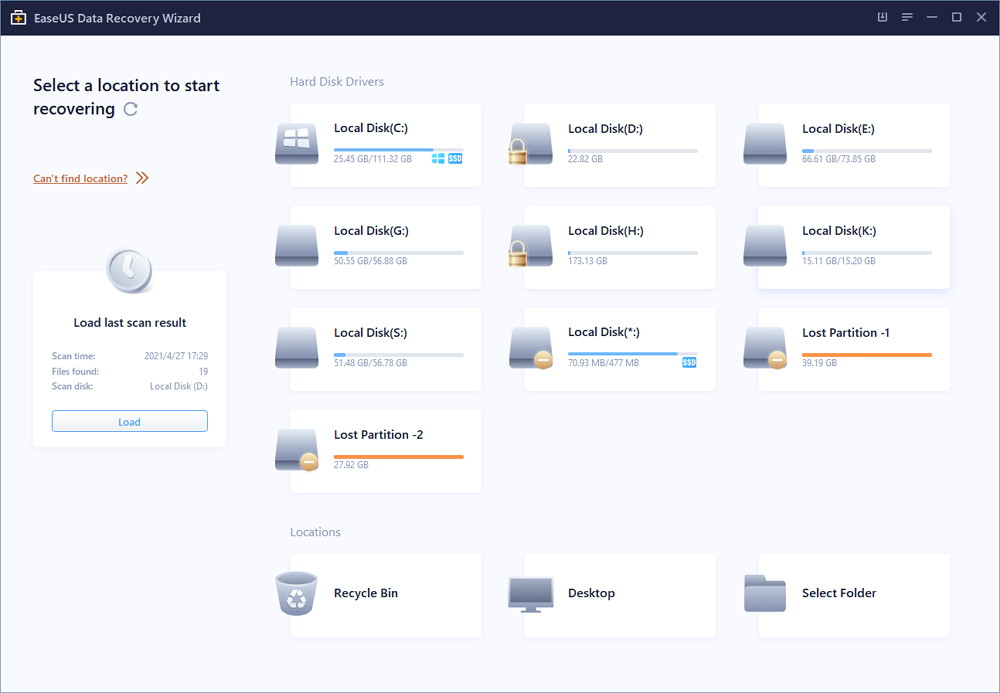
In the main EaseUS Data Recovery Wizard window, there will be a list of the drives connected to your Mac. Select the drive you need to recover lost/deleted files from, and click the "Search for lost files" button.
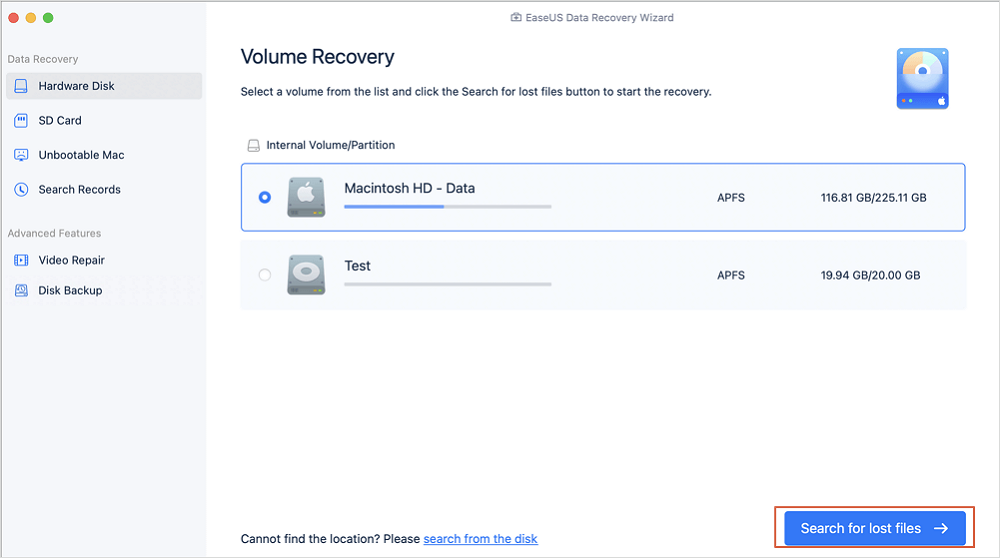
Step 2. Select your lost data/files
EaseUS Data Recovery Wizard for Mac will immediately scan your selected disk volume and display the scanning results on the left pane. You can sort the results to find the wanted files if you are looking for certain files.
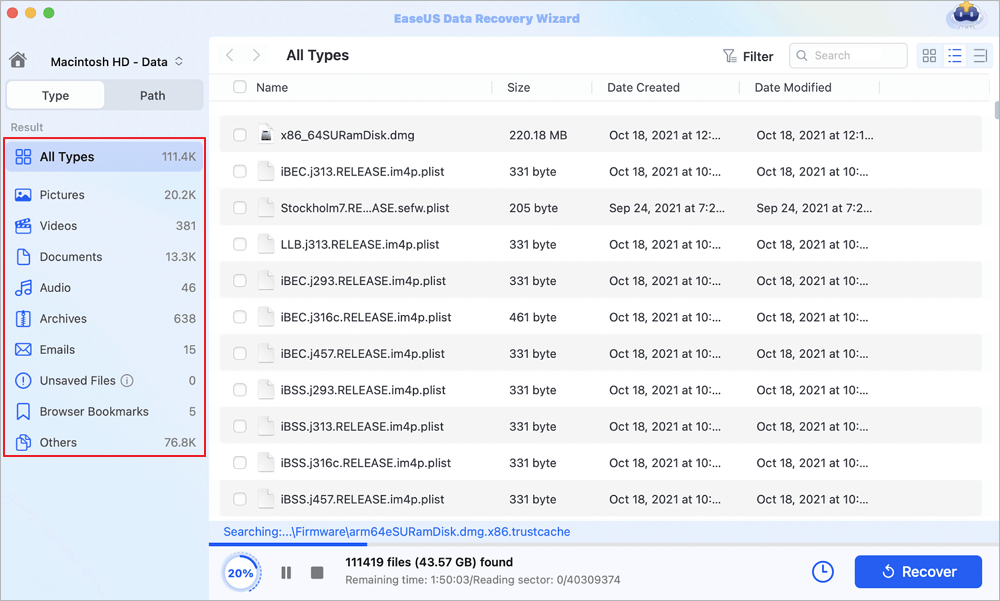
Step 3. Recover lost/deleted data
Once you have found the desired files, preview the files and then click "Recover" to begin the recovery of your deleted/lost Mac files.
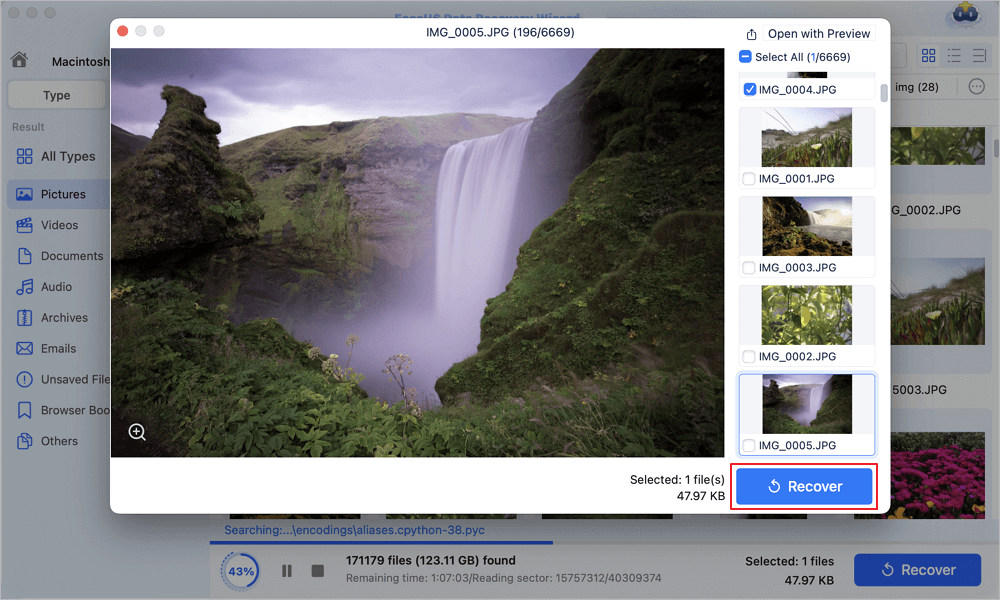
What makes EaseUS Data Recovery Wizard the best option? The software's highlights listed below might provide the solution to your query:
- Brand History: Founded in 2005, EaseUS is a leading developer of data recovery software with offices in the US, China, and Europe.
- Authority Endorsements: Recommended by Macworld, TechRadar, and 9to5Mac. G2 rating: 4.7/5, Trustpilot rating: 4.8/5.
- Expert Team: Employed data recovery engineers with 15+ years of experience in macOS file systems and data recovery.
- Transparency: No hidden fees, clear terms of service, and no data collection (files are processed locally on your Mac—never uploaded to EaseUS servers).
User Real Reviews:
 Review:
- "Recovered 30GB of work documents from a corrupted APFS partition after macOS Sonoma update. Preview feature helped me confirm files were intact—so much easier than PhotoRec's command line!" — Sarah M., Graphic Designer (Trustpilot)
- "Free version recovered 2GB of family photos from an old USB drive. Scanned in 10 minutes, and all photos had original names. Worth upgrading to Pro for unlimited recovery!" — David L., Casual User (G2)
Conclusion
If you need a direct Recuva-like experience on macOS, EaseUS Data Recovery Wizard is the closest equivalent. For open-source enthusiasts, PhotoRec/TestDisk is a good choice.
FAQs About Recuva for Mac
If you still have some questions about Recuva for Mac, check the quick answers below to help yourself out:
1. What makes Recuva superior?
EaseUS Data Recovery Wizard, which is both free and professional, is the best alternative. Other options to Recuva include PhotoRec, Glary Utilities, R-Studio, and Disk Drill. Usually, this data recovery software includes tools for recovering files, hard drives, and photos.
2. Can corrupted recovered files be fixed?
To fix corrupted files, it is preferable to use a file repair program like EaseUS Data Recovery Wizard. You can repair and restore lost or corrupted images, videos, Word, Excel, PowerPoint, and other files under any corruption scenario with this helpful data recovery and repair tool, EaseUS Data Recovery Wizard.
3. Does Recuva work with Mac?
However, Recuva is only available for Windows PCs; Mac users can now not utilize this robust and cost-free tool to restore erased or lost data. The CCleaner Recuva alternative for Mac listed in the table below may be worth considering.
Was this page helpful?
-
Dany is an editor of EaseUS who lives and works in Chengdu, China. She focuses on writing articles about data recovery on Mac devices and PCs. She is devoted to improving her writing skills and enriching her professional knowledge. Dany also enjoys reading detective novels in her spare time. …
-
![]()
Written by
Tracy became a member of the EaseUS content team in 2013. Being a technical writer for over 10 years, she is enthusiastic about sharing tips to assist readers in resolving complex issues in disk management, file transfer, PC & Mac performance optimization, etc., like an expert.…



 Why Trust EaseUS
 Editor Reviews

20+
Years of experience

160+
Countries and regions

72 Million+
Downloads

4.9 +
Trustpilot Score






