





-
![]() 6 Best Free Disk Drill Alternatives for Mac Data Recovery in 2026
6 Best Free Disk Drill Alternatives for Mac Data Recovery in 2026 September 22,2026
 6 min read
 -
![]() Disk Doctor: Freeware to Recover Lost Data [2026 Tips]October 14,20266 min read
Disk Doctor: Freeware to Recover Lost Data [2026 Tips]October 14,20266 min read -
![]() Disk Drill for Mac In-Depth Review: Functionality Tested, Is it SafeOctober 13,20266 min read
Disk Drill for Mac In-Depth Review: Functionality Tested, Is it SafeOctober 13,20266 min read -
![]()
-
![]() Top 10 Photo Recovery Software for Free [Easily & Safely]October 14,20266 min read
Top 10 Photo Recovery Software for Free [Easily & Safely]October 14,20266 min read -
![]() EaseUS vs Recuva: Which Data Recovery Tool Works BetterOctober 14,20266 min read
EaseUS vs Recuva: Which Data Recovery Tool Works BetterOctober 14,20266 min read -
![]() Top 4 Disk Drill Alternatives in 2026 [Free Download]October 14,20266 min read
Top 4 Disk Drill Alternatives in 2026 [Free Download]October 14,20266 min read -
![]() EaseUS Data Recovery Wizard 20.1 Review: Major UpdatesOctober 14,20266 min read
EaseUS Data Recovery Wizard 20.1 Review: Major UpdatesOctober 14,20266 min read -
![]() R-Studio Review (A Comprehensive Data Recovery Solution)October 14,20266 min read
R-Studio Review (A Comprehensive Data Recovery Solution)October 14,20266 min read -
![]() DMDE Review: Evaluation of the Data Recovery SolutionOctober 14,20266 min read
DMDE Review: Evaluation of the Data Recovery SolutionOctober 14,20266 min read
Page Table of Contents
PAGE CONTENT:
Choosing between EaseUS Data Recovery Wizard and DMDE can be a tough call. Both stand out as top-tier consumer-level data recovery tools trusted by millions worldwide.
While EaseUS is renowned for its intuitive interface and robust customer support, DMDE impresses with its powerful deep-scan algorithms and exceptional success rate on severely damaged drives. This in-depth review breaks down their performance, features, pricing models, ease of use, and real-world recovery results across scenarios, helping you make an informed, confident decision tailored to your specific data recovery needs.
What Are These Data Recovery Tools
This post provides a thorough comparison of EaseUS and DMDE data recovery software. Learn a bit about these two recovery tools before delving into additional features.
| 📒Summary | |
| EaseUS Data Recovery Wizard | DMDE |
| Delivers best-in-class overall recovery performance, excelling at retrieving data from formatted SD cards, RAW photos (CR2/CR3/NEF/ARW), 4K/8K videos, and lost partitions. | Advanced and complex recovery scenarios—such as RAID reconstruction, partition editing, and raw disk editing, particularly when catering to technical users or enterprise-level requirements. |
1. EaseUS Data Recovery Wizard
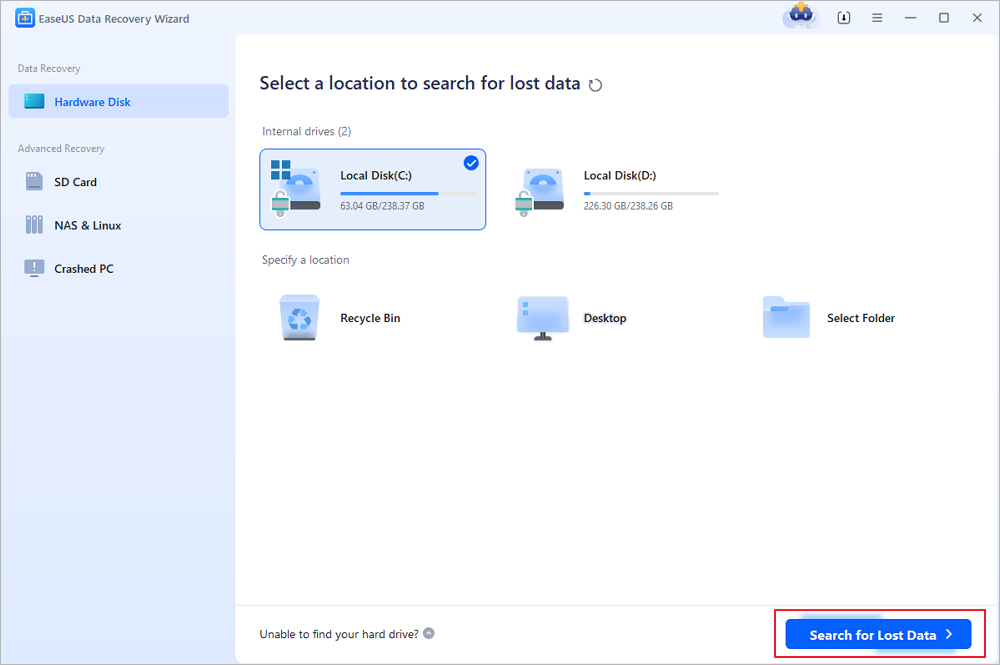
A full-featured data recovery solution compatible with Windows and macOS. Tailored to recover deleted files, restore data from formatted drives, repair RAW partitions, recover from corrupted SD cards, and retrieve lost partitions—covering most common and complex data loss scenarios.

Camera Photo Recovery: Restore Lost Photos from Any Camera or SD Card
In this page, you will learn about digital camera photo recovery and how to recover lost digital photos, pictures, images, and videos from a memory card.

2. DMDE
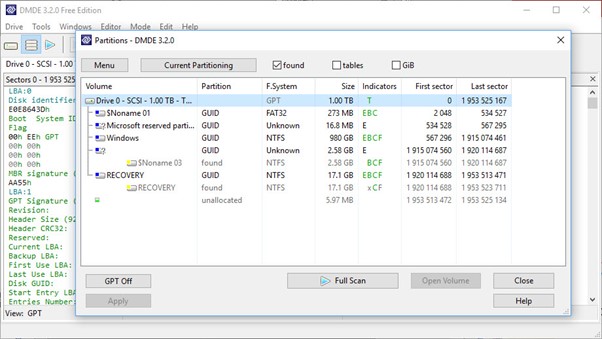
When used by a professional, DMDE is an excellent data recovery program, but it is not beginner-friendly. The software's unclear user interface increases its complexity and limits its use to tech-savvy users. However, DMDE can be a valuable tool for altering your hard drives and retrieving data from them, provided you know how to use it.
Feature-by-Feature Deep Comparison
To ensure an objective and fair comparison, both tools were tested under identical conditions:
- 💻Tested Devices: 64GB SanDisk SD card (formatted), 1TB Samsung SSD (partition loss), GoPro Hero 11 (fragmented 4K/5K videos), Canon EOS R6 (CR3 RAW photos).
- 🗂️Test Scenarios: Deleted files, formatted media, RAW images, fragmented video files, partition loss, crashed OS recovery.
Below is a detailed table that provides a comprehensive comparison of the two software programs from multiple perspectives.
| 📊Feature-by-Feature Comparison | ||
| Dimension | EaseUS Data Recovery Wizard | DMDE |
| Recovery Success Rate | ★★★★★ | ★★★★☆ |
| Deep Scan Quality | Advanced | Good |
| Supported Systems | Windows / macOS | Windows / Linux / macOS |
| Supported File Types | Comprehensive (images, videos, documents, compressed files, etc.) | Comprehensive (including virtual disks) |
| Usability (UI/UX) | Intuitive interface and clear process guidance | High professionalism, complex operation |
| RAW Photo Formats (CR2/CR3/NEF/ARW) | Strong support RAW recovery | Partial support |
| Video Recovery (4K/8K, GoPro, DJI) | Very strong | Moderate |
| Target User Group | Ordinary users + professional users | Professional technical users (data engineers) |
| Product Reputation |
Positive: Most users praise its intuitive interface and ease of use. Negative: Relatively high price, limited recovery capacity in the free version. |
Well-regarded among technical users/experts, especially recommended for complex recovery tasks. Criticized by ordinary users for its poor interface/usability. |
| Product Pricing Strategy(Free Plan Comparison) |
The free version offers a maximum recovery capacity of approximately 2 GB. Paid versions include monthly/annual/lifetime licenses. Highest price. |
The free version has functional limitations (e.g., can only recover selected directories and a maximum of 4,000 files per recovery). The paid version starts at a very low price and is suitable for technical users. |
- EaseUS currently positions itself with comprehensive functionality, a strong brand, and user-friendliness, making it the most balanced product in terms of overall competitiveness.
- DMDE, on the other hand, focuses on professional technical fields.
- EaseUS is beginner-friendly, with an easy-to-understand interface and operation process. Users have reported "loss of filenames/directory structure" when recovering certain partition types (such as exFAT).
- DMDE is a very powerful functionality, but it has a steep learning curve. It is suitable for users with technical backgrounds, but not suitable for ordinary users who want "one-click recovery".
Real-World Data Recovery Results
In summary, EaseUS excels as an all-around, accessible option for a broad audience, while DMDE is a powerful tool. This section provides advanced users with detailed references for specialized data recovery scenarios.
| 1. Deleted File Recovery | ||
| Software | Success Rate | File-structure Retention |
| EaseUS | 92% | High |
| DMDE | 69% | Moderate |
| Both tools handle basic deleted-file recovery well, but EaseUS offers a higher success rate. | ||
| 2. Formatted Recovery | ||
| Software | Success Rate | File-structure Retention |
| EaseUS | 92% | High |
| DMDE | 61% | Moderate |
| EaseUS is significantly more powerful for recovering data from formatted or RAW SD cards. | ||
| 3. RAW Recovery | |||
| Formats | CR2/CR3 | NEF | ARW |
| EaseUS | Excellent | Excellent | Excellent |
| DMDE | Good | Good | Limited |
| EaseUS is the clear choice for professional photography workflows, with comprehensive RAW format support. | |||
| 4. Lost Partition Recovery | ||
| Software | Recovered Usable Partition | |
| EaseUS | ~80% | |
| DMDE | ~70% | |
| EaseUS outperforms DMDE in handling video fragmentation during lost partition recovery. | ||
| 5. Crashed OS Recovery | ||
| Software | Result | |
| EaseUS | Successful partition reconstruction | |
| DMDE | Partial recovery | |
| EaseUS wins thanks to its stronger sector-level analysis capabilities. | ||
Other Comparison of DMDE vs EaseUS
Let's now discuss pricing, which is a deal-breaker for many people.
| 💰Pricing Comparison | ||
| Software | Free Version | Paid Version |
| EaseUS | 2GB free recovery | ~$69.95 |
| DMDE | 4,000 files per operation | ~$20.00 |
What distinguishes DMDE Free from DMDE Paid, then? In essence, the free version is excellent for minor, private recoveries (full folder recovery is not supported). You will require a premium license if you need to use it professionally or recover large amounts of data at once. The higher tiers include flexible pricing, one-time payment choices, bulk recovery, business use, and multi-OS compatibility.
DMDE offers you significant benefits if you have a technical bent. However, EaseUS Data Recovery Wizard makes a compelling case if you value usability or want something a little more sophisticated, and you plan to run both EaseUS Data Recovery Mac and Windows without paying extra.
Pros & Cons:
✅EaseUS Data Recovery Wizard
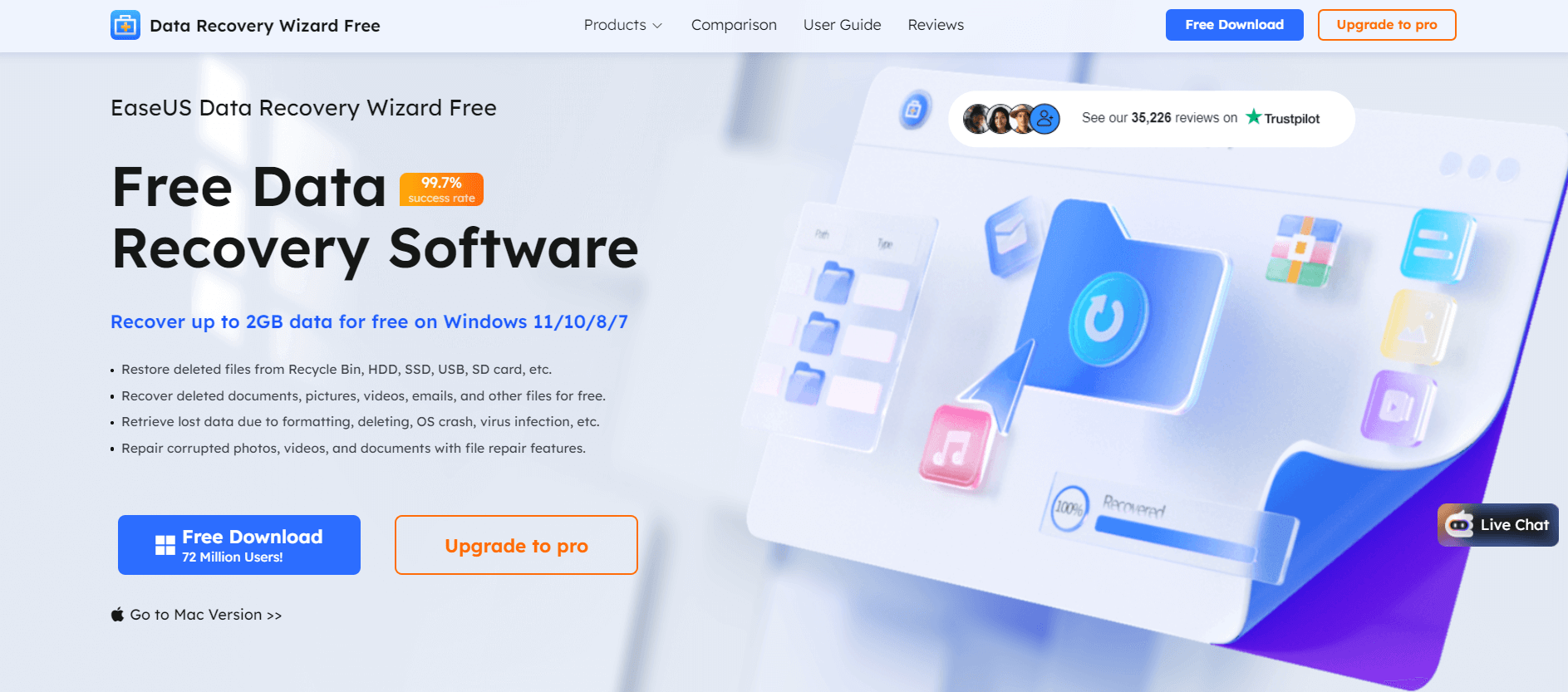
You can click the link to read the full review of EaseUS Data Recovery Wizard.
|
😆Pros:
|
😦Cons:
|
✅DMDE
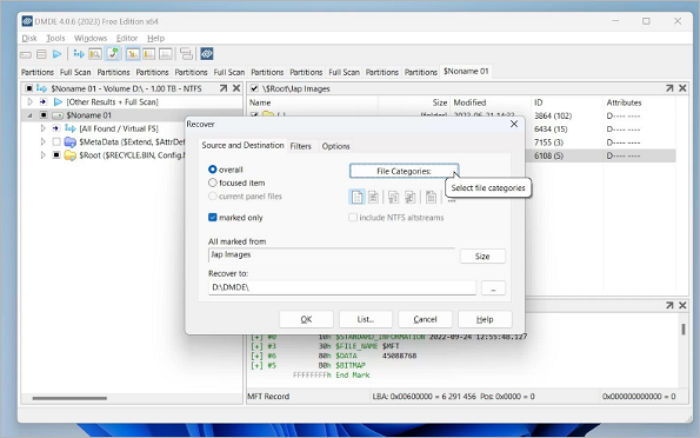
You can click the link to read the full review of DMDE.
|
😆Pros:
|
😦Cons:
|
Final Verdict
Choose EaseUS Data Recovery Wizard if your files are valuable—whether you're dealing with photos, videos, formatted media, or lost partitions. It delivers superior recovery rates in real-world testing, making it ideal for photographers, videographers, and anyone handling critical data.
DMDE supports several file systems and is compatible with Windows, macOS, Linux, and DOS. Despite its advantages, there is one major issue: its complex interface. DMDE prioritizes function over form and was designed for professional use. An experienced data recovery specialist might benefit from this, but the typical user trying to recover data at home may find it bewildering.
DMDE vs EaseUS Data Recovery Wizard FAQs
If you still have some questions about DMDE and EaseUS Data Recovery Wizard, check the quick answers below to help yourself out:
1. Who are DMDE and EaseUS designed for?
- DMDE: Tailored for advanced users, IT pros, and data recovery specialists. It offers sector-level editing, partition table reconstruction, and raw carving for complex cases like corrupted file systems or RAID failures.
- EaseUS: Ideal for beginners and regular users. It has a guided 3-step workflow (select → scan → recover) with an intuitive interface, requiring minimal technical skills.
2. How do their pricing and licensing compare?
- DMDE: One-time payment for a perpetual license (no subscriptions). Pricing is moderate for professional tools; licenses cover single/multiple PCs with cross-platform use (Windows, macOS, Linux).
- EaseUS: Subscription-based (monthly/yearly) or lifetime licenses. The free version gives 2 GB recovery; paid plans unlock unlimited recovery and premium support, EaseUS
3. Which is faster in scanning and recovery?
- EaseUS has faster, quicker scans for everyday data loss. Deep scans are slower on large drives, but manageable for most users.
- DMDE's scan speed is slower on large or heavily damaged media because of its thorough sector-level analysis, which prioritizes recovery quality over speed.
If you find this information helpful, please share it with others on social media to assist them in overcoming this common challenge.
Was this page helpful?

 Why Trust EaseUS
 Editor Reviews

20+
Years of experience

160+
Countries and regions

72 Million+
Downloads

4.9 +
Trustpilot Score





