





-
![]() R-Studio for Mac: Ultimate Guide to R-Studio on macOS
R-Studio for Mac: Ultimate Guide to R-Studio on macOS October 13,2026
 6 min read
 -
![]() Is EaseUS Safe | Is EaseUS Data Recovery Safe [True Review on EaseUS]October 20,20266 min read
Is EaseUS Safe | Is EaseUS Data Recovery Safe [True Review on EaseUS]October 20,20266 min read -
![]() Stellar Data Recovery vs EaseUS Data Recovery Wizard: Full Comparison & ReviewOctober 20,20266 min read
Stellar Data Recovery vs EaseUS Data Recovery Wizard: Full Comparison & ReviewOctober 20,20266 min read -
![]() EaseUS Data Recovery Wizard for Mac Review [Update in 2026]October 13,20266 min read
EaseUS Data Recovery Wizard for Mac Review [Update in 2026]October 13,20266 min read -
![]() PhotoRec Review: Still Capable of Recovery in 2026 [Complete Review]October 20,20266 min read
PhotoRec Review: Still Capable of Recovery in 2026 [Complete Review]October 20,20266 min read -
![]() Stellar Data Recovery Review: Performance, Pros & Cons [Full Review in 2026]October 20,20266 min read
Stellar Data Recovery Review: Performance, Pros & Cons [Full Review in 2026]October 20,20266 min read -
![]() Best Data Rescue Alternative Ever [Free Download]October 20,20266 min read
Best Data Rescue Alternative Ever [Free Download]October 20,20266 min read -
TestDisk vs EaseUS Data Recovery: Full Comparison & 2025 ReviewOctober 20,20266 min read
-
![]()
-
![]()
Page Table of Contents
PAGE CONTENT:
EaseUS Data Recovery Wizard has long been a leading industry solution, trusted by over 72 million users worldwide. However, many users wonder if alternative tools can deliver equal or better performance. In this guide, we thoroughly evaluate the top five EaseUS alternatives, break down their core strengths and critical limitations.
How to Choose Suitable Data Recovery Software
Some users want to compare free feature limits to find the most cost-effective option, while others seek tools with specialized functions for complex disk errors or partition recovery. A small number of users also compare licensing terms, cross-platform compatibility, and the quality of customer support before making a final purchase decision.
It is reasonable to compare multiple tools before investing in data recovery software. However, most popular alternatives have obvious drawbacks in real-world testing, including strict free-recovery limits, poor performance on formatted drives, complicated operations for beginners, or no valid free-recovery functionality.
| Features | EaseUS Data Recovery Wizard | Disk Drill | Data Rescue | Recuva | TestDisk | R-Studio |
| Ease of Use | Very Easy (3-step wizard) | Easy | Medium | Easy | Hard (CLI only) | Hard |
| Cross-Platform Support | Windows & macOS | Windows & macOS | Windows & macOS | Windows Only | Full Support | Windows & macOS |
| Free Recovery Quota | Up to 2GB | 500MB | 0MB (scan-only) | Limited basic recovery | Unlimited free | 0MB |
| Full File Preview | ✅ All file types | ✅ Partial preview | ✅ Partial preview | ❌ No preview | ❌ No preview | ✅ Partial preview |
| Formatted Drive Recovery | ✅ Excellent | ✅ Good | ❌ Poor | ❌ Very poor | ✅ Medium | ✅ Medium |
| Complete File Structure Retention | ✅ Yes | ✅ Yes | ✅ Partial | ❌ No | ❌ No | ✅ Partial |
Top 5 EaseUS Data Recovery Wizard Alternatives
We selected the five most mainstream EaseUS alternatives on the market and conducted unified lab tests covering accidental-deletion recovery, formatted-drive recovery, corrupted-storage restoration, and media-file repair. Below is our objective evaluation of each tool's pros, cons, and applicable user groups.
1. Disk Drill
Disk Drill is a well-known cross-platform data recovery tool compatible with both Windows and macOS, favored for its clean, modern UI and beginner-friendly operation logic. It supports basic file deletion recovery, simple partition restoration, and common storage device scanning, making it a popular choice for casual users.
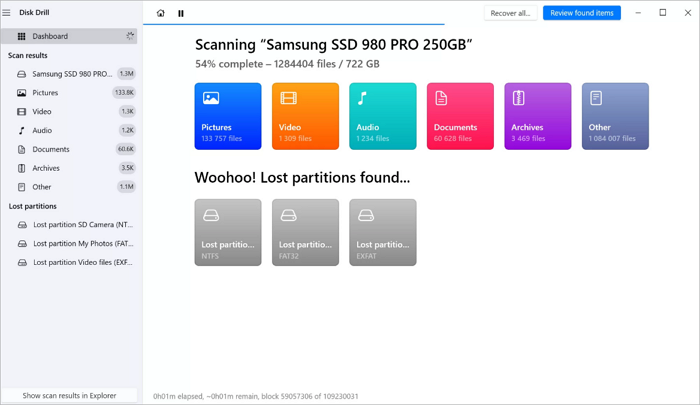
Meanwhile, Disk Drill's free recovery allowance is relatively conservative, capped at only 500MB of recoverable data, making it less flexible than other mainstream data recovery tools on the market. In terms of licensing policy, its purchased licenses are tied to specific software versions, requiring users to pay additional upgrade fees to access newer program iterations, which may not be the most cost-effective option for users seeking long-term usability.
Best for: Casual users who only need to recover a small number of recently deleted simple files.
2. Data Rescue
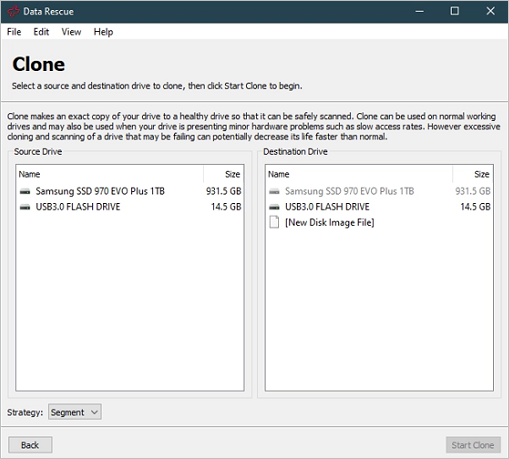
Data Rescue is a veteran data recovery tool with decades of development, renowned for its professional disk cloning and raw data scanning capabilities. It is compatible with older versions of Windows and macOS and provides stable scanning services for healthy storage devices.
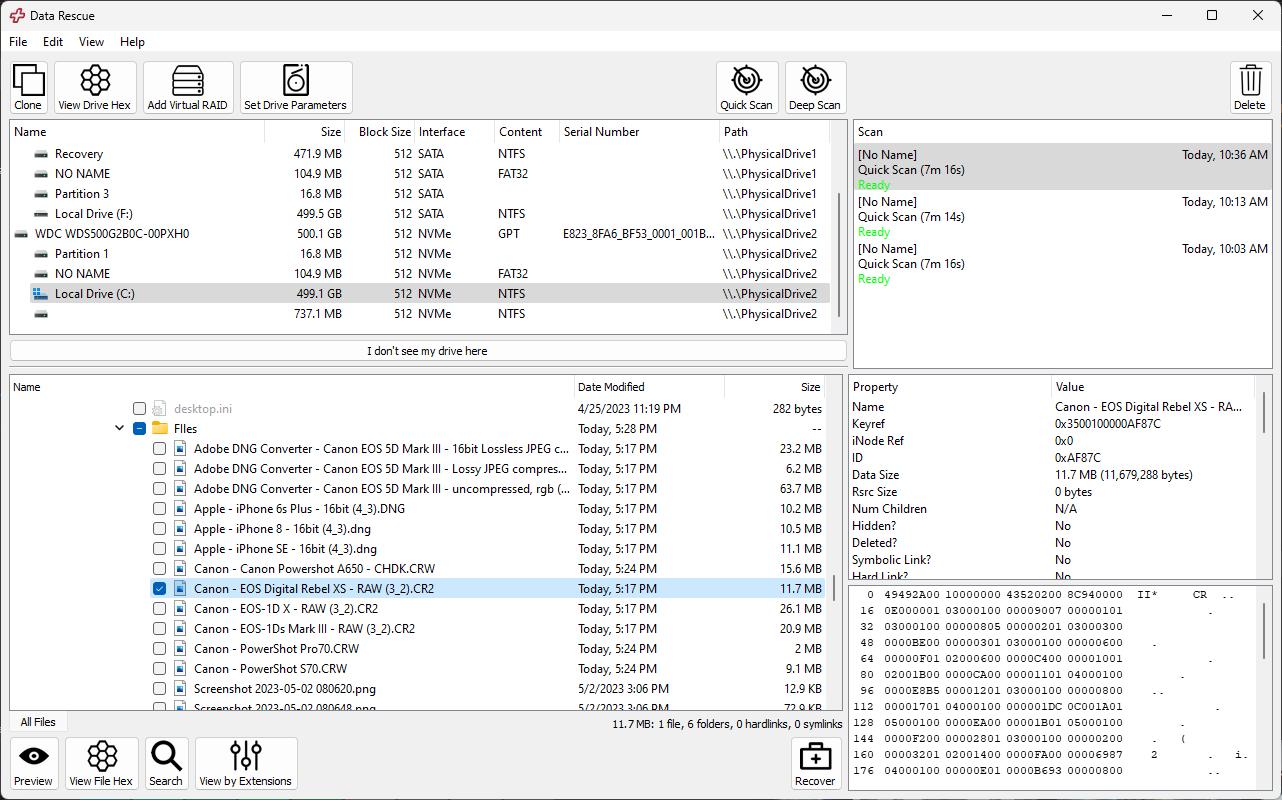
The free version of Data Rescue only supports disk scanning and file list preview, with zero available free recovery quota. Users must pay upfront without knowing the actual quality of the recoverable file. Meanwhile, its pricing is relatively expensive, the operation process is complicated for novice users, and its performance is poor when handling formatted drives, overwritten data, or corrupted partitions.
Best for: Professional technical users who only need disk detection and scanning services.
3. Recuva
Recuva is a lightweight, free Windows-only data recovery tool, widely used for its small installation package and ultra-simple operation. It performs well in restoring recently deleted individual files on healthy Windows disks.
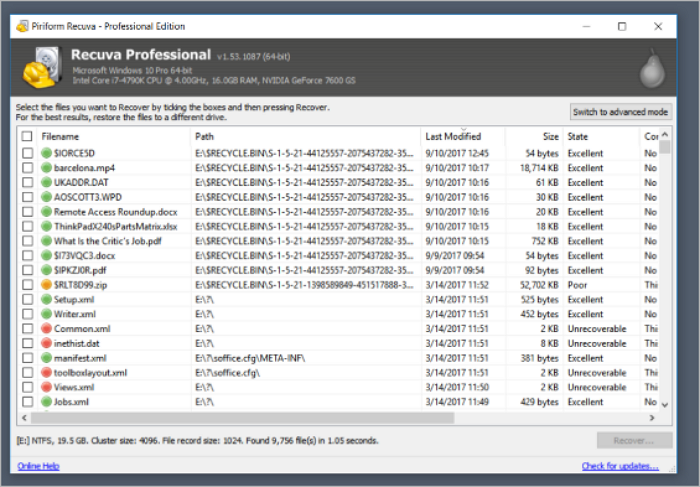
The tool's limitations are extremely obvious. It has no macOS compatibility and completely fails to handle complex data loss scenarios, such as formatted drives, RAW partitions, and corrupted SD cards. It provides only limited file preview support and cannot retain the full original file names and folder structures after recovery, making post-recovery file sorting extremely troublesome. For media files such as photos and videos, the recovery success rate is notoriously low.
Best for: Windows users with only simple, recent-file-deletion recovery needs.
4. TestDisk & PhotoRec
TestDisk and PhotoRec are free, open-source command-line tools, respected in the technical community for powerful partition table repair and media fragment recovery capabilities. It is completely free of charge and supports manual disk diagnosis and partition error fixing.
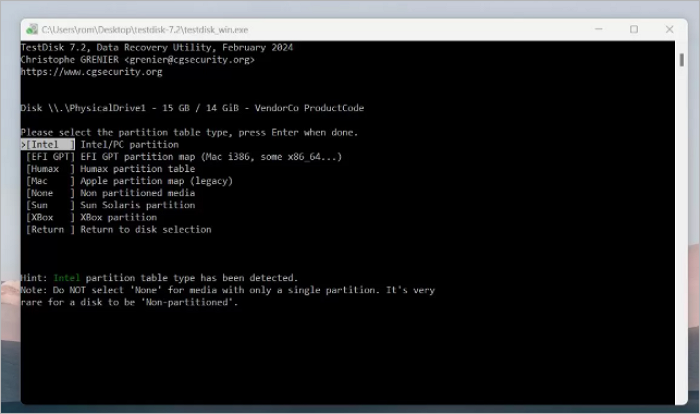
This tool has no graphical interface, and all operations rely on professional command-line instructions, resulting in an extremely steep learning curve. It provides no file preview function, cannot automatically classify recovered files, and loses all original file classification and naming rules. Even if files are recovered, users cannot quickly filter valid data.
Best for: Professional IT engineers and technical users dealing with partition loss and disk hardware errors.
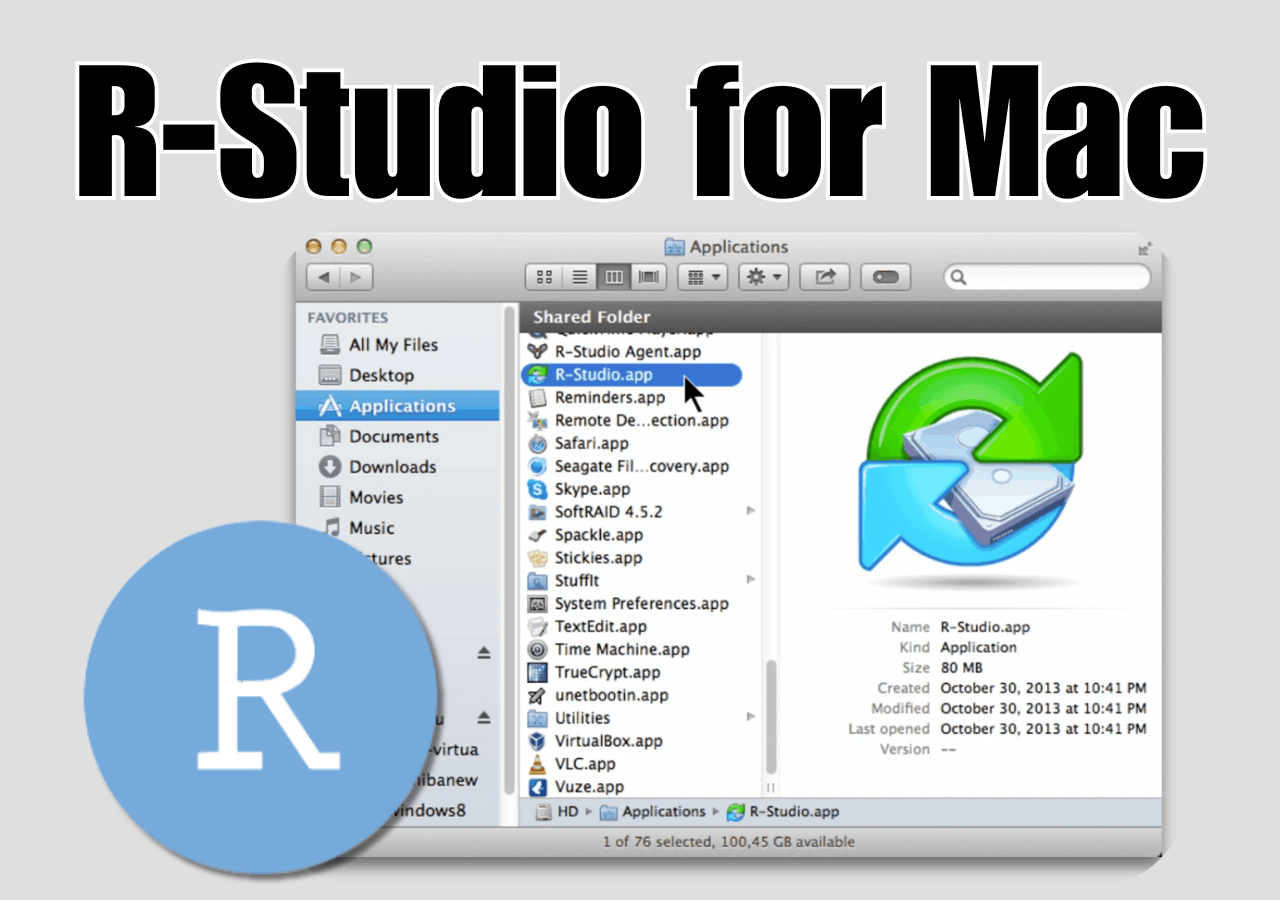
5. R-Studio
R-Studio is a top-tier professional data recovery tool designed for enterprise-level complex scenarios, supporting RAID reconstruction, server data recovery, network disk restoration, and advanced hex disk editing.
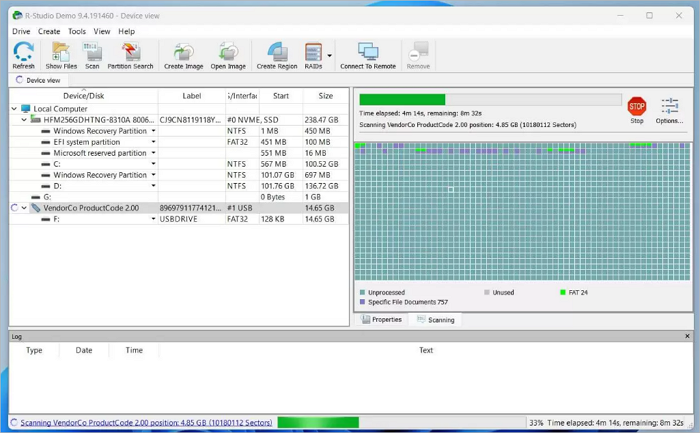
Its interface is complicated, full of professional parameters and technical settings that novices cannot understand. For daily data loss problems such as accidental deletion and formatting, the complex operation wastes unnecessary time and energy.
Best for: Enterprise IT administrators and professional data recovery technicians.
Why Still Choose EaseUS Data Recovery Wizard
After comprehensive testing and comparison, EaseUS Data Recovery Wizard remains the most balanced and reliable data recovery solution for most users. Its core advantages solve the biggest pain points of all competing tools.
Unlike Data Rescue (scan-only free) and Disk Drill (ultra-limited recovery), EaseUS allows users to perform full-disk scanning and 100% file previews for free. You can clearly check the integrity, quantity, and usability of recoverable photos, videos, and documents before paying. There is no need to gamble on recovery results, which is the most user-friendly feature in the entire industry.
Without any professional knowledge or command-line operation, users only need to select the disk, start scanning, and preview and recover files. It completely avoids the high learning curve of open-source tools and complex professional software.
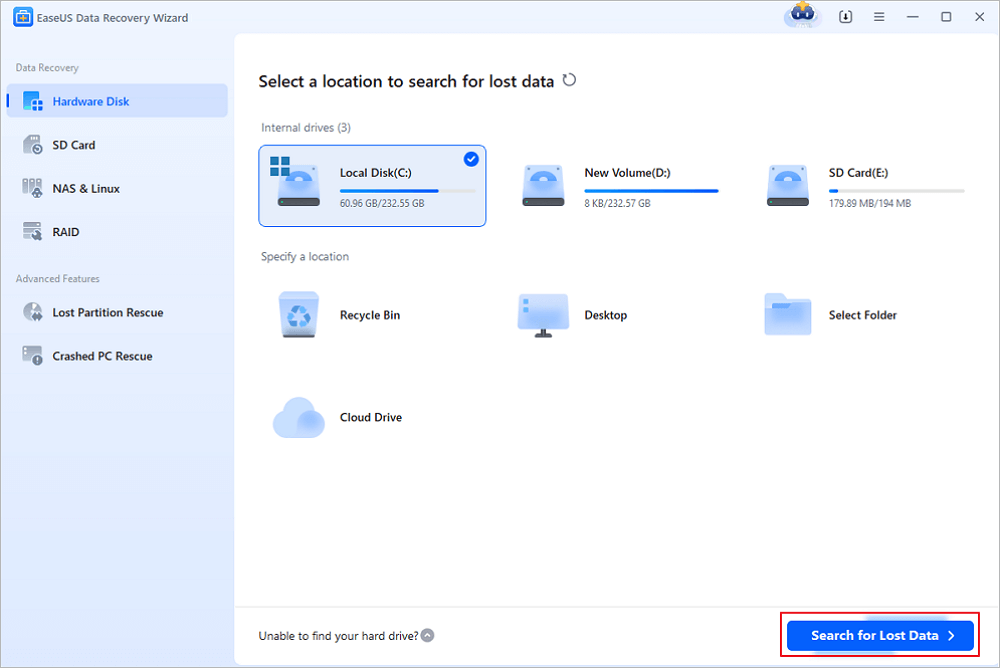
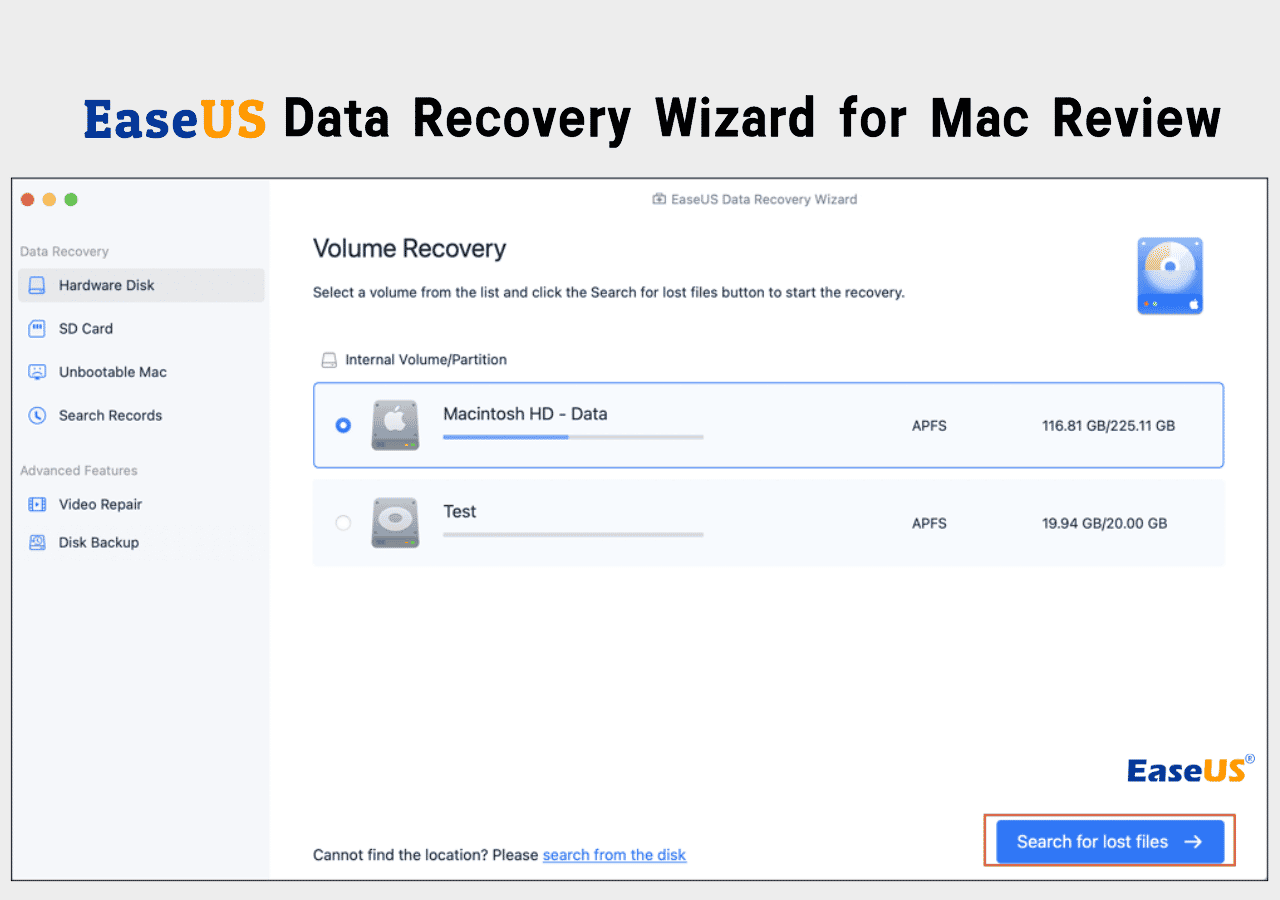
Step 1. Select a location and start scanning
Launch EaseUS Data Recovery Wizard and choose the partition where you lost data. Then, click "Search for Lost Data".
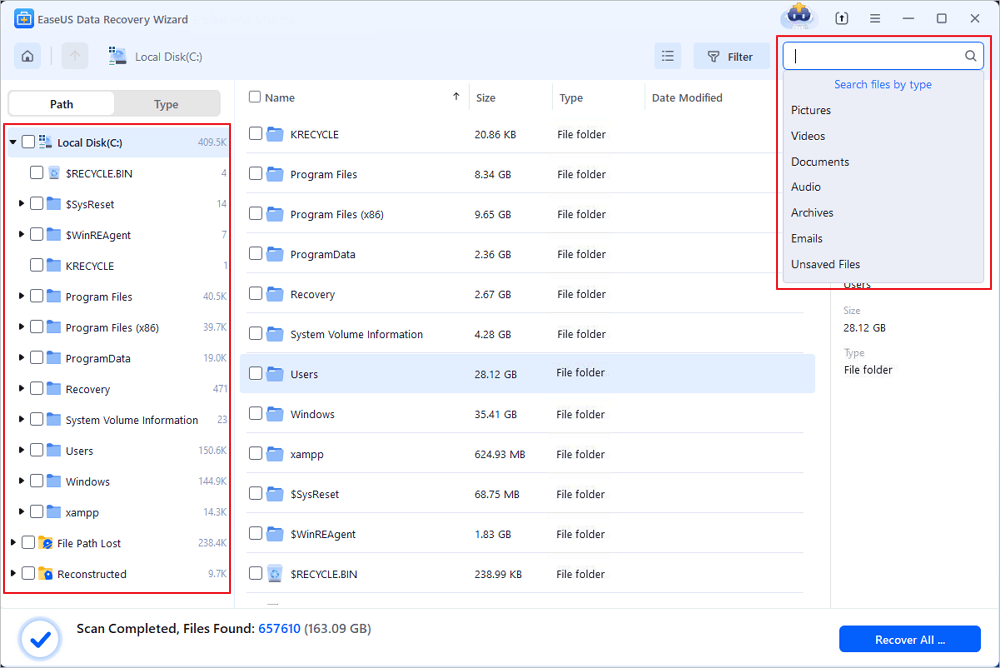
Step 2. Filter and preview files
Use the file format filter on the left or upper right corner to find the files you need. If you remember the file name, you can also search in the search box, which is the fastest way to find the target file. Then, you can click the "Preview" button or double-click a file to preview its content.
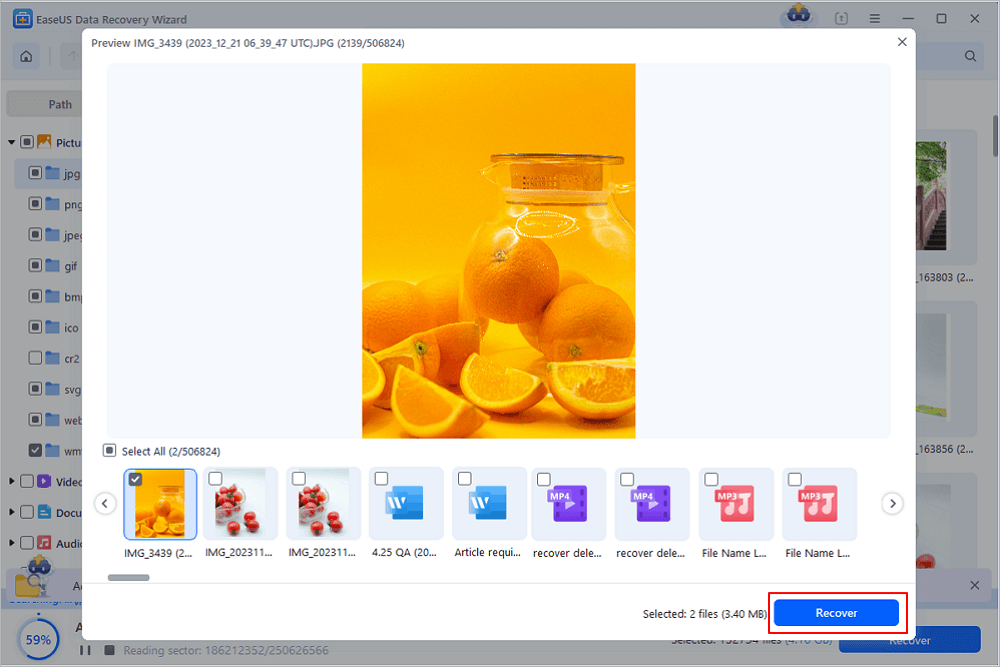
Step 3. Recover lost data or files
Click the checkbox next to the file and click "Recover" to restore the lost data to your local storage or Cloud drive.
Final Verdict
There are many qualified EaseUS Data Recovery Wizard alternatives on the market, each with minor advantages in individual professional scenarios. However, no competitor can match EaseUS's comprehensive strength in free-trial transparency, recovery success rate, operational simplicity, cross-platform compatibility, and cost-effectiveness.
The core advantage that makes EaseUS stand out is its user-first trial policy: you can confirm exactly how much data can be recovered and verify file quality before paying. Coupled with the 2GB free recovery quota, beginner-friendly workflow, and full-scenario recovery capability, EaseUS Data Recovery Wizard remains the best data recovery software for all ordinary users in 2026.
Was this page helpful?


 Why Trust EaseUS
 Editor Reviews

20+
Years of experience

160+
Countries and regions

72 Million+
Downloads

4.9 +
Trustpilot Score





