Page Table of Contents

When upgrading to a new SSD, most users eventually run into two names: Samsung Magician and Macrium Reflect. They often appear in search results for "SSD cloning software" or "how to move Windows to a new drive," but they are not built for the same purpose.
Samsung Magician is primarily an SSD management suite for Samsung drives, while Macrium Reflect is a comprehensive backup and recovery solution that includes disk cloning. So which one should you use?
The answer depends less on which tool is "better" and more on what you're trying to accomplish.
Quick Comparison: Samsung Magician vs Macrium Reflect
| Feature | Samsung Magician | Macrium Reflect |
| Disk Cloning | Yes (Samsung SSDs) | Yes |
| Windows Migration | Yes | Yes |
| Clone Data Disk | Limited | Yes |
| SSD Alignment | Yes | Yes |
| SSD Health Monitor | Yes | Basic |
| Firmware Updates | Yes | No |
| Backup Features | Very Limited | Yes |
| System Imaging | No | Yes |
| Rescue Media | Limited | Yes |
| Multi-Brand SSD Support | No | Yes |
| Ease of Use | Easy | Moderate |
| Best for | Samsung SSD management | Backup, imaging, recovery |
- If you're upgrading to a Samsung SSD and simply need to move Windows from one drive to another, Samsung Magician is usually the easiest solution.
- If you need reliable backups, system images, disaster recovery tools, and advanced cloning options, Macrium Reflect is the more capable choice.
Note: One useful feature in Samsung Magician is Rescue Media. It creates a bootable USB drive that can launch Samsung Secure Erase, enabling you to wipe a Samsung SSD without booting into Windows. However, you cannot use it to create a bootable disk for disk cloning.
Share this article on social media to help others compare Samsung Magician and Macrium Reflect!

Understanding the Difference Between Magician and Reflect
Choosing between Samsung Magician and Macrium Reflect can be difficult because both tools are frequently mentioned when users plan an SSD upgrade or system migration. While there is some overlap in functionality, the 2 applications are built with different priorities in mind.
Before deciding which solution is the better fit, it's important to understand how their core features, use cases, and long-term benefits differ.
Core Features Compared
Although both solutions can assist with SSD upgrades and operating system migration, they are designed for different purposes.
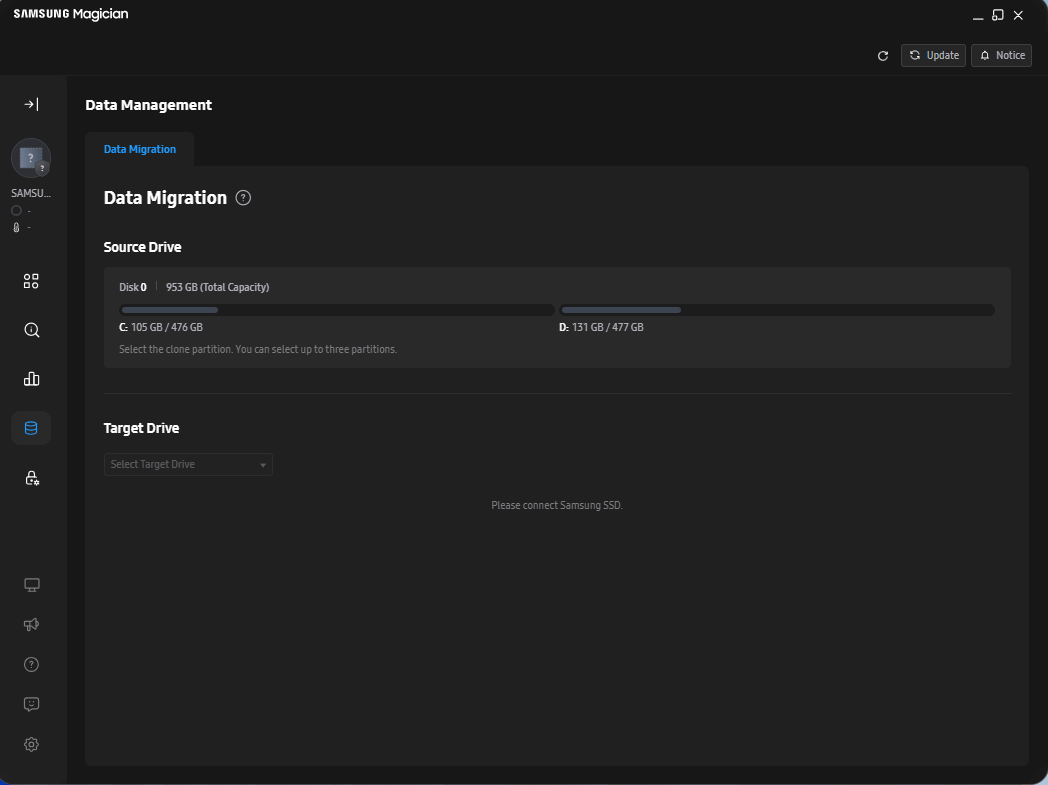
Samsung Magician focuses on helping users manage and optimize Samsung SSDs. In addition to migration-related tools, it provides SSD health monitoring, firmware updates, performance benchmarking, secure erase capabilities, and optimization features specifically designed for Samsung storage devices.
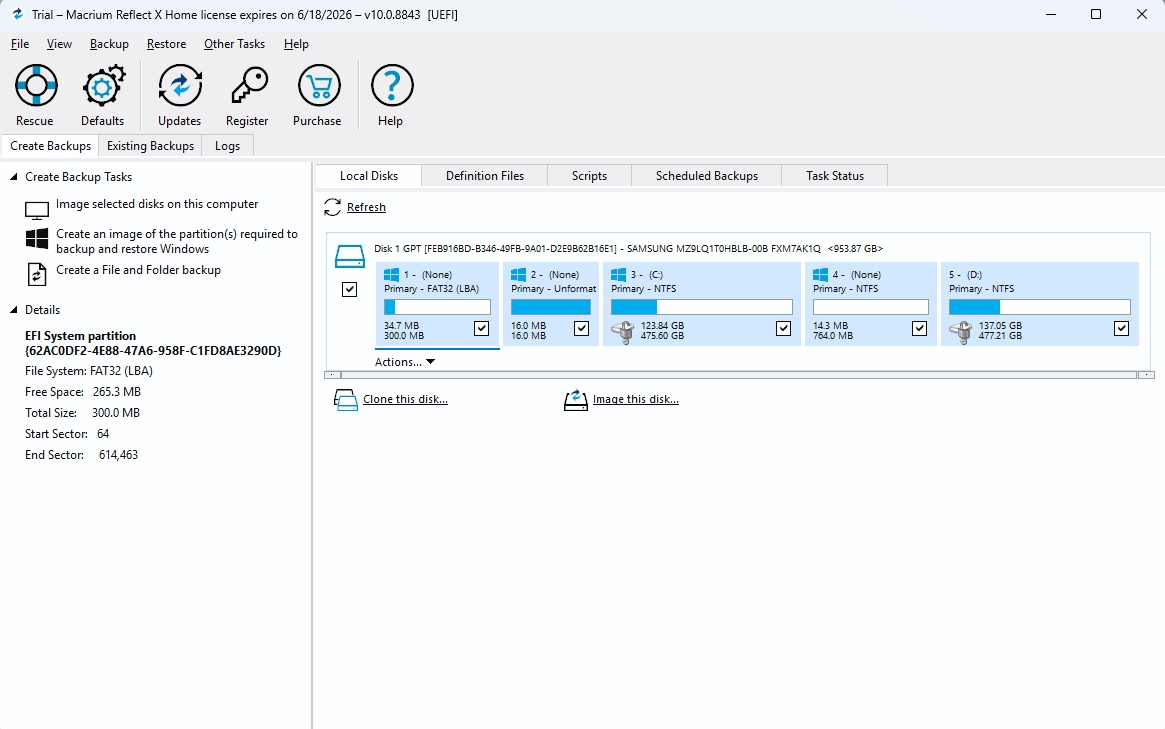
Macrium Reflect is primarily a backup and recovery solution. Disk cloning is only one part of its feature set. Users can create full system images, schedule backups, maintain multiple restore points, build bootable recovery environments, and restore systems after hardware or software failures.
In short, Samsung Magician is designed to manage Samsung SSDs, while Macrium Reflect is designed to protect and recover entire systems.
Which Tool Covers More Use Cases?
For a simple SSD upgrade or operating system migration, either solution may be sufficient depending on the user's hardware and requirements.
However, Macrium Reflect supports a much wider range of backup, recovery, and system-protection scenarios. Users can:
- Create scheduled backups
- Generate full system images
- Maintain multiple backup versions
- Build bootable rescue media
- Restore complete operating systems
- Recover from failed Windows installations
Samsung Magician was not designed to perform these tasks. Instead, it focuses on SSD management functions that are particularly valuable for Samsung SSD owners.
Which Solution Offers Better Long-Term Value?
For users whose primary goal is migrating to and managing a Samsung SSD, Samsung Magician may provide everything they need.
For users who manage important data, maintain multiple computers, or want protection against unexpected drive failures, Macrium Reflect typically offers greater long-term value because of its broader backup and disaster recovery capabilities.
Share this article on social media to help others compare Samsung Magician and Macrium Reflect!
Why These Tools Exist for Different Types of Users
Comparisons between Samsung Magician and Macrium Reflect can sometimes be misleading because the two applications were created to solve different problems.
Samsung developed Magician as a companion utility for its SSD product lineup. The software helps users:
- Monitor SSD health
- Update firmware
- Benchmark performance
- Optimize drive settings
- Securely erase drives
- Migrate Windows to a Samsung SSD
Macrium Reflect, by contrast, was built as a backup and disaster recovery platform. Its primary purpose is to safeguard data, create recoverable system images, and restore systems when hardware or software issues occur.
This fundamental difference influences nearly every aspect of the user experience and explains why the two tools are often used for entirely different reasons.
Looking at the Migration Experience
For many people, SSD migration is the main reason to compare Samsung Magician and Macrium Reflect. Although both can move an existing Windows installation to a new drive, the overall experience is quite different.
Samsung Magician Keeps the Process Simple
Samsung Magician includes a built-in migration feature that helps users move Windows, applications, and files to a Samsung SSD.
The workflow is straightforward. After installing the new SSD, users simply launch Magician, choose the destination drive, and start the migration process.
There's very little to configure. That makes Samsung Magician a good option for users who just want to replace an old drive without having to deal with technical details.
Macrium Reflect Gives You More Control
Macrium Reflect takes a different approach. Instead of focusing on simplicity, it gives users more control over how a migration is performed. For example, you can:
- Clone an entire disk
- Copy selected partitions only
- Adjust partition sizes during migration
- Create a disk image instead of a direct clone
- Restore that image to another drive later
These extra options are useful when working with larger storage upgrades, custom partition layouts, or long-term backup plans.
The downside is that the interface can feel more complex for first-time users. While the additional flexibility is valuable, it may take a little longer to learn compared with Samsung Magician's more streamlined workflow.
Where the Real Difference Starts to Show
At first, Samsung Magician and Macrium Reflect can seem surprisingly similar. Both can help users move Windows to a new SSD, and both are often recommended during storage upgrades. The similarities start to fade once the migration is finished.
Samsung Magician Stays Focused on the SSD
After the move is complete, Samsung Magician becomes more of an SSD management tool than a migration utility.
Users can check drive health, monitor temperatures, install firmware updates, run performance benchmarks, and securely erase a drive when needed. These are the kinds of features that help Samsung SSD owners monitor drive performance and maintenance over time.
For someone who mainly wants to manage a Samsung SSD, that's often enough.
Macrium Reflect Is Built for Backup & Recovery
Macrium Reflect takes a different path. Instead of helping users manage a drive, it focuses on protecting the data stored on it. Users can create full system images, schedule automatic backups, maintain multiple restore points, and build rescue media for emergencies.
The value of those features usually isn't obvious until something goes wrong. A failed drive, a corrupted Windows installation, or an unsuccessful update can turn into a much smaller problem when a recent backup is available.
That's ultimately where the two products separate. Samsung Magician helps you manage a Samsung SSD, while Macrium Reflect helps you recover when a system or drive stops working as expected.
Share this article on social media to help others compare Samsung Magician and Macrium Reflect!
Which Tool Is Easier to Use?
Feature lists only tell part of the story. The overall experience can vary widely depending on how comfortable you are with storage and backup software.
Samsung Magician Is Easier for Most Users
Samsung Magician keeps things relatively simple. The interface is clean, the main features are easy to find, and most tasks can be completed with just a few clicks.
Users can quickly check SSD health, monitor performance, install firmware updates, or even start a drive migration, all without spending much time learning how the software works.
For someone upgrading to a Samsung SSD for the first time, the experience is generally straightforward.
Macrium Reflect Comes With a Learning Curve
Macrium Reflect offers far more functionality, but that also means more settings, menus, and terminology. New users are likely to encounter concepts such as:
- Disk images
- Incremental backups
- Differential backups
- Retention policies
- Rescue media
None of these features is particularly difficult to learn, but they do require a basic understanding of how backup and recovery software works.
For users who want more control over backups and system recovery, the extra complexity is often worth it. For someone performing a one-time SSD upgrade, Samsung Magician will usually feel easier to navigate.
Which Makes More Sense for Windows Migration?
The better choice depends largely on what kind of migration you are doing and how much control you actually need.
Scenario 1: Upgrading to a Samsung SSD
If you're moving Windows to a Samsung SSD, Samsung Magician is usually the simplest option. The migration process is straightforward, and most users can complete it without dealing with advanced settings or configuration.
Scenario 2: Migrating Between Different SSD Brands
When working with drives from different manufacturers, Macrium Reflect is often more practical. It is not limited to a specific brand and can handle a wider range of disk layouts and migration scenarios, including HDD-to-SSD upgrades.
Scenario 3: Building a Long-Term Backup Strategy
This is where Macrium Reflect clearly stands out. Instead of focusing solely on migration, it is designed around full-system backups, recovery images, and scheduled backup plans, making it suitable for long-term data protection.
Scenario 4: One-Time Drive Replacement
For a simple, one-time SSD replacement, Samsung Magician is usually enough. It keeps the process minimal and avoids the extra complexity of full backup software like Macrium Reflect.
Is There a Middle Ground?
One interesting way to look at this comparison is that Samsung Magician and Macrium Reflect sit at opposite ends of the spectrum. Samsung Magician is focused on Samsung SSD management, while Macrium Reflect is built around backup, imaging, and system recovery.
Because of this gap, some users prefer tools that focus mainly on cloning rather than full backup or device-specific utilities.
This is where software like EaseUS Disk Copy is often mentioned.
 Free Download
Windows 11/10/8/7
Unlike Samsung Magician, it is not tied to a specific SSD brand. And unlike Macrium Reflect, it is more focused on disk cloning and system migration rather than long-term backup strategies.
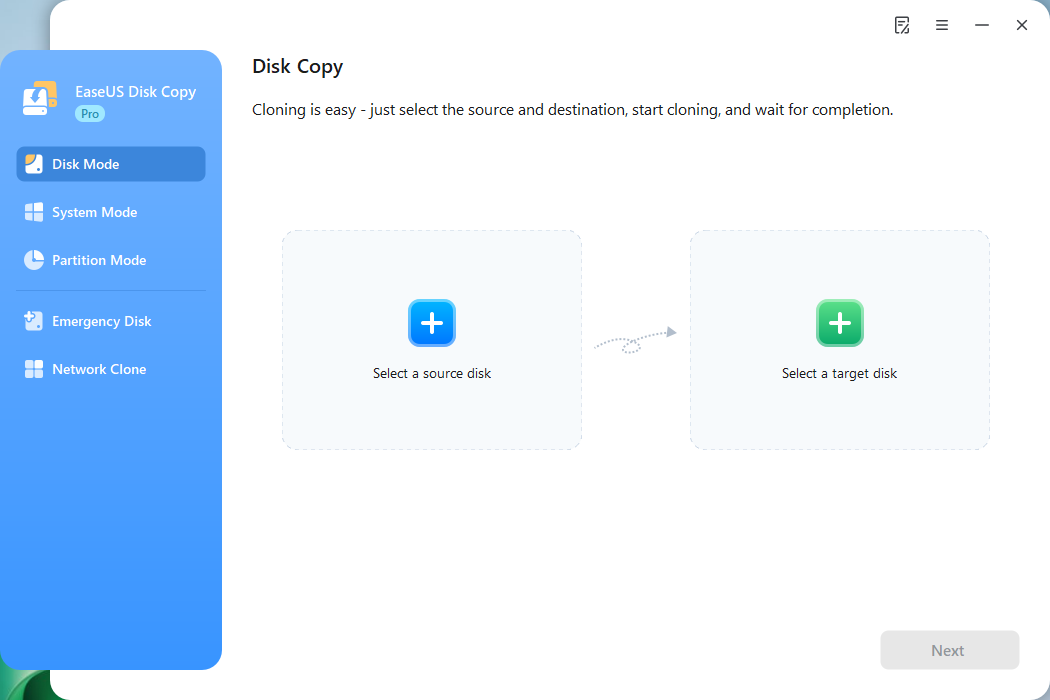
For users who mainly want to upgrade to a larger SSD or move Windows from one drive to another without having to plan backups or use advanced recovery options, dedicated cloning tools can feel more straightforward.
Final Verdict
Although Samsung Magician and Macrium Reflect are frequently compared, they serve different purposes.
Samsung Magician is best viewed as an SSD management and migration utility tailored specifically for Samsung hardware. It's simple, effective, and ideal for users performing a straightforward SSD upgrade.
Macrium Reflect is a comprehensive backup and recovery solution that includes excellent cloning capabilities. It offers significantly more protection and flexibility but comes with a steeper learning curve.
If you're upgrading to a Samsung SSD and want the fastest path from your old drive to a new one, Samsung Magician is likely the better fit.
If you're building a long-term backup strategy or need advanced recovery features, Macrium Reflect remains one of the strongest options available.
Ultimately, the best choice depends on whether your priority is SSD management, system protection, or somewhere in between.
Share this article on social media to help others compare Samsung Magician and Macrium Reflect!
Frequently Asked Questions
1. Is Samsung Magician the same as Samsung Data Migration?
No. Samsung Magician is Samsung's SSD management platform, while Samsung Data Migration is the component responsible for transferring data and operating systems to Samsung SSDs.
2. Can Samsung Magician clone a non-Samsung SSD?
Samsung's migration tools are generally intended for use when the destination drive is a Samsung SSD. Users working with other SSD brands may need third-party cloning software.
3. Is Macrium Reflect good for SSD migration?
Yes. Macrium Reflect is widely used for SSD migration and supports advanced cloning options, including partition resizing and disk imaging.
4. Can Macrium Reflect replace Samsung Magician?
Only partially. Macrium Reflect can handle cloning and backup tasks, but it cannot replace Samsung-specific functions such as firmware updates and SSD health monitoring.
5. What is the best Samsung Magician alternative?
The best alternative depends on your needs. For backup and recovery, Macrium Reflect is a strong choice. For dedicated cloning and OS migration, EaseUS Disk Copy may offer a simpler workflow and support multiple SSD brands.
6. What is the best Macrium Reflect alternative for cloning?
Users focused primarily on cloning rather than backup management often consider dedicated cloning tools such as EaseUS Disk Copy, Clonezilla, or Rescuezilla.
-
Updated by
![]()
Jerry
"I hope my articles can help solve your technical problems. If you are interested in other articles, you can check the articles at the bottom of this page, and you can also check my Facebook to get additional help."…Read full bio