Page Table of Contents

If you're upgrading to a new SSD, replacing an aging hard drive, or moving Windows to another disk, you've probably come across 2 popular tools: EaseUS Disk Copy and Macrium Reflect.
Both can clone disks and transfer operating systems without reinstalling Windows. However, they are designed for different purposes. EaseUS Disk Copy focuses on disk cloning and system migration, while Macrium Reflect is primarily a backup and disk imaging solution with cloning capabilities.
In this comparison, we'll examine their features, ease of use, cloning performance, pricing, and real-world use cases to help you determine which software best fits your needs.
EaseUS Disk Copy vs Macrium Reflect at a Quick Glance
Before deciding which cloning software fits your needs better, take a look at this quick comparison of EaseUS Disk Copy and Macrium Reflect across the most important categories.
| Catagory | EaseUS Disk Copy | Macrium Reflect |
| Disk Cloning | Yes | Yes |
| SSD Migration | Yes | Yes |
| OS Migration | Yes | Yes |
| Ease of Use | Very Easy | Moderate |
| Backup & Imaging | Basic | Advanced |
| WinPE Boot Support | Yes | Yes |
| Sector-by-Sector Clone | Yes | Yes |
| SSD Alignment | Yes | Yes |
| Pricing | $19.90/Month | $49.99/Year |
| Learning Curve | Low | Medium |
| Best Use Cases | Disk Cloning & SSD Upgrades | Backup & Imaging |
| Best for | Home Users & Beginners | IT Pros & Advanced Users |
Note: Macrium Reflect still offers a 30-day trial version that allows you to fully clone a disk to another drive.
Quick Verdict
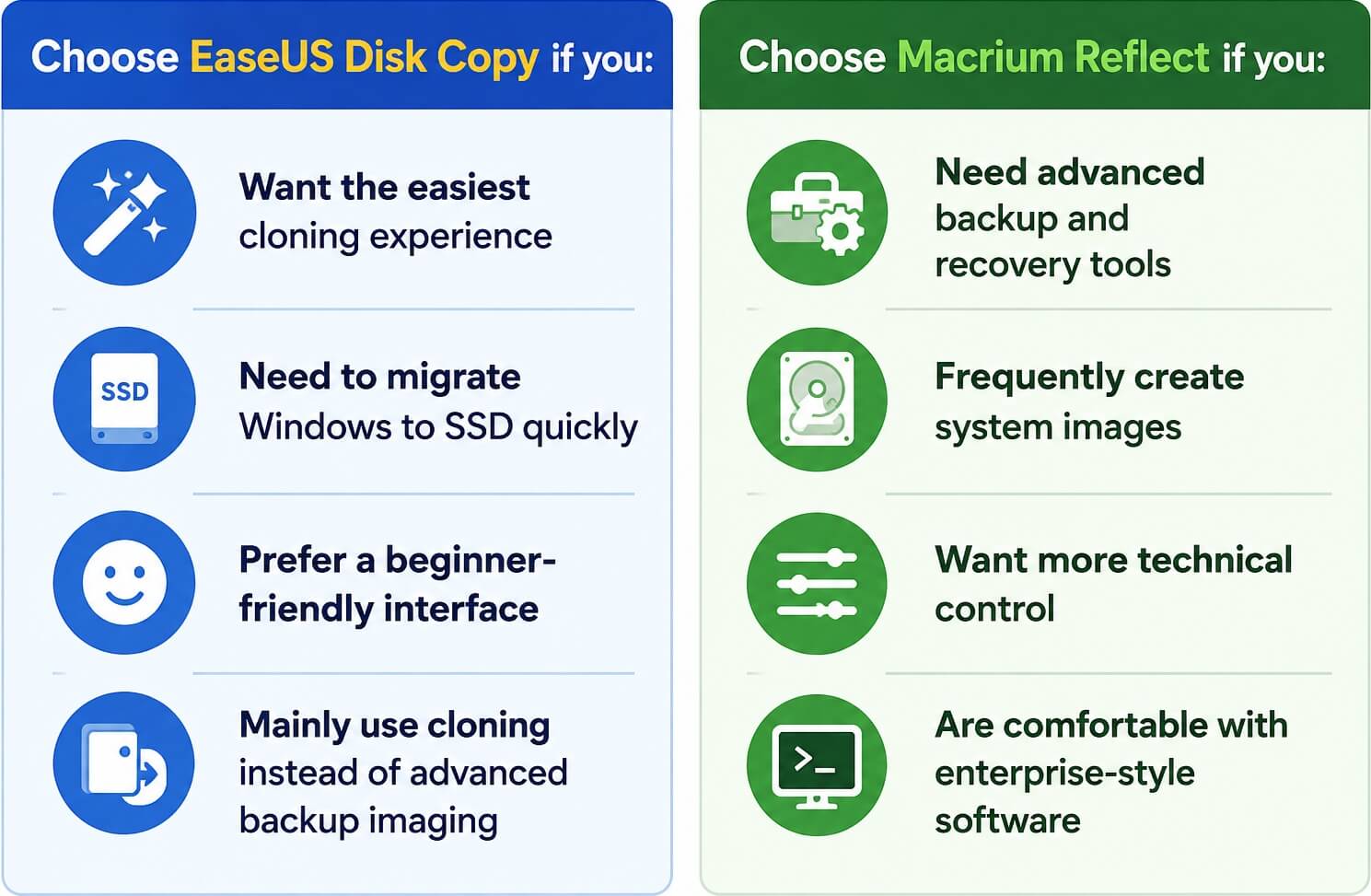
Share this article on social media to help others find a reliable cloning tool!

Overview of EaseUS Disk Copy & Macrium Reflect
Before diving into the detailed comparison, it's important to understand what each tool is designed for and where its strengths stand out.
What Is EaseUS Disk Copy?
EaseUS Disk Copy is a dedicated disk cloning tool designed primarily for disk cloning, SSD migration, system transfer, and full disk duplication. Unlike complex backup suites, it focuses heavily on making the cloning process simple and accessible for average users.
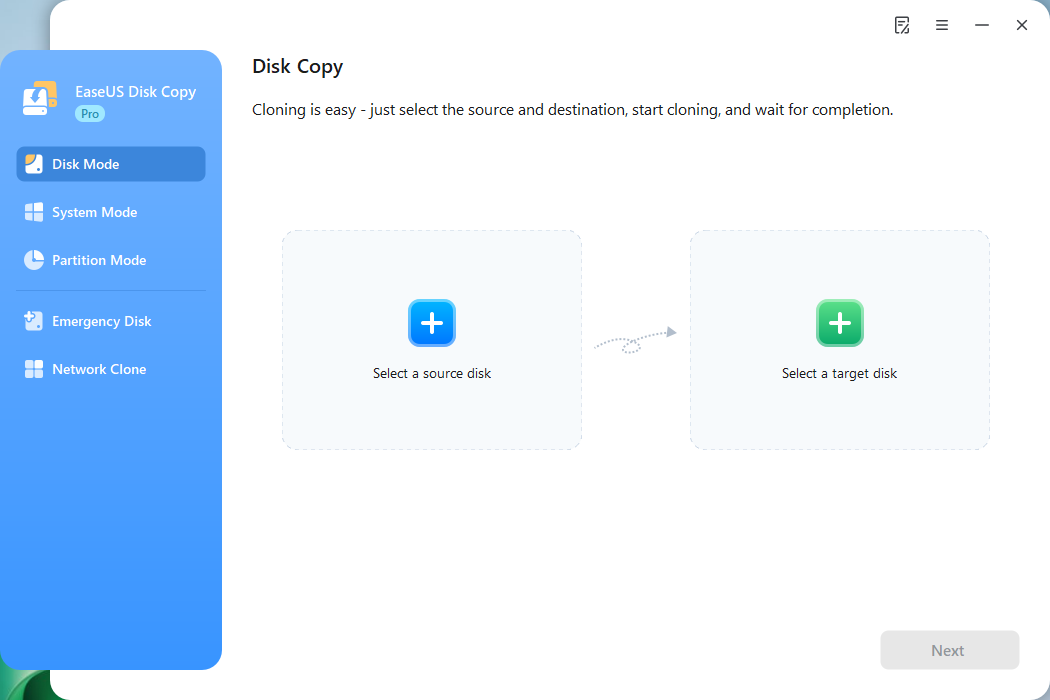
The software is commonly used for:
- Replacing HDD with SSD
- Upgrading to larger drives
- Migrating operating systems
- Cloning a disk with bad sectors
- Creating bootable cloned disks
One reason EaseUS Disk Copy has become popular among home users is its streamlined workflow: select a source disk, choose a destination drive, and start cloning. Most cloning operations can be completed in only a few clicks, even for beginners with limited technical knowledge.
Download this disk cloning software to clone a disk!
 Free Download
Windows 11/10/8/7
What Is Macrium Reflect?
Macrium Reflect is a powerful backup and disk imaging solution widely used by IT professionals, technicians, and advanced users. While it also supports disk cloning, its main strength lies in system imaging, disaster recovery, and backup management. For years, Macrium Reflect has earned a strong reputation because of its reliability and advanced recovery environment.
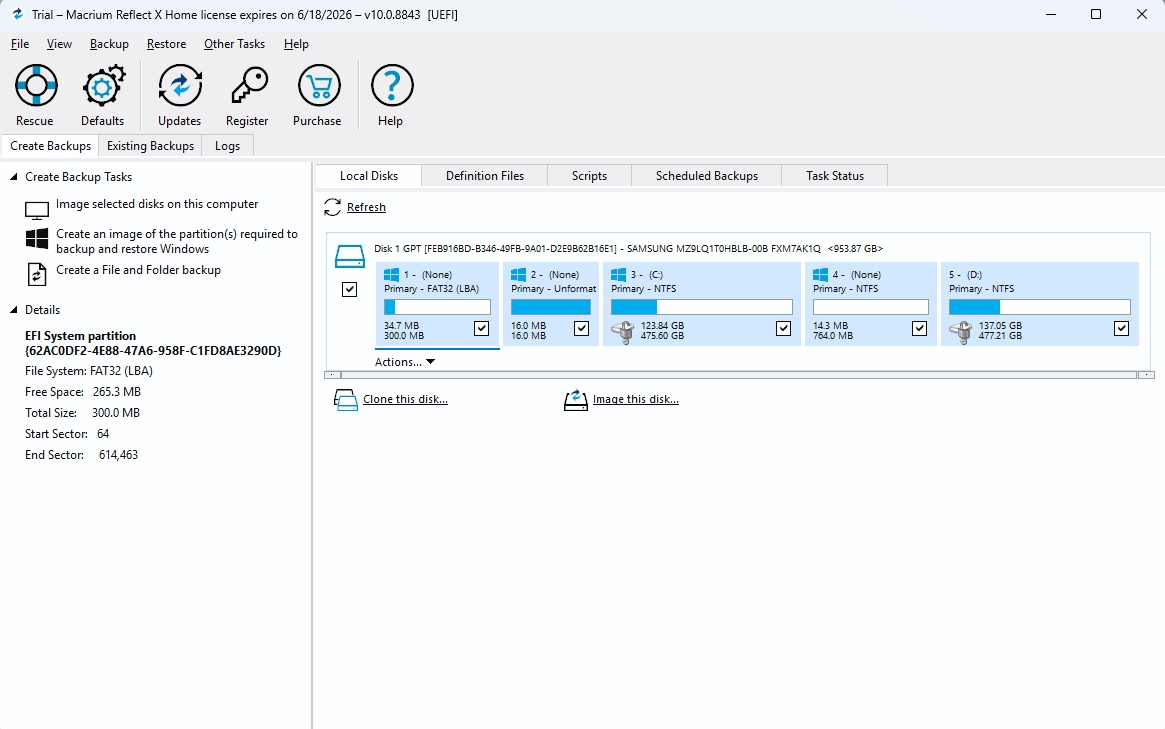
Many businesses or individuals use Macrium Reflect for:
- System backup imaging
- Disaster recovery
- Incremental backups
- Differential backups
- Enterprise system deployment
For IT professionals and advanced users managing multiple backup strategies, Macrium Reflect provides significantly more backup flexibility than most cloning-focused applications. Although it can perform SSD migration very well, the software is generally more technical compared to EaseUS Disk Copy.
Share this article on social media to help others find a reliable cloning tool!
EaseUS Disk Copy vs Macrium Reflect: Full Comparison
Here is the detailed comparison between Macrium and EaseUS. Let's see the difference.
Disk Cloning Performance
Both programs perform well when cloning SSDs and modern NVMe drives.
EaseUS Disk Copy focuses on streamlined cloning speed and optimized SSD migration. It supports SSD alignment, which helps improve performance and extend SSD lifespan after cloning. Macrium Reflect includes Rapid Delta Clone technology, which can significantly reduce cloning time in certain scenarios by copying only changed data blocks.
In real-world experiences, cloning speed depends more on hardware than software, including:
- SSD read/write speed
- SATA vs NVMe interface
- USB adapter quality
- Amount of used data
- Sector-by-sector clone
For standard HDD-to-SSD migration, both tools perform reliably. Boot reliability is one of the most important factors when cloning disks.
Both EaseUS Disk Copy and Macrium Reflect support:
- GPT cloning
- MBR cloning
- UEFI boot systems
- Legacy BIOS systems
When configured properly, both tools can successfully create bootable SSD clones. However, Macrium Reflect may require more manual adjustments in advanced environments, while EaseUS tends to automate more of the migration workflow.
OS Migration
Moving Windows to a new SSD without reinstalling remains a major use case. Both disk cloning tools provide SSD alignment and support:
- Windows 11
- Windows 10
- Windows 8.1
- Windows 8
- Windows 7
EaseUS Disk Copy is designed around operating system transfer scenarios and reduces much of the complexity involved in relocating a bootable Windows installation. It has a System Mode that lets you directly clone Windows to another drive. Macrium Reflect can achieve the same result, but may require more manual adjustments depending on the system configuration.
Backup and Imaging
This is where Macrium Reflect clearly dominates. Macrium Reflect is not just a cloning utility — it is a complete backup and disaster recovery platform. Advanced features include:
- Incremental backups
- Differential backups
- Automated scheduling
- Image verification
- File-level restore
- Ransomware protection
EaseUS Disk Copy is primarily focused on cloning rather than comprehensive backup management. If your main goal is to create regular system images and maintain long-term backup strategies, Macrium Reflect is the stronger option.
Bootable Rescue Media
Both applications support bootable rescue environments using WinPE. This feature is useful when:
- Windows fails to boot
- You need offline recovery
- You want emergency restore access
Macrium Reflect's rescue environment is more advanced and includes deeper troubleshooting capabilities. EaseUS provides simpler rescue tools focused primarily on cloning. That is, create a bootable disk to help you clone one disk to another.
Ease of Use
EaseUS Disk Copy is clearly designed for beginners. The interface is minimal, straightforward, and focused almost entirely on cloning operations. Most users can start cloning a drive immediately without reading tutorials. The cloning process usually looks like this:
- Select the source disk
- Select the destination disk
- Start cloning
That simplicity makes it attractive for users upgrading from HDD to SSD for the first time.
Macrium Reflect, on the other hand, offers significantly more options. While experienced users may appreciate the additional control, beginners often find the interface overwhelming at first. It can feel unnecessarily technical for someone who only wants to clone Windows to a new SSD.
Pricing
Pricing has become an important factor for many users when comparing cloning software. Macrium Reflect has gradually shifted toward subscription-oriented licensing, which some casual users dislike - especially those who only need to clone a drive once, but it also offers a 30-day trial version.
EaseUS Disk Copy is also commercial software, but many users view it as more consumer-oriented because its focus is simpler and more task-specific.
Share this article on social media to help others find a reliable cloning tool!
Real-World Use Cases
#1. Best for Beginners
EaseUS Disk Copy is better suited for beginners because of its simplified workflow and cleaner interface. If your goal is simply:
- upgrading HDD to SSD
- migrating Windows
- cloning a laptop drive
- replacing storage without reinstalling
EaseUS is usually easier to learn.
#2. Best for IT Professionals
Macrium Reflect offers more advanced management tools, backup policies, and recovery options. IT administrators and technicians often prefer it because of:
- advanced imaging
- enterprise deployment
- recovery automation
- backup scheduling
#3. Best for SSD Upgrades
For typical SSD replacement tasks, EaseUS Disk Copy feels faster and less complicated. Users upgrading gaming PCs or laptops generally benefit from the simpler migration workflow.
#4. Best for Backup and Recovery
Macrium Reflect remains one of the strongest backup imaging solutions available for Windows systems. Its recovery environment and scheduling features make it better suited for long-term backup strategies.
Final Verdict
Both EaseUS Disk Copy and Macrium Reflect are capable disk cloning solutions, but they serve different audiences.
EaseUS Disk Copy is the better option if you want to:
- Upgrade from HDD to SSD
- Move Windows to a new SSD
- Clone an entire hard drive quickly
- Replace a failing drive
- Migrate to an NVMe SSD
- Complete disk cloning with minimal technical knowledge
For users focused on storage upgrades and operating system migrations, EaseUS Disk Copy provides the most direct path from source drive to destination drive.
Free Download
Windows 11/10/8/7
Macrium Reflect is a stronger choice if you need to:
- Create scheduled backups
- Build a disaster recovery plan
- Manage system images
- Use incremental backups
- Protect multiple computers
- Customize backup retention policies
Organizations and advanced users who prioritize backup management may benefit more from Macrium Reflect's broader feature set.
Frequently Asked Questions
1. Is EaseUS Disk Copy better than Macrium Reflect?
For disk cloning and SSD migration, EaseUS Disk Copy is generally easier to use and better optimized for migration tasks. For backup imaging and recovery, Macrium Reflect offers more advanced features.
2. Can Macrium Reflect clone a hard drive?
Yes. Macrium Reflect includes disk cloning capabilities that allow users to copy an entire drive, including the operating system, applications, and personal files.
3. Which software is easier for beginners?
EaseUS Disk Copy is typically easier for beginners because its interface focuses specifically on cloning workflows and requires fewer configuration steps.
4. Can I clone Windows to a new SSD without reinstalling?
Yes. Both EaseUS Disk Copy and Macrium Reflect can migrate Windows to another drive, allowing users to boot from the new SSD without reinstalling the operating system.
5. What is the best software for upgrading from HDD to SSD?
For users focused solely on SSD upgrades and operating system migration, EaseUS Disk Copy is one of the most user-friendly options available. Users who also need comprehensive backup management may prefer Macrium Reflect.
6. Can I clone a failing hard drive?
In many cases, yes. EaseUS Disk Copy offers options to copy data from drives with bad sectors, though severely damaged drives may require specialized recovery tools. Macrium Reflect can do it as well.
-
Updated by
![]()
Jerry
"I hope my articles can help solve your technical problems. If you are interested in other articles, you can check the articles at the bottom of this page, and you can also check my Facebook to get additional help."…Read full bio