





-
![]() How to Restore Desktop Background/Wallpaper in Windows 10/11
 November 18,2026
 6 min read
-
![]()
-
![]() Files/Folders Disappeared from Desktop Windows 11/10 [Restore Quickly]November 18,20266 min read
-
![]()
-
![]() 4K Video Recovery: How to Recover 4K Video in 4 WaysNovember 18,20266 min read
-
![]()
-
![]() How to Fix Excel Found Unreadable Content Error (Easy Guide)November 18,20266 min read
-
![]() Word Cannot Complete the Save Due to a File Permission Error Mac [Fixed]November 18,20266 min read
-
![]() Completely Recover Data Lost by DISKPART Clean/FormatNovember 19,20266 min read
-
![]()
Page Table of Contents
PAGE CONTENT:
EaseUS Data Recovery Wizard is a very popular data recovery tool, trusted by millions of users worldwide for its ability to restore lost/deleted files from various storage devices.
Free to Get EaseUS Data Recovery Wizard 14.2
EaseUS Data Recovery Wizard offers comprehensive data recovery solutions for users to recover data from PC, laptops, external hard drives, USB flash drives, SD cards, and more. Using this file recovery tool, you can recover any lost data due to accidental deletion, hard drive formatting/corruption, abrupt system crash, virus or malware attack, etc.
EaseUS Data Recovery Wizard offers three versions to meet different data recovery requirements: Free, Pro, and Technician. Among them, EaseUS Data Recovery Wizard Technician is very popular for its powerful data recovery capabilities for businesses, enterprises, and service providers. Using EaseUS Data Recovery Wizard Technician, a single code can be registered on multiple PCs and servers, regardless of network size or location. The latest version of EaseUS Data Recovery Wizard Technician is 14.2.
You can share this data recovery tool with users who are facing any data loss scenarios:

Buy EaseUS Data Recovery Wizard at a 30 Percent Discount
You can find many search results online, including some EaseUS Data Recovery Wizard keys and activation codes. But you must understand that using pirated software will harm you and others. For example, pirated software poses a high risk of virus infection, may leak personal information, and can violate developers' intellectual property rights.
Steps to Purchase at a Discount
Go to the Data Recovery Wizard product page by clicking the button below:
Moreover, the functionality of pirated software is not as robust as that of genuine software, and it may not be able to recover your data, resulting in permanent data loss.
EaseUS Data Recovery Wizard 14.2 Official
EaseUS Data Recovery Wizard Technician Key Features
- Retrieve lost data whether it is lost by deletion, formatting, hard drive corruption, crash, or virus affection
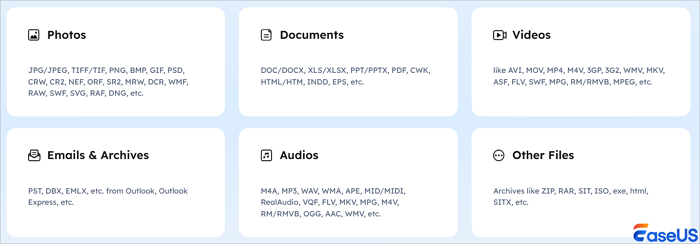
- Recover all types of files, including photos, videos, audio files, Office documents, Emails, and more
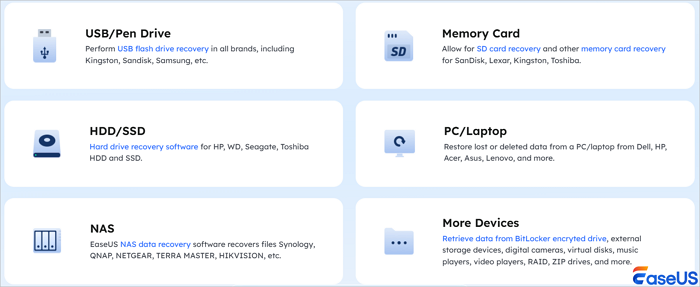
- Restore data from all storage devices, including hard drive, memory card, USB, digital cameras, mobile devices, and other storage media
![easeus crack file device]()
- Repair corrupted files after the data recovery, fix damaged Word, Excel, PDF, etc.
![Wide Range of File Recovery]()
- A preview feature is available for all the files
- Quick and deep scan modes help to get back any lost files.
What's New in Version EaseUS Data Recovery Wizard 14.2
- New user interface
- Optimized the interface display of scanning the Recycle Bin
How to Activate EaseUS Data Recovery Wizard 14.2
After downloading, you can activate EaseUS Data Recovery Wizard Technician
Step 1. Download EaseUS Data Recovery Wizard Technician.
Step 2. Activate EaseUS Data Recovery Wizard with an official license code
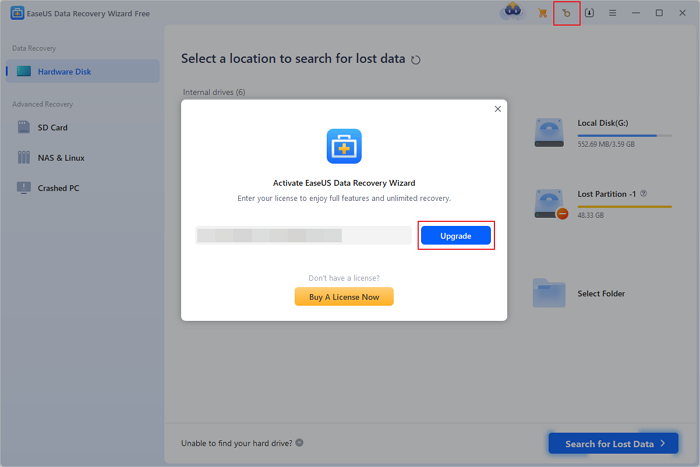
1. Run EaseUS Data Recovery Wizard Technician on your computer > Click "Activate".
2. Copy and paste the license code and click "Activate". Then, you can recover unlimited data with the following steps.
[Step-by-Step Guide] Recover Data by Using EaseUS Data Recovery Wizard
Once you have already activated the EaseUS Data Recovery Wizard, you can follow the guides below to recover data from PCs in three steps:
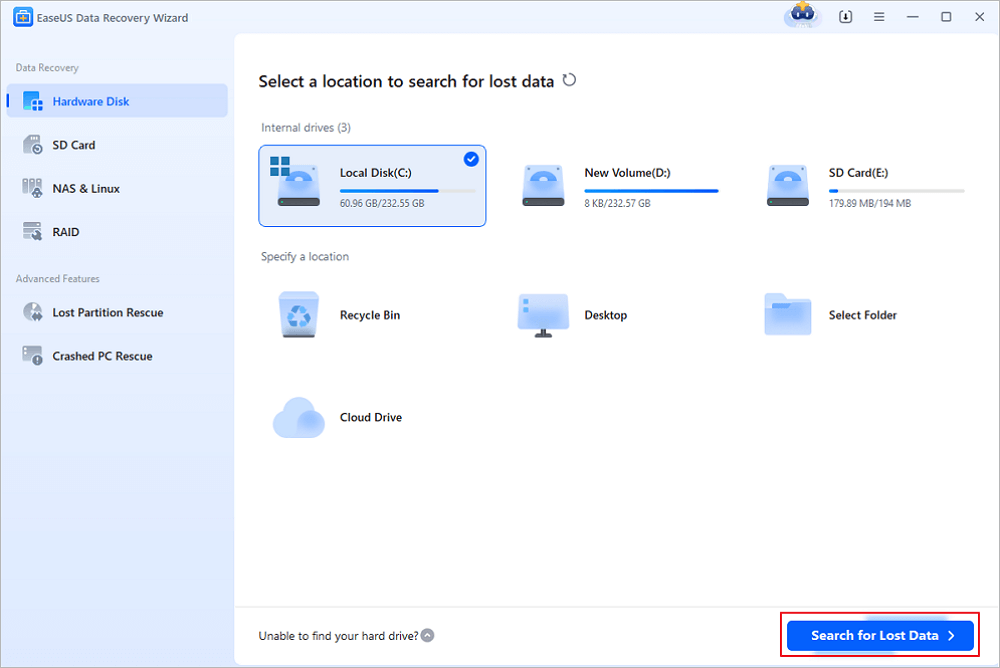
Step 1. Select a location and start scanning
Launch EaseUS Data Recovery Wizard and choose the partition where you lost data. Then, click "Search for Lost Data".
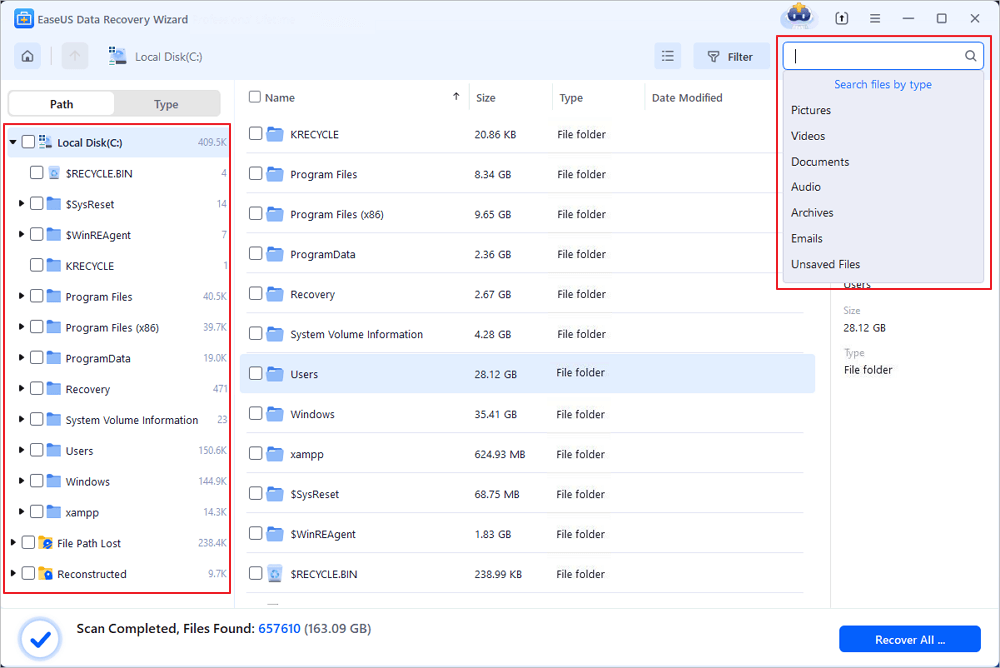
Step 2. Filter and preview files
Use the file format filter on the left or upper right corner to find the files you need. If you remember the file name, you can also search in the search box, which is the fastest way to find the target file. Then, you can click the "Preview" button or double-click a file to preview its content.
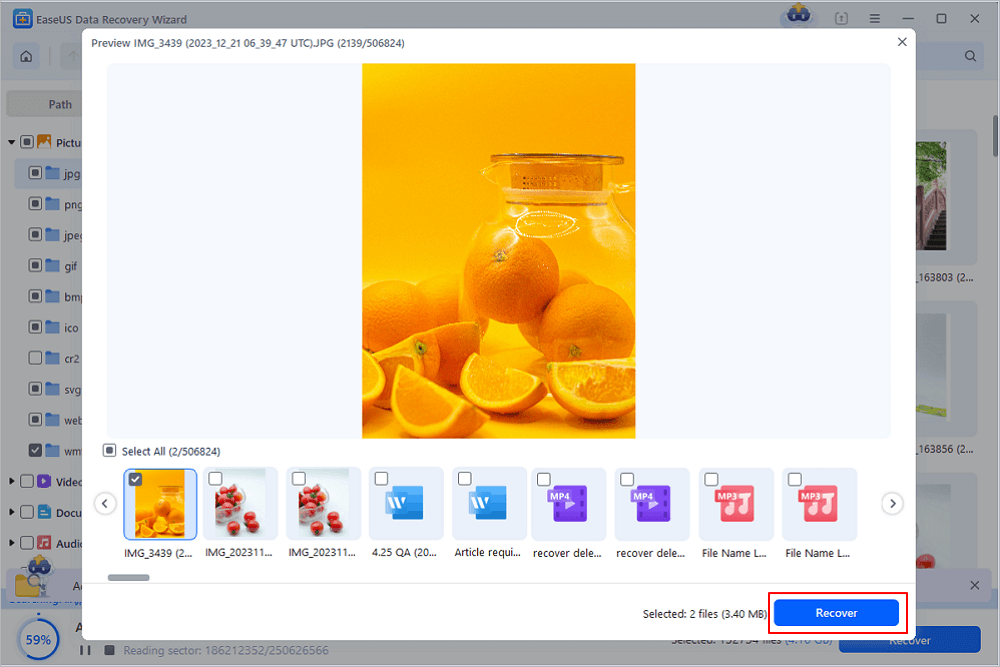
Step 3. Recover lost data or files
Click the checkbox next to the file and click "Recover" to restore the lost data to your local storage or Cloud drive.
Final Words
As tempting as it may be to opt for a pirated copy of EaseUS Data Recovery Wizard, it's in your best interests to consider the negative implications of using a pirated copy of any software. Apart from being unsafe, pirated software copies do not receive updates, and using such copies is also illegal and immoral. In EaseUS Data Recovery Wizard, you can choose the free version if you need simple data recovery. Alternatively, you may avail yourself of a 30 percent discount on a copy of EaseUS Data Recovery Wizard.
The OEM edition offers a range of features, stability, and warranty, making it the most suitable option for data recovery. Investing in genuine software helps you protect your data, as well as the developers who put much effort into developing these indispensable applications.
Was this page helpful?
-
Cedric Grantham is a senior editor and data recovery specialist of EaseUS. He mainly writes articles and how-to tips about data recovery on PC and Mac. He has handled 10,000+ data recovery cases and is good at data recovery of NTFS, FAT (FAT32 and ExFAT) file systems, and RAID structure reorganization. …

 Why Trust EaseUS
 Editor Reviews

20+
Years of experience

160+
Countries and regions

72 Million+
Downloads

4.9 +
Trustpilot Score