





-
![]() 10 Ways to Fix Non System Disk or Disk Error on Laptops/PC
10 Ways to Fix Non System Disk or Disk Error on Laptops/PC October 20,2026
 6 min read
 -
![]() How to Fix WD My Book Not Showing Up Windows 10 Without Losing DataOctober 20,20266 min read
How to Fix WD My Book Not Showing Up Windows 10 Without Losing DataOctober 20,20266 min read -
![]() How to Recover Data from an SSD? Full Steps in 2026 [Detected or Not Detected]October 20,20266 min read
How to Recover Data from an SSD? Full Steps in 2026 [Detected or Not Detected]October 20,20266 min read -
![]() Drive Is Not Accessible: Fix It Without Losing DataOctober 20,20266 min read
Drive Is Not Accessible: Fix It Without Losing DataOctober 20,20266 min read -
![]()
-
![]()
-
![]() Fixed: Seagate external hard drive not showing up in Windows 10/11October 20,20266 min read
Fixed: Seagate external hard drive not showing up in Windows 10/11October 20,20266 min read -
![]() External Hard Drive Not Recognized After Unplugging [Solved]October 20,20266 min read
External Hard Drive Not Recognized After Unplugging [Solved]October 20,20266 min read -
![]()
-
![]() 5 Ways to Fix the Drive Where Windows Installed Is LockedOctober 20,20266 min read
5 Ways to Fix the Drive Where Windows Installed Is LockedOctober 20,20266 min read
Page Table of Contents
PAGE CONTENT:
Most standard data recovery tools fail to restore usable files from WD My Cloud Home devices. WD runs a custom Android storage layer that hides real file names behind long hexadecimal labels. Successful recovery relies on two core steps. Users should extract the internal hard drive from the plastic enclosure and parse the index.db database file to rebuild original folder hierarchies.
Why is WD My Cloud Home Recovery Different
Many users panic after their WD My Cloud Home device goes offline or stops connecting to local networks. Standard hard drive recovery processes do not work as expected here. The unique software architecture built into every WD My Cloud Home creates extra layers of separation between raw drive data and the readable files users want to retrieve.
Nearly all consumer NAS hardware runs lightweight Linux distributions for storage management. WD My Cloud Home breaks this standard by running on a modified Android OS and using proprietary REST SDK storage tools. This custom stack does not store user files under their original visible names.
Every photo, document, video, and archive gets renamed to a sixty-four-character hexadecimal string at the storage partition level. The system only translates these hex labels back to readable names while the NAS remains powered on and fully functional over a local network. Once the device fails or cannot boot into Android, no basic scanner can map hex IDs back to your original file titles without extra database parsing.
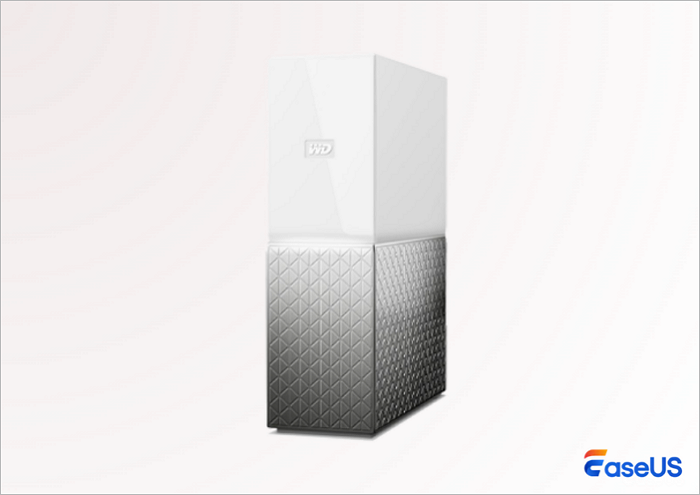
All software recovery work begins with safely removing the internal SATA hard drive from the WD My Cloud Home plastic housing. The screwless casing requires careful disassembly of the Enclosure and connecting the drive safely to avoid scratching.
Attach a hardware write blocker between the hard drive and your host computer cable set whenever one is available. This critical hardware tool stops your operating system from writing temporary cache files, log data, or partition edits to the WD drive, which could overwrite recoverable metadata stored inside index.db.
The Best Software for WD My Cloud Home Recovery
Two distinct DIY software workflows fit different user skill levels. UFS Explorer delivers full index.db parsing for complete original file name reconstruction for advanced users. EaseUS Data Recovery offers a simplified beginner-friendly scanning pipeline that retrieves raw recoverable files without complex database configuration for users with limited technical experience. Both tools work on Windows and Mac host operating systems.
Method 1. Using UFS Explorer for Complete File Name Reconstruction
UFS Explorer Professional carries built-in plugin support designed exclusively for WD My Cloud Home storage partitions. This specialized feature automatically locates and reads index.db to swap hex file labels back to your original named content after scanning completes.
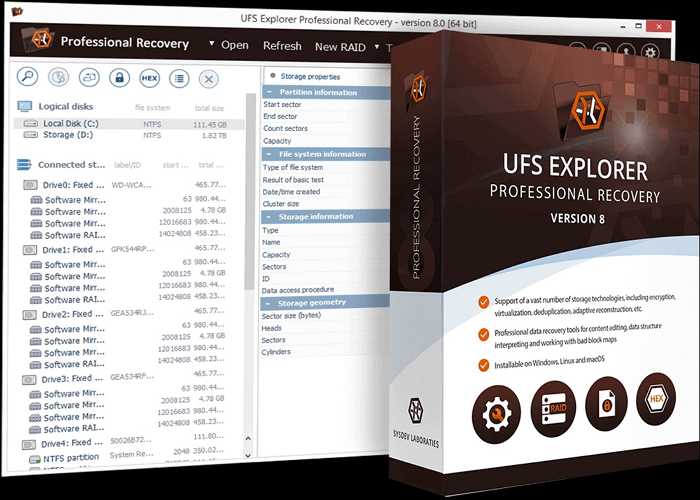
- Install the official UFS Explorer Professional release on a fully functional separate Windows or Mac host machine. Never install recovery software to the same drive you plan to scan for lost data.
- Connect the extracted WD hard drive with write-blocking hardware active and launch the UFS Explorer program.
- Select the largest Ext4 formatted partition displayed in the drive selection menu. This partition holds both raw media files and the critical index.db database file.
- Open the advanced menu labeled "Transform File System Files" and activate the plugin marked "WD My Cloud Database" in the plugin library panel.
- Start the full deep scan process and wait for the tool to cross-reference all hex file entries against the metadata stored inside index.db.
- Once scanning finishes, select all recoverable folders and files, then set a separate empty external storage disk as the target save location to export fully reconstructed original file structures.
Method 2. Beginner Friendly Alternative: EaseUS Data Recovery Wizard
Users overwhelmed by manual database parsing and Linux terminal workflows can rely on EaseUS Data Recovery Wizard as a straightforward, universal recovery solution for WD My Cloud Home-extracted drives. While this tool does not include a dedicated WD index.db plugin to auto-restore original file names. It delivers fast, reliable, deep scans that retrieve all intact raw media and document files from the Ext4 partition without complicated setup steps.
Download and install EaseUS Data Recovery to a separate internal drive on your Windows or Mac host computer.
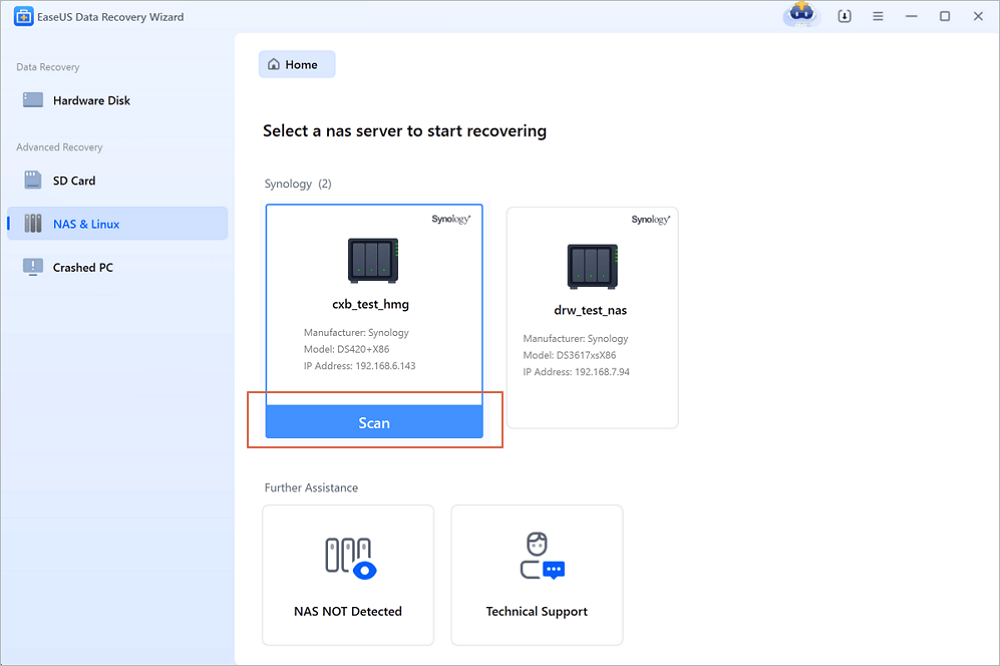
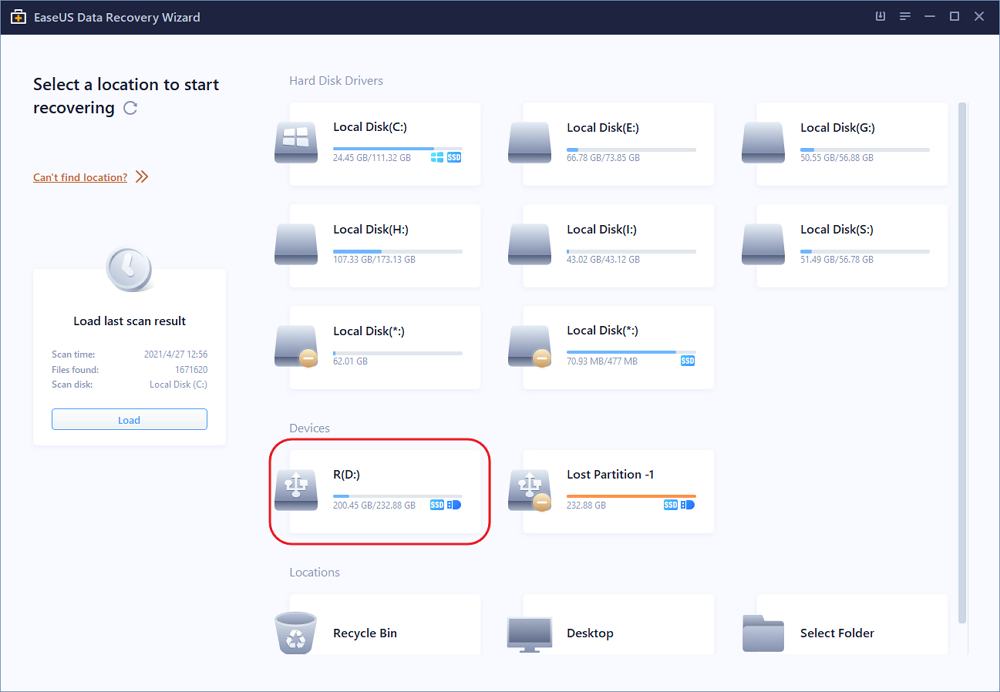
Step 1. Select a NAS server and start recovering.
Download and install EaseUS Data Recovery Wizard on your Windows 11/10 64-bit computer. When you open this software, select "NAS&Linux" and choose "NAS Recovery". All the NAS servers will be automatically listed, choose your target NAS device and click "Scan".
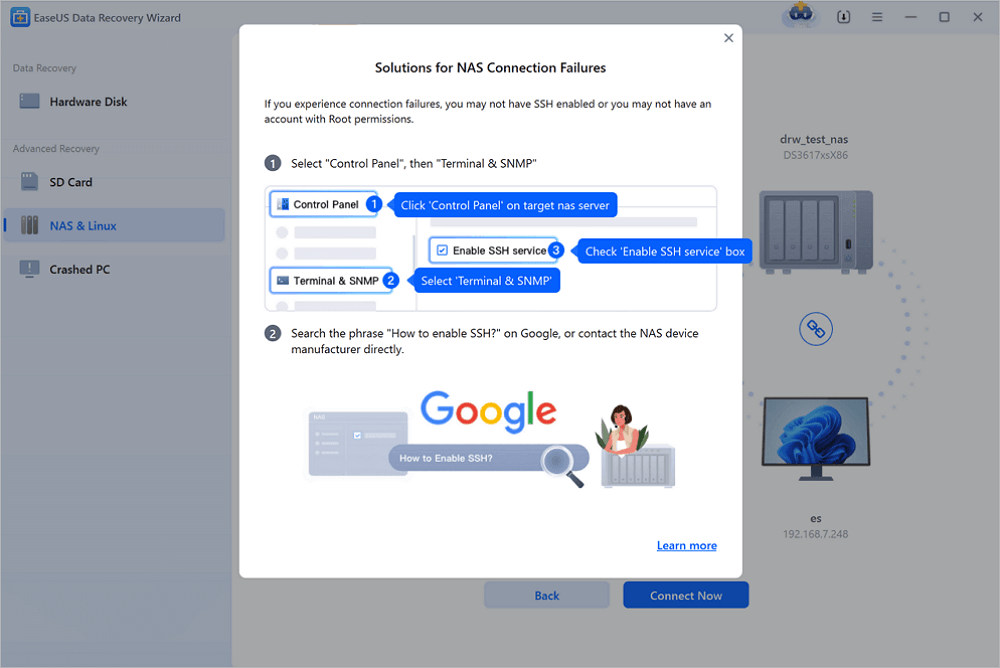
Step 2. Enable SSH service on the NAS server.
Go to "Control Panel > Terminal & SNMP" to check the "Enable SSH service" box. Then view and remember the port for remote access open EaseUS Data Recovery Wizard and click "Next".
Step 3. Connect to the NAS server remotely.
This software will detect your IP and Port automatically. All you need to do is input the user name and password. If the IP address or Port is not right, you can correct it manually. Then, click "Connect Now".
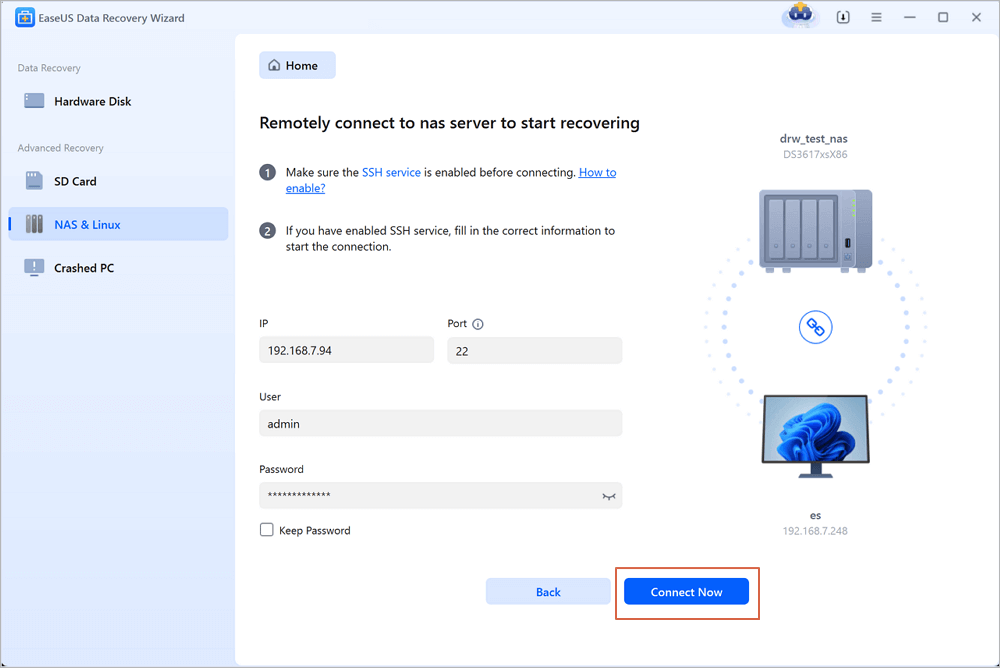
Step 4. Recover lost/deleted NAS data
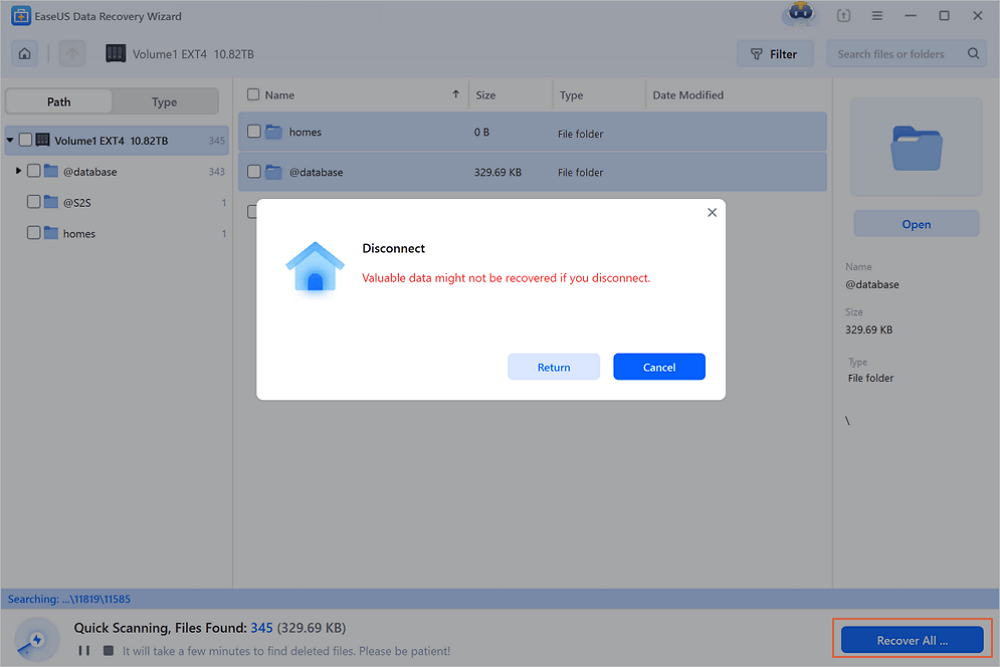
Then, EaseUS data recovery software will connect to your NAS and start a NAS device scanning. After the scan, you will see all the deleted, lost, or existing files on your NAS server.
You can apply the "Filter" feature or click the "Search files or folders" option to find the lost files on the hard drive. Select wanted NAS files that you lost on the server and click "Recover" to save them to another location.
Click the "Recover" button to restore deleted NAS files.
💡Tip: You can restore data on the local disks, external hard drives, and also the cloud storage.
EaseUS Data Recovery uses fully read-only scanning technology that eliminates the risk of accidental data overwriting on sensitive SMR WD drives, making it a safe entry-level choice for users new to NAS hardware recovery work.
Final Thoughts
In cases where the SMR hard drive develops physical bad sectors index.db becomes corrupted or the Ext4 partition suffers major logical damage software tools cannot retrieve complete data sets.
EaseUS Data Recovery also offers professional remote recovery consultation services for damaged WD My Cloud Home storage hardware. Certified technicians can guide users through the advanced index.db repair workflows or outline physical drive recovery options for severely faulty SMR disks that standard scanning tools cannot process without risking permanent data loss.
Frequently Asked Questions
If you still have some questions, check the quick answers below to help yourself out:
1. Can regular free recovery tools rebuild original file names from WD My Cloud Home drives?
Most generic free scanners lack the ability to read index.db metadata. These tools will only display unrecognizable hex-labeled files with no matching original names or folder paths.
2. Is it safe to run repeated deep scans on WD SMR hard drives?
Frequent long-duration deep scans place heavy stress on SMR platters. Limit scanning cycles to one full pass and use hardware write blockers to reduce the risk of permanent track damage.
3. Do I need a Windows PC to complete WD My Cloud Home data recovery?
UFS Explorer and EaseUS Data Recovery both offer native Mac versions that fully support Ext4 partition scanning for extracted WD hard drives.
4. What happens if the index.The DB file becomes corrupted or missing from the drive?
No automated tool can restore original file names without an intact index.db data. Users can only recover raw hex labeled media files and manually sort content by previewing each recovered item.
Was this page helpful?

 Why Trust EaseUS
 Editor Reviews

20+
Years of experience

160+
Countries and regions

72 Million+
Downloads

4.9 +
Trustpilot Score





