





 About the Author
 Reviews and Awards
 Mac SD Card Recovery
Accidentally hitting the empty trash button is a nightmare scenario for many computer users. Does emptying the trash permanently delete your files, or is there still a way to get them back?
The short answer is both reassuring and nuanced. From a technical standpoint, emptying the trash does not immediately wipe the files from your storage drive, which means recovery is highly possible. However, the practical likelihood of getting your data back depends heavily on the type of storage hardware your computer uses.
My IT friend told me that even if I put file(s) in the trash and then empty the trash, the file/data is still there, and that the only way to truly delete the file(s) is to reformat. Is that true?
Emptying Trash: File Systems and Overwriting
To understand why your files are still recoverable after emptying the trash, you should look at how modern operating systems manage storage. When you save a file to your computer, the system does not just dump the raw data onto the drive. It splits the process into two distinct parts: the actual file data and a file pointer.
When you delete a file and empty the trash on Windows or macOS, the operating system does not erase the actual data sectors. To the computer system, that space is now vacant and ready to accept new information. But until new data is actually written over those exact sectors, the original file data remains completely intact and readable by specialized software. This process of replacing old data with new data is known as overwriting.
The type of drive you are using changes how this mechanism functions in the real world:
- Hard Disk Drives (HDDs)
Traditional mechanical hard drives are highly forgiving. When you empty the trash on an HDD, the data remains on the magnetic platters indefinitely until new files overwrite it. Data recovery on an HDD remains viable for weeks or even months after deletion, provided the drive has not seen heavy use.
- Solid State Drives (SSDs)
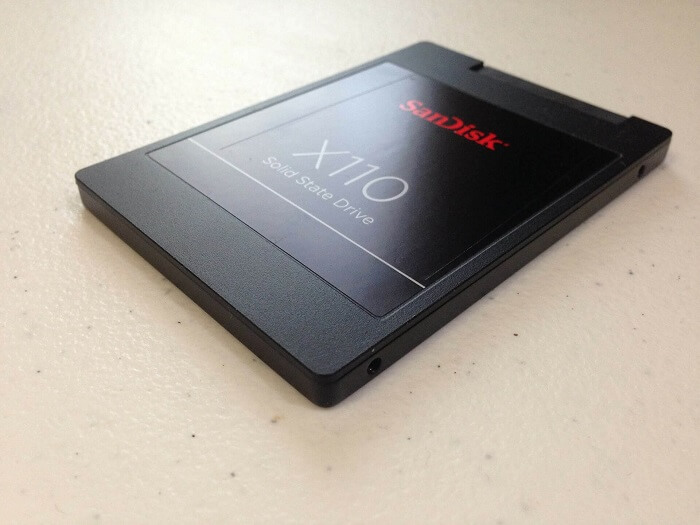
Modern solid-state drives handle deletion differently due to a command called TRIM. Because SSDs must erase old blocks of flash memory before they can write new data, the TRIM command tells the drive to proactively clear out the data sectors of deleted files during idle times. If your Mac or Windows PC uses an SSD and TRIM is active, the window of opportunity for recovery shrinks drastically because the drive clears the raw data much faster than a mechanical drive.
What to Do After Emptying Trash on Mac
If you just emptied your trash and realized you lost important data, you are currently in a race against time and your own computer system. You should follow these immediate steps to maximize your chances of recovery.
For this critical task, EaseUS Data Recovery Wizard for Mac is the industry standard recommendation. It features robust deep-scanning algorithms that can piece together file fragments even after the file system directory structure has been broken by emptying the trash.
Here is how to execute the recovery process using EaseUS Data Recovery Wizard:
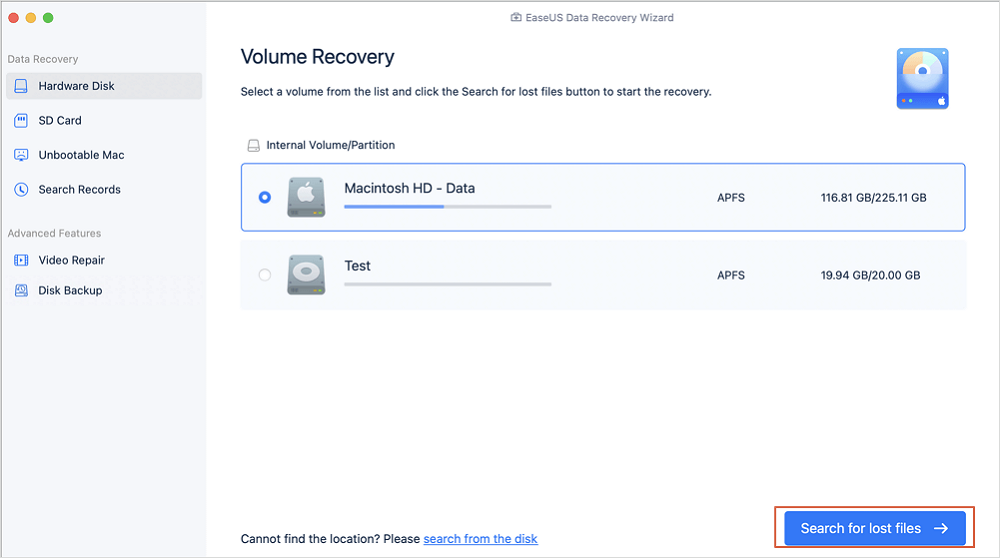
Step 1. Select the location to scan
Launch EaseUS Data Recovery Wizard for Mac and choose the hard drive, SSD, SD card, USB flash drive, or TF card where you lost data. Click "Search for lost files" to start scanning.
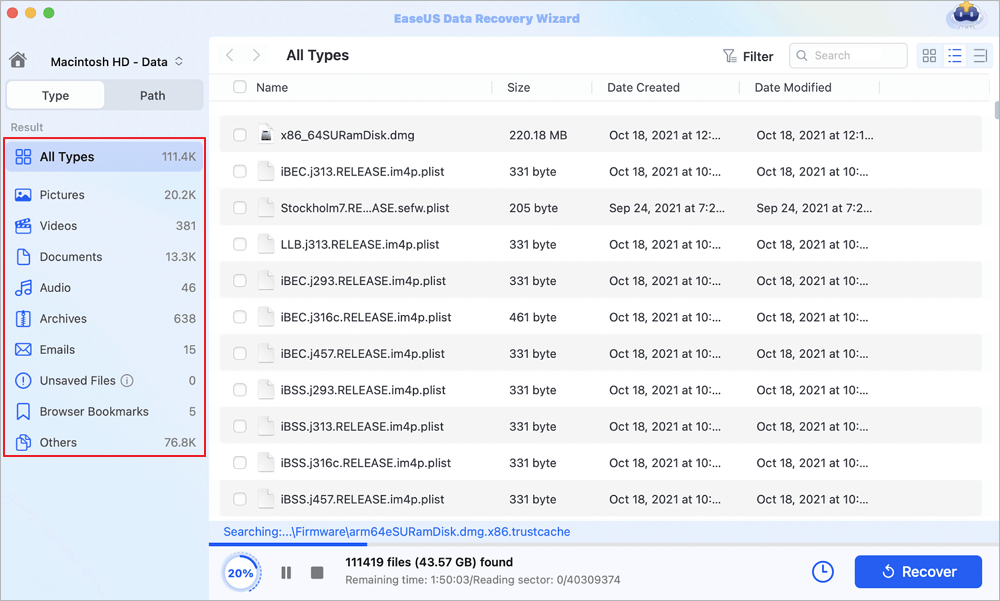
Step 2. Filter lost Mac data
The software will automatically scan for lost data on MacBook/iMac. When the scan completes, filter wanted data through the "Type" and "Path" buttons.
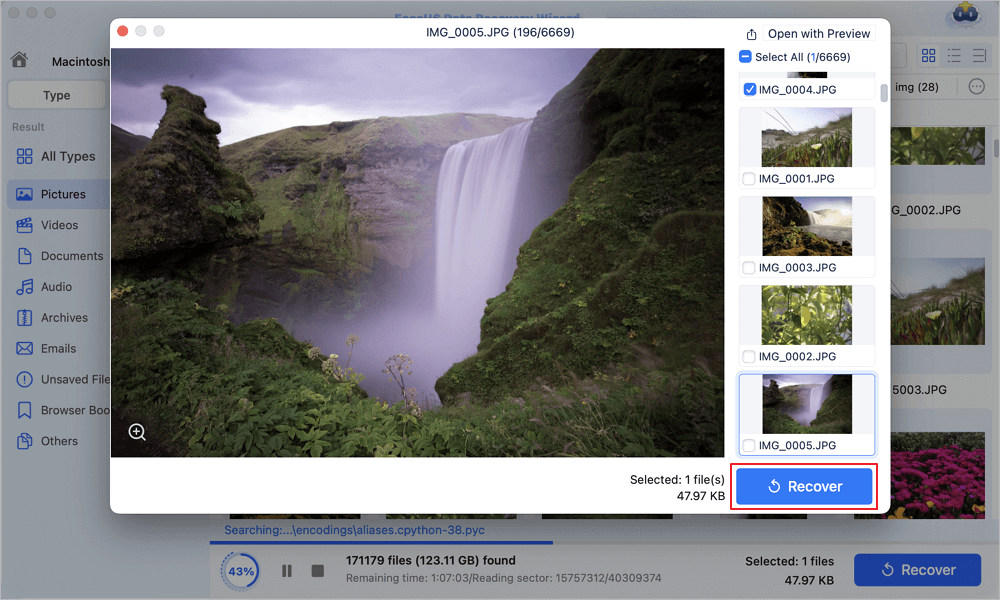
Step 3. Recover lost data or files
Double-click a file to preview it. Then, click the "Recover" button to restore the lost data to another place.
If you find this information helpful, please share it with others on social media to assist them in overcoming this common challenge.

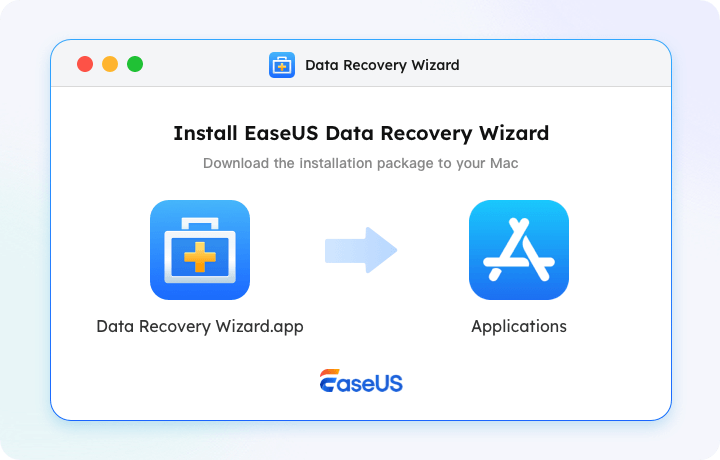
Recover Deleted Files on Mac [Full Guide]
This guide covers how to recover deleted files from Mac devices - including HDDs, cards, and USBs - in various scenarios.
Conclusion
Emptying the trash is a stressful mistake, but it is rarely a fatal blow to your data. Because computer operating systems prioritize speed over permanent deletion, your files remain hidden in the background of your storage drive long after the trash bin icon appears empty.
Your success in recovering these files depends entirely on your speed and discipline. By stopping all computer activity immediately, preventing new data from overwriting the drive, and deploying a powerful recovery solution such as EaseUS Data Recovery Wizard, you can reliably restore data from an accidental deletion and get your digital life back on track.
Does Emptying Trash Permanently Delete FAQs
If you still have some questions about MacBook data recovery, check the quick answers below to help yourself out:
1. Is there a free way to recover files after emptying the trash?
Windows and macOS do not include native undo options once the trash is emptied. However, you can check your cloud backup services, such as OneDrive, iCloud, or Google Drive, which often maintain their own independent trash bins for 30 days.
If you do not have a cloud backup, you will need to use a data recovery utility like EaseUS, which offers a free tier to scan and recover a limited amount of data before requiring a premium upgrade.
2. How long do files stay recoverable after emptying the trash?
There is no fixed time limit for data recovery. A file can remain recoverable for months if the computer is turned off or rarely used. Conversely, if you are downloading large files or running resource-intensive applications, the deleted data could be permanently overwritten within minutes. It is a matter of drive activity rather than elapsed time.
3. Why do recovered photos or videos sometimes fail to open?
When a file is partially overwritten, the data recovery software might still find the file name and part of its data structure, but the critical header information required for an image viewer or media player to open the file may be missing.
This corruption occurs when the computer writes new data over part of the old file before you run the recovery scan.
4. Can I recover files if my Mac has an Apple Silicon chip and an SSD?
Recovery on modern Macs equipped with M1, M2, or M3 chips and internal SSDs is exceptionally difficult due to hardware-level encryption and aggressive TRIM management. When you empty the trash on these systems, the security chip often destroys the encryption keys for those specific blocks almost instantly.
In this specific hardware environment, your best chance of recovery is to restore from a Time Machine backup.
5. Does a quick format permanently delete files on an external drive?
A quick format works similarly to emptying the trash. It recreates the file system directory and hides all existing data, but it does not erase the actual sectors. You can use EaseUS Data Recovery Wizard to scan a quick-formatted external drive or SD card and recover files, provided you have not written any new data to the device since the format.
Was This Page Helpful?

Jaden is one of the editors of EaseUS, who focuses on topics concerning PCs and Mac data recovery. Jaden is committed to enhancing professional IT knowledge and writing abilities. She is always keen on new and intelligent products.
-
EaseUS Data Recovery Wizard is a powerful system recovery software, designed to enable you to recover files you’ve deleted accidentally, potentially lost to malware or an entire hard drive partition.
Read More -
EaseUS Data Recovery Wizard is the best we have seen. It's far from perfect, partly because today's advanced disk technology makes data-recovery more difficult than it was with the simpler technology of the past.
Read More -
EaseUS Data Recovery Wizard Pro has a reputation as one of the best data recovery software programs on the market. It comes with a selection of advanced features, including partition recovery, formatted drive restoration, and corrupted file repair.
Read More
Related Articles
-
Recover Deleted Files on Mac Without Time Machine (2026 Full Guide)
![author icon]() Dany/Sep 20, 2026
Dany/Sep 20, 2026 -
How to Recover Deleted Files on macOS Golden Gate | NEW
![author icon]() Dany/Sep 20, 2026
Dany/Sep 20, 2026 -
How to Recover Deleted Files on Mac Without Software
![author icon]() Dany/Sep 20, 2026
Dany/Sep 20, 2026 -
Recuva for Mac Free Download - Recover Deleted Files!
![author icon]() Tracy King/Sep 20, 2026
Tracy King/Sep 20, 2026
 Dany/Sep 20, 2026
  Tracy King/Sep 20, 2026

