Page Table of Contents

Rescuezilla and Acronis True Image can both clone disks, but they take very different approaches. Rescuezilla is a free, open-source disk imaging and recovery tool that runs from a bootable USB drive, while Acronis True Image is a commercial backup and recovery suite with disk cloning features.
For offline disk cloning, imaging, and recovery, Rescuezilla is a solid choice if you want to avoid paying for software. Acronis True Image is better suited to users who want cloning alongside scheduled backups, system imaging, and broader data protection features. For simple Windows migration and disk cloning, EaseUS Disk Copy is also a good option.
TL;DR
- Rescuezilla - Free offline cloning, imaging, and recovery.
- Acronis True Image - Cloning, scheduled backups, and data protection.
- EaseUS Disk Copy - Simple Windows migration and disk cloning.
Rescuezilla vs Acronis True Image: Quick Comparison
| Feature | Rescuezilla | Acronis True Image |
| Pricing | Free and open-source | Paid |
| Disk Cloning | Yes | Yes |
| SSD migration | Yes | Yes |
| Disk Imaging | Yes | Yes |
| Hot Clone | No | Yes |
| Bootable recovery media | Yes | Yes |
| Runs directly in Windows | No | Yes |
| Scheduled backup | No | Yes |
| Incremental/differential backup | No | Yes |
| Windows support | Yes | Yes |
| macOS support | Yes | Yes |
| Linux support | Yes | No |
| Ease of Use | Moderate | Easy |
| Best for | Free offline cloning, imaging, and recovery | Cloning and complete backup and protection |
Note: Acronis True Image offers a 30-day trial version, but it does not support disk cloning. Acronis is also bundled with SSD manufacturers such as Crucial, WD, SanDisk, and Kingston.
Both Rescuezilla and Acronis True Image can clone a disk, so cloning alone doesn't separate them by much. Rescuezilla is mainly a bootable tool for imaging, cloning, and recovery. Acronis True Image goes further, combining cloning with scheduled backups, Acronis Cloud storage, and other protection features.
Share this article on social media to help others compare Rescuezilla and Acronis!

What Is the Difference Between Rescuezilla and Acronis?
Rescuezilla: A Free Tool for Offline Disk Operations
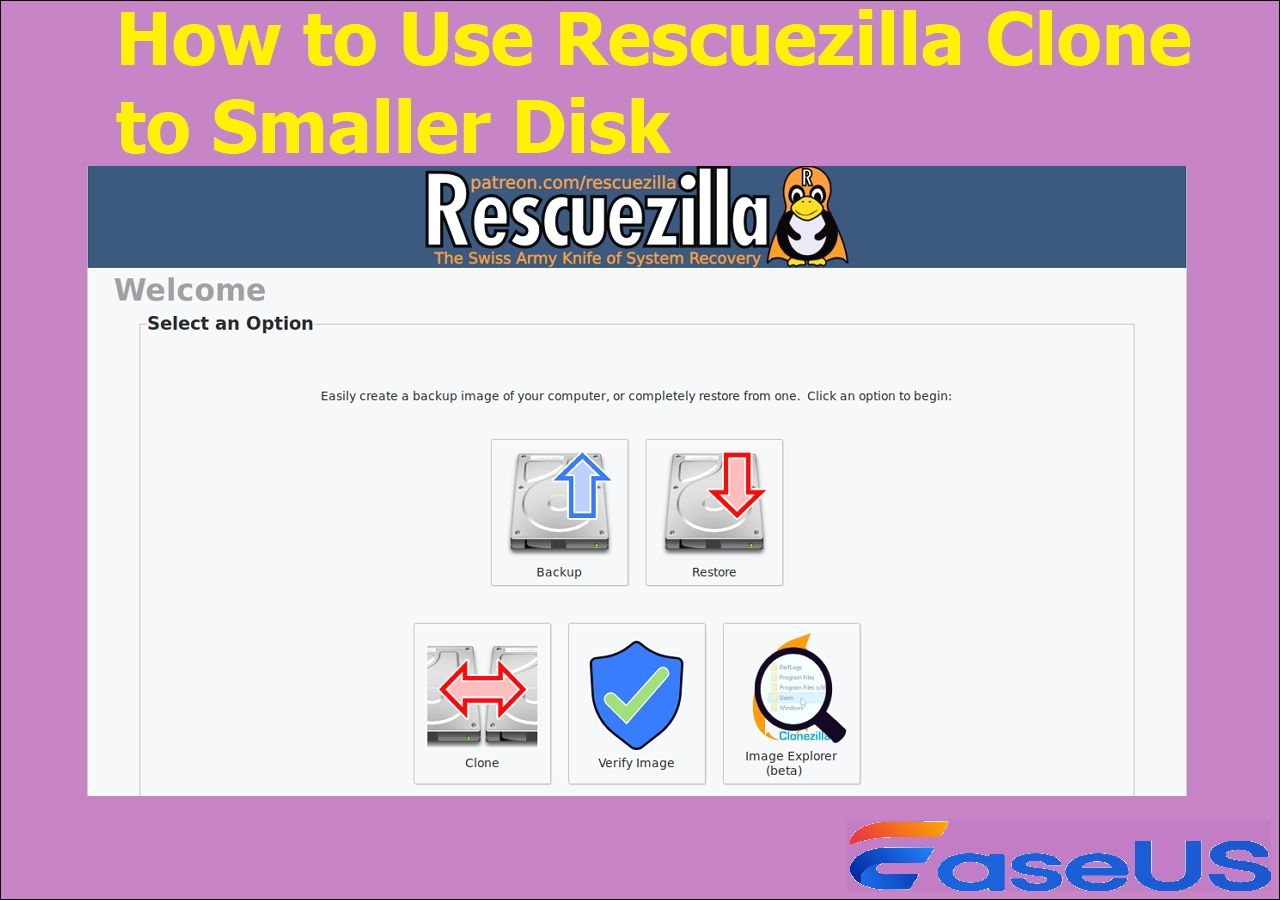
Rescuezilla is a graphical front end for Clonezilla-style disk imaging and recovery. It does not need to be installed on the computer. Instead, you download its ISO, create a bootable USB drive, restart the computer, and launch Rescuezilla from the USB.
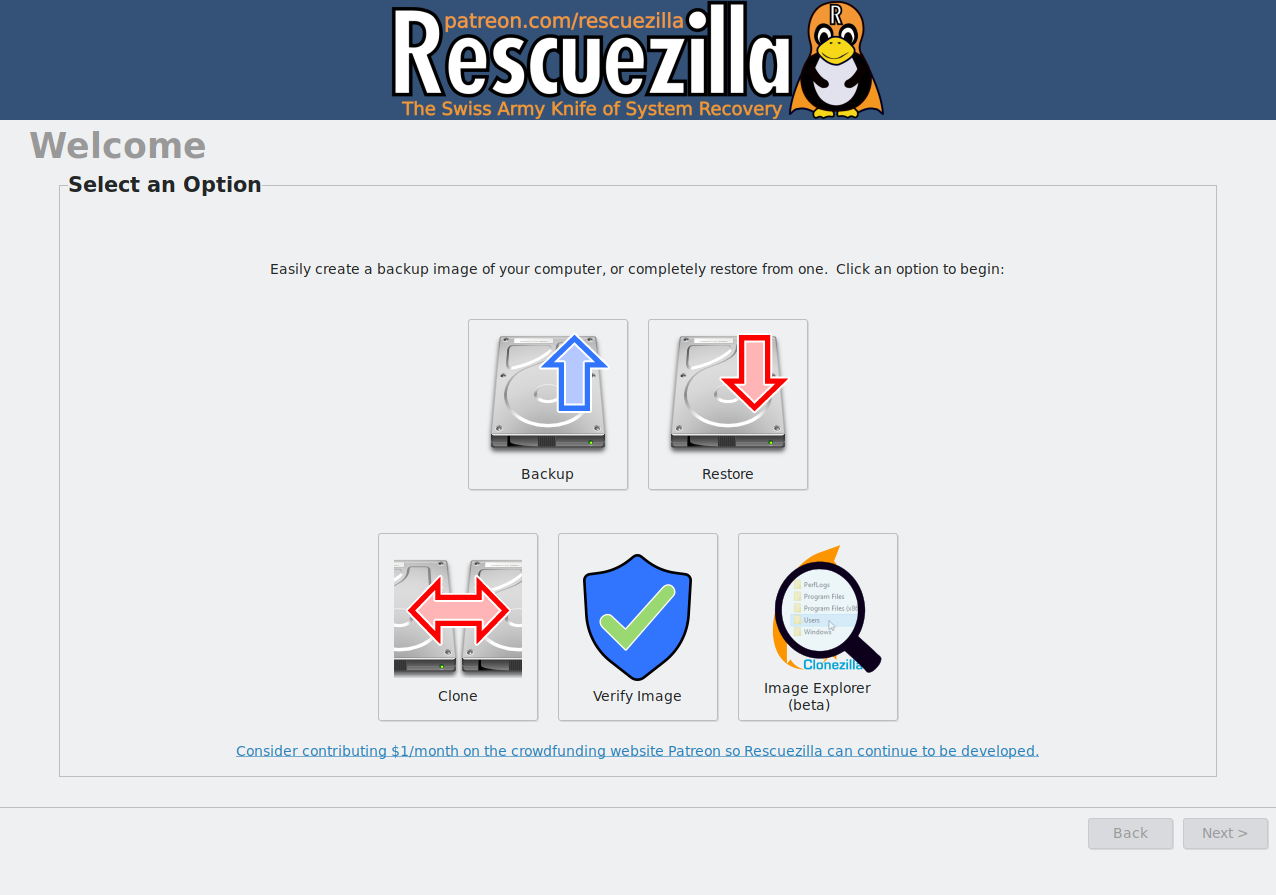
That approach has an obvious advantage: Rescuezilla runs independently of the operating system on the internal drive. This can be useful when Windows will not boot or when you need to work on a disk without loading the normal operating system.
Rescuezilla supports disk backup, imaging, restore, and recovery. It can also access files from supported disk images and is fully compatible with Clonezilla images. The software can back up and restore Windows, Mac, and Linux systems.
The trade-off is the workflow. You need to prepare a USB drive and reboot the computer before using it. If you only want to replace an SSD and move your Windows installation to a new drive, that extra step may feel unnecessary.
Acronis True Image: More Than a Cloning Tool
Acronis True Image takes a different approach. Disk cloning is one feature inside a broader backup and data protection platform.
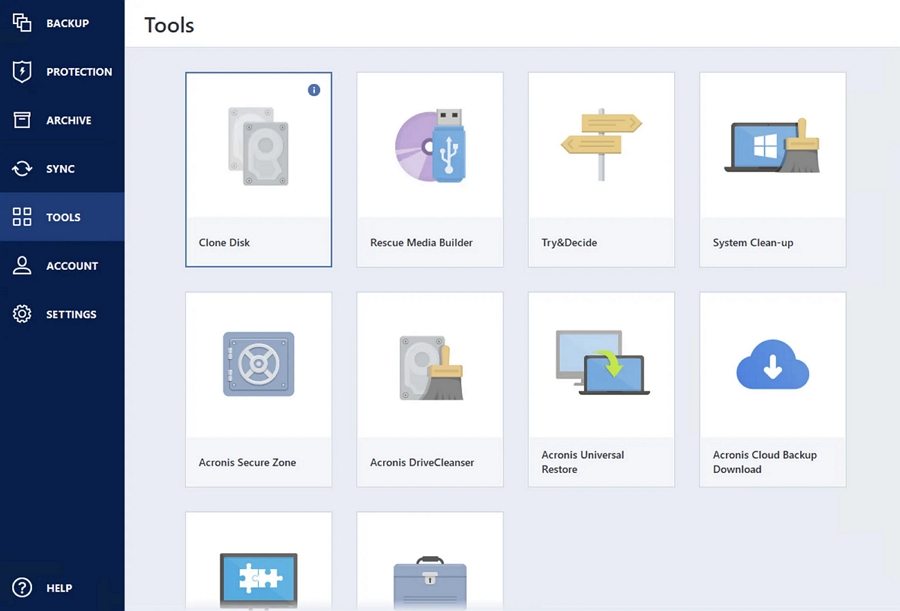
It supports full disk images, file and folder backups, disk cloning, recovery media, and scheduled backups. Depending on the plan, it also supports backups to Acronis Cloud, cloud restores, and additional security features such as anti-ransomware and real-time anti-malware protection.
One useful difference is Active Disk Cloning. Acronis supports cloning a system disk while working from the normal desktop environment, rather than requiring the entire cloning workflow to be run from a bootable USB environment.
That makes Acronis more convenient if you want to start a clone from within Windows or macOS, while also offering scheduled backups, cloud storage, and other protection features in the same application.
Share this article on social media to help others compare Rescuezilla and Acronis!
Which Is Better for SSD Upgrades?
For a straightforward SSD upgrade, both tools can get the job done. The main difference is how you want to handle the migration.
Rescuezilla can clone an existing drive to a new SSD, but you need to boot into its USB environment first. It makes sense if you already have a Rescuezilla USB or want a free tool that can also handle disk imaging and recovery.
Acronis True Image is more convenient if you want to start the migration from Windows or macOS. Its Active Disk Cloning feature lets you clone a system disk from the normal desktop environment.
There is also a third option if your main goal is simply disk migration: dedicated cloning software.
EaseUS Disk Copy focuses on disk and partition cloning rather than covering every aspect of backup and data protection. It can clone a system to another drive and lets you adjust the target disk layout during the process.
 Free Download
Windows 11/10/8/7
For a simple move from an old drive to a new SSD while keeping your existing Windows installation, a dedicated cloning tool can be a more direct choice.
Rescuezilla vs Acronis True Image for Backup and Recovery
This is where the two tools start to feel quite different.
Rescuezilla is mainly designed for creating and restoring disk images. You can save an image to another drive or supported network location and restore it when needed. Since it runs from a live USB environment, it can also be useful when the installed operating system will not boot.
Acronis takes a more ongoing approach to backups. You can schedule backups and use full, incremental, or differential backup methods to keep multiple recovery points. Depending on the plan, Acronis Cloud can also provide an off-site copy of your data.
Recovery works differently, too. With Rescuezilla, the USB environment is already the main recovery tool. You can boot into it, restore an image, manage partitions, or copy important files without relying on the installed operating system.
Acronis also provides bootable recovery media and its Survival Kit feature, which can be used to restore a system when Windows or macOS is unavailable.
For a one-time disk image or an emergency recovery USB, Rescuezilla can be enough. Acronis makes more sense if you want scheduled backups, multiple recovery points, cloud storage, and recovery tools in the same application.
How Rescuezilla and Acronis Compare in Everyday Use
Cloning speed depends more on the hardware than the software. The source and target drives, the connection type, and the amount of data all have a greater impact on how long the process takes. Rescuezilla does require a reboot into its USB environment, but that does not necessarily mean slower cloning.
Rescuezilla is still fairly easy to use once it starts. Its graphical interface handles common cloning, imaging, and recovery tasks without requiring command-line input. The extra work comes before that: you need to prepare the USB drive, restart the PC, and boot from it.
Acronis True Image fits more naturally into a normal Windows or macOS workflow. You can start a clone from the desktop without changing the boot device, and Active Disk Cloning is designed for this kind of setup. The same application can also handle regular backups.
If you want to clone a drive without leaving the desktop, Acronis is the simpler option. Rescuezilla is a better fit if you do not mind booting from USB and want a free, open-source tool that can still be used when the installed OS will not start.
Share this article on social media to help others compare Rescuezilla and Acronis!
Rescuezilla vs Acronis vs EaseUS Disk Copy
Looking beyond the two main options can make the choice easier, especially if your main goal is simple disk cloning rather than long-term backup.
| Your goal | Which is better |
| Free and open-source cloning | Rescuezilla |
| Bootable offline recovery | Rescuezilla |
| Clonezilla-compatible images | Rescuezilla |
| Automated backups | Acronis True Image |
| Incremental/differential backups | Acronis True Image |
| Full backup and recovery platform | Acronis True Image |
| One-time disk migration | EaseUS Disk Copy |
| Windows or SSD cloning | Acronis True Image/EaseUS Disk Copy |
| Dedicated disk cloning | EaseUS Disk Copy |
Rescuezilla, Acronis True Image, and EaseUS Disk Copy are aimed at slightly different jobs. Rescuezilla focuses on free offline cloning and recovery, while Acronis adds cloning to a wider backup and protection suite. EaseUS Disk Copy is more focused on disk cloning and Windows migration.
Is Rescuezilla Better Than Acronis True Image?
It really comes down to what you need from the software.
Rescuezilla is a good fit if you:
- Want a free, open-source tool
- Prefer offline disk cloning and imaging
- Need a bootable recovery environment
- Work with Windows, Mac, or Linux systems
- Do not need scheduled or cloud backups
Acronis True Image is a better fit if you:
- Want to clone drives from Windows or macOS
- Need scheduled backups
- Want incremental or differential backups
- Need cloud backup through Acronis Cloud
- Prefer cloning, backup, and recovery in one application
For free disk cloning, imaging, and recovery, Rescuezilla covers the basics without requiring a paid backup suite. Acronis True Image is better suited to users who want regular backups, cloud storage, and recovery features, as well as cloning.
If the job is simply moving Windows to a new SSD or cloning one drive to another, EaseUS Disk Copy is another option to consider. It takes a more focused approach to disk cloning and migration rather than trying to cover the same range of backup features as Acronis.
Share this article on social media to help others compare Rescuezilla and Acronis!
FAQs on Acronis True Image vs Rescuezilla
1. Is Rescuezilla completely free?
Yes. Rescuezilla is an open-source project with no license or serial number required. It runs from a bootable USB environment rather than being installed on your internal drive.
2. Which is easier, Rescuezilla or Acronis?
Acronis is generally more convenient for cloning a drive from within Windows or macOS. Rescuezilla requires a bootable USB and a restart, although its graphical interface makes the process much easier than traditional command-line cloning tools.
3. Is Rescuezilla a good free alternative to Acronis True Image?
If you mainly need disk cloning, imaging, and recovery without paying for a backup suite, Rescuezilla is a good option. The main difference is that Rescuezilla runs from a bootable USB drive and does not offer scheduled backups, cloud storage, or the broader protection features found in Acronis True Image.
-
Updated by
![Jerry]()
Jerry
"I hope my articles can help solve your technical problems. If you are interested in other articles, you can check the articles at the bottom of this page, and you can also check my Facebook to get additional help."…Read full bio