Page Table of Contents

Upgrading from an old HDD to a faster SSD or from an SSD to a larger SSD (SATA or NVMe) has become one of the most common PC upgrades in recent years. But before replacing your drive, you usually need reliable disk cloning software to migrate Windows, applications, and files.
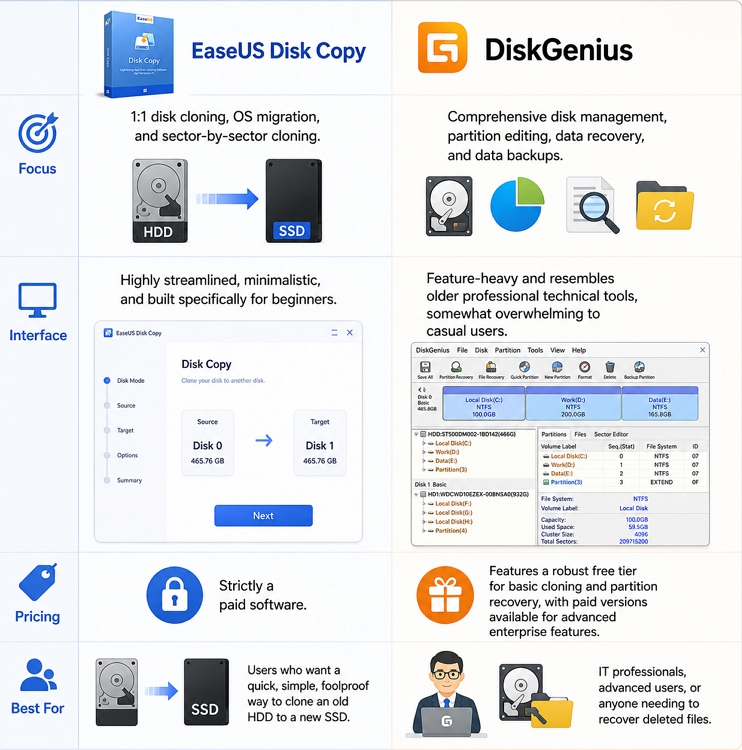
2 tools that often appear in search results are EaseUS Disk Copy and DiskGenius. Both can clone hard drives and migrate Windows to SSDs, but they target slightly different users. EaseUS Disk Copy focuses on simplicity and beginner-friendly cloning, while DiskGenius combines cloning with advanced partition management and data recovery features.
In this guide, we will compare EaseUS Disk Copy vs DiskGenius in detail. By the end, you should have a clear idea of which tool best fits your needs.
Quick Comparison: EaseUS Disk Copy vs DiskGenius
Before we dive into the details of DiskGenius vs EaseUS Disk Copy, here is a quick comparison table of the 2 disk cloning tools.
| Feature | EaseUS Disk Copy | DiskGenius |
| Disk Clone | Yes | Yes |
| OS Migration | Yes | Yes |
| SSD Alignment | Yes | Yes |
| Beginner Friendly | Excellent | Moderate |
| Partition Management | Basic | Advanced |
| Bootable Media | Yes | Yes |
| File Recovery | No | Yes |
| Dynamic Disk Support | Limited | Better |
| Pricing | Paid | Free+Paid |
| Best for | Simple SSD upgrade | Advanced disk management |
EaseUS Disk Copy vs Diskgenius
Share this article on social media to help others know EaseUS Disk Copy vs DiskGenius!

Overview of EaseUS Disk Copy
EaseUS Disk Copy is an intuitive, user-friendly tool built specifically for cloning entire hard drives or migrating operating systems. The software focuses on making the cloning process simple, even for beginners who have never cloned a hard drive before.
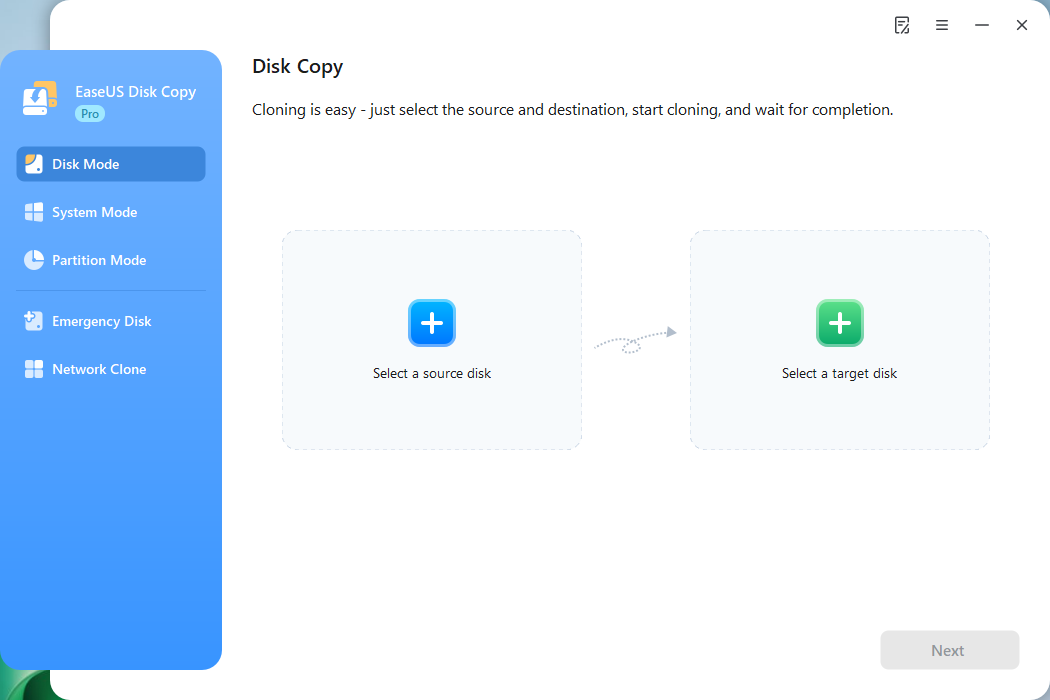
Free download this disk cloning software to clone a drive on your PC!
 Free Download
Windows 11/10/8/7
Main Features of EaseUS Disk Copy
1. Full Disk Cloning
Users can clone an entire hard drive, including:
- Windows OS
- Installed applications
- User settings
- Personal files
This makes it useful when upgrading to a new SSD without reinstalling Windows.
2. Sector-by-Sector Clone
The software supports sector-by-sector cloning, which copies every sector exactly as it exists on the source drive.
This is helpful for:
- Preserving hidden partitions
- Cloning a disk with bad sectors
- Cloning special disk structures
3. SSD Migration
EaseUS Disk Copy includes SSD optimization features such as:
- SSD alignment
- GPT/UEFI support
These features help improve SSD performance after migration.
| Pros | Cons |
|
|
Overview of DiskGenius
DiskGenius is a more advanced disk utility suite that combines disk cloning, partition management, backup, and data recovery into a single application. Unlike EaseUS Disk Copy, DiskGenius targets both regular users and advanced users who need more control over disks and partitions.
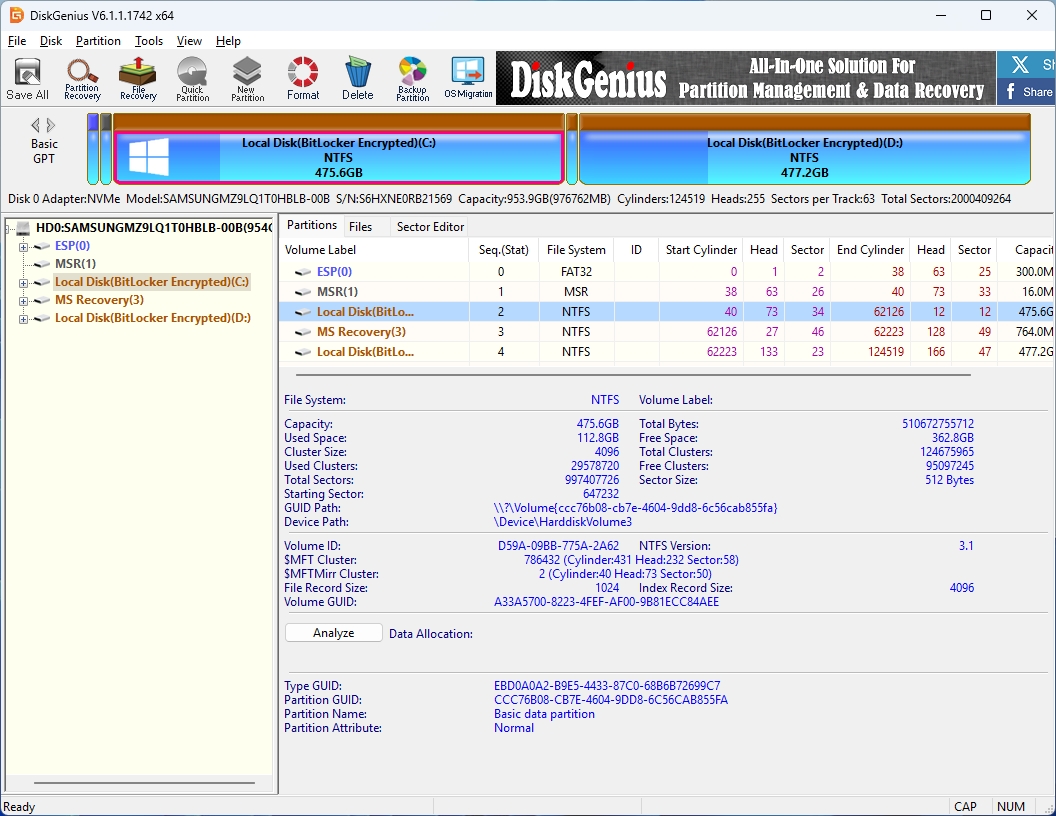
Main Features of DiskGenius
1. Disk and Partition Cloning
DiskGenius supports:
- Full disk cloning
- System migration
- Partition cloning
- Virtual disk support
Users can also customize cloning methods and partition layouts during migration.
2. Partition Management
This is one of DiskGenius' biggest strengths. Features include:
- Resize partitions
- Convert MBR to GPT
- Create/delete partitions
- Format drives
- Manage EFI partitions
3. Data Recovery Features
DiskGenius also includes recovery functionality for:
- Deleted files
- Lost partitions
- RAW drives
- Corrupted disks
This makes it more than just a cloning tool.
| Pros | Cons |
|
|
Share this article on social media to help others know EaseUS Disk Copy vs DiskGenius!
EaseUS Disk Copy vs DiskGenius: Detailed Comparison
Here is the detailed comparison of EaseUS Disk Copy vs DiskGenius.
Disk Cloning Performance
Both tools perform well for standard disk cloning tasks, including:
- Clone HDD to SSD
- Upgrade to NVMe SSD
- Clone SSD to SSD
- Migrate Windows system
However, their approaches differ. EaseUS Disk Copy focuses on a guided cloning workflow. Most users can finish the process in just a few clicks. DiskGenius offers more advanced options, such as flexible disk structure management. For advanced users, this flexibility is useful.
Ease of Use
This is where EaseUS Disk Copy has a clear advantage. The interface is cleaner and designed specifically for cloning tasks. Typical workflow:
- Select source disk
- Select target SSD
- Start cloning
That simplicity makes it ideal for first-time SSD upgrades, casual users, and home users. DiskGenius, meanwhile, includes many additional tools and menus. While powerful, the interface can look technical to beginners. If your main goal is simply replacing an HDD with an SSD, EaseUS Disk Copy is usually easier.
Partition Management Features
DiskGenius is significantly stronger in this area. It includes advanced partition management tools such as:
- Resize partition
- Split partition
- Merge partitions
- Convert a dynamic disk
- Repair partition tables
- GPT/MBR conversion
EaseUS Disk Copy only performs basic partition adjustments during cloning. If you frequently manage storage devices or repair disks, DiskGenius provides much more flexibility.
Bootable Clone Support
One of the most important features in disk cloning software is bootable migration support.
Both tools support:
- GPT disks
- UEFI systems
- Windows 11 boot environments
- Bootable media creation
However, cloning issues can still happen if:
- The cloned SSD uses the wrong partition style
- Secure Boot conflicts occur
- EFI partitions are missing
- The boot order is incorrect
DiskGenius gives users more visibility into disk structures, which can help troubleshoot boot issues. EaseUS Disk Copy simplifies the process but offers fewer advanced repair options.
Data Recovery Features
This is one of the biggest differences between the two tools. EaseUS Disk Copy is mainly a cloning utility. DiskGenius, on the other hand, includes:
- File recovery
- Lost partition recovery
- RAW partition repair
- Hex editor functionality
- Bad sector checking
If you want an all-in-one disk toolkit, DiskGenius provides far more functionality.
Pricing Comparison
| Category | EaseUS Disk Copy | DiskGenius |
| Free Version | NO | YES |
| Paid Version | Required for full features | Optional for advanced features |
| Lifetime License | Yes | Yes |
EaseUS tends to focus more on commercial licensing and premium upgrades. DiskGenius offers a surprisingly capable free version for many users.
Share this article on social media to help others know EaseUS Disk Copy vs DiskGenius!
Which Tool Is Better for SSD Migration?
Final Verdict: EaseUS Disk Copy vs DiskGenius
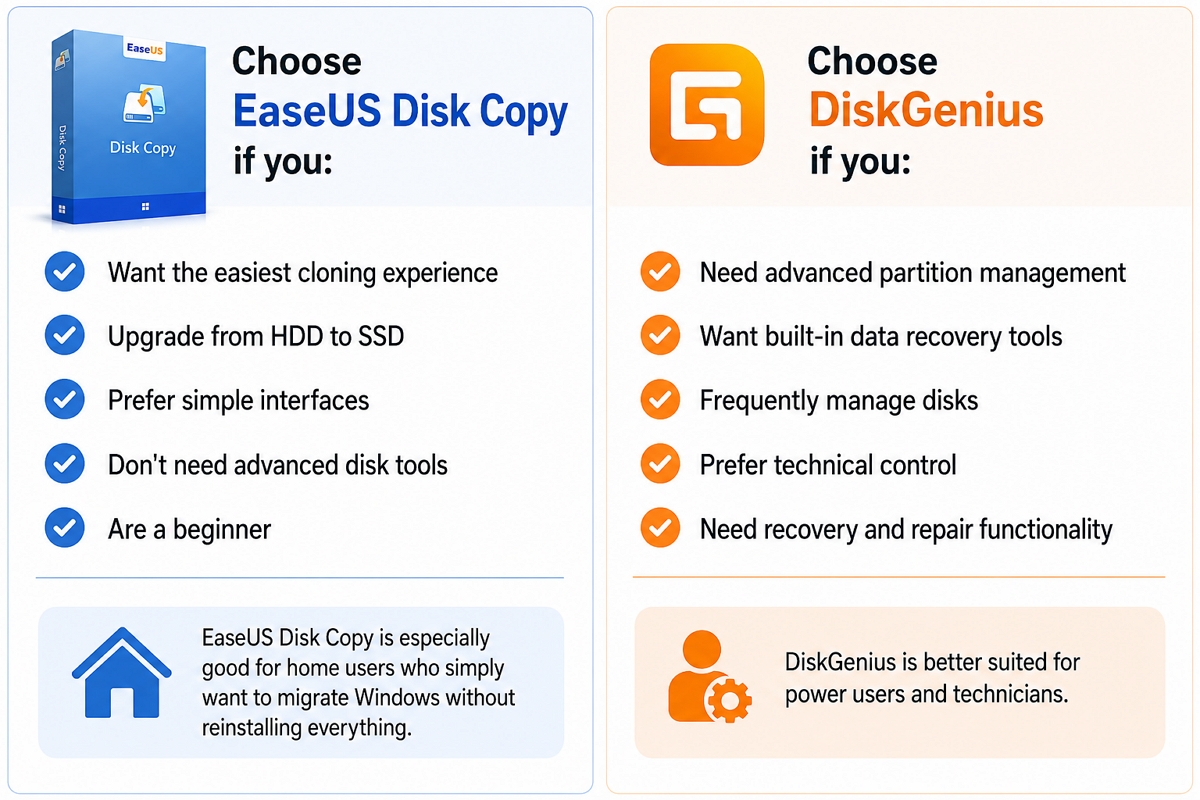
Both tools are capable disk cloning solutions, but they serve different audiences. EaseUS Disk Copy is best for users who want a simple and beginner-friendly way to clone HDD to SSD. DiskGenius is better for users who want advanced disk management, partition control, and recovery features in a single utility. In short:
- EaseUS Disk Copy = Simplicity
- DiskGenius = Flexibility and advanced functionality
If your only goal is to quickly upgrade to a new SSD, EaseUS Disk Copy may be easier. If you frequently work with partitions, damaged drives, or recovery tasks, DiskGenius offers much more value.
Free Download
Windows 11/10/8/7
FAQs on EaseUS Disk Copy vs DiskGenius
1. Is DiskGenius free for disk cloning?
DiskGenius offers a free version that includes basic disk and partition cloning features. However, some advanced functions like system migration or hot cloning may require a paid license, depending on usage needs.
2. Which software is easier for beginners?
EaseUS is generally easier for beginners due to its cleaner interface, step-by-step wizard, and clearer guidance during cloning tasks. DiskGenius is more powerful but has a steeper learning curve for new users.
3. Why does my cloned SSD not boot?
Common causes include an incorrect boot order in the BIOS, a missing EFI or system reserved partition, a mismatched MBR/GPT format, or incomplete cloning of system files required for Windows startup, resulting in configuration issues after migration.
4. Can I clone a larger HDD to a smaller SSD?
Yes, it is possible if the HDD's used disk space is less than the SSD's capacity. You can shrink partitions or delete unnecessary files to avoid cloning unallocated or unnecessary data.
-
Updated by
![]()
Jerry
>"I hope my articles can help solve your technical problems. If you are interested in other articles, you can check the articles at the bottom of this page, and you can also check my Facebook to get additional help."…Read full bio