Page Table of Contents

If you're replacing an old hard drive, upgrading to a new SSD, or moving Windows to another drive, you'll likely run into Macrium Reflect and Acronis True Image.
Both support disk cloning, but they take a slightly different approach. Macrium Reflect is well known for disk imaging, cloning, and recovery. Acronis True Image goes beyond cloning, offering backup and other protection features in the same package.
So, which one is the better choice?
For basic disk cloning, it really comes down to what you need. Macrium Reflect makes more sense if you want more control over the cloning process. If you also want backup and other protection features, Acronis True Image may be the more convenient option.
Macrium Reflect vs Acronis True Image: What's the Difference?
The main difference is what each product offers beyond cloning.
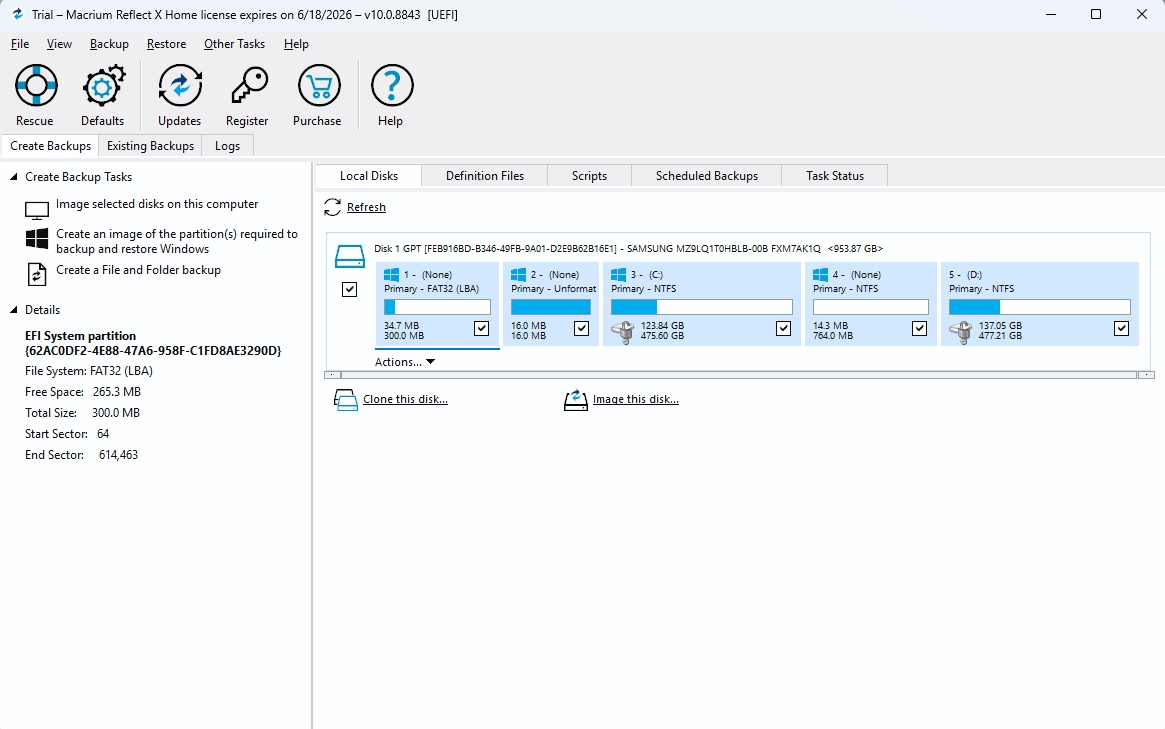
Macrium Reflect emphasizes disk imaging, cloning, and control over the destination drive. When cloning, you can select the partitions you want to copy and adjust the layout on the destination drive. This can be useful when moving to a larger or smaller SSD, and you need to change how the partitions are arranged.
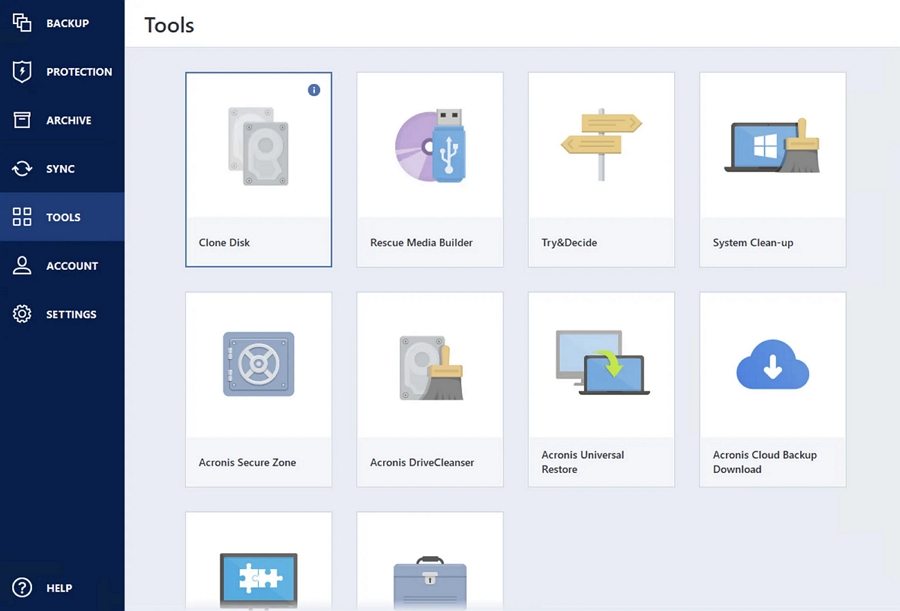
Acronis True Image takes a broader approach. Disk cloning comes alongside system backup, cloud backup, recovery, and other protection features. Its cloning tool also offers Automatic and Manual modes, so you can let the software handle a typical migration or adjust the destination layout yourself.
In other words, Macrium is a natural fit if you want more control over the disk layout. Acronis makes more sense if you want cloning alongside a wider range of backup features.
Neither approach is inherently better.
If You're Cloning a Drive, Does the Difference Really Matter?
For a basic clone, the difference between the two cloning programs may not be huge.
If you have a 500GB SSD and just bought a 1TB SSD, and you want to move Windows, apps, and your files without reinstalling everything. Both Macrium Reflect and Acronis True Image can handle this type of migration.
The main thing to watch is the partition layout. A larger destination drive doesn't always mean the cloned partitions will automatically use all available space. You may need to expand the main partition or deal with unallocated space. Macrium gives you detailed control over the destination layout, while Acronis offers a Manual mode when its automatic layout isn't what you want.
You can also go from a larger drive to a smaller one, as long as the data and partitions being cloned fit on the new drive. Both Macrium and Acronis offer options to adjust partition sizes during cloning.
So when comparing them for cloning, I would focus less on whether the software can do it and more on how much control you want over the destination drive. Both can handle the basic job.
Macrium Reflect vs Acronis: What About Windows Migration?
Moving Windows to a new SSD is a little different from moving your personal files.
A Windows drive usually has more than just the C: partition. You may also have EFI and recovery partitions that Windows needs to boot properly. That's why copying only the C: drive isn't always enough.
Both Macrium Reflect and Acronis True Image can clone a Windows system drive, including its system partitions. But getting the new drive to boot can still depend on the hardware and boot settings.
For instance, moving from a SATA SSD to an NVMe drive can involve changes to the storage controller, UEFI settings, or partition scheme. If those don't line up, the clone may complete normally, but Windows may not start from the new SSD.
It's a good idea to boot from the new drive and check that Windows, your apps, and your files are working before you erase the old one.
Macrium Reflect or Acronis: Which Is Easier?
This is probably the most subjective part of the comparison.
Macrium Reflect gives you more control over the destination disk. You can see the partitions you're copying and adjust their size or position before starting the clone. That can be useful if you're comfortable with disk management.
If you don't, having more options can also make the process feel less straightforward.
Acronis takes a more guided approach. Its Automatic cloning mode is designed for typical migrations, while Manual mode lets you adjust the destination layout when needed.
So if you like having more control over the disk layout, Macrium may be the better fit. If you just want to move everything to a new drive without making many decisions, Acronis may feel easier.
Do You Need a Full Backup Suite Just to Clone a Drive?
This is where the choice gets a little more interesting.
Macrium Reflect and Acronis True Image both do more than cloning. They also offer backup and recovery features, which can be useful if you want regular backups or a way to recover your system after a drive failure.
But if all you want to do is replace an old drive, you may not need all of those features.
A clone is mainly useful when you want another drive with the same data and setup, such as when replacing or upgrading a drive. A backup is different: it gives you a copy that you can use to recover your files or system later.
If you need both, a full backup application can make sense. If you're simply moving to a new SSD, a cloning-focused tool may be enough.
How Much Do Macrium Reflect and Acronis True Image Cost?
Price is another difference worth considering, especially if you only need to clone a drive once.
Macrium Reflect and Acronis True Image have changed their licensing and product offerings over time, so the exact price depends on the current edition and plan. It is worth looking beyond the headline price and considering what each package actually includes.
At the time of writing, both Macrium Reflect X Home and Acronis True Image Essentials are priced at $49.99 per year for a single computer.
Acronis True Image is positioned as a broader backup and protection product, with features such as backup management, cloud storage, and additional security features depending on the plan. If you need those features, the larger package may be worth the cost. If you only want to clone an SSD once, however, you may be paying for features you never use.
Macrium Reflect also goes beyond basic cloning, with disk imaging and recovery features included in its broader backup offering. Its price is therefore better judged alongside the features you actually plan to use.
- Notice:
- Both Macrium and Acronis offer a 30-day trial version, but the Acronis trial version does not let you clone a disk.
Where Does EaseUS Disk Copy Fit?
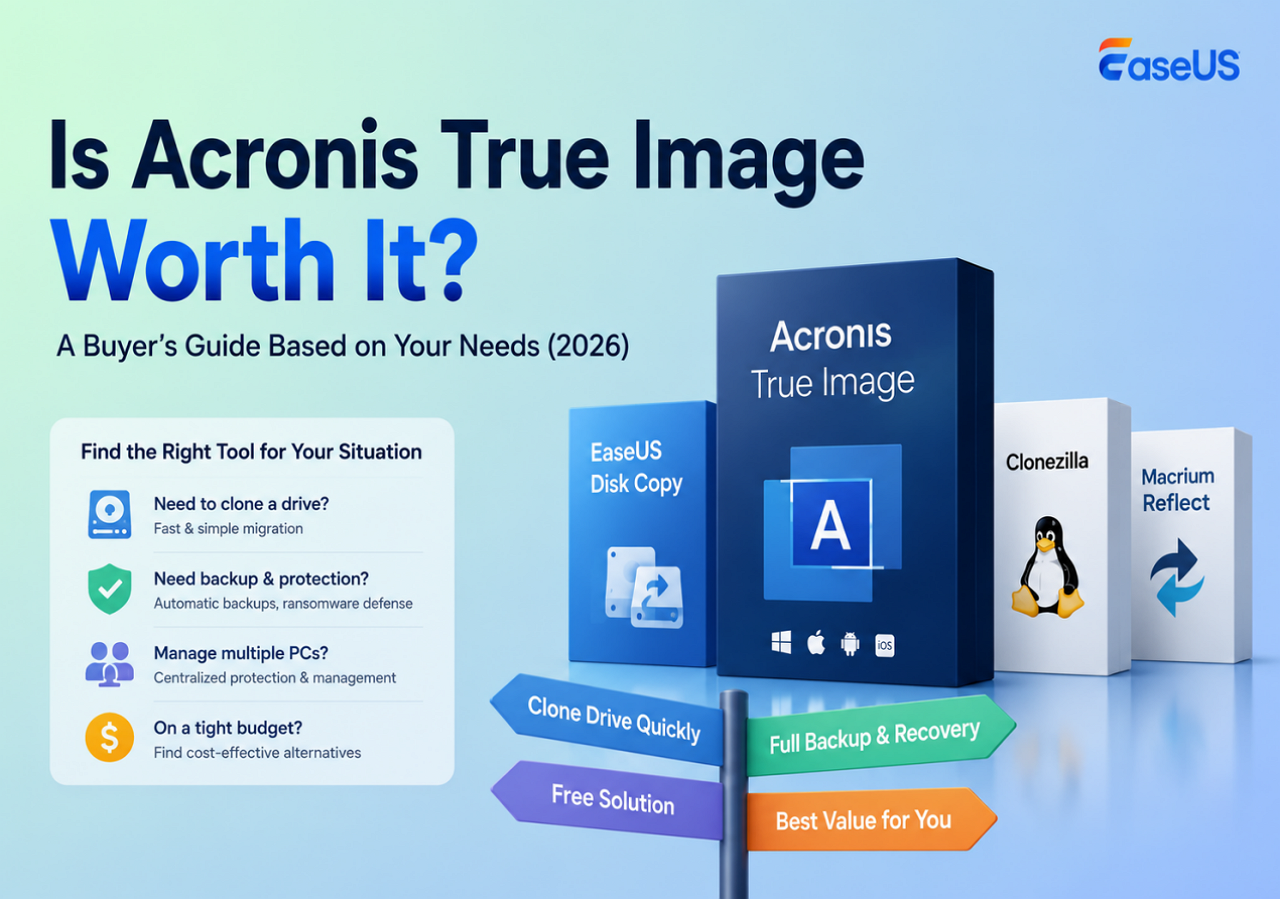
While Macrium Reflect and Acronis True Image combine cloning with backup and recovery features, EaseUS Disk Copy puts more emphasis on disk cloning and migration.
 Free Download
Windows 11/10/8/7
That makes it a different kind of option rather than simply another product to rank above or below the other two.
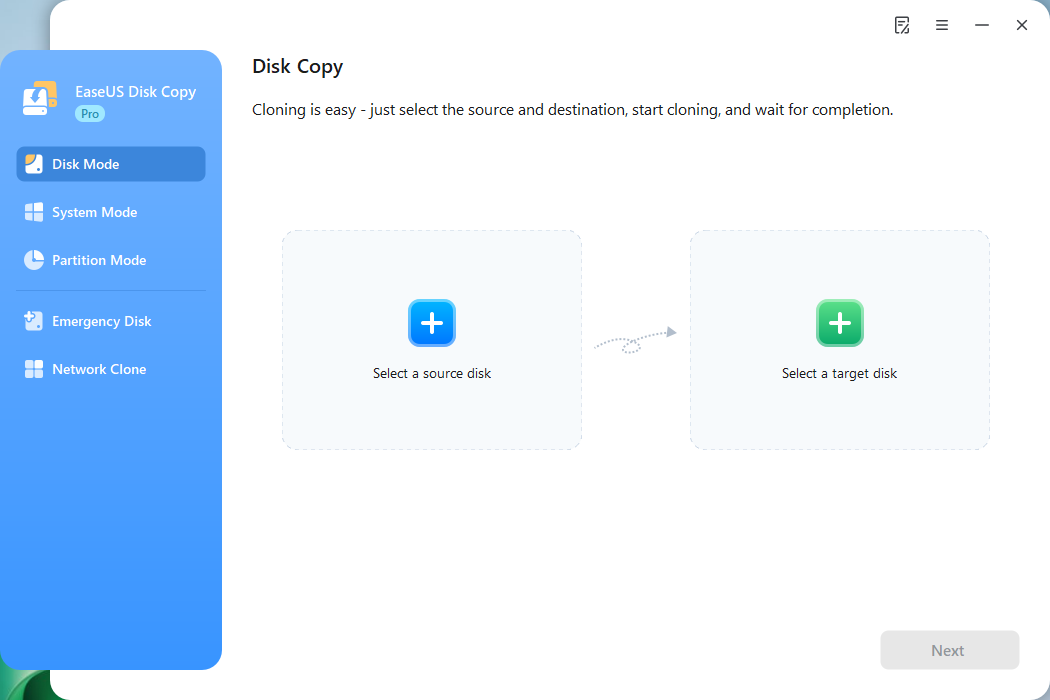
If you're upgrading an SSD, replacing an HDD, or moving Windows to another drive, a dedicated cloning tool can make sense when you don't need a full backup and recovery suite.
That doesn't make EaseUS Disk Copy universally better than Macrium or Acronis. The three products simply have different priorities.
| Goal | Tool Recommendation |
| Have more control over disk imaging and cloning | Macrium Reflect |
| Combine cloning with broader backup and protection | Acronis True Image |
| Focus mainly on simple disk cloning and OS migration | EaseUS Disk Copy |
| Upgrade an SSD or move Windows | All three |
Which One Should You Choose?
Both Macrium Reflect and Acronis True Image can handle disk cloning well. The main difference is what each one offers beyond cloning.
Choose Macrium Reflect if you want more control over partitions and the cloning process, especially if you're comfortable working with disk layouts and imaging.
Acronis True Image makes more sense if you want cloning alongside backup and recovery features, such as scheduled backups or cloud storage.
If all you need is to move Windows to a new SSD or replace an old drive, EaseUS Disk Copy is another option. It focuses mainly on disk cloning and migration, so you don't have to pay for a larger backup package you may not need.
All three can handle basic disk cloning. The best choice depends on how you plan to use the software. If cloning is a one-time job, a dedicated cloning tool may be all you need.
FAQs on Macrium vs Acronis
1. Is Macrium Reflect better than Acronis True Image for cloning?
Not necessarily. Macrium gives you more control over disk and partition operations, while Acronis includes cloning as part of a broader backup and protection package. For a basic clone, either can work well.
2. Can I clone a larger drive to a smaller SSD?
Yes, as long as the data and partitions you're cloning fit on the smaller SSD. You may also need to resize or adjust the partitions before cloning.
3. Can I clone Windows to a new SSD?
Yes. Both Macrium Reflect and Acronis True Image can clone a Windows system drive. Make sure the new SSD is supported by your PC, and check that Windows boots from it before wiping the old drive.
4. Is disk cloning the same as backup?
No. Cloning creates another drive with the original contents, usually for migration or drive replacement. A backup creates a copy that you can store and use for recovery later.
-
Updated by
![]()
Jerry
"I hope my articles can help solve your technical problems. If you are interested in other articles, you can check the articles at the bottom of this page, and you can also check my Facebook to get additional help."…Read full bio