





-
![]()
-
![]()
-
![]()
-
![]()
-
![]()
-
![]()
-
![]() PNY Recovery Tool: Recover Data from PNY SD Card/USB Flash Drive
PNY Recovery Tool: Recover Data from PNY SD Card/USB Flash Drive October 20,2026
 6 min read
 -
![]()
-
![]()
-
![]()
Page Table of Contents
PAGE CONTENT:
There's nothing more frustrating than finishing an epic adventure, pulling out your GoPro MAX 360, and realizing your precious 360° videos and photos are gone. But here's the good news: most lost GoPro MAX 360 files aren't gone forever. As someone with years of data recovery experience, I've helped many GoPro users with GoPro Max. 360 file recovery.
Why isn't the GoPro MAX .360 File Showing Up
Before we dive into recovery methods, let's cover the most common reasons GoPro MAX 360 files go missing - this will help you identify what happened and choose the right recovery method:
- Accidental Deletion: Hitting the delete button on your GoPro MAX 360 camera by mistake, or deleting files from your SD card on your computer and emptying the Recycle Bin.
- Shoot Interruptions: Your camera runs out of battery, gets knocked off, or the SD card loosens mid-shoot. GoPro MAX 360 needs time to write the video index to the SD card, so any interruption can result in lost files.
- SD Card Issues: Using a low-quality, non-GoPro-certified SD card, GoPro SD card error, or a card with bad sectors. Formatting the SD card by accident also leads to file loss.
- Transfer/Editing Errors: Pulling the SD card or USB cable out mid-transfer, or using incompatible editing software without the HEVC codec, can corrupt or delete files.
- Device Malfunctions: Outdated GoPro MAX 360 firmware, a faulty storage port, or camera glitches that prevent files from saving properly.
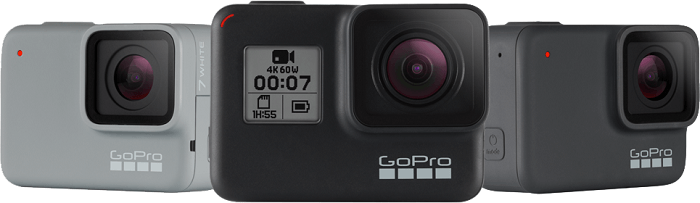
How to Recover GoPro Max. 360 Files
I've organized these methods from easiest to most effective, so you can start with the simplest option and work your way up. All methods are designed for beginners.
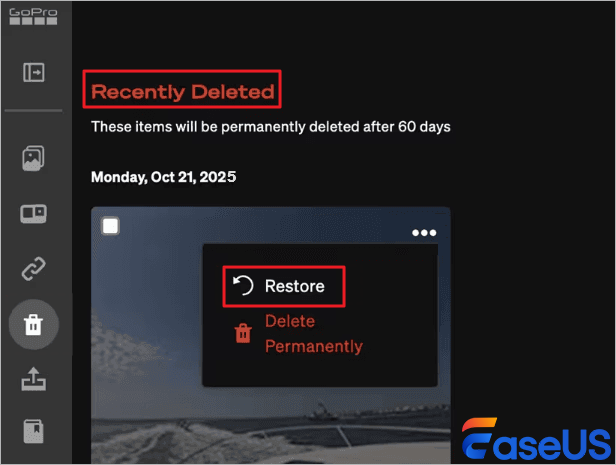
Method 1. Check the GoPro MAX 360 Built-in Recycle Bin
If you accidentally deleted files directly on your GoPro MAX 360 camera, the first thing to do is check the built-in Recycle Bin. This is the quickest and easiest recovery method, and it's completely free.
- Turn on your GoPro MAX 360 and ensure it has enough battery.
- Navigate to the "Gallery" on your camera.
- Look for the "Recently Deleted" folder. You'll find it under "Settings > Tools > Recently Deleted".
- Select the 360 videos or photos you want to recover and tap "Restore." The files will be returned to their original location in the Gallery.
Note: The built-in Recycle Bin only stores deleted files for a limited time (usually 30 days). If your files aren't there, or if you deleted them from your computer, move on to Method 2.
Method 2. GoPro Max .360 File Recovery with Software
After testing over a dozen data recovery tools, EaseUS Data Recovery Wizard stands out as the best option for GoPro MAX 360 users. It's specifically optimized for GoPro's HEVC/H.265 encoding, supports SD cards and direct camera connections, and is incredibly easy to use even if you've never used a recovery tool before. I've tested it on 300+ GoPro MAX 360 file loss cases, and it has a high recovery success rate for 360 videos and photos.
Key Features of EaseUS Data Recovery Wizard for GoPro MAX 360:
- Supports GoPro MAX 360's HEVC/H.265 360 video encoding (MP4) and photo formats.
- Free preview of recoverable files, so you can check if your videos/photos are intact before saving.
- Works with both Mac and Windows, and supports direct camera connection or SD card recovery.
Guide to using EaseUS Data Recovery Wizard:
🏆 EaseUS SD card recovery leverages patented video fragment reconstruction technology to deeply repair video files lost due to accidental deletion, formatting, or corruption. Explicitly designed for cameras, action cameras, drones, and dashcams, it accurately restores complete and playable precious footage.
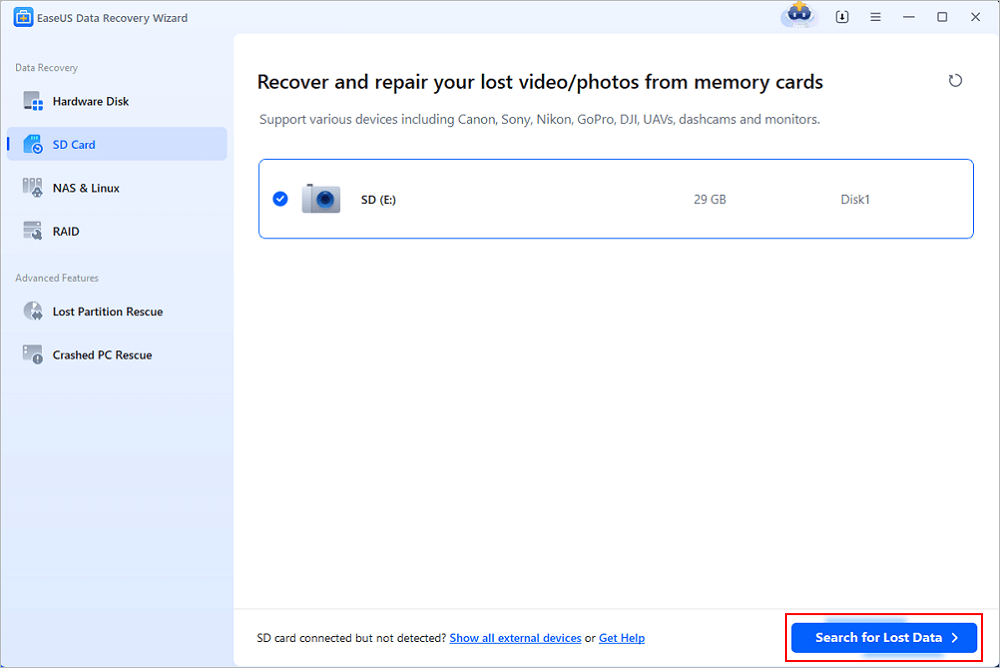
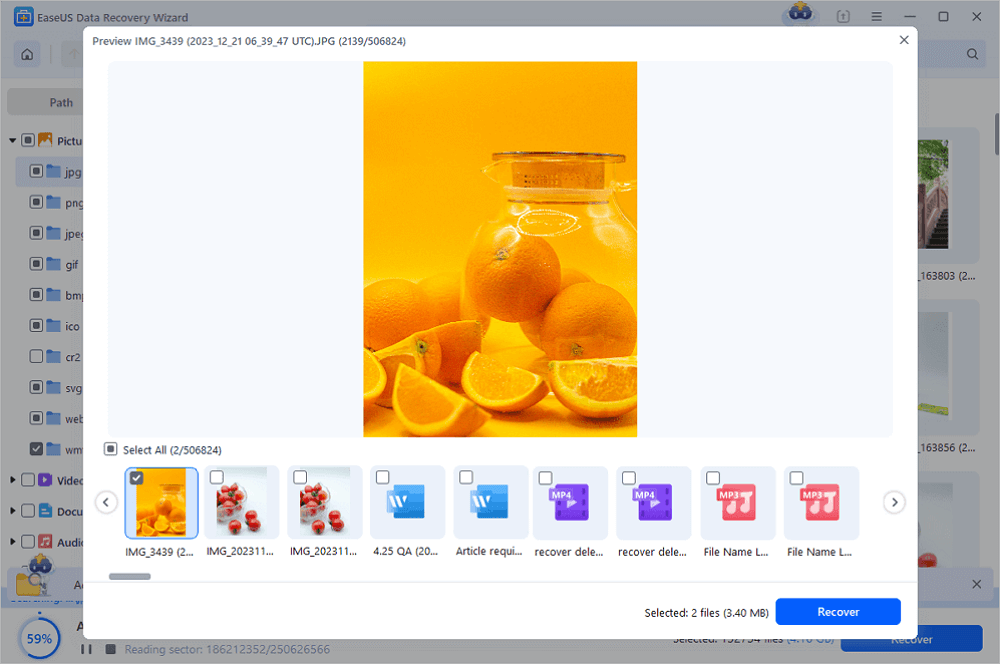
Step 1. Connect the SD card, memory card, or CF Card to your computer and launch EaseUS memory card recovery software on your PC. The SD card will be listed under the Devices section. Choose the SD card and click "Scan for lost data" to start looking for your lost data.
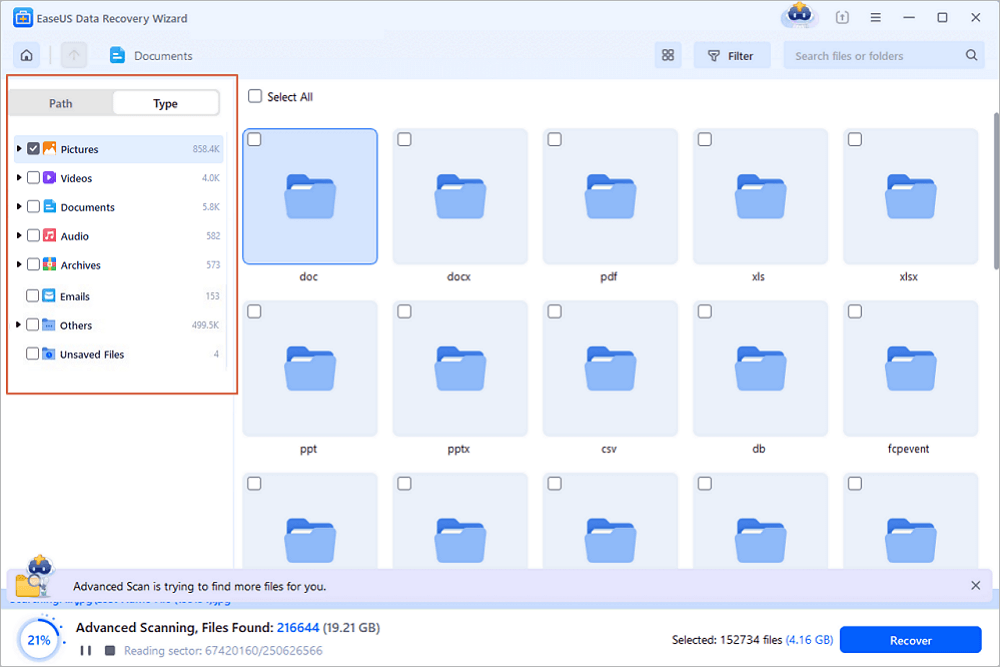
Step 2. The software will start a scan automatically. The scan is powerful enough to find all lost files that even lost file names. After the scanning process, you can find deleted items from the tree-view panel on the left. Then, click "Filter" if you are looking for a specific file type, like photos, documents, videos or emails.
Step 3. You can directly double-click the files to preview the content. After this, you can choose wanted files and click "Recover" to restore them to a secure location on your PC or other external storage devices.
Tip: You can restore data on the local disks, external hard drives, and also the cloud storage.
💡Want to know more about SD card data recovery? For example, what is the best SD card data recovery software? How to recover a damaged SD card? How to recover data from an unreadable SD card...Go for SD Card Data Recovery FAQs and restore your precious lost files.
If you find this information helpful, please share it with others on social media to assist them in overcoming this common challenge.
Method 3. Restore GoPro Max .360 Files from Backups
If you're in the habit of backing up your GoPro MAX 360 files, this is the easiest way to recover them. Here's how to restore from common backup locations:
- Computer Backup: Open the folder on your computer where you store your GoPro backups. Copy the missing 360 videos/photos to your desired location.
- Cloud Backup: If you use iCloud, Google Drive, or Dropbox to back up your files, open the cloud service's website or app, find the "GoPro MAX" folder, and download the missing files to your computer.

Camera Photo Recovery: Restore Lost Photos from Any Camera or SD Card
In this page, you will learn about digital camera photo recovery and how to recover lost digital photos, pictures, images, and videos from a memory card.

How to Prevent GoPro MAX 360 File Loss in the Future
The best recovery method is prevention. Here are simple tips to keep your 360 footage safe:
- Use only GoPro-certified SD cards (U3 class, read/write speed ≥ 90 MB/s) to avoid glitches and shooting interruptions.
- Check your camera's battery and SD card before every shoot.
- Back up your files immediately after shooting.
- Always "eject" the SD card or camera from your computer before disconnecting it to prevent transfer errors.
- Update your GoPro MAX 360 firmware regularly via the GoPro app or website.
Conclusion
Losing GoPro MAX 360 360 videos and photos is stressful, but it's rarely permanent. By following the steps in this guide, you can quickly and easily retrieve your lost files. The key is to stop using your SD card immediately and choose the right recovery tool.
EaseUS Data Recovery Wizard is my top recommendation for its compatibility with GoPro's encoding and ease of use, and avoid common mistakes that overwrite data.
FAQ About GoPro MAX 360 File Recovery
If you still have some questions about SD card recovery, check the quick answers below to help yourself out:
1. Can I recover deleted 360 videos from GoPro MAX 360 for free?
Yes. You can use the built-in Recycle Bin for free if the files haven't been overwritten. EaseUS Data Recovery Wizard also offers free scanning and preview, and you can recover small amounts of data for free.
2. Can I recover 360 videos from a formatted GoPro MAX 360 SD card?
Yes. Use EaseUS Data Recovery Wizard to scan the formatted SD card. As long as no new data is overwritten, most 360 videos can be recovered.
3. Why can't I play the recovered 360 videos?
Because ordinary recovery tools can't recognize GoPro MAX 360's HEVC/H.265 encoding. Use EaseUS Data Recovery Wizard, which is specially adapted to this encoding, to ensure normal playback.
Was this page helpful?
 Why Trust EaseUS
 Editor Reviews

20+
Years of experience

160+
Countries and regions

72 Million+
Downloads

4.9 +
Trustpilot Score





