





-
![]() RAW USB Recovery | How to Recover Data from RAW USB Drive
RAW USB Recovery | How to Recover Data from RAW USB Drive October 13,2026
 6 min read
 -
![]() How to Recover Data from a Dead USB Drive: 5 Easy MethodsOctober 13,20266 min read
How to Recover Data from a Dead USB Drive: 5 Easy MethodsOctober 13,20266 min read -
![]()
-
![]() Fix Virtual Disk Service Error: There Is No Media in the DeviceOctober 13,20266 min read
Fix Virtual Disk Service Error: There Is No Media in the DeviceOctober 13,20266 min read -
![]() How to Format a Flash Drive Without Losing Data (Complete Guide)October 13,20266 min read
How to Format a Flash Drive Without Losing Data (Complete Guide)October 13,20266 min read -
![]() How to Fix Corrupted Flash Drive in 6 Ways | No Data LossOctober 13,20266 min read
How to Fix Corrupted Flash Drive in 6 Ways | No Data LossOctober 13,20266 min read -
![]() USB Pen Drive Not Showing Data, Files, and Folders [Solved]October 13,20266 min read
USB Pen Drive Not Showing Data, Files, and Folders [Solved]October 13,20266 min read -
![]()
-
![]()
-
![]() USB Device Not Recognized | Windows 10 USB Driver Error Solved!October 13,20266 min read
USB Device Not Recognized | Windows 10 USB Driver Error Solved!October 13,20266 min read
Page Table of Contents
PAGE CONTENT:
USB flash drives are still one of the most widely used storage devices for everyday file transfer. From work documents to personal photos and videos, we rely on them for convenience and portability. However, USB drives are also highly prone to data loss.
Accidental deletion, formatting, virus attacks, or sudden disconnection can instantly wipe important files. If you've searched for USB data recovery software free download full version, chances are you're trying to recover lost data quickly without paying.
This guide goes beyond basic recommendations. You'll learn how USB recovery actually works, whether "free full version" tools are legitimate, how to recover files step by step, and what affects your recovery success rate.
What Is USB Data Recovery Software
USB data recovery software is a specialized program designed to scan a flash drive, locate lost or deleted files, and restore them - even if they are no longer visible in the file system.
Unlike normal file browsing, these tools analyze the raw storage sectors of a USB device to find traces of deleted data.
How USB Data Recovery Works (Deep Explanation)
When you delete a file from a USB drive:
- The file is not immediately erased
- The system only marks its space as "available"
- Actual data remains until overwritten
Recovery software works by:
- Scanning unused sectors
- Detecting file signatures (JPEG, MP4, DOCX, etc.)
- Reconstructing file structure
- Allowing preview before recovery
What Files Can Be Recovered from USB Drive
Most modern tools support:
- Photos (JPG, PNG, RAW)
- Videos (MP4, MOV, AVI)
- Documents (DOCX, PDF, XLSX)
- Audio (MP3, WAV)
- Archives (ZIP, RAR)
Key Takeaway
- Deleted does NOT mean gone
- Recovery is possible until overwritten
- Fast action = higher success rate
Is "Free Download Full Version" Really Unlimited
This is where many users get confused and where most articles fail to explain properly. The truth about free USB recovery software is that most tools labeled as "Free Download Full Version" are actually:
- Free trial versions
- Limited by recovery size
- Restricted advanced features
Common limitations are as follows:
| Feature | Free Version | Full Version |
| Recovery limit | 500MB–2GB | Unlimited |
| Deep scan | Limited | Full |
| File preview | Yes | Yes |
| Technical support | No | Yes |
Why Fully Free Unlimited Tools Are Rare
Developing reliable recovery software requires:
- Advanced algorithms
- File system reconstruction
- Continuous updates
That's why most professional tools use a freemium model.
When Free Version Is Enough
You can stay free if:
- Files are small (documents, photos)
- Data loss is recent
- USB is not heavily damaged
Key Takeaway
- Free tools are useful - but limited
- For large recovery, paid version is often necessary
Best USB Data Recovery Software Free Download (Tested)
To help you choose the most reliable USB data recovery software, we conducted real-world tests using multiple tools under controlled conditions. Below are the best free USB data recovery tools based on our hands-on testing.
Testing Environment & Methodology
To ensure fair and transparent results, all tools were tested under the same environment and data loss scenarios:
- Test Device: SanDisk 64GB USB 3.0 flash drive
- File System: FAT32 & exFAT
- Test Data: 500+ files (photos, videos, documents, ZIP archives)
- Data Loss Scenarios:
- Accidental deletion (Shift + Delete)
- Quick format
- Corrupted USB drive
- Test Platform: Windows 11 (64-bit)
- Evaluation Metrics: Recovery rate, preview ability, scan depth, speed, and ease of use
This standardized testing approach ensures that our recommendations are based on real performance, not assumptions.
1. EaseUS Data Recovery Wizard 👑
EaseUS Data Recovery Wizard stands out as the most beginner-friendly USB recovery tool with excellent recovery performance across all test scenarios. It offers a clean interface, fast scanning, and strong support for formatted and corrupted drives.
EaseUS Data Recovery Wizard Free offers up to 2 GB of free data recovery, including 500 MB available by default and an extra 1.5 GB unlocked after sharing on Facebook and X.
- ✔ High recovery rate for deleted and formatted files
- ✔ Supports 1000+ file types
- ✔ Quick + Deep scan modes
- ✔ Preview before recovery
- ✔ Free version recovers up to 2GB
|
Best for: Beginners and users who want a balance between simplicity and power. |
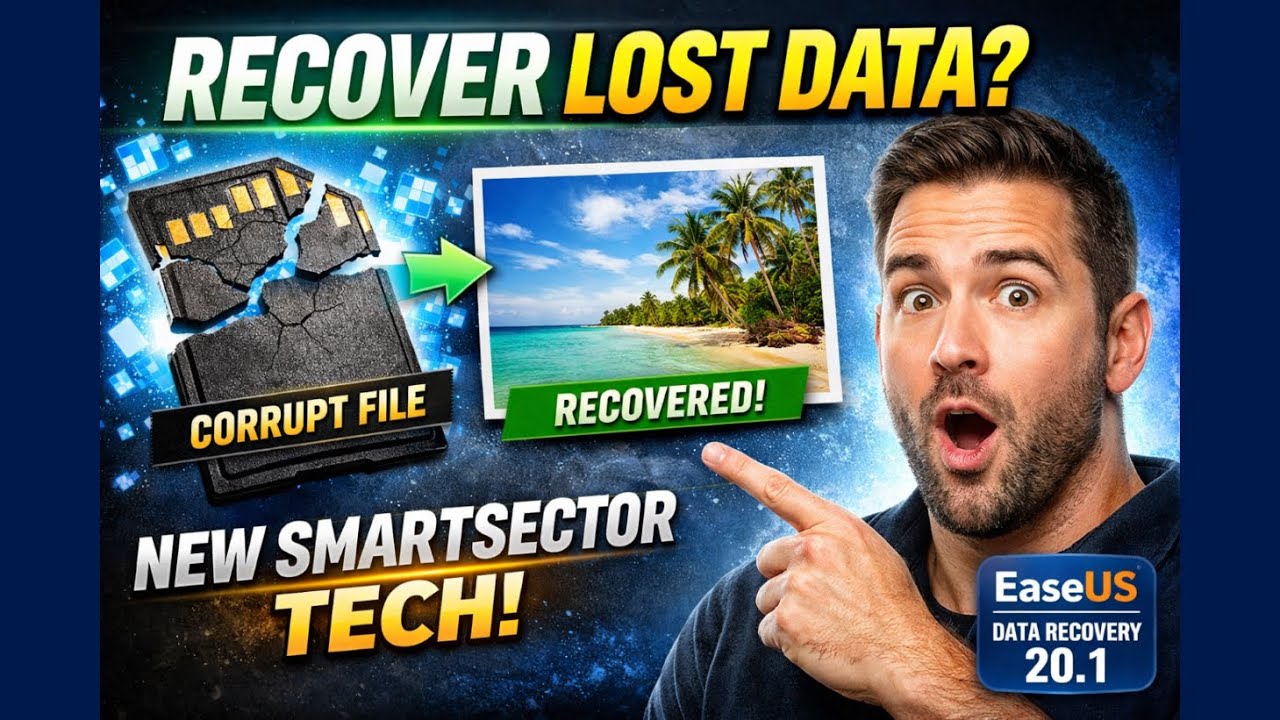
Here's a video guide that can help you learn more about how to use EaseUS recovery software for free:
2. Stellar Data Recovery
Stellar Data Recovery performed particularly well in deep scan scenarios, especially when recovering files from formatted USB drives. Like EaseUS, it offers a simple interface and helps users who lack computer knowledge handle this software easily.
- ✔ Excellent performance on formatted USB recovery
- ✔ Deep scan finds hidden and fragmented files
- ✔ Supports photos, videos, documents, and more
- ✔ Clean and professional interface
- ✔ Free version allows limited recovery
|
Best for: Users dealing with formatted or severely corrupted USB drives.
|

Stellar Data Recovery Review: Performance, Pros & Cons
Stellar Data Recovery offers a robust, reliable solution for one of computing's most stressful problems. Its strengths lie in the... Read more >>
3. Disk Drill
Disk Drill offers a modern UI and solid recovery capabilities. It also includes additional disk management tools, making it a versatile option for users who want more than just recovery.
- ✔ Supports multiple file systems
- ✔ Includes data protection features
- ✔ Easy-to-use interface
- ✔ Free version available (limited recovery)
|
Best for: Users who want extra disk tools alongside recovery features.
|

Disk Drill vs EaseUS: Features, and Recovery Performance Compared
EaseUS vs Disk Drill, which one's data recovery software is better? If you lost files but do not know which data recovery software to choose to...Read more >>
4. Recuva
Recuva is a lightweight, completely free data recovery tool. While it doesn't match the deep-scan performance of premium tools, it works well for simple file-recovery tasks.
- ✔ 100% free to use
- ✔ Quick scan for recently deleted files
- ✔ Portable version available
- ✖ Limited deep recovery capability
|
Best for: Quick recovery of recently deleted files on USB drives.
|

Recuva Review: Features, Pros & Cons, and Real Recovery Results
What is Recuva data recovery? Is Recuva safe? Is Recuva free? All you want to know about Recuva will be mentioned in this passage... Read more >>
How to Recover Data from USB Drive (Step-by-Step Guide)
This is the most important part - and where most users make mistakes. Before you start:
- Stop using the USB immediately
- Do NOT copy new files to it
- Avoid formatting again
These actions can permanently overwrite recoverable data.
Step 1 - Install Recovery Software. Download and install the tool on your computer (NOT the USB drive).
Step 2 - Connect USB Drive. Plug in your USB and make sure it is recognized by the system. If not:
- Try another USB port
- Check Disk Management
Step 3 - Select USB for Scanning. Open the software and choose your USB drive. Most tools will show:
- Drive name
- Capacity
- File system
Step 4 - Run Scan (Quick + Deep Scan). Two phases:
1️⃣Quick Scan
- Finds recently deleted files
- Fast (seconds to minutes)
2️⃣Deep Scan
- Searches entire storage
- Slower but more powerful
Step 5 - Preview Files. Preview is crucial:
- Ensures file integrity
- Avoids recovering corrupted files
Step 6 - Recover Files
- Select files
- Choose a different save location (NOT USB)
- Click recover
⚠️Common Mistakes to Avoid
- Saving recovered files back to USB
- Interrupting scan process
- Using unreliable software
All the steps are similar on different USB data recovery tools; you can share these steps on social media to help more readers!

USB Data Recovery Success Rate Explained
Not all recovery attempts succeed. Understanding why gives you a major advantage. Key factors that affect recovery:
1. Time Since Deletion
- Immediate recovery → high success
- Days/weeks later → lower success
2. Overwritten Data
If new files are written:
- Old data gets replaced, and recovery becomes impossible
3. USB Damage Type
| Scenario | Recovery Chance |
| Accidental deletion | Very High |
| Formatting | High |
| Virus attack | Medium |
| Physical damage | Low |
Bonus Tips to Prevent USB Data Loss
Data recovery tools can rescue your lost files, but honestly, it's way easier to avoid the headache in the first place. Most USB data loss comes from habits we barely think about, but with a little awareness, you can dodge most problems before they even happen.
Here's what actually helps:
- Use your USB flash drive safely. Taking a few extra seconds to properly disconnect makes sure everything finishes up rather than removing it directly, so you don't risk ruining the file system.
- Back up your files. If your USB stops working or you delete something by accident, backups let you restore everything without searching for recovery tricks; you can back up USB files to a local hard drive or cloud drive.
- Do not connect your USB to an unknown PC. These unknown devices can contain malware or computer viruses; that's how files disappear or get messed up, sometimes for good.
- Run antivirus protection. A solid antivirus keeps threats away and catches anything nasty before it spreads to your USB.
When you get into these habits, you're way less likely to deal with surprise data loss, and your USB stays reliable for the long haul.
USB Recovery Software Free Download FAQs
Here are some additional questions and answers that you may be interested in:
1. Can I recover deleted files from USB for free?
Yes, it's possible to recover files from a USB flash drive for free with professional USB recovery software. Most paid USB recovery tool also offer free trial version, you can use the free version to scan your USB and recover limited files.
2. Can permanently deleted files be recovered from a USB drive?
Files you think are permanently deleted on a USB drive may still there but show "invisible", you'll need to recover deleted files with professional USB recovery program. The most important thing is you should not keep writing new data on this USB drive to avoid data overwritten.
3. Is USB recovery software safe to use?
Most USB recovery software from reliable websites are safe. Do not download USB data recovery tool from unsafe or crack website, these packages can bring malware or viruses to your computer.
Was this page helpful?
-
Dany is an editor of EaseUS who lives and works in Chengdu, China. She focuses on writing articles about data recovery on Mac devices and PCs. She is devoted to improving her writing skills and enriching her professional knowledge. Dany also enjoys reading detective novels in her spare time. …
-
![]()
Written by
Tracy became a member of the EaseUS content team in 2013. Being a technical writer for over 10 years, she is enthusiastic about sharing tips to assist readers in resolving complex issues in disk management, file transfer, PC & Mac performance optimization, etc., like an expert.…


 Why Trust EaseUS
 Editor Reviews

20+
Years of experience

160+
Countries and regions

72 Million+
Downloads

4.9 +
Trustpilot Score






