





-
![]()
-
![]() How to Recover Emails Deleted from Trash in All Platforms
How to Recover Emails Deleted from Trash in All Platforms September 20,2026
 6 min read
 -
![]()
-
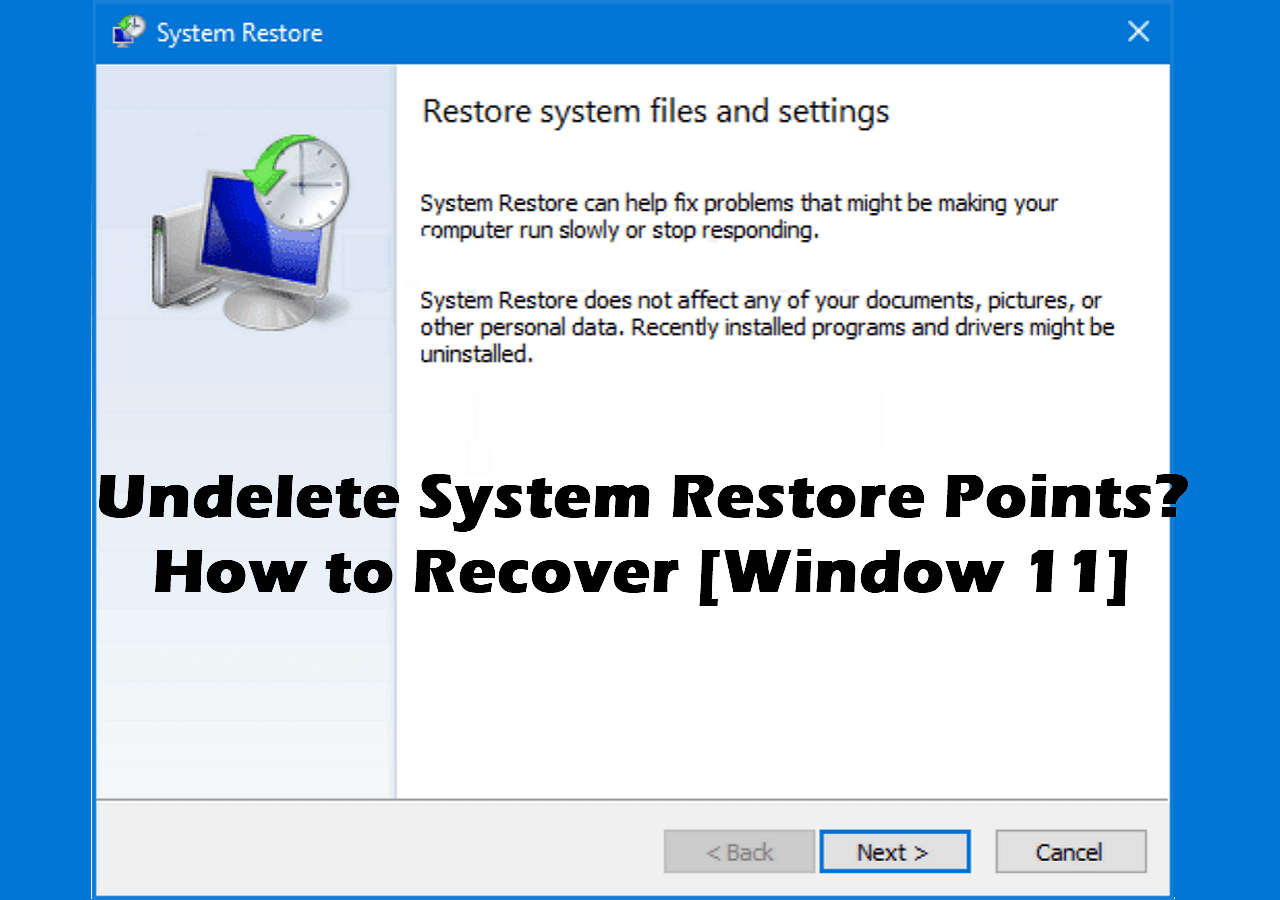
![]() 7 Solutions to Fix Undelete System Restore Points [Windows 11 Tips]September 20,20266 min read
7 Solutions to Fix Undelete System Restore Points [Windows 11 Tips]September 20,20266 min read -
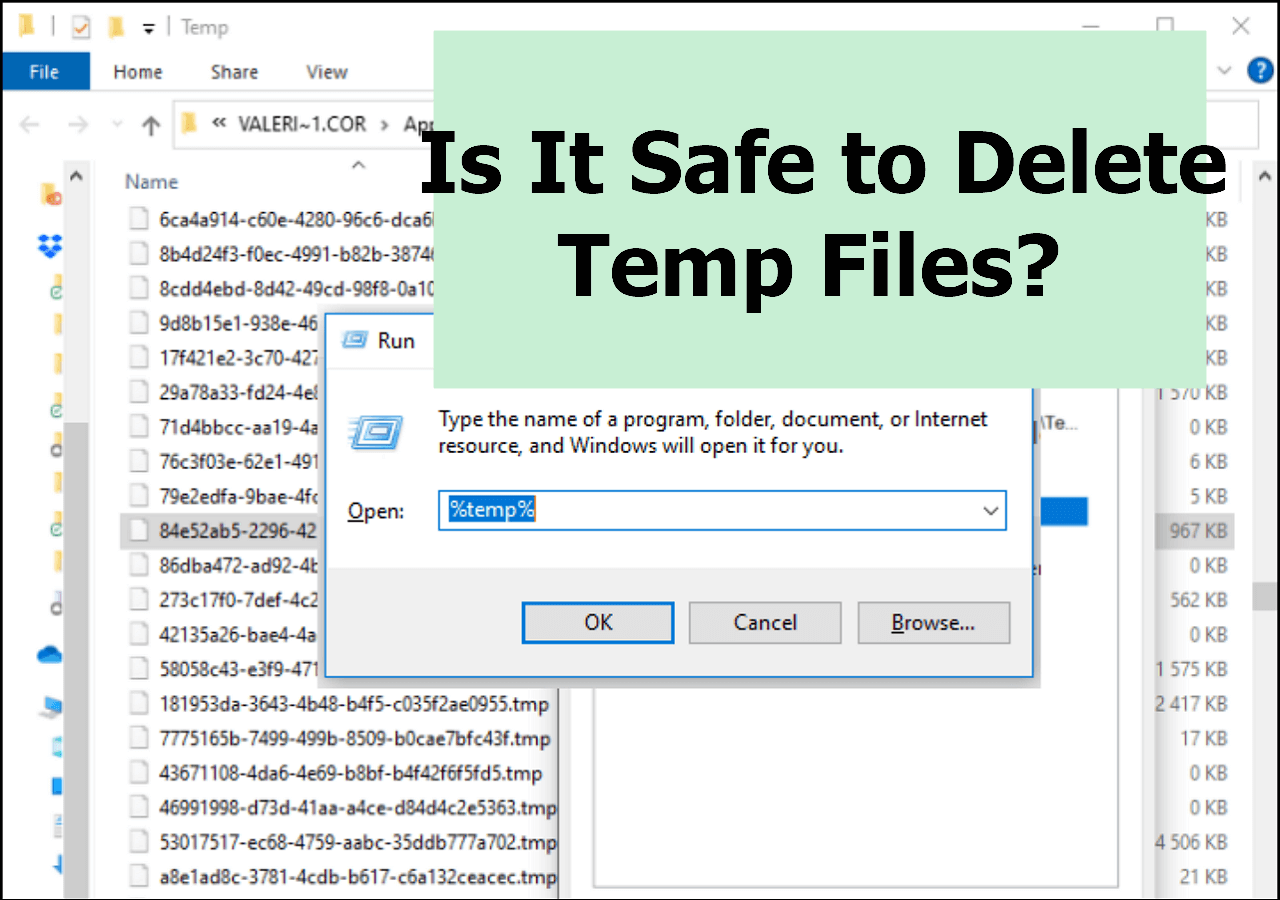
![]() Is It Safe to Delete Temp Files? How to Recover Temp FilesSeptember 20,20266 min read
Is It Safe to Delete Temp Files? How to Recover Temp FilesSeptember 20,20266 min read -
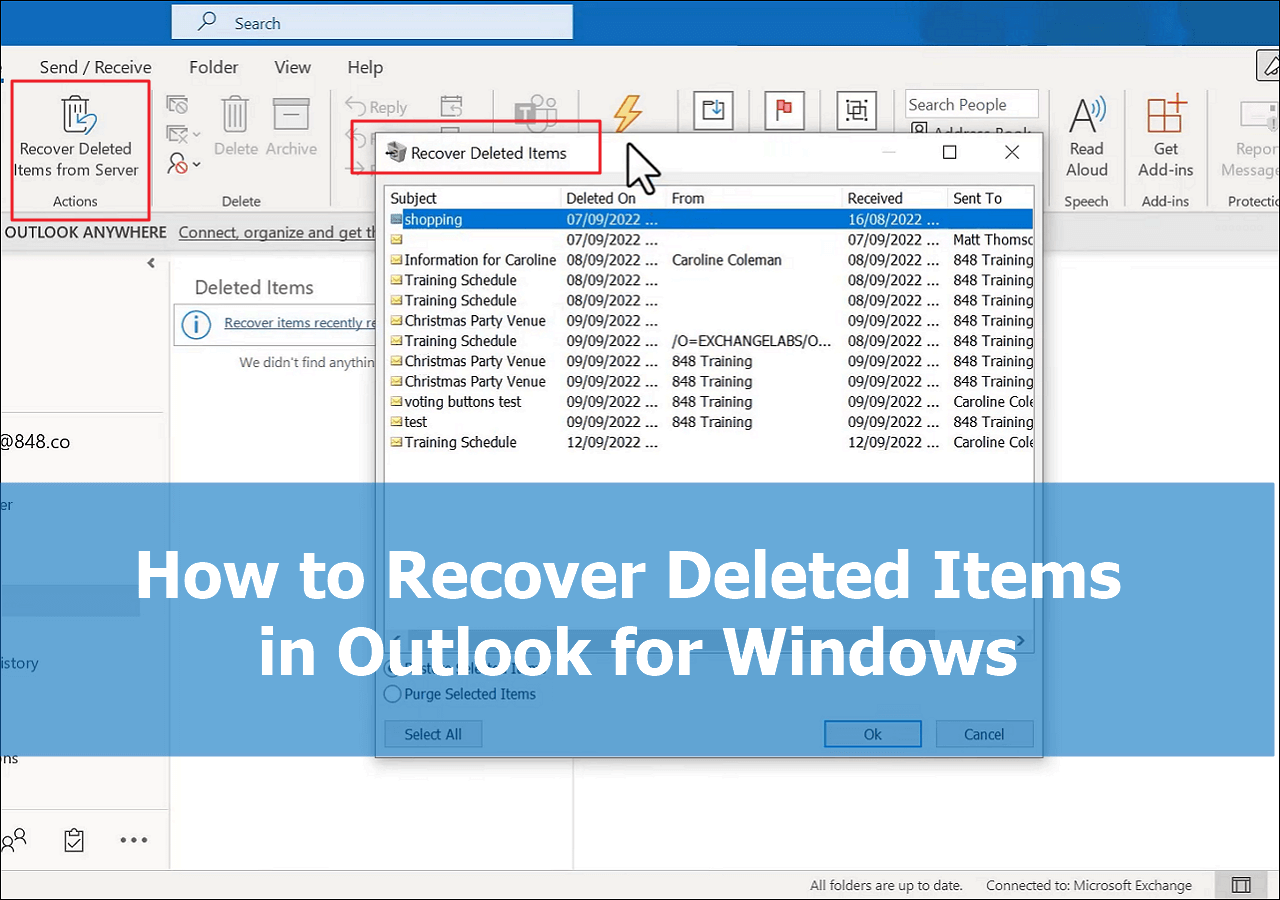
![]() How to Recover Deleted Items in Outlook for Windows(2026)September 20,20266 min read
How to Recover Deleted Items in Outlook for Windows(2026)September 20,20266 min read -
![]()
-
![]() Recover Deleted or Lost AppData Folder and Files in Windows 11, 10, 8, 7September 20,20266 min read
Recover Deleted or Lost AppData Folder and Files in Windows 11, 10, 8, 7September 20,20266 min read -
![]()
-
![]() How to Recover Permanently Deleted Emails in Outlook 2018/2017/2016/2010/2007/2003September 20,20266 min read
How to Recover Permanently Deleted Emails in Outlook 2018/2017/2016/2010/2007/2003September 20,20266 min read
Page Table of Contents
Quick access your deleted AOL email with the following methods:
| Workable Solutions | Step-by-step Troubleshooting |
|---|---|
| Fix 1. Recover from Trash Folder | Go to AOL.com > "envelope" > Sign in with your AOL account > Click "Trash"...Full steps |
| Fix 2. Recover from AOL Server | Contact the AOL email server administrator to roll back for email recovery ...Full steps |
| Fix 3. Use Email Recovery Software | Run EaseUS email recovery software > Scan local AOL email drive > Restore lost emails...Full steps |
Overview of Deleted AOL Email Recovery
Many users have the terrible experience of accidentally getting one or more AOL emails with important information deleted, or sometimes even permanently deleted. We say it is a terrible experience because most of the victims have no idea about how to recover deleted emails in AOL Mail and then fall into endless anxiety or depression. If you are one of them, now you can take it easy! Here you can find full AOL email recovery solutions that teach you how to retrieve deleted or permanently deleted AOL emails. Just try the one that works best for your case to rescue your emails effectively.
How to Recover Deleted AOL Emails from Trash Folder
You might have deleted emails in AOL Mail by mistake. When this happens, the deleted emails will be removed to the recently deleted folder, also known as Trash. They will be kept up to seven days for recovery before being permanently deleted. If you just deleted your emails from AOL Mail within seven days, you can try to restore them from the Trash folder.
1. Go to AOL .com. In the top left corner, click on the "envelope" icon to go to AOL Mail and then sign in to your AOL account.
2. Click on the "Trash" icon located on the left panel to open the Trash folder. Here you will see all of your emails that are deleted for less than seven days.
3. Select the AOL emails you want to recover, click on the "Action" button above, then in the pull-down menu, click on "Inbox" under the "Move To" group of commands.
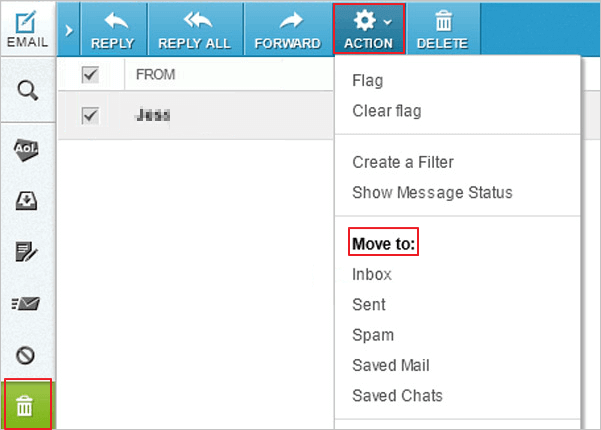
It's done! This action will recover the deleted emails in AOL Mail back to the Inbox.
How to Recover Deleted AOL Emails Older Than 7 Days
If you have deleted emails in AOL over seven days and suddenly realize the importance of the long-deleted emails, is that possible to get them back again? Yes, you can retrieve permanently deleted emails from AOL, but the chance of recovery varies, which depending on where they are stored. Below, we'll explain two scenarios for recovering permanently deleted emails from AOL. Check the details.
Recover Permanently Deleted Emails from AOL Server
If you are using the web AOL Mail, your mail data is not stored on your computer; instead, it is saved in the AOL server. So, if you delete an email online, you can contact the email server administrator to help roll back for email recovery. This is the only way to recover online deleted emails.
But you need to be aware that recovering mail from a mailbox server is definitely a paid service and must be expensive. Also, if you are an individual user, the chances of success may not be high. So, overall, this method is not very practical. We highly suggest you try the following method.
Recover Permanently Deleted Emails from AOL with Email Recovery Software
As said above, if you delete an email online, you can barely recover the lost email. But if you have the AOL Mail added in Outlook on your computer, the mail data will be stored in the local database. In this case, after email deletion, you can use a professional email data recovery program to help you restore lost emails from AOL.
EaseUS Data Recovery Wizard is one of the most popular data recovery software that enables you to retrieve permanently deleted emails from local PST or OST files. Download it and follow the steps to restore deleted emails from AOL older than seven days.
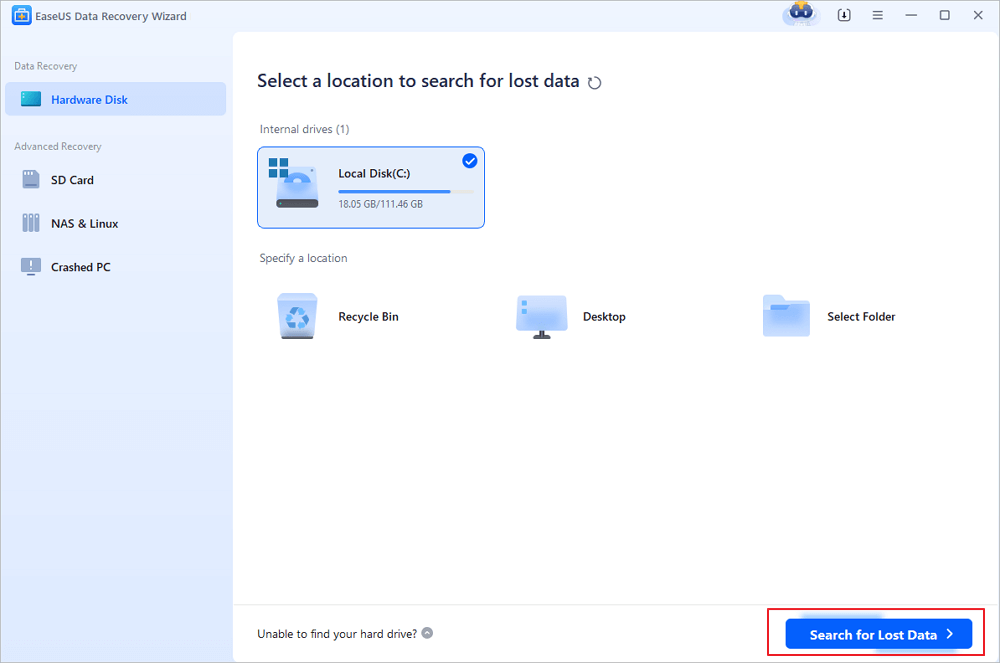
Step 1. Choose the drive or partition where you lost email files, and click "Search for Lost Data".
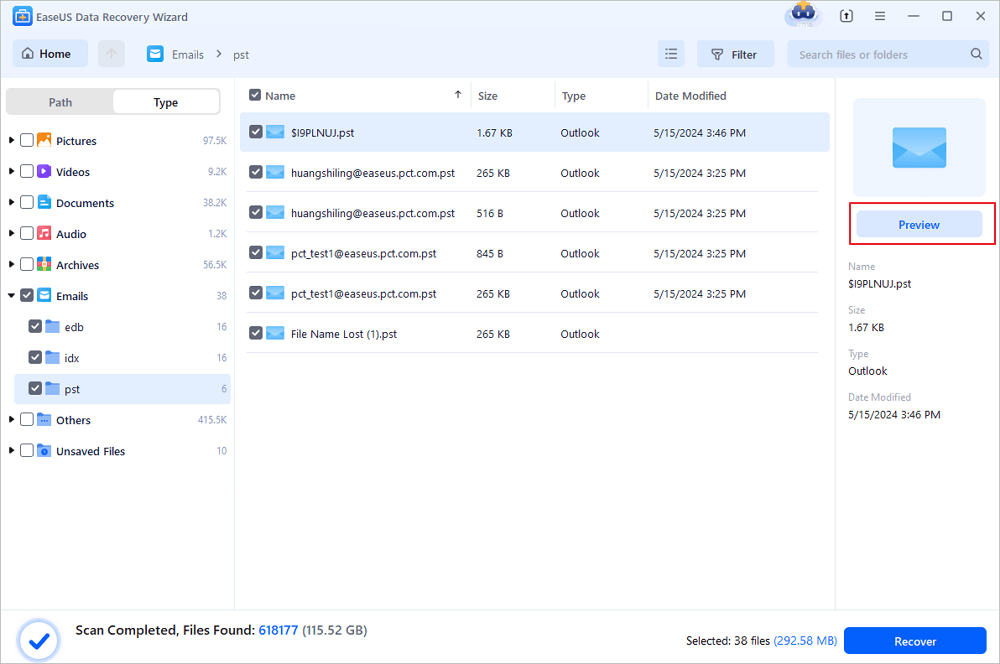
Step 2. The software will initiate a scanning process immediately. Wait patiently until the scanning process completes. To quickly locate the email files, click "Emails" in the left panel. Then, look for PST files or Outlook files in the file type list.
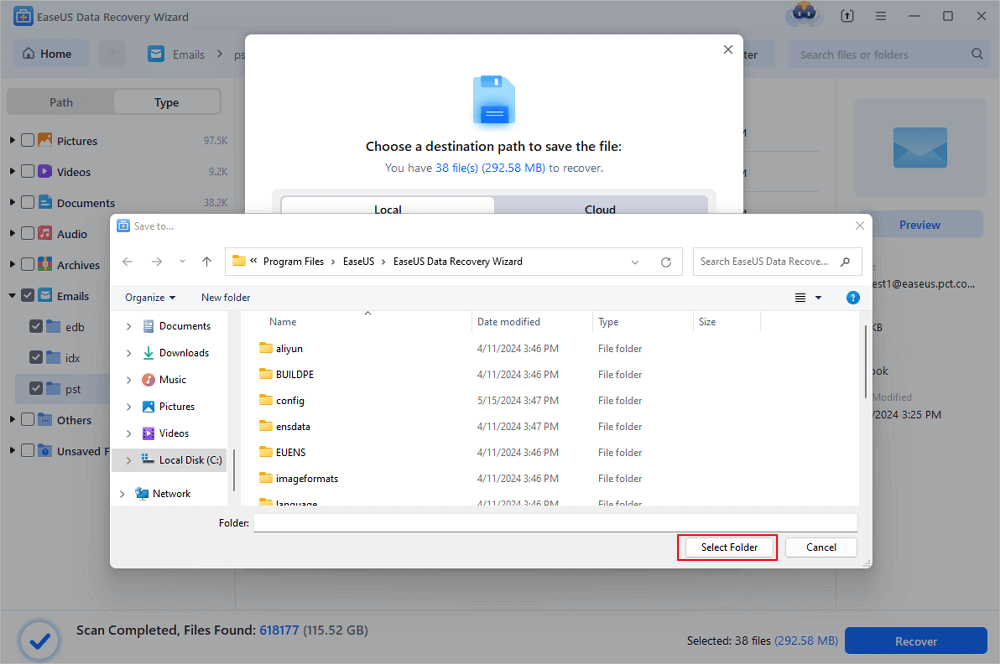
Step 3. Then, choose the desired email files and click "Recover". Save the files to another location instead of the original one. It is also advised to save your files to cloud storage to better avoid data loss.
Import PST/OST files into Outlook
When the email recovery finishes, you can import the deleted AOL emails into Outlook to use again. Do as ways below.
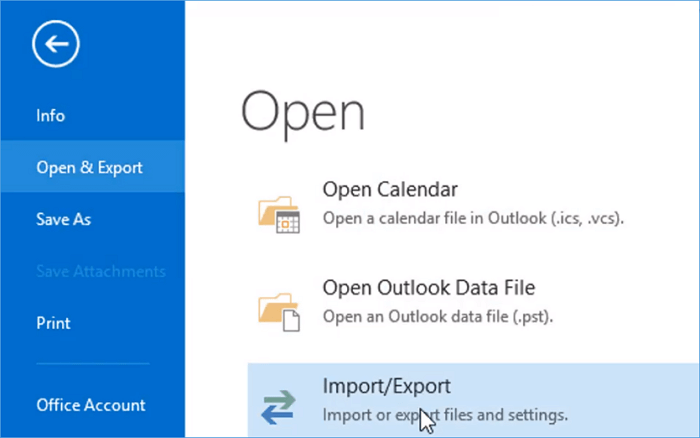
1. Start Outlook. Go to "File" > "Open & Export" > "Import/Export" > "Import from another program or file" > "Open Outlook Data File".
2. In the navigation pane, drag and drop the emails, contacts, other folders from .pst file to your existing Outlook folders.
EaseUS also provides you with an ultimate Exchange Recovery tool to quickly recover and repair corrupted Exchange Server mailboxes (EDB) files and contents. It supports Exchange Database of 2019, 2016, 2013, 2010.
Was this page helpful?
-
Dany is an editor of EaseUS who lives and works in Chengdu, China. She focuses on writing articles about data recovery on Mac devices and PCs. She is devoted to improving her writing skills and enriching her professional knowledge. Dany also enjoys reading detective novels in her spare time. …
-
![]()
Written by
Tracy became a member of the EaseUS content team in 2013. Being a technical writer for over 10 years, she is enthusiastic about sharing tips to assist readers in resolving complex issues in disk management, file transfer, PC & Mac performance optimization, etc., like an expert.…
 Why Trust EaseUS
 Editor Reviews

20+
Years of experience

160+
Countries and regions

72 Million+
Downloads

4.9 +
Trustpilot Score






