



EaseUS SQL Recovery

Great


Based on 368 reviews  

Superior database repair software for the enterprise environment. Recover from any database issue on Microsoft SQL Server—data loss, virus attacks, logical errors, etc.

Why do you need?

When a database becomes corrupt, usually both the primary data file (.mdf) and the secondary data files (.ndf) are affected. The software capably scans for,

  • Restore MDF & NDF Files

    When a database becomes corrupt, usually both the primary data file (.mdf) and the secondary data files (.ndf) are affected. The software capably scans for, identifies, and repairs corrupt data files leaving you with a fully-functional database.

  • Fix Database Log Files

    A corrupted transaction log file (.ldf) can result in many database errors. [EaseUS SQL Recovery] automatically fixes a corrupt log file while it repairs the rest of the database. The repaired transaction log is then placed in the save location along with the other recoveries.

  • Recover Corrupted Database Objects

    Database corruption can arise for a variety of reasons, on both the micro or macro scales. Recovery of all corrupted or lost database objects is supported: tables, indexes, triggers, keys, views, stored procedures, functions, and more.

  • Restore Deleted Data

    In addition to repairing corrupt files, [EaseUS SQL Recovery] is also capable of locating and restoring deleted data and records. The recovered deleted data can optionally be saved separately from the repaired files for better organization.

  • Multiple Saving Options (4 formats + Live or New)

    A repaired SQL database can be saved in a new database or in the live database, providing you with flexibility. Repaired SQL databases can be saved in one of four different formats—MSSQL, CSV, XLS, or HTML.

Additional Features

After [EaseUS SQL Recovery] scans the entire database, it will list all of the repairable and recoverable items. You can keyword search for the exact items you need, which greatly improves browsing efficiency.

Tech Specification

Devices Supported

  • PC/laptop
  • Hard Drive
  • External Disk
  • SSD
  • USB Drive
  • Micro Card
  • Camcorder
  • Digital Camera
  • Music Player
  • Video Player
  • RAID
  • CF/SD Card
  • Zip Drive
  • Pen Drive
  • Other Storage Devices

Operating System

Windows 10/8.1/8/7/Vista/XP

Windows Server 2016

Windows Server 2012

Windows Server 2008

Windows Server 2003

Disk Space

32MB minimum space for EaseUS Data Recovery Wizard installing

File System

  • FAT(FAT12,FAT16,FAT32)
  • exFAT
  • NTFS
  • NTFS5
  • ext2/ext3
  • HFS+
  • ReFS

CPU

at least with x86

RAM

at least 128MB

  •  
        

    EaseUS Data Recovery Wizard Professional is useful and advanced data recovery software.

  •  
        

    The free data recovery software can recover accidentally deleted files as well as data from damaged or formatted hard drives.

  •  
        

    It can recover data from your hard drive, USB drives, memory cards, and other storage devices.

  •  
        

    Data Recovery Wizard by EaseUS is an easy to use, straightforward solution to recovering lost data and files.

User Guide-How to Recover Your Lost Data?

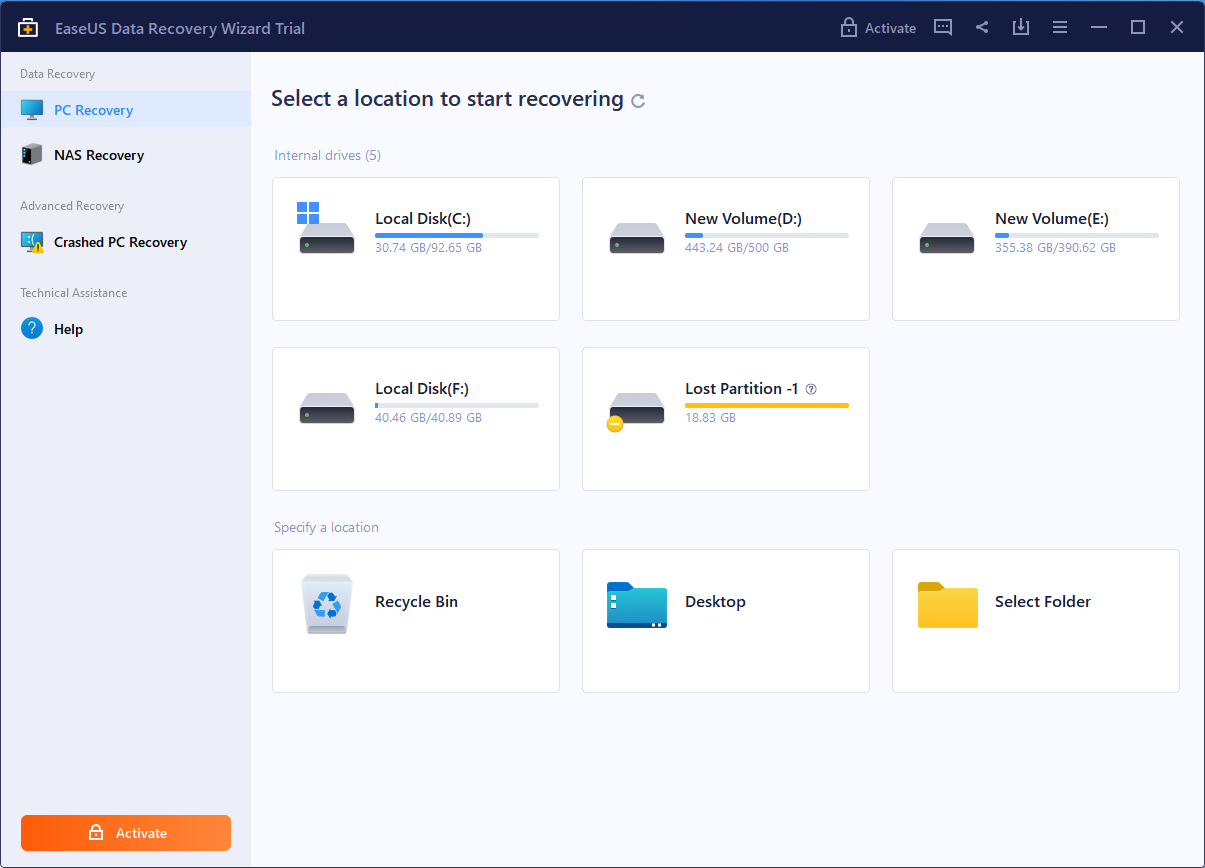
Step1: Select a Location to Start
Find the location where your data lost and start searching. Also lost partitions are displayed here.
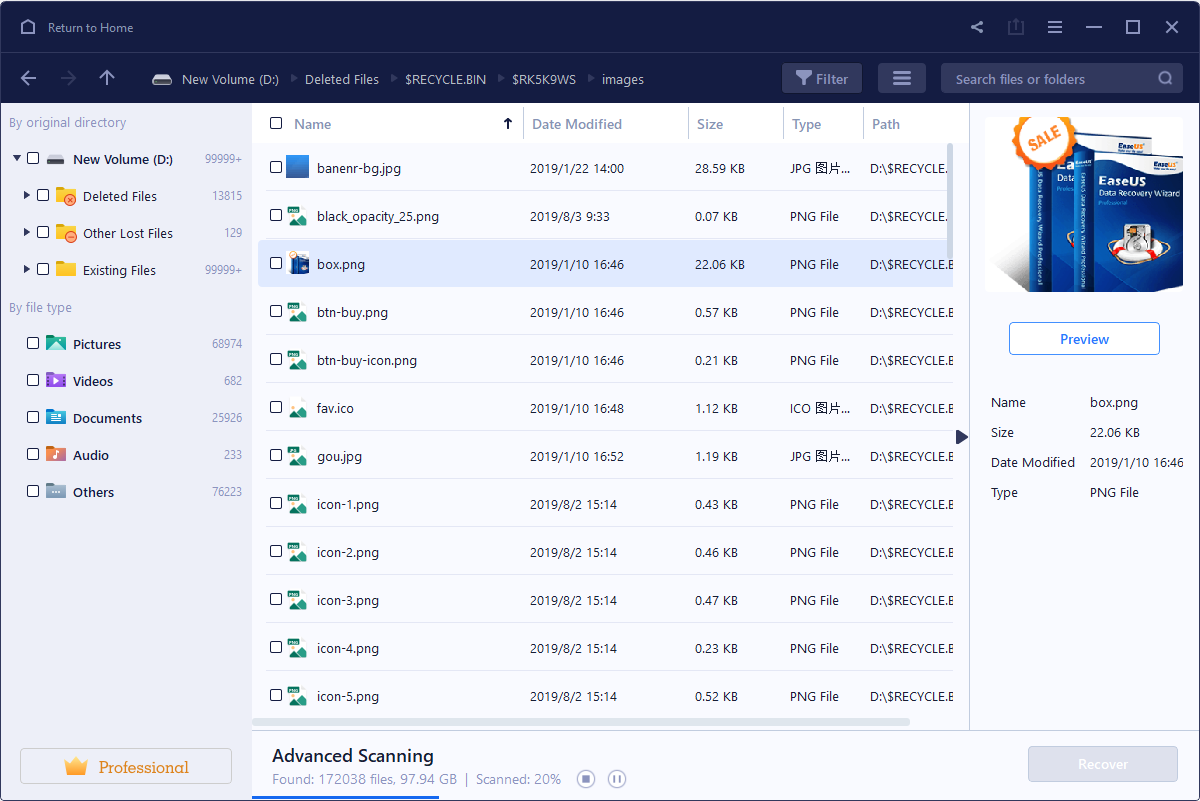
Step2: Scan Your Computer or Device
Scan to retrieve your lost data. You can pause your recovery progress temporarily and resume later.
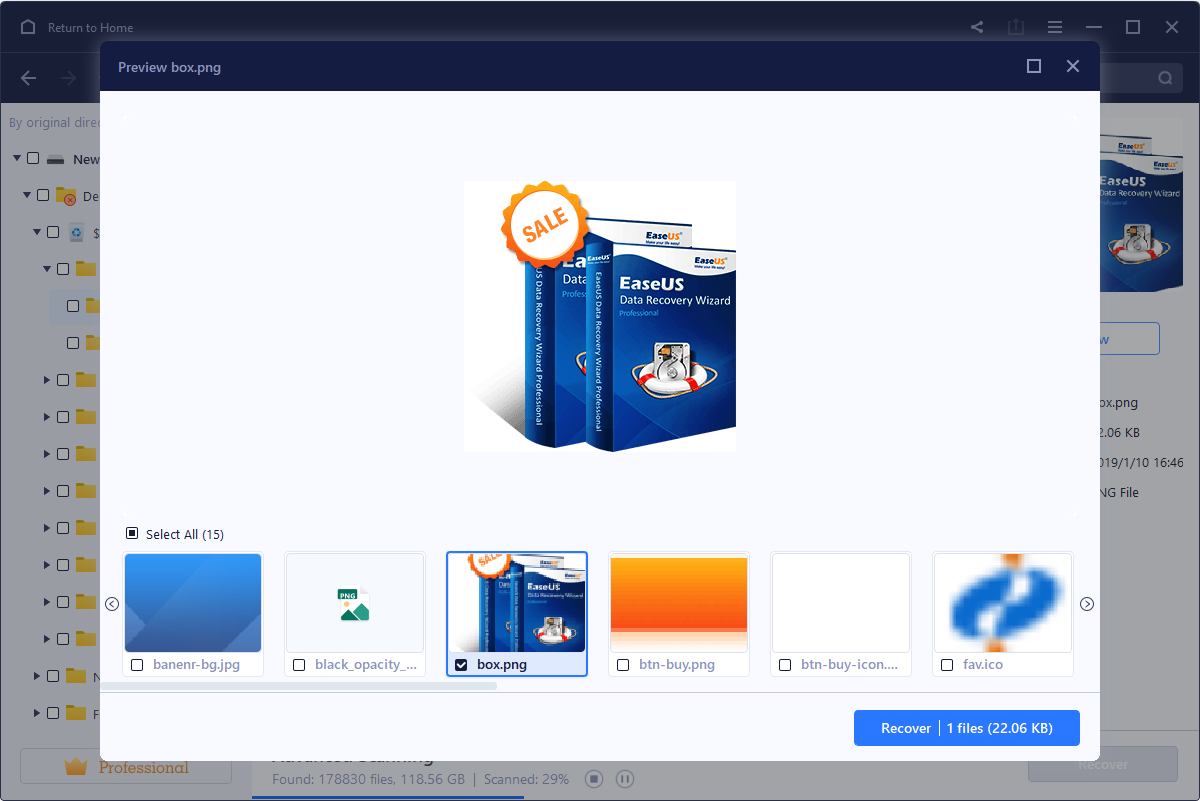
Step3: Preview and Recover Lost Files
Filter what you want to recover from the scanning results. Preview specific recoverable files before recovery. Recover everything you need now.

Users' Review

306 Reviews