





Table of Contents
 About the Author
 Related Posts
If you have ever experienced a sudden system crash, improperly removing a USB drive, or a hard drive error, you might have stumbled upon a mysterious folder named FOUND.000 on your storage device. Inside, you likely found files with the .chk extension (e.g., FILE0001.chk).
While finding these files can be alarming, it often means your data is not lost—it is just disorganized. This guide explains what CHK files are and the most effective way to repair CHK files and turn them back into usable documents, photos, or videos.
What Are CHK Files
When Windows detects file system corruption or bad sectors on a drive, it automatically runs the CHKDSK (Check Disk) utility to fix the problem . To "fix" the drive, CHKDSK grabs fragments of data that it cannot place correctly and saves them as .chk files in a hidden folder like FOUND.000 .
Essentially, a CHK file is a piece of a puzzle. It might contain a part of your family photo, a paragraph of your Word document, or a clip of your video, but it is missing the correct instructions (the file header) for your software to open it .
The Challenge with Manual CHK Repair
Many online tutorials suggest manually renaming .chk files to .jpg or .docx using Command Prompt commands like ren *.chk *.jpg. However, this method has a major limitation: it only changes the file extension. It does not rebuild the internal data structure.
If a photo was split into 10 fragments, renaming one fragment will still result in a corrupted file. This is why users often report that simply renaming CHK files does not allow them to open the content. To truly repair CHK files, you need a tool that understands file structures.
Why Choose EaseUS Fixo File Repair
To successfully repair CHK files, you need software that goes beyond simple renaming. EaseUS Fixo File Repair is specifically designed to handle complex corruption scenarios. Unlike basic manual commands, this file repair tool from EaseUS scans the fragmented data, fixes the structural damage, and reconstructs the file to a readable state.
Here is why EaseUS Fixo is the recommended solution for repairing CHK files:
1. Comprehensive File Type Support
CHK files can originate from almost any file type—Word docs, Excel sheets, PDFs, JPEGs, or MP4s. EaseUS Fixo supports all common file formats, ensuring you can recover virtually any data found in a FOUND.000 folder.
2. Intelligent Repair Technology
Instead of blindly changing extensions, EaseUS Fixo analyzes the CHK file's signature (magic bytes). It identifies what the file should be (e.g., a PNG vs. a PDF) and rebuilds the file header. This is crucial for repairing CHK files that are deeply damaged .
3. Batch Repair Capabilities
FOUND.000 folders often contain thousands of CHK files. Manually handling them is impossible. EaseUS Fixo allows you to load and repair all CHK files in bulk with a single click, saving you hours of tedious work.
4. Preview Before Recovery
You don't want to waste time saving junk data. EaseUS Fixo offers a preview function, allowing you to check the quality of the repaired file (photo or document) before saving it to a safe location.
Step-by-Step Guide to Repair CHK Files with EaseUS Fixo File Repair
Follow these steps to repair your corrupted files with this powerful tool:
Step 1. Locate the CHK Files
First, ensure you can see hidden folders on your PC. Navigate to the drive where the error occurred. Look for a folder named FOUND.000, FOUND.001, etc. Copy this folder to your computer's local drive (not the original USB drive) to prevent further data overwriting.
Step 2. Add the Files to EaseUS Fixo
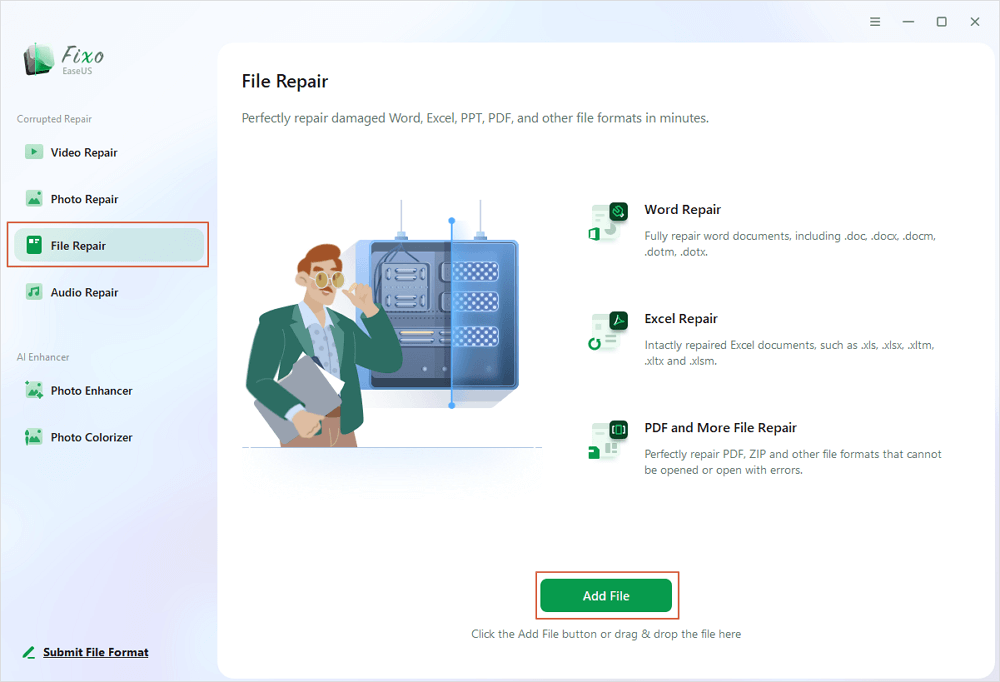
Download and launch EaseUS Fixo File Repair. Select the "File Repair" module. Click "Add Files" and browse to select all the .chk files you want to repair .
Step 3. Initiate the Repair Process
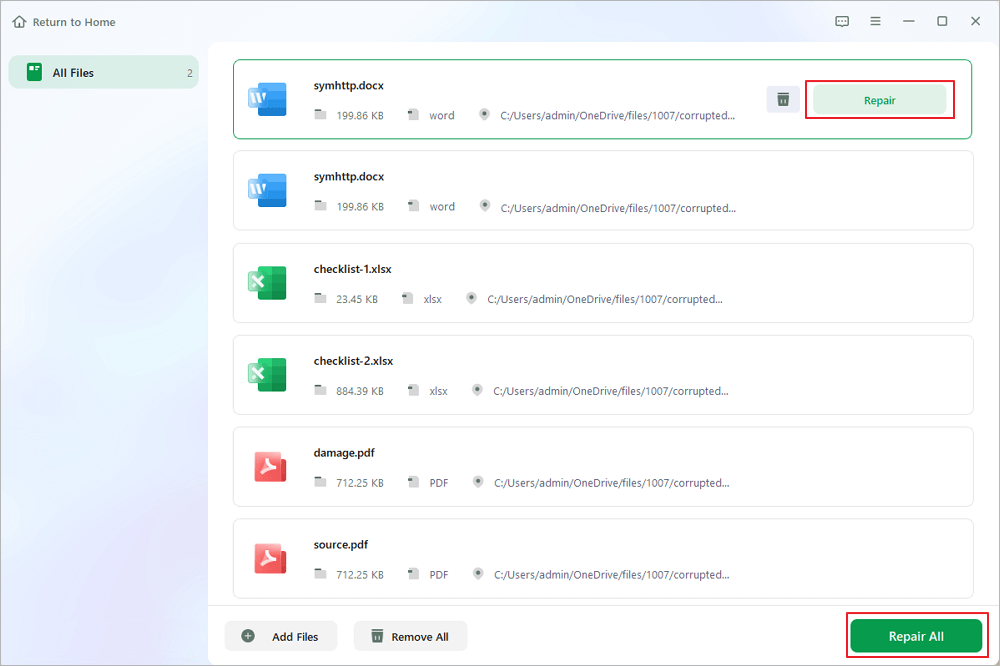
Once the files are imported, click the "Repair All" button. The software will automatically begin analyzing the file signatures and repairing the internal corruption.
Step 4. Preview and Save
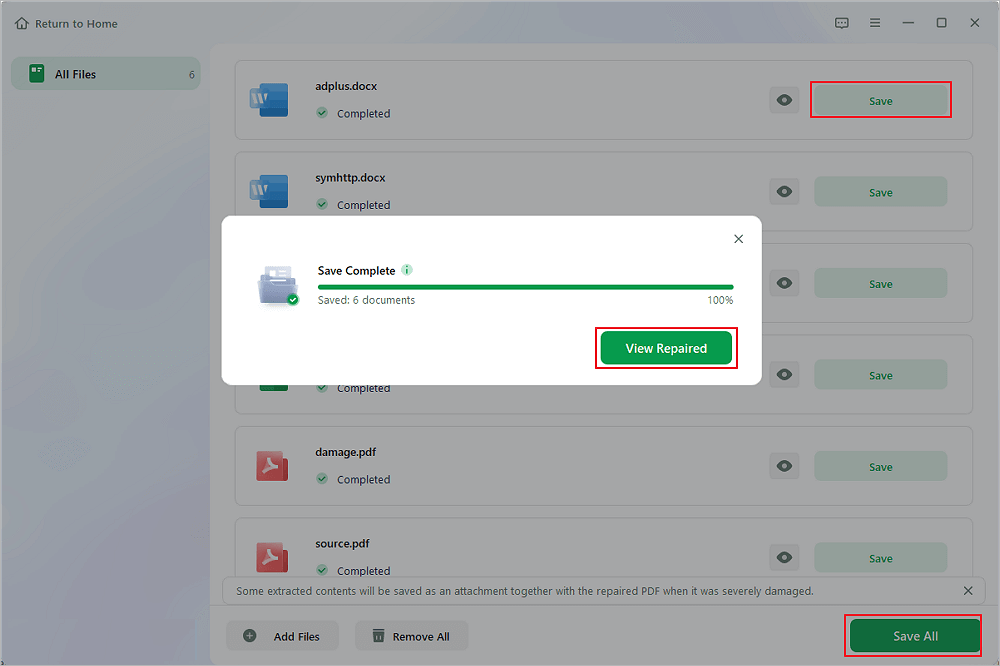
After the repair process is complete, double-click the files to preview the recovered content. If the preview looks correct, click "Save All" to export the newly repaired files to a secure location (like your Desktop or Documents folder) .
Conclusion
Finding .chk files on your drive does not mean your data is gone forever. While tools like CHKDSK are great for fixing drive errors, they often leave your data fragmented and unusable. To effectively repair CHK files and recover your photos, documents, and videos, you need a dedicated tool.
EaseUS Fixo File Repair provides the safest, easiest, and most effective way to recover your lost data without needing technical expertise. Don't let a CHK file end your important memories—use EaseUS Fixo to recover your files.
FAQs on How to Repair CHK Files
Here are some frequently asked questions that you may be curious about:
1. What exactly is a CHK file, and why do I have so many of them?
A CHK file is a fragment of data created by Windows' CHKDSK (Check Disk) utility. When CHKDSK finds file system errors, bad sectors, or cross-linked files, it tries to fix the drive by moving orphaned data fragments into a hidden folder (e.g., FOUND.000, FOUND.001) and saving them with a .chk extension. You typically get many CHK files after an unexpected shutdown, improper USB ejection, hard drive corruption, or virus attacks.
2. Can I just rename a .chk file to .jpg or .docx to open it?
Rarely, and only in very simple cases. Renaming only changes the file extension — it does not rebuild the file's internal structure, headers, or metadata. Most CHK files contain fragmented or partially overwritten data. Simply renaming a .chk to .jpg will usually result in an error like "file format not supported" or a corrupted image. To properly repair CHK files, you need a tool like EaseUS Fixo that reconstructs the original file format.
3. Is EaseUS Fixo File Repair safe to use? Will it damage my original drive?
Yes, EaseUS Fixo is completely safe. The software is read-only during the analysis and repair process — it never writes to or modifies your original CHK files or the source drive. All recovered files are saved to a new location you choose. You can use it without worrying about further data loss.
Was This Page Helpful?
About the Author

Finley is interested in reading and writing articles about technical knowledge. Her articles mainly focus on file repair and data recovery.


