





-
![]()
-
![]()
-
![]()
-
![]() How to Recover Deleted GoPro Files | Go Pro Video/Photo Recovery
How to Recover Deleted GoPro Files | Go Pro Video/Photo Recovery October 14,2026
 6 min read
 -
![]() How to Fix Corrupted SD Card and Recover Data Without Losing FilesOctober 14,20266 min read
How to Fix Corrupted SD Card and Recover Data Without Losing FilesOctober 14,20266 min read -
![]()
-
![]()
-
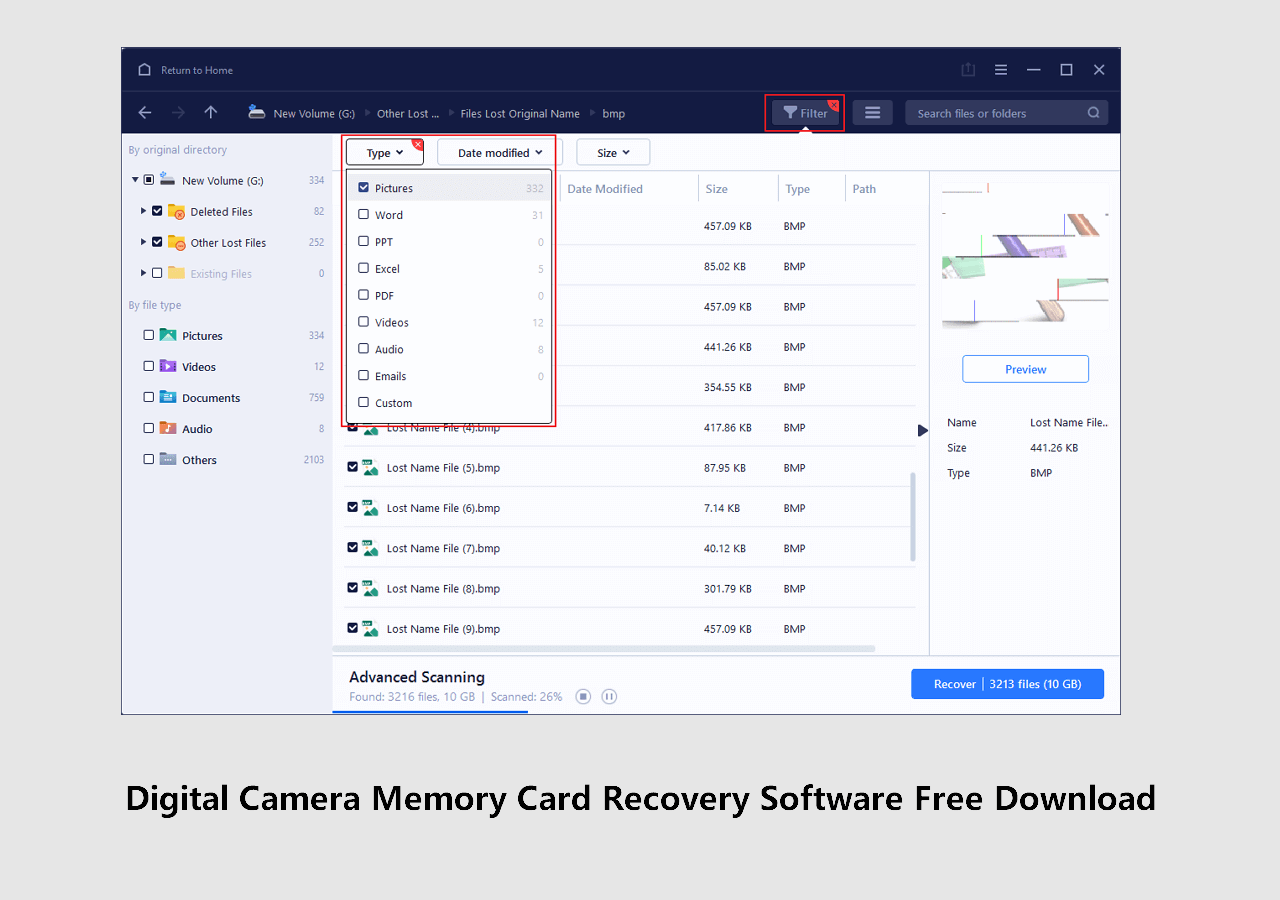
![]() Digital Camera Memory Card Recovery Software Free Download [100% Free]October 14,20266 min read
Digital Camera Memory Card Recovery Software Free Download [100% Free]October 14,20266 min read -
![]()
-
![]()
Page Table of Contents
PAGE CONTENT:
Accidentally overwritten an SD card? Partial overwriting often occurs when you continue using a card after deleting files, or when a camera or phone overwrites new data onto old footage. The good news? Recovery is still possible—if you act quickly and use the right tool.
In this guide, you'll learn step-by-step how to recover files from an SD card that was partially overwritten using EaseUS Data Recovery Wizard, one of the most reliable data recovery solutions.
Why Partial Overwriting Doesn't Mean Permanent Loss
When a file is "overwritten," the space it occupied is marked as available for new data. However:
- Partial overwriting means only some of the original data clusters are replaced.
- The remaining fragments can still be recovered using deep scan technology.
- The key is to stop using the SD card immediately to prevent further overwriting.
How to Recover Files From SD Card That Was Partially Overwritten
When you need to recover files from an SD card that was partially overwritten, using the right tool makes all the difference. EaseUS Data Recovery Wizard is a trusted solution designed specifically to handle complex data loss scenarios, including overwritten, corrupted, or accidentally formatted storage devices.
Here are some features that make this SD card recovery tool stand out:
- Advanced Deep Scan – reconstructs files from fragmented data.
- High compatibility – supports SD cards, microSD, CF cards, and more.
- Preview before recovery – ensures you're not wasting time on corrupted files.
- Safe and read-only – the software never alters the original data during scanning.
Here is how you can recover data from an SD card that is partially overwritten:
🏆EaseUS SD card recovery leverages patented video fragment reconstruction technology to deeply repair video files lost due to accidental deletion, formatting, or corruption. Explicitly designed for cameras, action cameras, drones, and dashcams, it accurately restores complete and playable precious footage.
Step 1. Select the SD card to scan
- Download and install EaseUS Data Recovery Wizard on your Windows PC.
- Use the proper way to connect your SanDisk/Lexar/Transcend SD card to the computer.
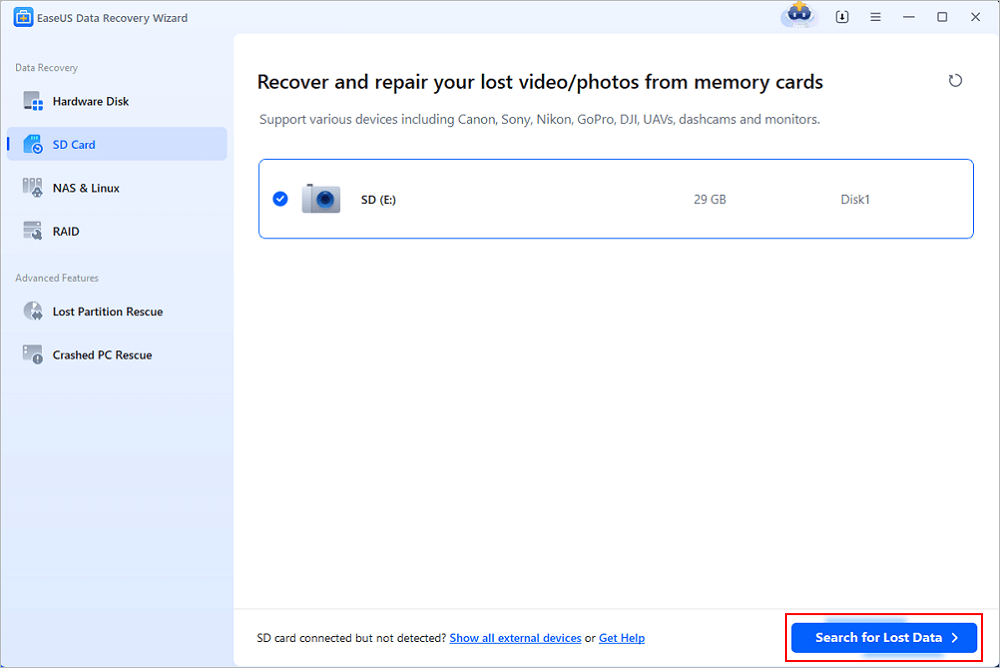
- Open EaseUS SD card recovery software and choose SD Card Recovery on the left panel. All connected drives will display here. Select your SD card and click "Scan for lost data".
Step 2. Check for scan results
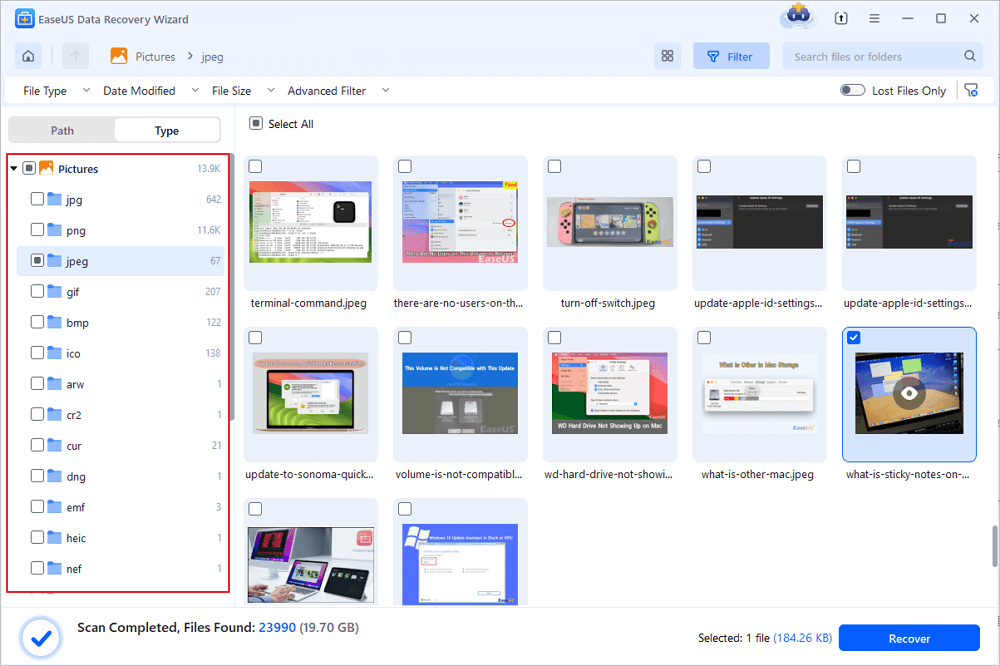
- Wait for the scanning process to complete.
- Specify one or several file types to show up, like Pictures or Videos.
- Click "Preview" to check if they are the wanted files.
Step 3. Recover SD card data
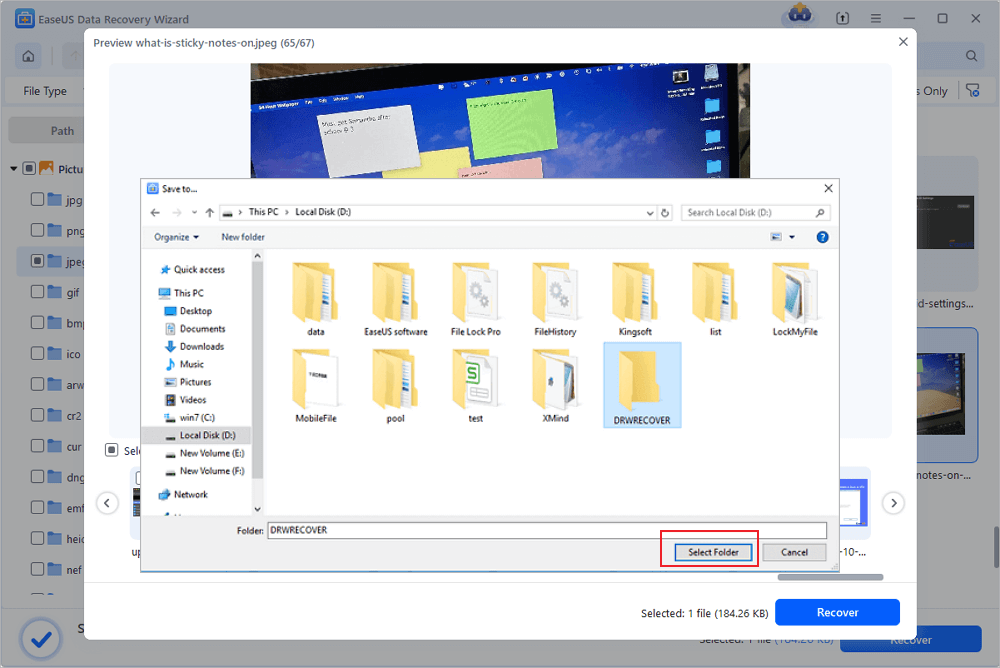
- Preview the recovered files and click "Recover".
- Choose a different location to save the recovered files instead of the original SD card.
💡Want to know more about SD card data recovery? For example, what is the best SD card data recovery software? How to recover a damaged SD card? How to recover data from an unreadable SD card...Go for SD Card Data Recovery FAQs and restore your precious lost files.
Share this post with users who are facing the same SD card data loss issue:

Tips to Maximize Recovery Success on SD Card Recovery
| Do's | Don'ts |
|---|---|
| Stop using the SD card immediately | Don't format the card |
| Use a reliable tool like EaseUS Data Recovery Wizard | Don't save recovered files back to the same SD card |
| Recover files to a different drive | Don't attempt DIY file system repairs that may cause more damage |
Conclusion
Knowing how to recover files from an SD card that was partially overwritten can save you from losing precious photos, videos, or documents. By acting fast, avoiding further use, and using EaseUS Data Recovery Wizard, you stand an excellent chance of retrieving your lost data. Don't wait — the sooner you begin the recovery process, the higher your success rate.
FAQs on Recover Files From SD Card That Was Partially Overwritten
1. Can I recover files if the SD card was partially overwritten after formatting?
Yes. If you performed a quick format and then partially overwrote data, EaseUS Data Recovery Wizard can often recover a significant portion, as long as the original data clusters aren't fully replaced.
2. Does EaseUS Data Recovery Wizard work on cameras and Android phones?
Yes. It can read SD cards used in DSLRs, action cameras, drones, and Android devices via a card reader.
3. Is there a free version?
Yes. EaseUS offers a free trial that allows up to 2GB of data recovery, so you can test whether your files are recoverable before purchasing.
Was this page helpful?
 Why Trust EaseUS
 Editor Reviews








