





-
![]()
-
![]()
-
![]() Image Database File Not Ready? 3 Effctive Solutions in 2026 [No Data Loss]
Image Database File Not Ready? 3 Effctive Solutions in 2026 [No Data Loss] October 13,2026
 6 min read
 -
![]()
-
![]() How to Solve Can't Format SD Card on Android Phone, Camera, and Windows PCSeptember 22,20266 min read
How to Solve Can't Format SD Card on Android Phone, Camera, and Windows PCSeptember 22,20266 min read -
![]()
-
![]() How to Recover Deleted Photos & Videos from Android Without RootSeptember 22,20266 min read
How to Recover Deleted Photos & Videos from Android Without RootSeptember 22,20266 min read -
![]()
-
![]()
-
![]() Nikon Photo Recovery Software for Free to Recover PhotosSeptember 22,20266 min read
Nikon Photo Recovery Software for Free to Recover PhotosSeptember 22,20266 min read
Page Table of Contents
How to recover deleted GoPro files?
- 1. Connect the GoPro memory card to the computer and scan it with the EaseUS Data Recovery Wizard.
- 2. Use the Filter feature to quickly locate deleted videos and photos on the GoPro SD card.
- 3. Preview the recoverable videos and photos, and then click the "Recover" button to save these files.
- More Items...
It's a heart-sinking moment: you've just finished an incredible shoot, mountain biking, surfing, or flying your drone, only to find your GoPro files are gone. Whether you accidentally deleted them, formatted your SD card, or encountered a cryptic "SD ERR" message, the panic is real. Those memories are irreplaceable.
But here's the critical thing to remember: do not use your GoPro or memory card further. When files are deleted, they aren't immediately wiped; the space they occupied is simply marked as available for new data. By stopping now, you give yourself the best possible chance of recovering deleted GoPro files.
First, identify your situation to follow the right path:
| Situations | Solutions |
| 🗑️I accidentally deleted files, or my camera said "No Files" after a shoot. | This is the most common and successful path: Go directly to Fix 1. Use Recovery Software >> |
| ⚠️I formatted my SD card in-camera or on my computer by mistake. | Formatting often just wipes the file "address book," but the data can still be recovered: Go directly to Fix 1. Use Recovery Software >> |
| 💾I was a GoPro Plus subscriber and had cloud backup enabled. | Go directly to Fix 2. Check GoPro Plus Cloud Backup >> |
| 🔧My SD card is physically damaged, or my computer won't recognize it at all. | Skip to the FAQ section for advanced tips, or consider professional data recovery services for severe physical damage. |
Read on to learn how to recover deleted GoPro files, including videos and photos, with detailed steps!
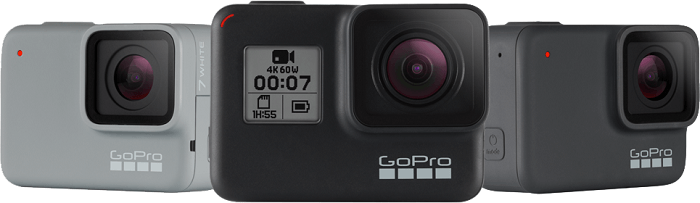
GoPro has established itself as a leading brand of personal video cameras, which are strongly associated with extreme sports and adventurous activities.
Recently, the most popular way to use a GoPro camera is to attach it to a drone, such as DJI, Parrot, Hubsan, Protocol, Yuneec, Quadrone, and more. Flying a GoPro with a drone makes life thrilling from a new perspective, so each piece of footage you get is valuable and worth keeping forever.
If you have accidentally deleted videos and photos on a GoPro, find the most recommended method to recover deleted GoPro files.
Before You Start: Essential Manual Checks
Before diving into recovery software, it's wise to rule out simple issues. These quick steps can sometimes save you time.
1️⃣. Check Your Card Reader and Cable: Try a different USB port, a different card reader (if you're using one), or a different cable to connect your SD card to the computer. Faulty hardware can mimic data loss.
2️⃣. Try a Different Computer: See if another computer (PC or Mac) recognizes the files. This helps determine if the problem is with your computer or the card itself.
3️⃣. Run an Error Check:
On Windows: Open Command Prompt as Administrator and type chkdsk X: /f (replace "X" with the actual drive letter of your SD card).
- Warning
- This checks for file system errors, but can sometimes cause further issues if the card is severely corrupted. Only do this if you accept the risk and have not written new data to the card.
On Mac: Open Disk Utility, select your SD card, and click "First Aid". Similar to CHKDSK, this can repair logical errors but is not a guaranteed recovery method.
If these steps don't reveal your files, proceed with the recovery software method below, which is your best chance.
Fix 1. Restore Deleted Files from GoPro with Recovery Software
It is rare for users to make a backup of the deleted files in GoPro, and that's why they need help from GoPro data recovery software. Unless you wipe the camera card, the common losses of deleting files or formatting the memory card will likely be recovered because they are not actually deleted from the SD card.
They turn invisible, marking available space for writing new files. Therefore, do not take recording additivities with the camera as soon as data loss happens, and then apply EaseUS Data Recovery Wizard to recover deleted files from GoPro.
EaseUS GoRro recovery software will be one of the best choices to restore deleted GoPro videos and photos:
- ✅Support camera photo recovery from the GoPro Hero series, including GoPro Hero 10 black, silver, and white, and other types.
- ✅Support GoPro video recovery, and you can restore deleted MOV/MP4 GoPro videos easily.
- ✅Enable you to rescue videos and photos when encountering a GoPro SD card error.
You can follow the guide below to bring back your deleted GoPro files by performing an SD card recovery with the EaseUS recovery tool:
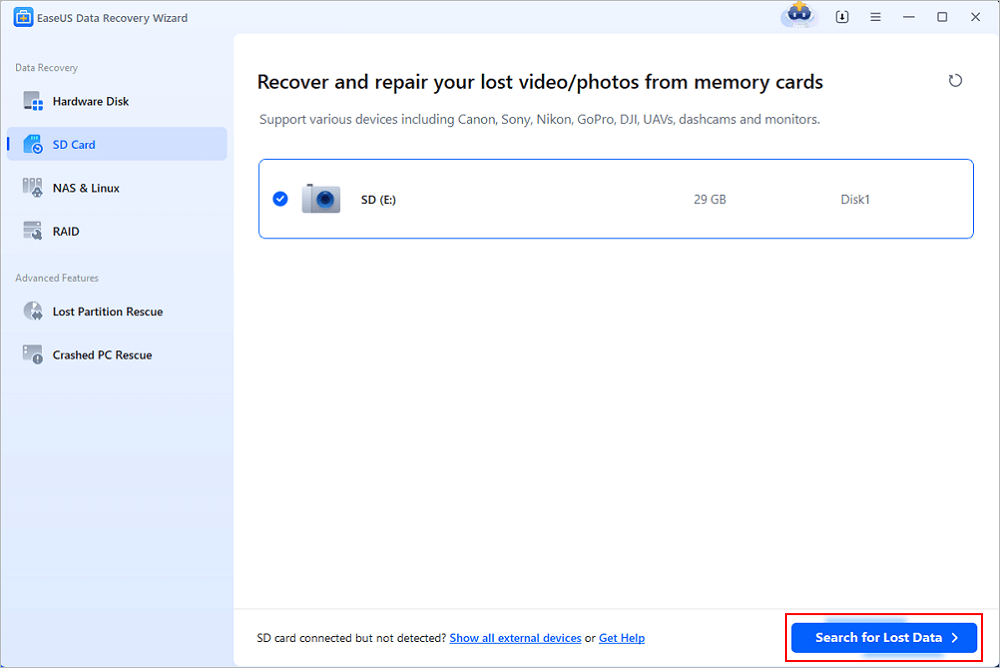
Step 1. Remove the memory card from the GoPro digital camera, connect it to the computer, and then launch the EaseUS Data Recovery Wizard. Scan for lost data on the SD card by clicking the scan button.
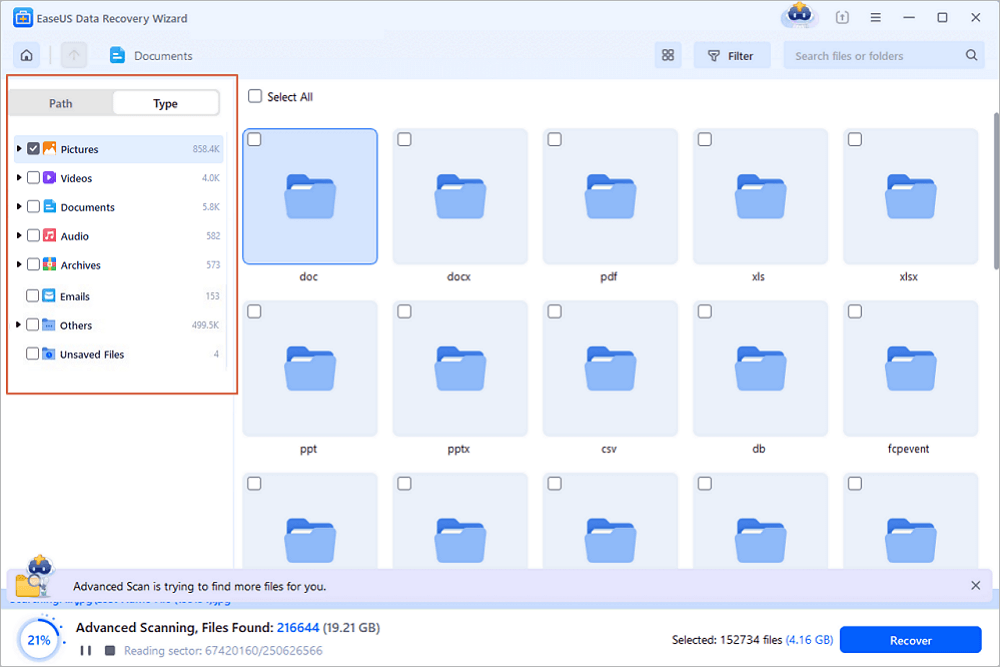
🔺Step 2. The filter option makes it simple to locate deleted files on the GoPro SD card. Simply select "Pictures" or "Videos," and all of the missing images/videos will be shown, even if you have removed them. Prior to recovery, you can preview the selected files, and you can even preview the videos before GoPro video recovery.
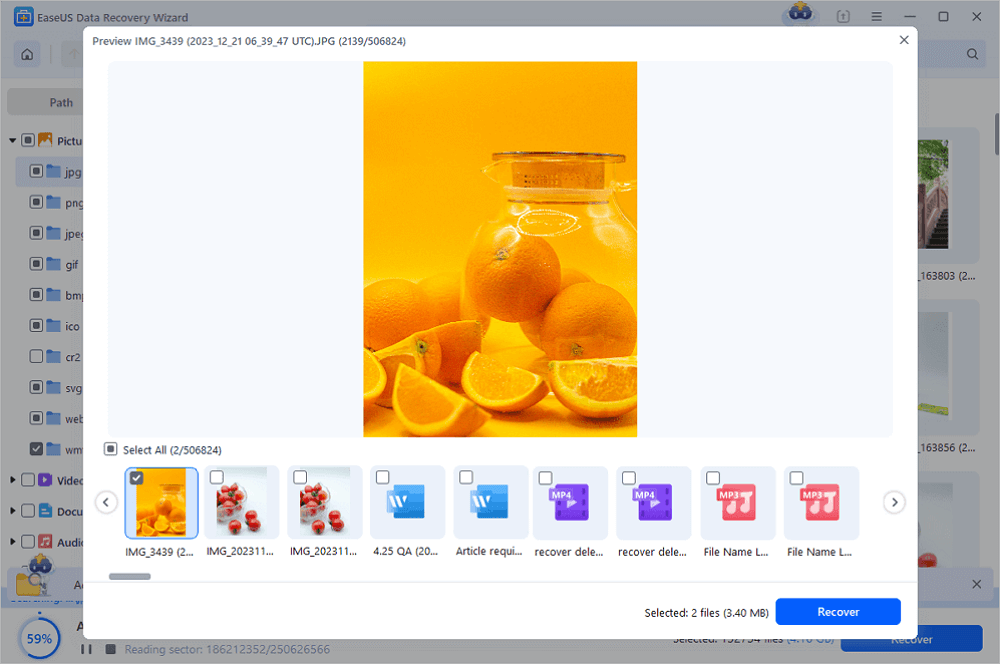
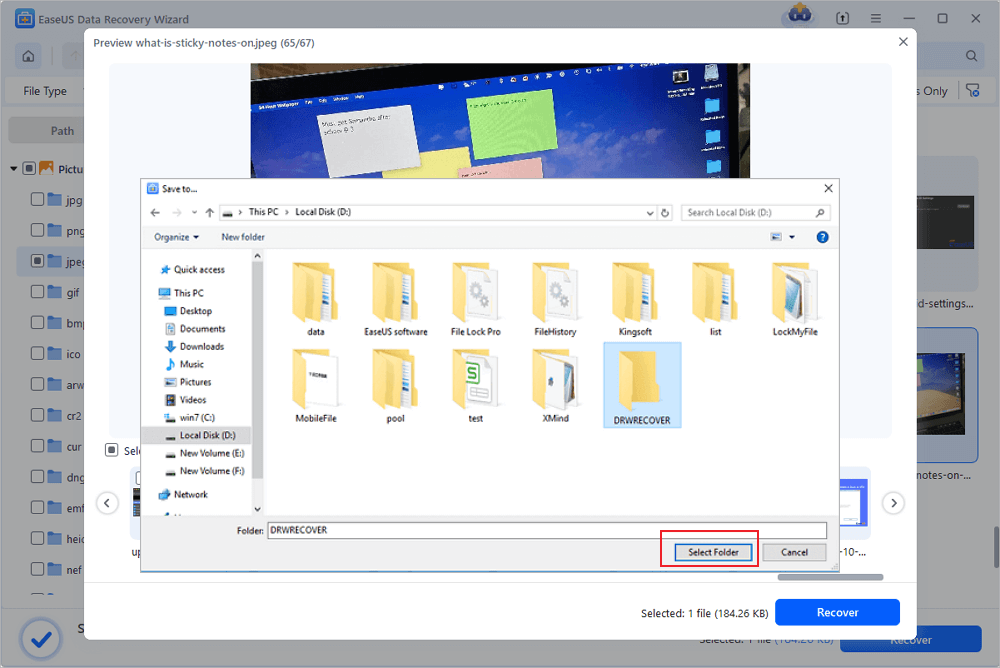
🔺Step 3. You can use the arrow buttons to examine each file individually in the preview window if you wish to recover several files from the GoPro SD card at once. Once the files have been chosen, click "Recover" to save them all. You can check the restored GoPro contents later.
Here's a video tutorial to help you use the EaseUS recovery tool to recover deleted data from a GoPro SD card:
- 00:00 Introduction
- 00:23 Tips When Data Lost from GoPro
- 00:57 Run EaseUS Data Recovery Wizard
- 01:48 Try GoPro Mobile App
- 02:13 Use CHKDSK Command
- 02:51 Tips About GoPro Recovery
Don't forget to mark this page and share this method on social media to help more GoPro camera owners!

EaseUS data recovery software also has a Mac version called EaseUS Data Recovery Wizard for Mac. This tool helps you recover deleted GoPro files on a Mac. Download this Mac data recovery software and get back lost GoPro videos and pictures.
Fix 2. Recover Deleted Files from GoPro Plus Cloud Backup
What is GoPro Plus? It is a paid GoPro Subscription. You should spend about fifty dollars a year to become a member of GoPro Plus. If you want to recover deleted files from an SD card without software, try GoPro Plus. Or, you can ignore this method and recover deleted GoPro data with EaseUS file recovery software.
As a GoPro Plus member, you will have unlimited cloud backup, and you can back up from the app, the camera, or the web.
So, it is easier to recover deleted files from GoPro when you have a cloud backup. Let us check how to recover deleted files from GoPro Plus.
Step 1. Log in to the GoPro Plus official website with your GoPro Plus account.

Step 2. Then, you can download deleted files as you want.
What Causes GoPro Data Loss
Shooting videos with GoPro is surely a novel and enjoyable experience. It has a microSD, SDHC, and SDXC card slot, which supports cards between 32GB-256GB (Most SanDisk, Lexar, Samsung, Sony, and PNY memory cards are compatible) and a mini-USB port, which means the footage is saved on the memory card. However, it is possible for you to experience a GoPro data loss. There are many reasons that would lead to GoPro file deletion. Here are some common scenarios you might encounter that could potentially destroy valuable photos or videos you took with your GoPro.
🗑️Accidental Deletion
This would be the most common reason for GoPro data loss. Sometimes, users just turn off the auto-import function and tap "Delete" when GoPro asks if they want to maintain or delete files. Suddenly, all photos and videos in the GoPro have disappeared.
❌ Formatted SD Card
There's a possibility for users to inadvertently format the GoPro SD card when they are trying to transfer files between GoPro and the computer. Once the SD card is formatted, everything that exists in it will be wiped out, and professional recovery software is needed to unformat the SD card.
⛑️Device Damaged
Another possible reason is that your GoPro is badly destroyed. This could happen during the video shooting. The user may attach the GoPro to the drone to shoot video from high altitude, but the GoPro falls from the drone and falls to pieces. If the SD card is also broken, users might lose all their files and videos.
Back-Up GoPro Files for Data Protection
As you can see, it's very important and imperative to do regular backups to prevent the loss of data. There are various causes for data loss on GoPro, for example, system breakdown, virus, power outage, human deletion, SD card formatting, corruption, or SD card errors "NO SD" or "SD ERR"...
Losing precious shootings and recordings surely put us in an annoying and painful situation. Undoubtedly, backup is the only 100% way to prevent catastrophic data loss on a digital camera device.
Most GoPro users like to back up in those ways:
- [1] transfer files to a safe storage place, such as your computer or external hard drive.
- [2] upload files to cloud storage.
- [3] use PLUS from GoPro, 5$ per month, using the GoPro app to upload directly.
No matter which way you prefer, regular backup is right.
You can share these tips with your friends who own GoPro devices as well.
Conclusion
That's all about GoPro file recovery. Wish you can solve your problem after reading this post. Besides support in recovering deleted GoPro files, EaseUS Data Recovery Wizard also enables users to recover other kinds of media files like audio and pictures. Whenever you need data recovery software, it would be your trustworthy tool.
GoPro File Recovery FAQs
That's all about GoPro data recovery on Windows and Mac computers. Here are some frequently asked questions, keep reading and get additional help.
1. Can I recover deleted GoPro files?
Yes, you can get two ways to restore lost GoPro files on Windows and Mac PCs. All you need to do is to download and run EaseUS SD card recovery software.
2. Why is my GoPro deleting my videos without asking?
Here are the reasons why GoPro keeps deleting files:
- System error
- Data deletion
- Card formatting
- Improper handling
3. Can permanently deleted files be recovered?
Yes, you can recover permanently deleted files if you have professional data recovery software. And you can restore files with the steps below:
- Download and run EaseUS Data Recovery Wizard
- Open this software and select the location
- Click Scan and wait for the scanning process to complete
- Preview the files and select the wanted files to recover
Was this page helpful?
-
Dany is an editor of EaseUS who lives and works in Chengdu, China. She focuses on writing articles about data recovery on Mac devices and PCs. She is devoted to improving her writing skills and enriching her professional knowledge. Dany also enjoys reading detective novels in her spare time. …


 Why Trust EaseUS
 Editor Reviews

20+
Years of experience

160+
Countries and regions

72 Million+
Downloads

4.9 +
Trustpilot Score






