EaseUS Partition Master
Smart Diagnostics automatically checks 13 key system and storage issues, from boot configuration and disk health to available space, external drives, and BitLocker protection.
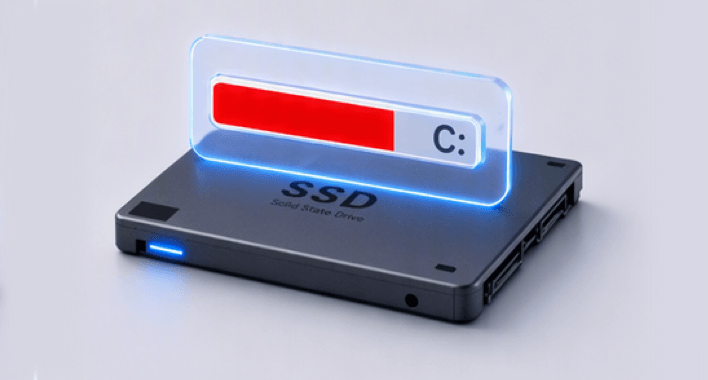
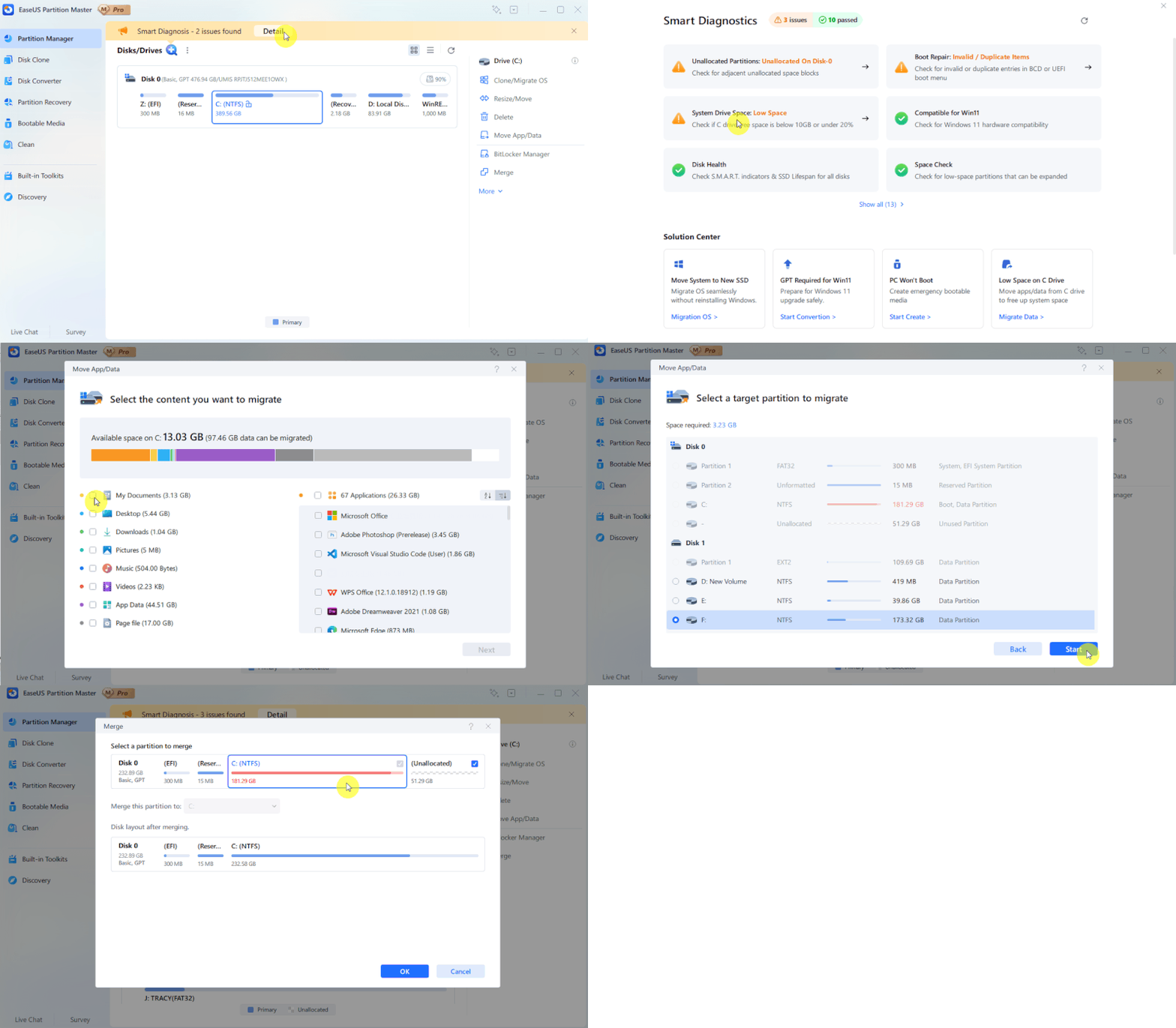
Smart Diagnostics checks whether the C drive is out of space, identifies partitions that can be expanded, and finds adjacent unallocated space that can be put to use.
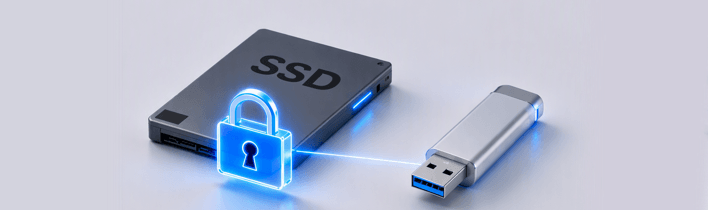
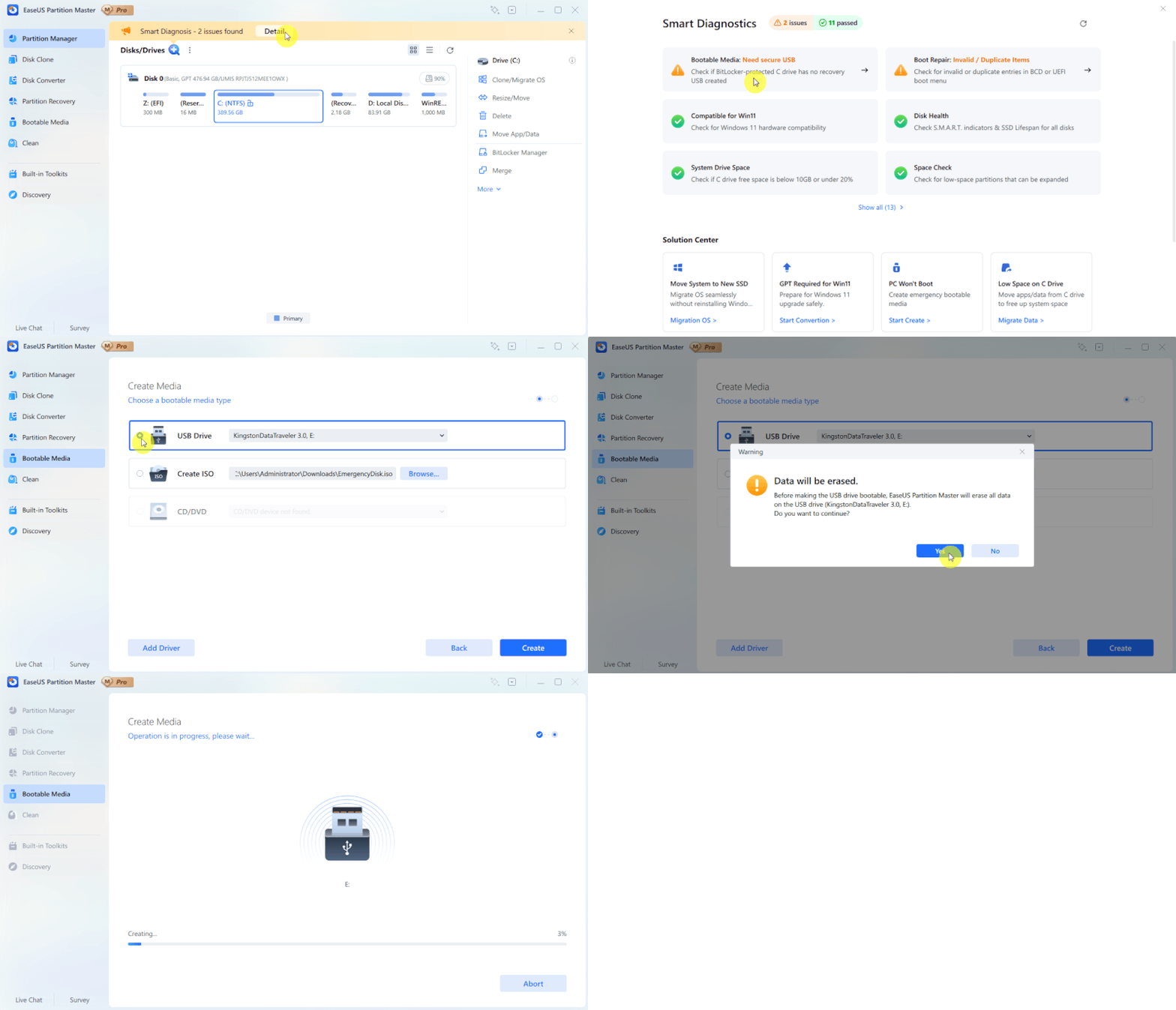
Smart Diagnostics checks for locked BitLocker-encrypted partitions and identifies whether a BitLocker-protected C: drive has a recovery USB available, helping you prepare for unexpected recovery situations.
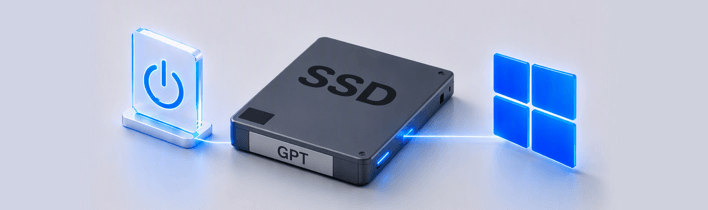
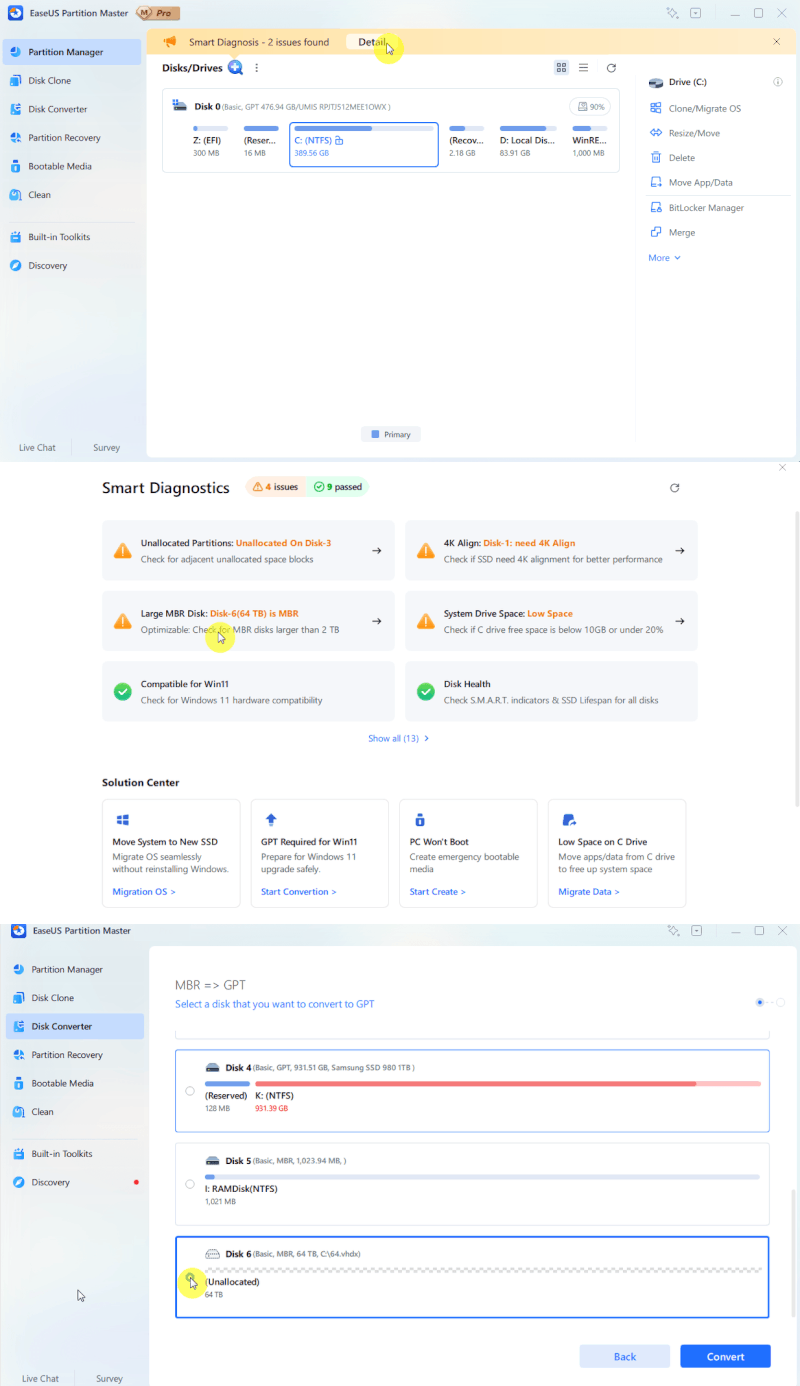
Smart Diagnostics checks for invalid or duplicate boot entries, verifies key Windows 11 compatibility requirements, and checks whether your system disk uses the GPT partition style required for Windows 11.
Check S.M.A.R.T. indicators and SSD lifespan, identify potential disk health issues, and detect whether your SSD needs 4K alignment for better performance.
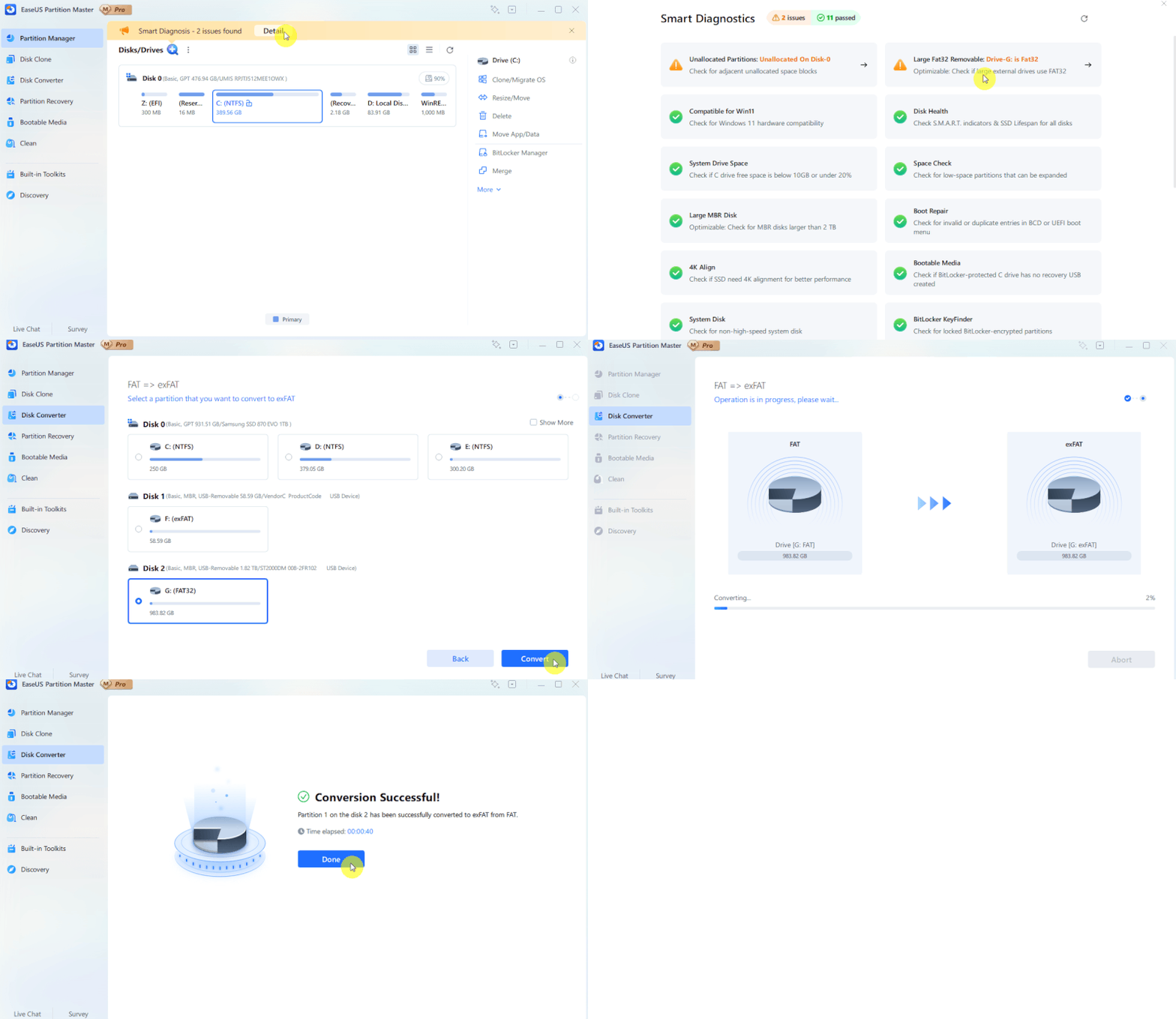
Check whether large external drives are still using FAT32, identify MBR disks that exceed the 2 TB limit, and verify whether bootable media is available when you need a recovery solution.
Smart Diagnostics turns scan results into practical solutions. It identifies common disk and system issues, then guides you to the right feature to fix them. Below are some of the most common problems users may encounter and how Smart Diagnostics helps solve them.
Quick System & Data Transfer
Migrate system and large files or folders from one disk partition to a larger one by disk clone.
Easy for Beginners, One Click to Check
No technical knowledge required. With one click, Smart Diagnostics checks your PC, disks, boot settings, and other key conditions.
Partition Recall Protection
Automatically restore the partition state to previous if something goes wrong when attempting to adjust partitions.
Deploy System and Software to Multiple PCs
Deploy a system backup to multiple computers to provide multiple machines system and software installation at once.
November 21
2024
December 25
2024
July 22
2025
November 21
2025
December 18
2025
August 19
2026
1. What is Smart Diagnostics in EaseUS Partition Master 20.8?
Smart Diagnostics is a new feature in EaseUS Partition Master 20.8 that checks 13 key system and disk conditions in one scan. It helps identify potential issues with boot configuration, disk health, storage space, Windows 11 compatibility, external drives, and BitLocker protection before they become bigger problems.
2. What's the difference between Smart Diagnostics and Windows built-in tools?
Windows provides separate tools for checking disk health, storage space, boot settings, and other system conditions. Smart Diagnostics brings these checks together in one place, so you don't need to open and check multiple Windows utilities manually. It also connects detected issues with the relevant EaseUS repair or optimization features.
3. What can Smart Diagnostics check?
Smart Diagnostics checks 13 key aspects of your system and storage, including boot configuration, Windows 11 compatibility, GPT requirements, disk health, SSD 4K alignment, system disk performance, C drive space, expandable partitions, unallocated space, large FAT32 drives, large MBR disks, bootable media, and BitLocker recovery readiness.
4. Will Smart Diagnostics make changes to my disk automatically?
No. Smart Diagnostics only scans and reports potential issues. It does not automatically resize, format, convert, delete, or otherwise modify your disks or partitions. After a problem is detected, you can review the result and choose whether to use the recommended EaseUS feature to fix or optimize it.
5. Who should use Smart Diagnostics?
Smart Diagnostics is useful for anyone who wants to check the health and readiness of a Windows PC without manually inspecting multiple disk and system settings. It can be particularly helpful before a Windows upgrade, after installing a new SSD, when C drive space is running low, or when you want to check for potential disk or boot issues.
6. Is Smart Diagnostics compatible with Windows 11?
Yes. Smart Diagnostics supports Windows 11 and can check key Windows 11 requirements, including system disk configuration and GPT partition style. It can also identify certain boot and compatibility issues that may affect your Windows 11 upgrade or system readiness.
7. Does Smart Diagnostics support both HDDs and SSDs?
Yes. Smart Diagnostics supports both HDDs and SSDs, including common internal and external storage devices. Depending on the drive type and configuration, it can check disk health, available space, partition configuration, 4K alignment, and other relevant storage conditions.
8. What can EaseUS Partition Master do??
EaseUS Partition Master is an all-in-one disk and partition management tool for Windows. It can create, resize, move, merge, format, clone, and convert partitions, migrate Windows to another drive, manage disk space, repair boot issues, create WinPE bootable media, and perform various disk optimization and recovery tasks.
9. Is EaseUS Partition Master safe to use?
EaseUS Partition Master is designed to help users perform disk and partition operations through a guided interface. Before applying changes, users can review pending operations and, for certain operations, receive security warnings. However, disk operations can affect data, so backing up important files before major partition changes is recommended.
10. Is there a free version of EaseUS Partition Master?
Yes. EaseUS Partition Master offers a Free Edition for home users with basic partition and disk management features. It provides various features such as creating, resizing, merging, deleting partitions, basic disk health check, and disk speed test. Advanced features and additional capabilities are available in the paid editions.