Page Table of Contents

Quick Navigation:
- EaseUS Clone - Your Fast and Reliable Cloning Software
- How to Clone A Hard Drive with EaseUS Disk Copy
- How Do You Make Full Use of EaseUS Clone - FAQs
Clone Disk Under Microsoft Operating System
Nowadays, cloning a hard drive is standard for computer users upgrading to a new hard disk or replacing an older one. The Microsoft Operating System provides essential copy functions for these users. It is possible to copy hard drive file-by-file in simple ways, like 'copy' and 'paste', but it lacks a reliable, efficient way for cloning the entire contents of a hard drive/partition volume from one hard drive to another. Nevertheless, cloning a hard drive could solve the problem, which is unavailable under the Microsoft Operating System.
Therefore, third-party disk cloning software might be a good choice to safely copy the hard drive with long file names, swap files, and the Windows registry.
📖Related Reading: Windows 10/11 Free Disk Cloning Software | How to Copy C Drive to Another Drive
EaseUS Clone - Your Fast and Reliable Cloning Software
Generally, security and stability are the factors that users are most concerned about when they are choosing a piece of good clone software. That is to say, all the data will not be changed or lost during the cloning process. EaseUS Disk Copy is released with this feature when cloning a hard drive, and it is available for you to download for free now.
 Free Download
Windows 11/10/8/7
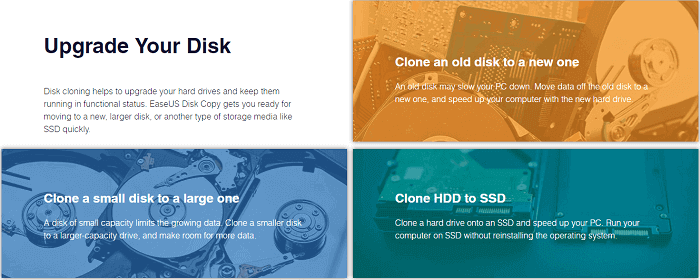
Data Security: Generally, everything will be replicated by the disk cloning software - EaseUS Disk Copy. And it just clones 100% identity of the original to a new drive partition without changing any existing data, and everything is the same as the original data.
Time-Saving: Unlike traditional disk copy software, this free software's clone hard drive utility allows you to replace the older smaller hard disk with a newer larger hard disk without reinstalling the Operating System and applications once again. It will dramatically save you time. You'll find that the EaseUS drive clone runs the fastest while cloning by checking how long it takes to clone a hard drive.
You may be interested:
Video Tutorial: How to Clone A Hard Drive with EaseUS Disk Copy
How to Clone A Hard Drive with EaseUS Disk Copy
Additionally, EaseUS Disk Copy is easy to operate. Below are the detailed steps of hard drive cloning by using EaseUS Disk Copy:
To gain the total capacity of cloning the whole disk data with the Windows Operating System to a newer and bigger hard drive, we'd like to recommend you activate this tool first:
Let's see how to clone and replace a hard drive disk with a new one by using EaseUS Disk Copy with ease now:
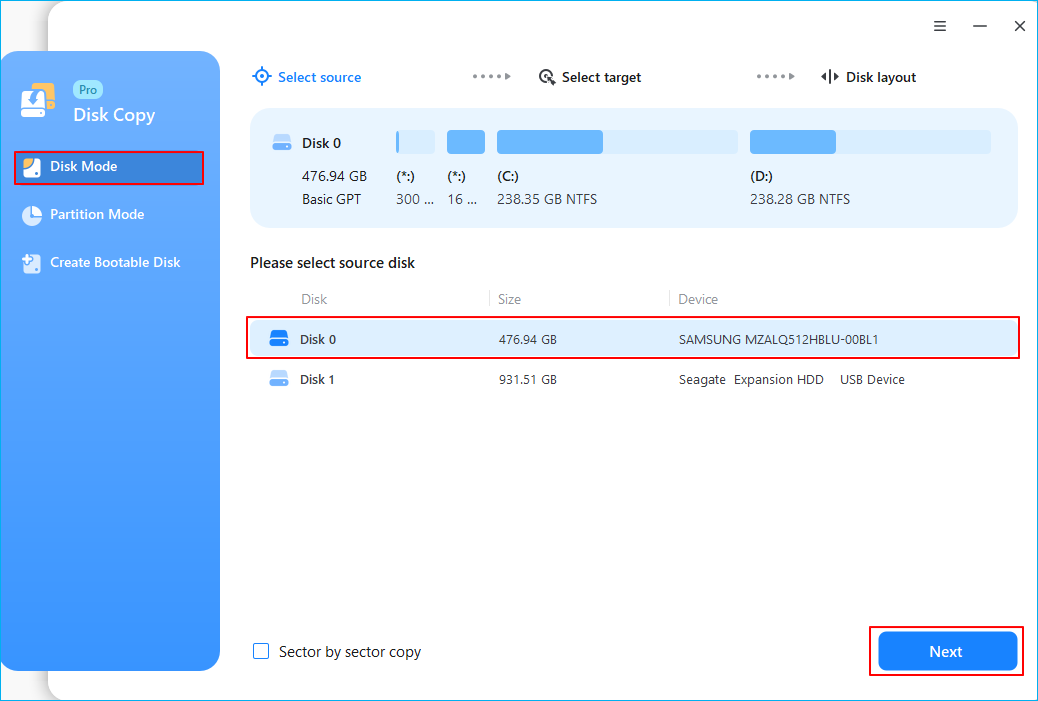
Step 1. Download, install and run EaseUS Disk Copy on your PC.
Click "Disk Mode" and select the hard drive that you want to copy or clone. Click "Next" to continue.
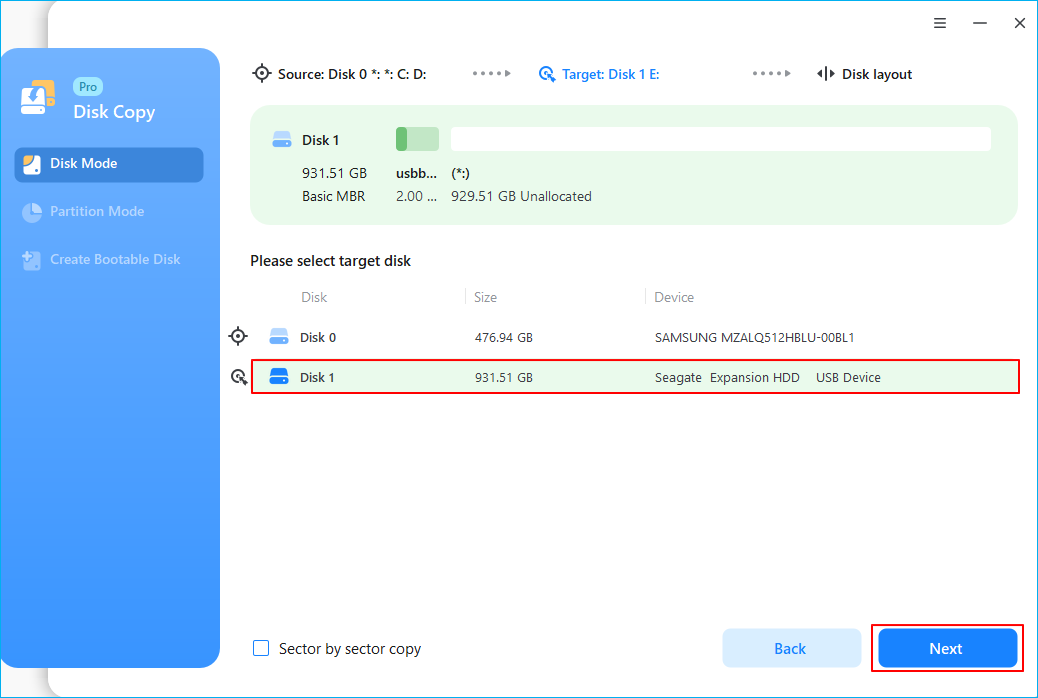
Step 2. Select the destination disk.
Note: The destination disk should be at least the same big or even larger than the source disk if you want to copy or clone the source hard disk.
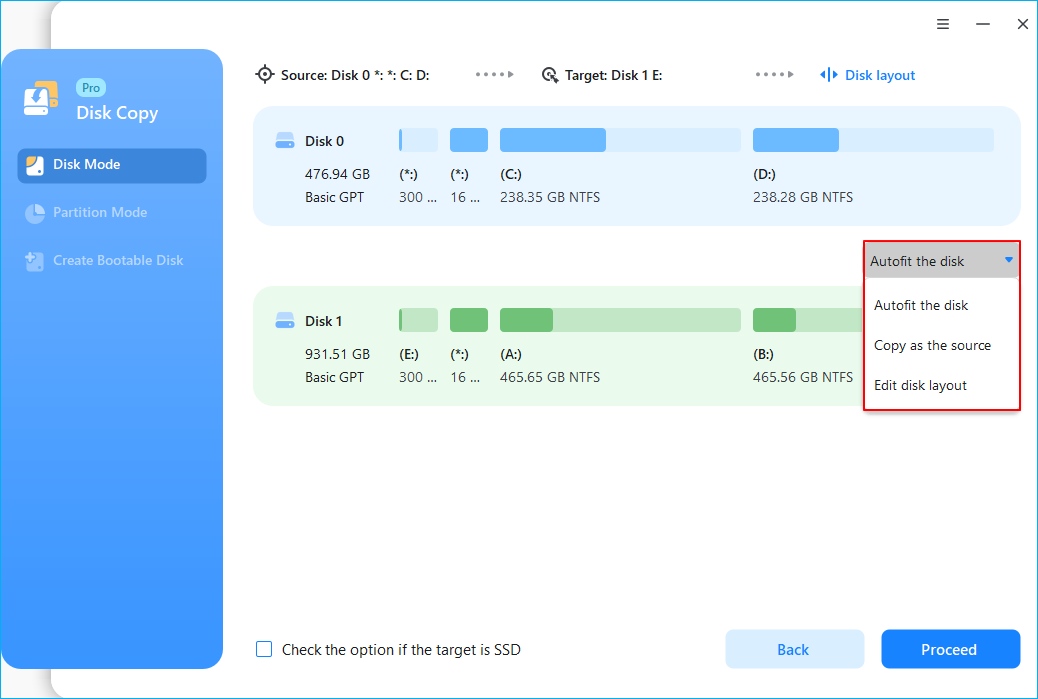
Step 3. Check and edit the disk layout.
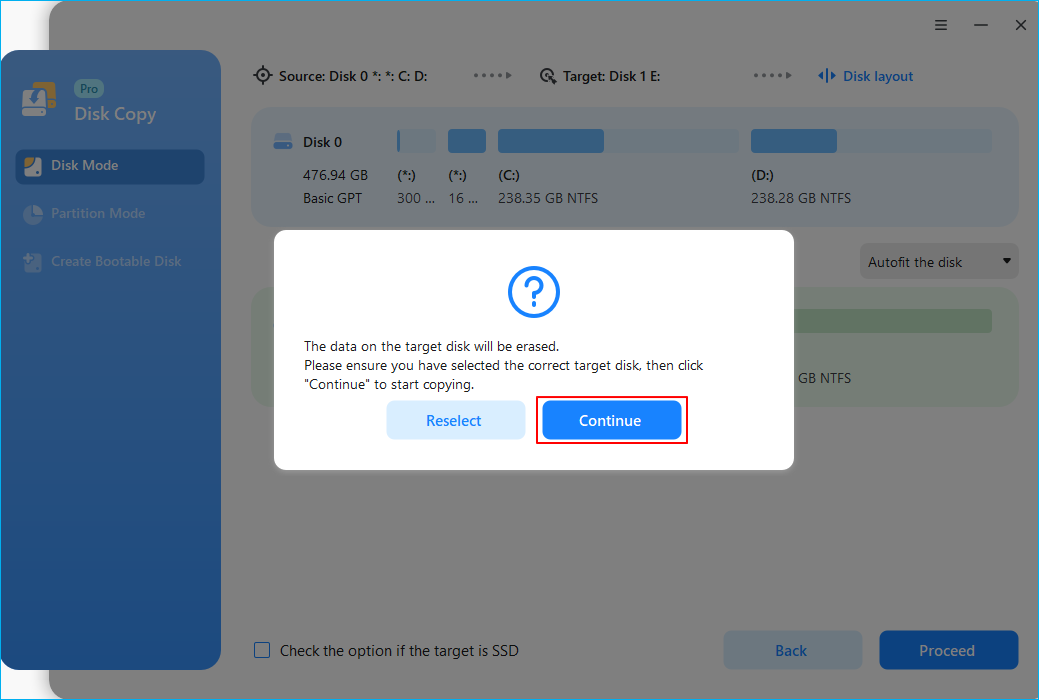
Step 4. Click "OK" to confirm if the program asks to erase data on the destination disk.
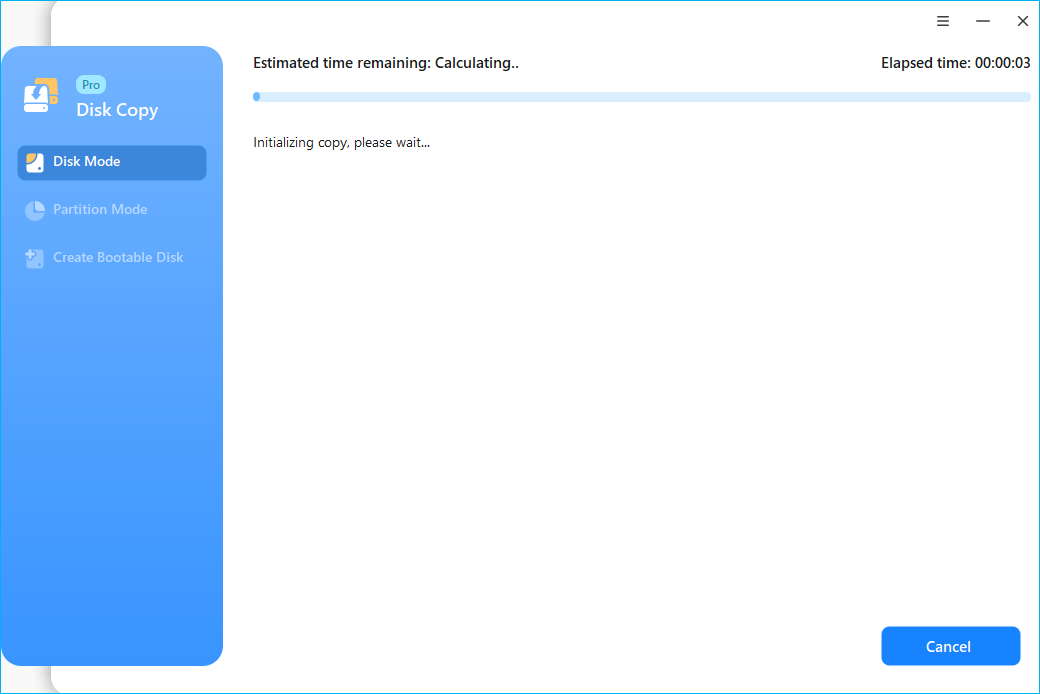
Step 5. Click "Proceed" to start the hard drive cloning process.
After this, you can insert the new drive into your PC and replace the old hard drive to continue using the transferred data on your new disk. If the cloned disk is a system drive, please remember to change the boot order and set the computer to boot from the new disk in BIOS.
How Do You Make Full Use of EaseUS Clone - FAQs
Do you still hesitate to download the best disk cloning software to replace an old HDD or upgrade HDD to SSD? Not sure about how to use EaseUS Disk Copy to replace a failing hard drive? After years of researching and optimizing, EaseUS Disk Copy has been 100% capable of cloning storage drives (HDD, SSD, Hybrid Drive...) to others on both Windows desktops and laptops. To help you make full use of the cloning software and enable you to quickly solve some of the common errors in case of some incidents happen, the following are some frequently asked questions and answers.
Free Download
Windows 11/10/8/7
1. How to connect the disks on my laptop when there are not enough internal cables?
For laptops, users are recommended to create a bootable media of the Disk Copy tool, get an external USB enclosure, and follow the steps below:
- Step 1. Place the target disk inside the laptop.
- Step 2. Connect the source disk via an external USB enclosure.
- Step 3. Boot up the system from the bootable media of the Disk Copy.
- Step 4. Perform a Disk Clone from the source disk to the target disk.
- Step 5. Check if you can normally boot up from the source disk.
2. If I use Partition Mode to clone the partition of the system disk, will my clone disk boot properly?
We are afraid that when using the Partition Mode to clone the disk, the necessary boot files might not be updated correctly. We recommend users use the Disk Clone option to help get a proper bootable copy.
3. When cloning to a larger disk, how can I use the extra space on the new disk?
Users can adjust the partition layout on the target disk during the cloning procedure to fully use the space on the target disk.
4. How long does it take to clone my disk?
It mainly depends on the following factors:
1. The amount of data that needs to be cloned.
2. The I/O speed of both disks.
As a reference, it would take about 3 hours to complete the clone to clone a 1TB SATA disk full of data whose I/O speed is considered around 100MB/s.
5. Can I use a Windows Server system's Disk Copy Pro license code?
Disk Copy Pro is a single-seat licensed product for non-server systems only. Users will need a Technician version license to properly activate the EaseUS Disk Copy tool on a Server system.
-
Updated by
Tracy became a member of the EaseUS content team in 2013. Being a technical writer for over 10 years, she is enthusiastic about sharing tips to assist readers in resolving complex issues in disk management, file transfer, PC & Mac performance optimization, etc., like an expert.…Read full bio