
What Can EaseUS Partition Master Solve?

Upgrade to New HDD/SSD

Easily move to a new hard drive or SSD without reinstalling Window system and applications.

Maximize Disk Performance

Efficiently fix low disk space and other disk partition problems for better performance.

exFAT Converter

Version 20.0 fully supports the exFAT format, enabling the conversion of FAT32 formatted devices to exFAT, ensuring overall data security.

Editions Comparison

  • Pick One!

  •  
  • Hot Sale

    Server

  • $259.00
    Lifetime UpgradesFree upgrades to every latest version. No extra cost.
    Buy Now Free Trial
  • Unlimited

  • $599.00
    Lifetime UpgradesFree upgrades to every latest version. No extra cost.
    Buy Now Free Trial
  • One license for
  • Resize/merge/format/delete/wipe/check partitions
  • One-click AI smart space adjustment
  • Clone disk partitions
  • Migrate OS to SSD/HDD
  • Convert MBR to GPT and vice versa
  • Convert NTFS to FAT 32
  • Change dynamic disk into basic
  • Create WinPE bootable disk
  • Repair RAID-5 Volume
  • Free technical support service
  • Support Windows 11/10/8.1/8/7/7 SP1/Vista/XP
  • Support Windows Server 2022/2019/2016/2012/2008/2003/Home Server
  • 2 PCs
  • 2 PCs/Servers
  • Multiple PCs/Servers
  • 30-day money
    back guarantee

  • 100% Secure
    Security always comes first

  • Free
    tech support

More Key Features

Effortlessly Clone
System and Data Partitions

Is your C: drive running low on space? EaseUS Partition Master makes it easy to clone any partition—including your system drive—to a larger HDD or faster SSD. Migrate your OS and data without the hassle of reinstalling Windows. It's a simple, reliable way to upgrade your storage and resolve space issues.

Your best disk conversion
and all-optimized solution

EaseUS Partition Master handles all your partition needs in one place. Resize, move, extend, create, or delete partitions with just a few clicks—solving any disk challenge without switching between multiple tools.

Discover AI-Powered, Smarter
Disk Management

Transform complex disk management with intelligent, AI-driven optimization. Our algorithms analyze your disk usage to recommend—or automatically apply—the optimal partition configuration for better performance. This proactive approach resolves space issues and fine-tunes your setup effortlessly, keeping your PC running at its best with minimal input from you.

Why Choose EaseUS Partition Master?

  • Comparison Dimension

  • EaseUS Partition Master

  • Key Competitor A

  • Key Competitor B

  • Key Competitor C

  • Usability (Expert Rating)
  • (Ranked #1)

  • (Intuitive)

  • (Clear prompts)

  • (Complex interface)

  • Partition Adjust (Resize/Move) Speed
  • ~6 min
    (110GB Data, Win Mode)
  • ~6 min
    (in some versions)
  • 6~7 min
    (Varies)
  • ~7 min
  • System / Disk Clone Speed
  • ~7 min 40s - 9 min
    (140GB Data, SSD-SSD)
  • ~8 min 15s / ~12 min
    (Varies/Mode)
  • ~16 minutes!
  • ~20 minutes!
  • Operation Stability / Success Rate
  • Zero crashes
    All tasks completed

  • Generally stable

  • A Operation Failed
    (Boot Partition)

  • Generally stable
    (Crashes noted)

  • Boot Partition Adjustment (Native Mode)
  • Supported & Successful

  • Supported

  • Operation Failed

  • Operation Failed

  • Boot Partition Adjustment (Native Mode)
  • Smooth Ul,
    Excellent visual cues

  • Responsive Ul,
    Clear interface

  • Detailed prompts
    (Native Mode)

  • Dated Ul, Less
    guidance

A Powerful PC System Recovery Tool to Fix All Windows Boot Issues

EaseUS Partition Master with Win PE technology allows you to create a bootable CD/DVD/USB disk on any workable computer to boot up the crashed Windows computer to fix all your Windows boot problems, reset Windows password and recover data from unbootable hard disks.

Boot Up Any Computer That Won't Start Properly

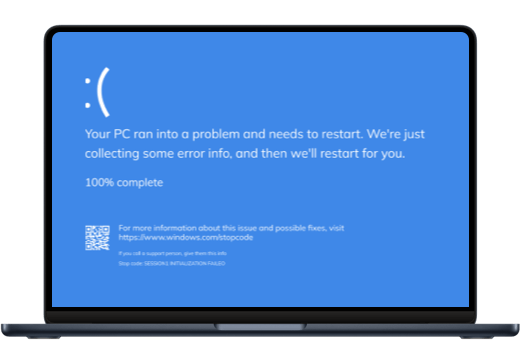
There are various ways in which your PC can crash and make you panic. From the popular Blue Screen of Death to screen freezes, it can be mightily frustrating to try and revive your system when you can’t even launch any commands on it.

EaseUS Partition Master allows you to create a bootable media to fix Windows boot issues like blue/black screen, Windows won't boot, system crash, etc.
Other Problems Partition Master Can Deal With

  • Smart & Quick Partition

    One click to partition a new hard drive to save time and efforts.
  • Format Disk Partition

    Efficiently format drive to full size with any file system like NTFS or FAT32 to support different devices and systems.
  • Convert NTFS to FAT32

    Convert NTFS to FAT 32 without formatting to use the USB on older computers, or non-PC systems like Smart TVs, printers, projector, digital cameras and other portable devices, etc.
  • Check & Fix Disk Partition

    Quickly check and fix found file system errors and bad sectors, making your problematic device work properly again.
  • Recover Lost Partition

    Recover partitions and files lost after Windows update, wrong deletion, partition table damage and virus attack.
  • Create Bootable Partition Manager

    Add bootable Partition Manager option to Windows boot menu or create WinPE bootable media to troubleshoot PC boot problems like BOOTMGR is missing, operating system not found, etc., and recover data.
  • 4K Alignment Partition

    Align SSD partitions correctly to improve the writing and reading performance of your SSD.
  • Dynamic Disk Management

    Convert dynamic disk to basic, extend C drive space in dynamic, and create/delete/format/copy dynamic volumes.
  • Partition Recall Protection

    Automatically restore the partition state to previous if something goes wrong when you are attempting to adjust partitions.
Free Download

You Can Trust EaseUS Partition Master

  •  

    Partition Master Free Edition addresses the home users and brings three powerful and precise tools to the table: Partition Manager, Partition Recovery Wizard and Disk & Partition Copy.

  •  

    In actual use, EaseUS Partition Master Free Edition proved equal or superior to other freeware disk management utilities and quite a few premium ones, too.

  •  

    Data Recovery Wizard offers an affordable way to retrieve lost data. It covers different file types lost to common system problems or accidents and provides an easy-to-use interface for you to start processing your search. Nonetheless, this software is recommended for those looking for a cheap but versatile data recovery solution.

  •  

    The first thing you'll notice about EaseUS Data Recovery Wizard Pro is that its interface is very clear and uncluttered, with only a small collection of self-explanatory controls. You won't find lots of extra options hidden in a system of hidden menus.

  •  

    The first thing you'll notice about EaseUS Data Recovery Wizard Pro is that its interface is very clear and uncluttered, with only a small collection of self-explanatory controls. You won't find lots of extra options hidden in a system of hidden menus.

Tech Specification

Supported Operating System

Windows 11, Windows 10, Windows 8.1, Windows 8, Windows 7, Windows Vista, Windows XP

Supported File Systems

NTFS, EXT2/3/4, FAT12/16/32, ReFS, exFAT

Supported Storage Devices

HDD: Parallel ATA (IDE), Serial ATA (SATA), External SATA (eSATA), SCSI, IEEE 1394 (FireWire)

SSD: SATA SSD, M.2 SSD, NVMe SSD, Large Capacity Hard Disk(GPT and MBR Disk)

Removable Devices: USB 1.0/2.0/3.0, flash drive, memory card,memory, stick etc.

SCSI, IDE and SATA RAID Controllers, RAIDed Configurations (Hardware RAIDs)

Check Tech Specification

What's New?

Come With More Surprise

1. Supported one-click partitioning.

2. Fully supported exFAT.

3. Fixed some bugs.

More information on version updates
Free Download

Other Disk Problem Solutions

  • Optimize OS & Speed Up PC

    Remove junk files to free up disk space, optimize and repair your operating system with a single click.

    Learn More
  • Check & Fix Disk Partition

    Quickly check and fix found file system errors and bad sectors, making your problematic device work properly again.

    Learn More
  • Optimize Disk Performance

    Check and optimize disk performance to keep your PC running at its best.

    Learn More

Frequently Asked Questions

How to wipe the disk with EaseUS Partition Master?

You can use the Wipe feature to wipe out a disk with EaseUS Partition Master, which alternately overwrites the disk by 0x00 and random digit according to the wipe times. In most cases, the data cleaned with this feature are not able to be retrieved.

What should I prepare before resizing the partition?

On the partition that is going to be operated, there might be some files being occupied by other programs. To ensure a successful operation, we suggest that you close all the unnecessary software before resizing that partition. Otherwise, EaseUS Partition Master will detect the partition being locked by the other software and require a reboot to resize the partition under boot mode.

Will the “Migrate OS” feature transfer the Windows system files only or the whole C drive?

To ensure that the migrated system will boot normally, the Migrate OS feature will transfer all the files in the system and the boot partitions. Generally, the boot partition is the C drive so the transfer will include all the files in C.

Why it failed to convert the MBR system disk to GPT?

There may be two reasons: 1) Please check if there are already 4 primary partitions on the system disk. If it is, please delete or convert one partition to logical and try to convert again. 2) Please check if the system and the boot partition are on the different disks. If yes, please manually combine them to the same disk. You can contact our technician team for a further assistance.

If I couldn't boot my computer, can I use EaseUS Partition Master to check the partition status?

You can create a WinPE disk with a paid copy of EaseUS Partition Master. It can help you boot the PC prior to Windows to check the partition status on a problematic computer.

Your best choice for All-in-one
free partition manager