





-
![]()
-
![]() Fix Virtual Disk Service Error: There Is No Media in the Device
Fix Virtual Disk Service Error: There Is No Media in the Device September 20,2026
 6 min read
 -
![]()
-
![]()
-
![]()
-
![]() [SOLVED] Unknown USB Device (Device Descriptor Request Failed)September 20,20266 min read
[SOLVED] Unknown USB Device (Device Descriptor Request Failed)September 20,20266 min read -
![]()
-
![]()
-
![]()
-
![]()
Page Table of Contents
Can I Recover Deleted Files from a USB Flash Drive
When you accidentally delete important files stored on a USB flash drive, you need to be careful not to use the device again, especially not to save new files, so as not to overwrite the data you could have recovered. Then, follow this guide to choose the best USB data recovery software to recover your deleted files.
This post will introduce the best USB recovery tools based on their features, performance, and personal experience. All the USB recovery tools on this page are workable when you lose data on a USB flash drive, memory stick, or pen drive. Read on to learn how to recover files from your device.
- 1. EaseUS Data Recovery Wizard
- 2. Recuva
- 3. R-Studio
- 4. SysTools Pen Drive Recovery
- 5. Aiseesoft Data Recovery
- 6. Data Rescue 6
- 7. DMDE
- 8. TestDisk
- 9. PhotoRec
- 10. Stellar Data Recovery
We evaluated 10 USB recovery tools regarding operating system compatibility, performance, supported file formats, and other factors.
| 🔢 Tested tools number | 10 |
| 💻 Versions | Free and paid |
| ⌨️ OS Compatibility | Windows, Mac, Linux |
| 🗂️ File formats |
|
1. EaseUS Data Recovery Wizard
Although hundreds of data recovery software are on the market, we recommend EaseUS Data Recovery. It is a powerful and intuitive recovery program to help you solve all removable flash drive data loss situations. It has been created for data recovery process and has helped many users recover data from USB drive.
Free download USB data recovery software full version, and recover deleted files due to software crashes, formatting, sector damage, virus attacks, and more from your USB of SanDisk, Kingston, Toshiba, PNY, Sony, etc.
Pros
- Advanced partition recovery
- Recover data from corrupted pen drive
- Recover from any portable devices
- Supports USB, SSD data recovery, HDD file recovery
- Works on data recovery, backup, and comprehensive disk management
- Quick preview of the data being stored effortlessly
- Get access to corrupted/damaged hard drives
Cons
- Free version with a 2GB recovery limit
🖊️From g2.com: It's super intuitive software, very easy to use, and you can recover your data fast from almost any situation and device. I've used its SD card recovery, and it's very effective.
How to Recover Data from a USB Flash Drive with EaseUS Software
Install the EaseUS USB data recovery tool, and follow the steps below to recover your deleted files from a USB device. Note: The free USB data recovery software version won't cost anything when the recovered files are under 2GB.
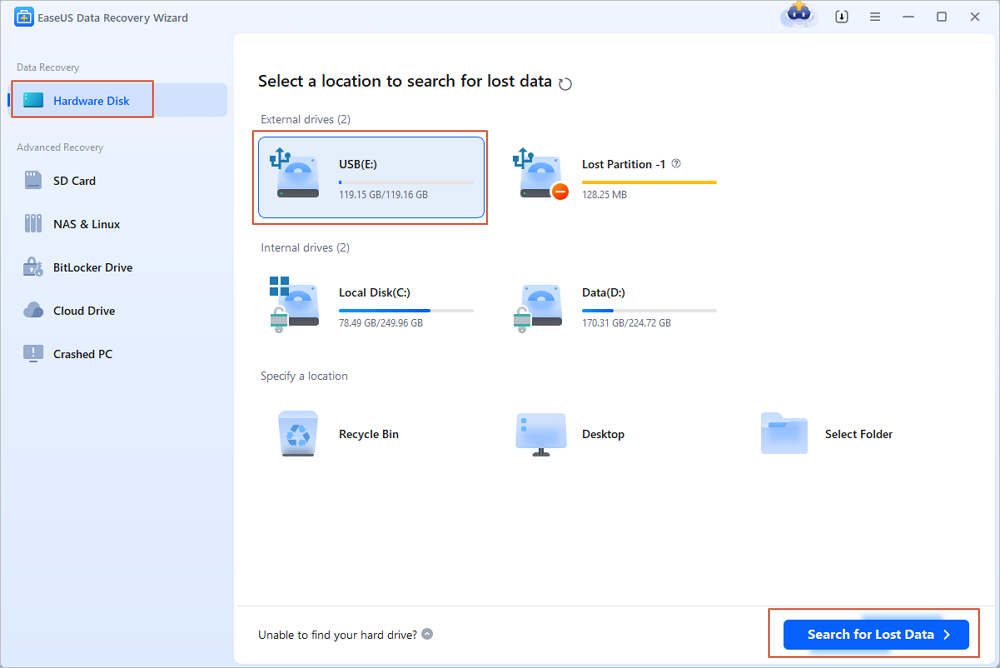
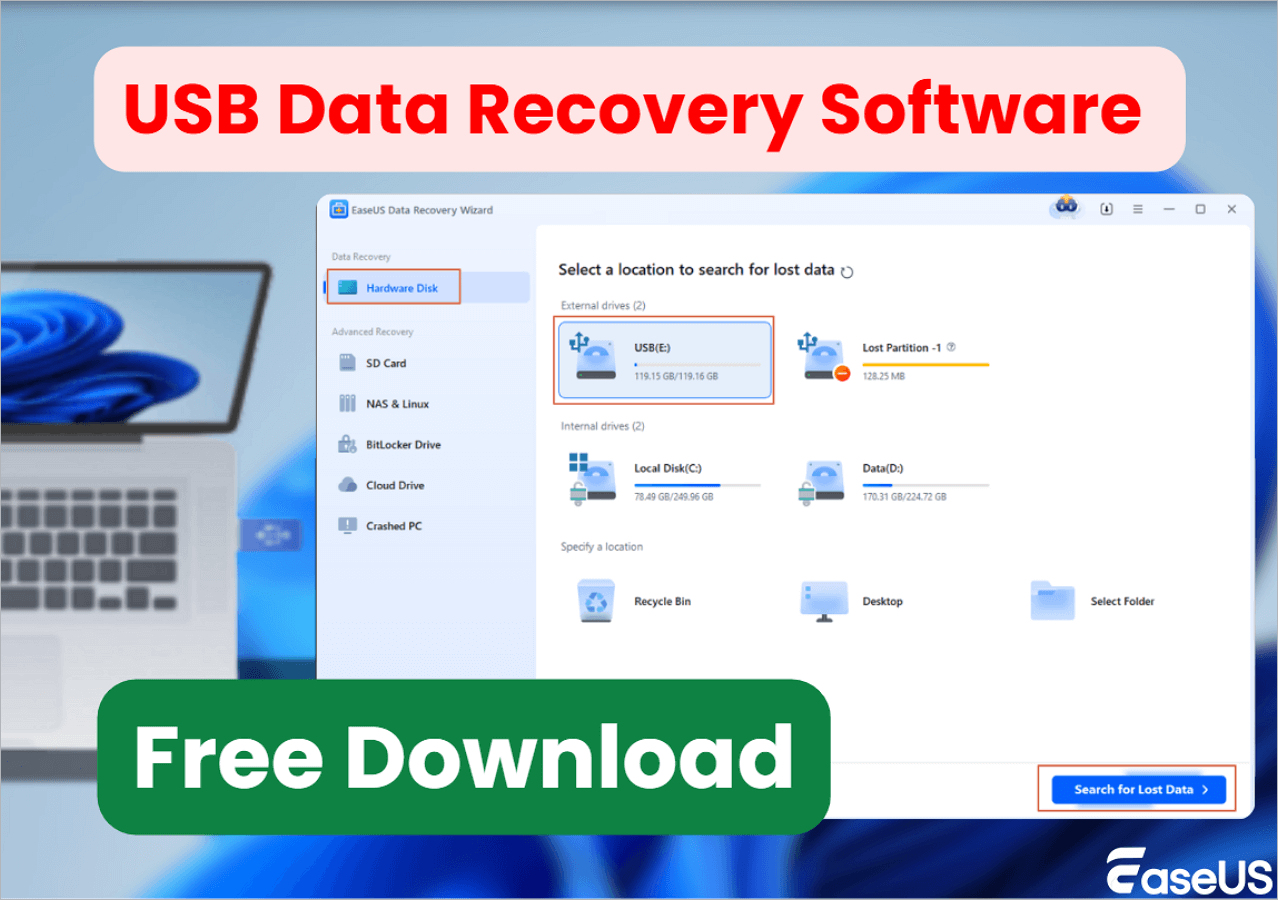
Step 1. Run USB Data Recovery Software
Connect the USB drive or pen drive to your computer and launch EaseUS USB data recovery software on your PC. Select the drive which is labeled as a External drives, and click "Scan for lost data" to start looking for lost files.
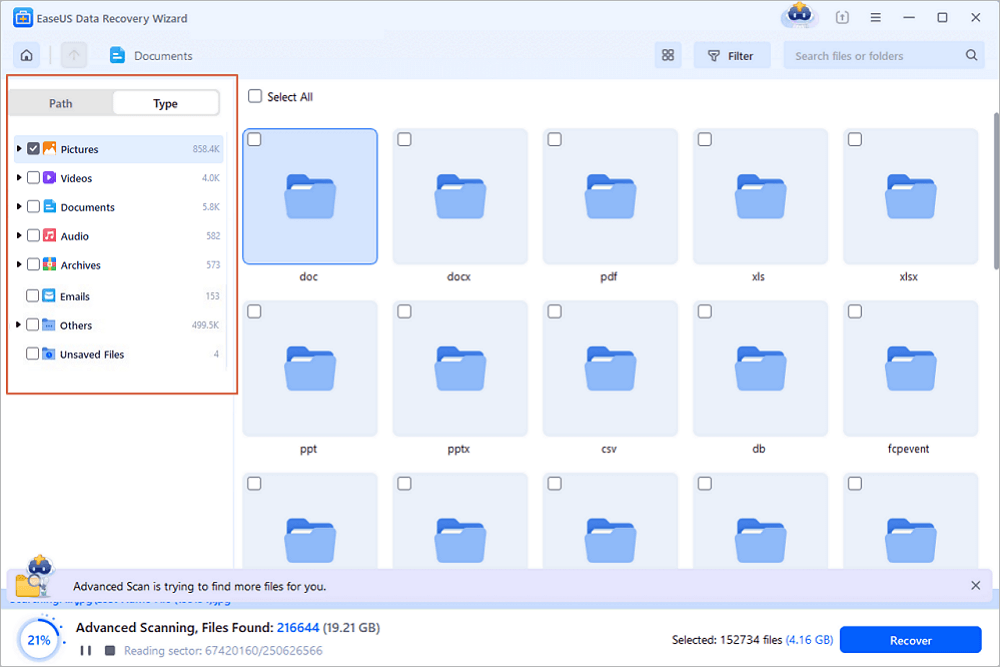
Step 2. Scan and Search Lost Files on a USB Drive
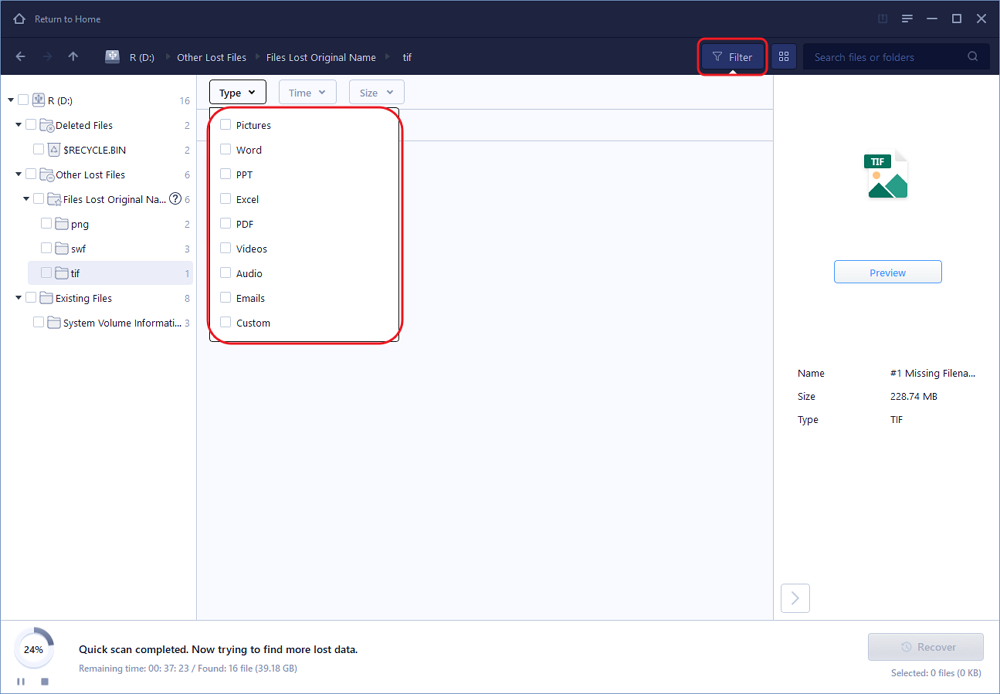
EaseUS Data Recovery Wizard will thoroughly scan your USB flash drive/pen drive and find all your lost data on it. When the scan process completes, use the Filter feature to find wanted files.
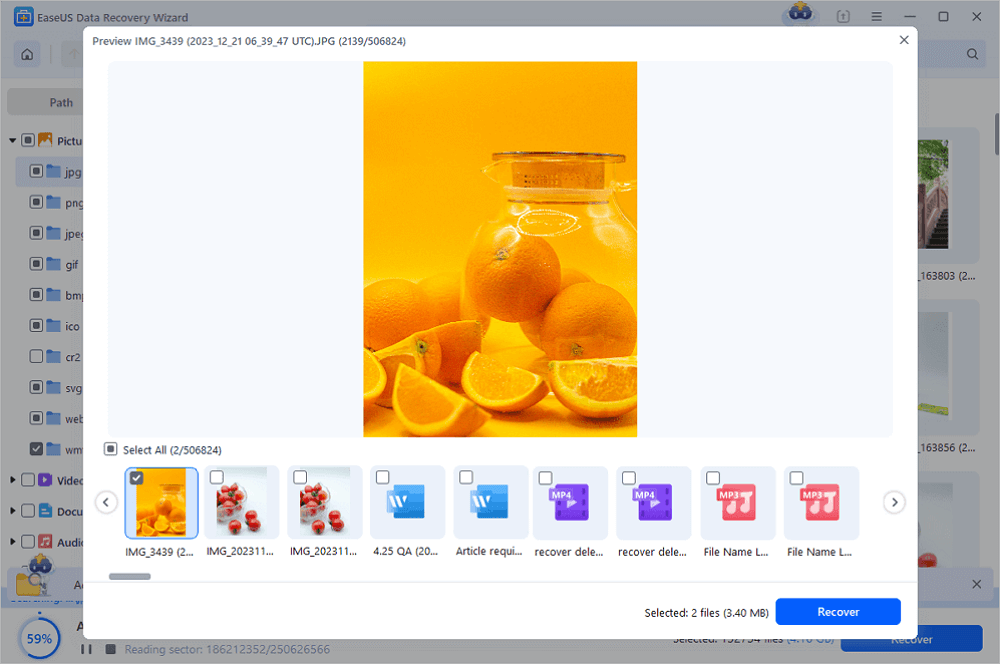
Step 3. Restore All Lost Files from USB
A double-click will allow you to preview the files. Select the target files to restore and click "Recover" to save them to a secure location on your PC or other external storage devices.
If you found this USB recovery software useful, share it on Facebook, Twitter, or other platforms to help more people stay informed about the data recovery solutions.
2. Recuva
Recuva is, without a doubt, one of the very finest free USB data recovery software available today. Compared to any other free program or commercial version, it is an exceptionally user-friendly and powerful software.
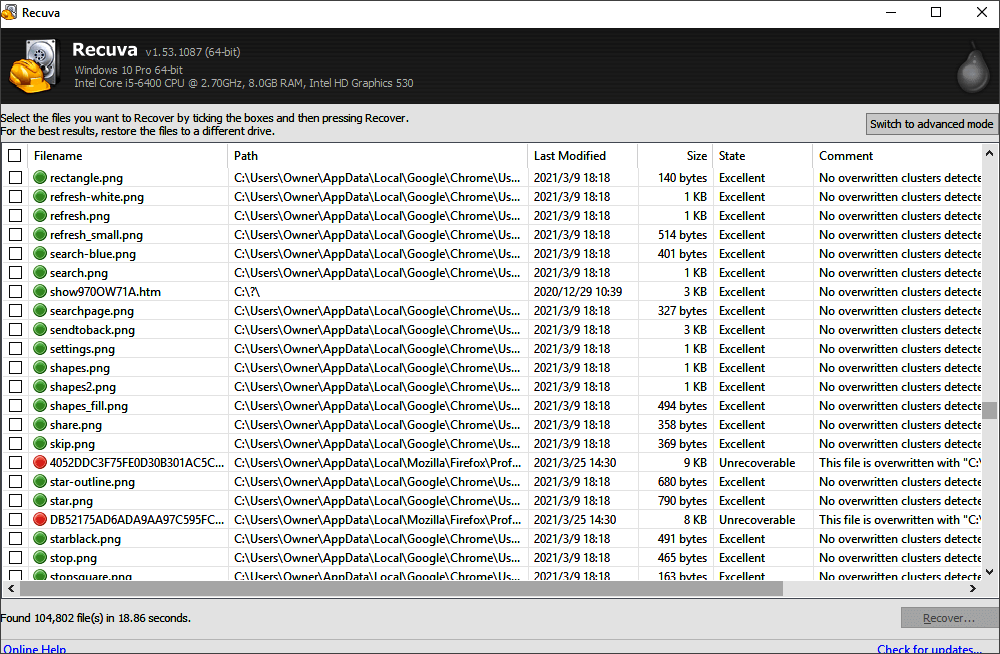
You may ask that is Recuva safe when you cannot recover lost data, not even from the Recycle Bin. Keep in mind to back up the original data and files.
Pros
- Free unlimited data recovery Recovery from rewritable media
- Intuitive and straightforward interface
- Proper online guide to let you know how to use it
- Deep scan for recovered files
Cons
- The infrequent update makes the system buggy
- Complex interface, difficult to operate
🖊️From pcmag.com: Recuva is attractive and easy to use, though it can't dig in quite as deeply as higher-priced USB data recovery software.
3. R-Studio
R-Studio is downloadable for Windows, Mac OS X, and Linux computers. It can recover data from USB sticks, local drives, removable discs, badly damaged discs, unbootable discs, and clients linked to the local area network and the internet.
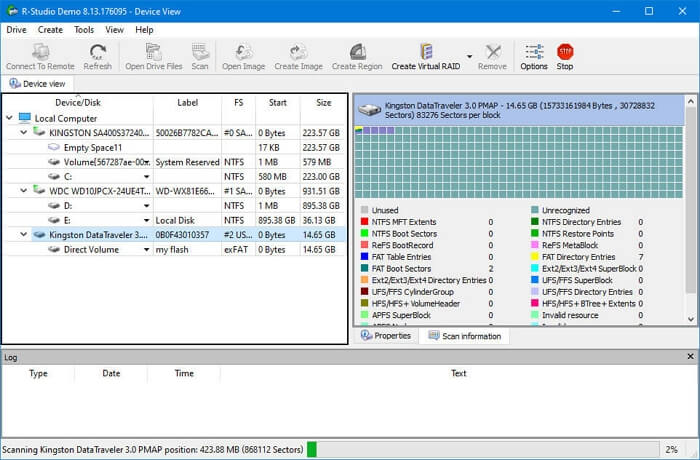
This program is most useful for data recovery choices ranging from modest to huge.
Pros
- Recovering files, deep scans, and disk health
- The Demo version is available
- Recovery files over a network
- Cross-platform support
Cons
- Poor memory management
- Complex interface, difficult to operate
🖊️From getapp.com: The most interesting thing about R-Studio is its amazing user interface for coding in R language.
If you find this information helpful, please share it with others on social media to assist them in overcoming this common challenge.
4. SysTools Pen Drive Recovery
SysTools Pen Drive Recovery is another tool to recover pen drives not detected. You can recover your lost files easily with simple clicks using this tool. Moreover, you can recover hard drive files using SysTools Pen Drive Recovery.
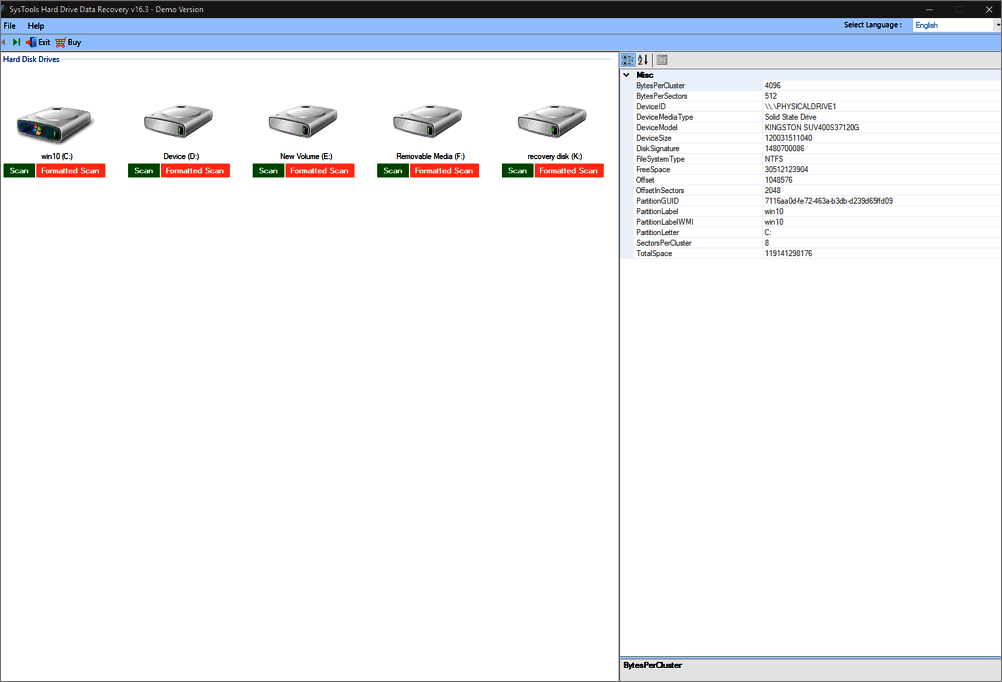
Pros
- Recovery of lost USB files
- Cyber-attack monitoring 24/7
- Backup all your critical data
- Operate your data on a secure platform
Cons
- Scanning the data is time-consuming
- Lack of macOS version
🖊️From g2.com: This pen drive data recovery tool also has different language options, which you can set accordingly. Users can even preview the data files after double-clicking on the file. But It only supports recovering deleted GPT partitions.
5. Aiseesoft Data Recovery
Aiseesoft Data Recovery is a program that may recover deleted data from a computer, USB, hard drive, memory card, or another storage device. You can recover photographs, music, videos, documents, emails, and other data types.
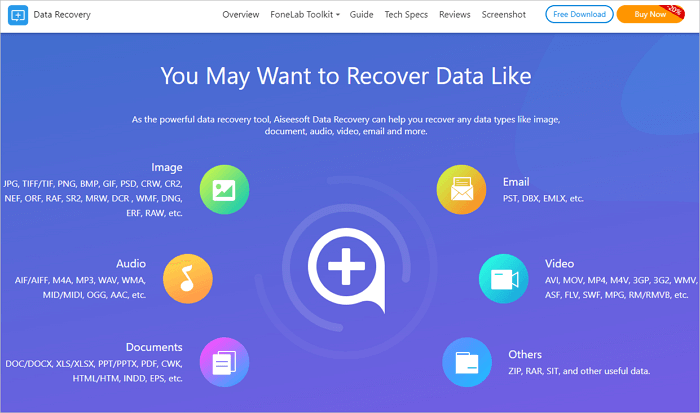
It can recover data mistakenly lost or erased due to a formatted partition, hard drive difficulties, a USB RAW format fix, or a damaged computer.
Pros
- Recover deleted data or lost Android files, messages, etc
- Supports multiple file formats
- Online guide to walk you into the tool
Cons
- Limited document support types
- Fancy and unreliable interface
🖊️From download.cnet.com: This powerful software supports the recovery of more than 1000 types of files. For video, it supports AVI, MOV, MP4, M4V, 3GP, 3G2, WMV, etc.
6. Data Rescue 6
Prosoft Engineering's Data Rescue 6 is a powerful USB data recovery software solution. Data Rescue 6 relies on 20 years of data recovery progress to assist consumers in recovering billions of pieces of lost and destroyed information.
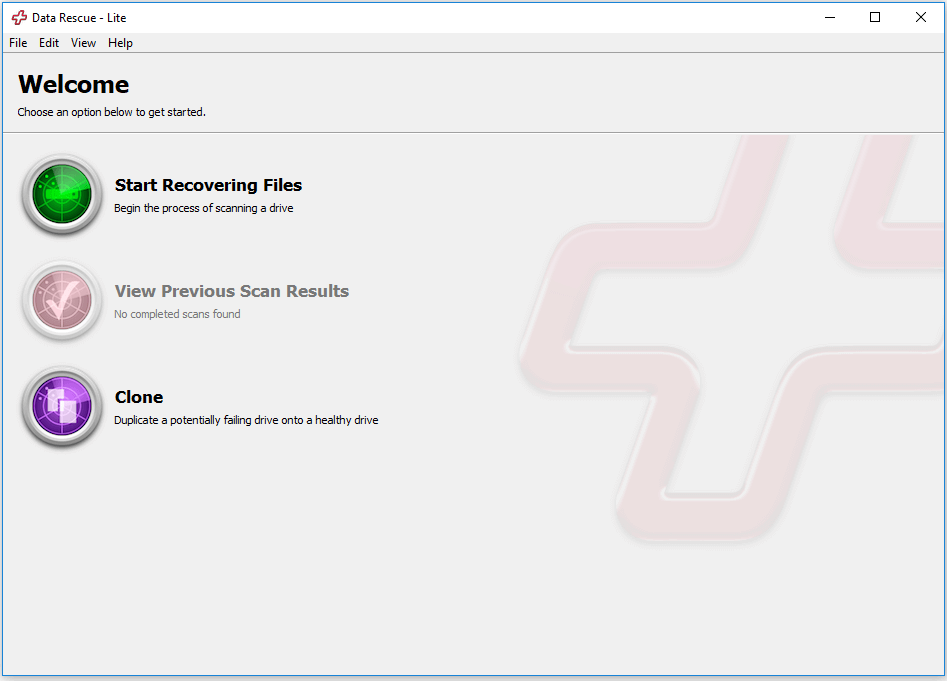
Pros
- Clone the hard drive
- Provides a Preview Mode
- It can clone a bootable device
- Supports multiple operating systems
Cons
- Time-consuming deep scanning
- Unstable recovery success rate
🖊️From pcmag.com: After fifteen years in the business, Prosoft Data Rescue continues to offer one of the most powerful and accessible data recovery tools.
Share these USB recovery tools and tutorials on social media to help people stay prepared for unexpected USB data loss.
7. DMDE
DMDE is yet another USB recovery tool that comes with an intuitive interface. Using this tool, you can easily recover your lost or accidentally deleted data and USB files. Moreover, it allows you to scan your portable device deep to look for malware.
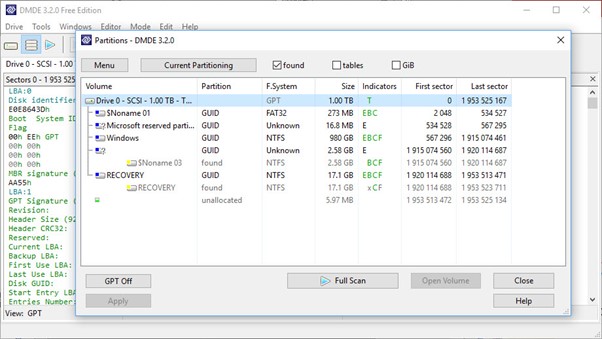
Pros
- Recover the NTFS file without decrypting it
- Supports multiple file formats
- Comes with a disk editor
- Manage the hard drive partitions
Cons
- Limited document support types
- Unstable recovery success rate
🖊️From techradar.com: Competent and comprehensive, DM Disk Editor and Data Recovery Software has a powerful free option that is upgradable for business/pro use.
8. TestDisk
TestDisk is another open-source utility for recovering missing partitions. It can recover deleted files from USB flash drives and repair bad sectors, among other things. Because TestDisk is open-source software, you can investigate, edit, and improve it if you know how.
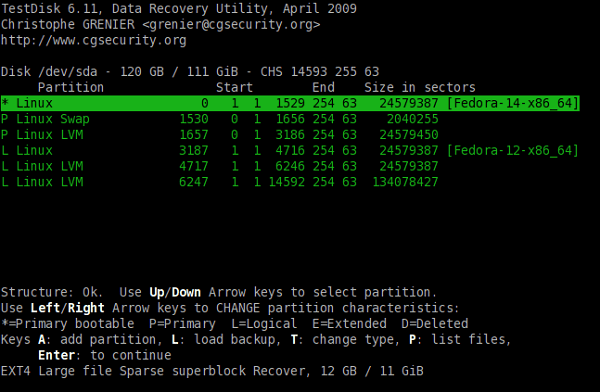
Pros
- Free, open-source software
- Fix disks that won't boot
- Recover various file types
Cons
- Lacks an intuitive graphical user interface---command-line only
- Complex interface, difficult to operate
🖊️From reddit.com: TestDisk is a great little program - If I have a dying or corrupt drive, I will image it first, then let TestDisk run on the image to recover. Also by the same developer is PhotoRec, which is useful if you are just trying to recover a certain type of file.
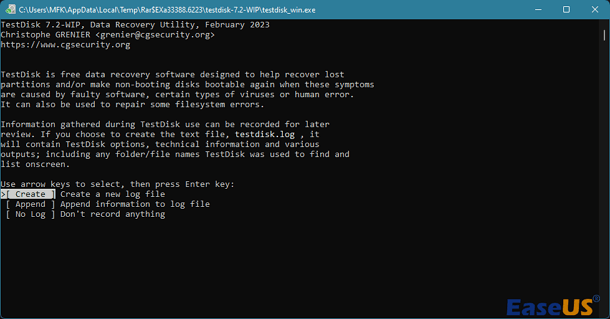
How to Use TestDisk to Recover Data on Windows/Mac
Are you wondering how to use TestDisk on your device? This article will guide you through the proper methods to help you find the solution. Read more >>
9. PhotoRec
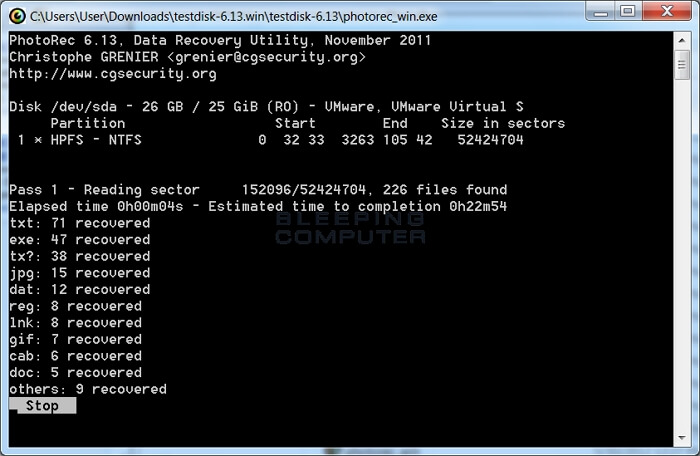
PhotoRec is a free and open-source data recovery utility that can recover lost or deleted data from various file systems used by storage devices, including USB sticks, hard drives, digital cameras, and others. It can restore lost files due to USB formatting, partition loss, or accidental deletion. PhotoRec is available for Windows, Linux, Mac OS X, and Unix-like systems.
Pros
- Recover data from FAT, NTFS, ext2/3/4, and HFS+ storage media
- Completely free to use, and its source code is available for modifying
- Can be run directly from a USB drive without the need for installation
Cons
- Too complex for average users without technical knowledge
- Operate via a Command-line and text-based interface
🖊️From techradar.com: It's free, open-source, fast, and supports lots of photo formats and devices, but PhotoRec is not particularly easy to use and doesn't have many extra features.
10. Stellar Data Recovery
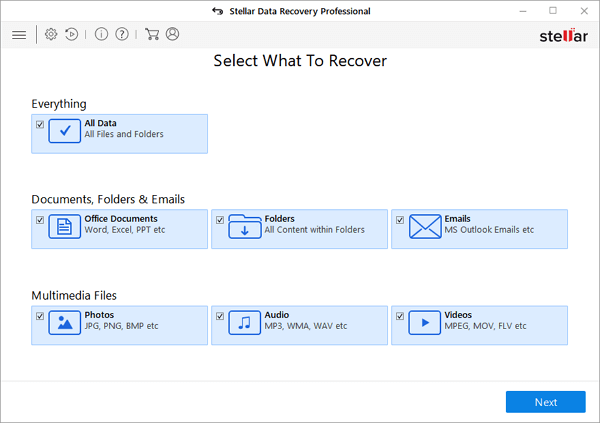
Stellar Data Recovery is another tool that can recover lost or deleted data. We've all felt terror when we thought we would lose important files, whether individuals or businesses. Stellar Data Recovery is integrated for both personal and business use. It works with both Mac and Windows.
Pros
- Advanced partition recovery
- Recovers corrupted photos
- Recover from any portable file
Cons
- Full functionality requires 8GB RAM
- Only partial support for encrypted file recovery
🖊️From trustpilot.com: I was having trouble scanning my SD card as the images disappeared. However, thankfully, this software allows me to recover these pictures. Special thanks to customer service for assisting me with the activation code.
🥇Comparison of the Best 10 USB Recovery Tools for PC
Anybody using a data storage device like a USB flash drive regularly will likely encounter data loss at some point. Here is a comparison table of the 10 recovery tools above:
| Software | OS Compatibility | Ease of Use | Free Version | File Types Supported | Preview Capability | Supported File Systems |
| EaseUS Data Recovery Wizard | Windows, Mac, Linux | ✅ | Yes (2 GB) | All | Yes | NTFS, FAT, exFAT, HFS+, APFS, ext 2/3/4, ReFS, etc. |
| Recuva | Windows | ✅ | Yes | Photos, Videos, Docs, Emails, etc. | Yes | NTFS, FAT, exFAT, etc. |
| R-Studio | Windows, Mac | ❌ | No | All | Yes | NTFS, FAT, exFAT, HFS+, APFS, etc. |
| SysTools Software | Windows | ✅ | No | Photos, Videos, Docs, Emails, etc. | Yes | NTFS, FAT, exFAT, HFS+, ext3/4, etc. |
| Aiseesoft Data Recovery | Windows, Mac | ❌ | No | Photos, Videos, Docs, Emails, etc. | Yes | NTFS, FAT, exFAT, HFS+, ext3/4, etc. |
| Data Rescue 6 | Windows, Mac | ✅ | No | All | Yes | HFS+, APFS, NTFS, FAT, exFAT, ext2/3/4, etc. |
| DMDE | Windows, Mac, and Linux | ❌ | Yes (Limited files) | All | Yes | NTFS, FAT, exFAT, APFS, ext2/3/4, etc. |
| TestDisk | Windows, Mac, and Linux | ❌ | Yes (Open Source) | Photos, Videos, Docs, Emails, etc. | Limited | NTFS, FAT, exFAT, ext2/3/4, etc. |
| PhotoRec | Windows, Mac, and Linux | ❌ | Yes (Open Source) | Photos, Videos, Docs, Emails, etc. | No | NTFS, FAT, exFAT, ext2/3/4, etc. |
| Stellar Data Recovery | Windows, Mac | ✅ | Yes (1 GB) | Photos, Videos, Docs, Emails, etc. | Yes | NTFS, FAT, exFAT, ext3/4, etc. |
Does the information in the table give you a clearer understanding of the different USB data recovery software? Share data recovery solutions on to help others recover their files quickly and easily.
Common Causes of Data Loss in USB Flash Drives
Here are some common reasons that may cause critical data loss on a USB flash drive. Simple understanding can help you minimize the possibility of data loss in the future.
🎭Virus attacks the file systems: A virus infection may hide and delete files stored on a USB device, making them inaccessible; however, these files may still exist on the USB flash drive and can be recovered.
⛔Power surge or electrostatic discharge: A sudden power failure may cause the important data transfer process on the USB device to not be completed correctly, ultimately leading to data loss.
⚠️Improperly Eject the USB device: Failure to safely eject a USB device from the computer the last time it was used may result in damage to the USB drive and loss of files that were open when it was ejected.
❌Accidentally delete files from the USB device: This is the most common reason for USB device file loss. After deleting the files by mistake, you realize that they have disappeared only when you need to use them.
💾Accidentally Format the USB flash drive: Formatting a USB flash drive will delete all stored data on it, which will cause data loss. Or, the file systems of your flash drive convert to RAW; data becomes inaccessible. In this case, you have to format the RAW drive to make it workable.
USB Flash Drive Recovery Software FAQs
Read these questions and answers below to get help with USB flash drive recovery.
1. How do you recover files from a flash drive?
You can feel free to download the EaseUS flash drive recovery tool to recover formatted USB flash drive free, covering any photos, documents, videos, and various files that you lost, deleted, or viral damaged from all the USB drive brands, like SanDisk recovery, Kingston, Toshiba, PNY, Sony, etc.
2. How can I repair my USB flash drive?
Method 1. Check and fix USB problems
If your flash drive is not PHYSICALLY broken, your computer can recognize it, and your computer assigns it a drive letter. You can use the Windows checkup tools to determine the error and attempt to recover deleted files from USB without software.
- Connect the USB to your PC
- Go to My Computer>The USB Drive.
- Right-click the USB drive and open its Properties.
- Click on the Tools tab.
- Click the "Check" button.
- Let the scan process complete, then close the scan window.
- Right-click the icon of the USB flash drive on the desktop and click "Eject". Then, remove the drive from the USB port.
Check all the other methods on the linked page: how to fix a damaged USB flash drive.
3. What's the best USB flash drive recovery tool?
There are many USB recovery tools in the market. Here, we list the Top 10 for you to choose from.
10 Best USB Data Recovery Tools in 2024:
- 1. EaseUS Data Recovery Wizard
- 2. Recuva
- 3. R-Studio
- 4. SysTools Pen Drive Recovery
- 5. Aiseesoft Data Recovery
- 6. Data Rescue 6
- 7. DMDE
- 8. TestDisk
- 9. PhotoRec
- 9. Stellar Data Recovery
4. Can you recover files from a broken flash drive?
Some flash drives become broken only because the file systems are corrupted and turn to RAW. Download EaseUS Data Recovery software in this case and perform the 3-step broken USB drive data recovery process to recover deleted files from the flash hard drive as instructed.
Was this page helpful?


 Why Trust EaseUS
 Editor Reviews

20+
Years of experience

160+
Countries and regions

72 Million+
Downloads

4.9 +
Trustpilot Score






