






-
![]()
-
![]()
-
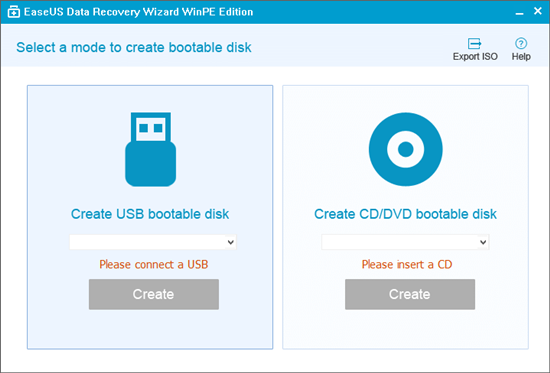
![]() Run EaseUS Data Recovery Wizard from WinPE Bootable Disk [Easy & Secure]
Run EaseUS Data Recovery Wizard from WinPE Bootable Disk [Easy & Secure] October 22,2026
 6 min read
 -
![]() How to Save in Stardew Valley on PC/Mobile/Switch [Full Guide]October 23,20266 min read
How to Save in Stardew Valley on PC/Mobile/Switch [Full Guide]October 23,20266 min read -
![]()
-
![]()
-
![]()
-
![]()
-
![]() Recover Lost Christmas Photos & Videos (2026 Complete Guide)October 22,20266 min read
Recover Lost Christmas Photos & Videos (2026 Complete Guide)October 22,20266 min read -
![]()
Page Table of Contents
Everything About RAID 1
RAID 1 refers to an exact copy (or mirror) of a set of data on two or more disks. According to Wikipedia, it seems that the RAID 1 configuration provides parity, striping or spanning of disk space across multiple disks. This is useful when read performance or reliability is more important than data storage capacity. RAID 1 writes two copies of the data simultaneously on two separate drives. This is called a fault-tolerant. When one of the mirrored drives suffers a mechanical failure such as spindle failure or does not respond, the remaining drives will continue to function. The RAID 1 configuration is performed either by a hardware RAID controller or performed in software. It is suited to applications requiring high fault tolerance at a low cost and where a duplicated set of data is more secure than using parity. RAID 1 is popular for accounting and other financial data. It is also commonly used for small database systems, enterprise servers, and home PCs where fairly inexpensive fault tolerance is required.
Advantages
- Fast speed. RAID 1 offers an excellent read-and-write speed that is comparable to that of a single drive.
- Large storage. It’s known that RAID arrays usually consist of two or more disks. RAID 1 has much more storage space than a single drive.
- Continuous system running. On a computer that contains only one hard drive, if the drive fails, the operating system will stop at once. However, in a RAID array, if a hard disk fails, the system will be able to keep running normally for a certain time.
Disadvantages
- The effective storage capacity is only half of the total drive capacity because all data get written twice.
- The failed drive can only be replaced after powering down the computer it is attached to. For servers that are used simultaneously by many people, this may not be acceptable. Such systems typically use hardware controllers that do support hot-swapping.
Why You Lost RAID 1 Data
Although it seems that RAID 1 disk can be an ideal tool for storing and backing up data with a high fault-tolerant feature. But when data loss issues happen to the RAID 1 disk or RAID 1 volume, what can you do? Here the following are some major reasons for RAID 1 data loss issues:
- 1. RAID 1 disk failure
- 2. RAID 1 disk rebuild
- 3. Format RAID 1
- Notice:
- If the RAID 1 drive got physical damaged or the RAID 1 drive controller got broken, you'll not be able to get lost data back then.
So how to restore RAID 1 data? When you lost important RAID 1 data in Windows 10/8/7, stop using it immediately. Ane let professional RAID 1 data recovery software to help.
Download RAID 1 Recovery Software for Help
EaseUS Data Recovery Wizard is a professional RAID 1 recovery program. It recovers data when you encounter partition loss or damage, software crash, virus infection, unexpected shutdown, or any other unknown issues. It provides the comprehensive RAID 1 recovery solution for computer users to recover data from RAID 1. If you lost RAID 1 data are less than 2GB, let free data recovery software help you now. If lost RAID 1 data is over 2GB, then you'll need EaseUS Data Recovery Wizard Pro for help. Moreover, this RAID 1 recovery software works well with dynamic disk, RAID, and EXT2/EXT3 file systems.
EaseUS Data Recovery Wizard Free offers up to 2 GB of free data recovery, including 500 MB available by default and an extra 1.5 GB unlocked after sharing on Facebook and X.
Most importantly, it can recover lost files with their original file names and storage paths - which other apps cannot do. It also works as a hard drive recovery tool from EaseUS to rescue your files and save you money!
Consult with EaseUS data recovery experts for one-on-one manual recovery service. We could offer the following services after FREE diagnosis. Our decades-experienced engineers are knowledgeable and can repair the damaged RAID structure and restore data from all RAID levels.
- Restore data from all RAID levels, including RAID 0, RAID 1, RAID 5, RAID 6, RAID 10, etc.
- Recover data from enterprise RAIDs such as QNAP, Synology, WD, Buffalo, etc.
- Retrieve lost RAID data caused by any issues
- Fix disks that become GPT protected partitions
- Recover data from RAID remotely, no need to ship
Steps to Recover RAID 1 Data with RAID 1 Data Recovery Software (for Win)
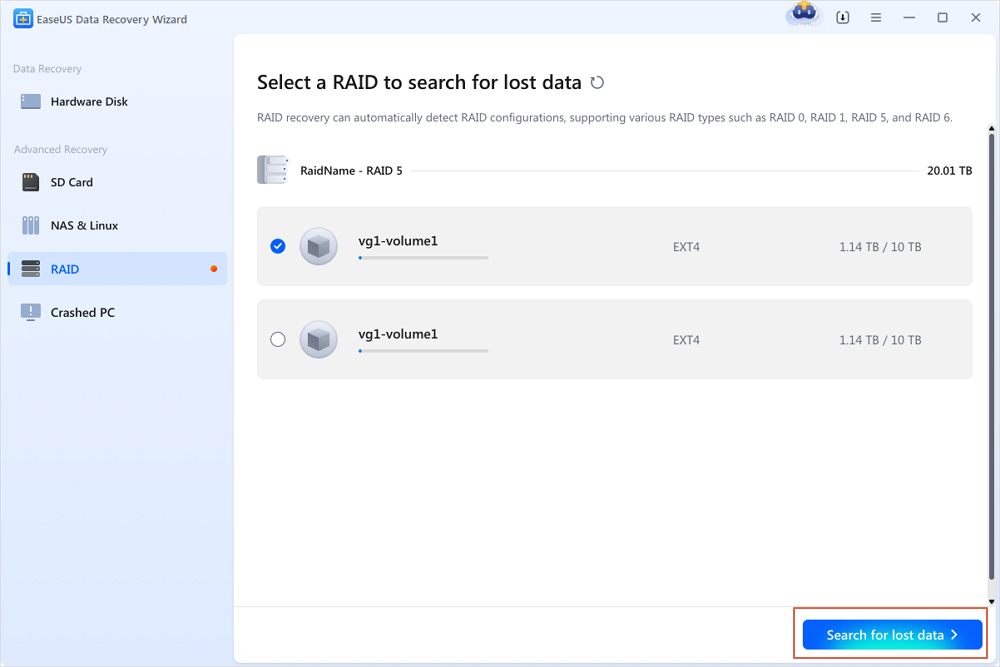
Step 1. Scan the RAID drive
Choose the RAID section from the sidebar, select the RAID 0/1/5/6 drive from which you wish to recover data, and then click "Search for lost data". Wait for the scanning process to finish, the deleted files will show up one by one.
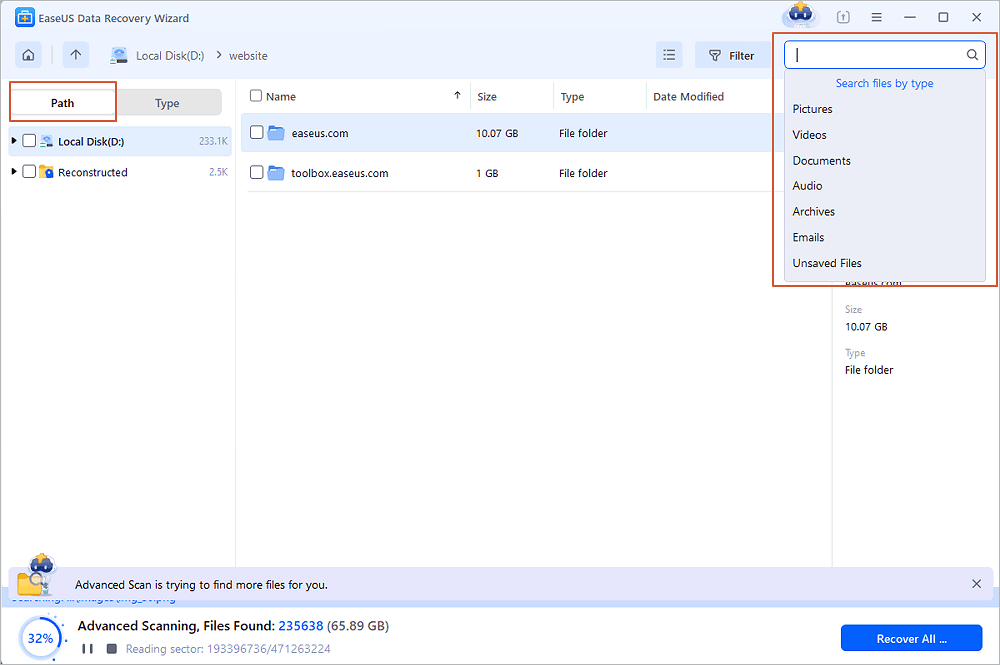
Step 2. Find and preview lost RAID files
You can use "Filter" as quick navigation to find deleted or lost files. Besides, you can also use Search to find your lost RAID drive files via its file name or file extension.
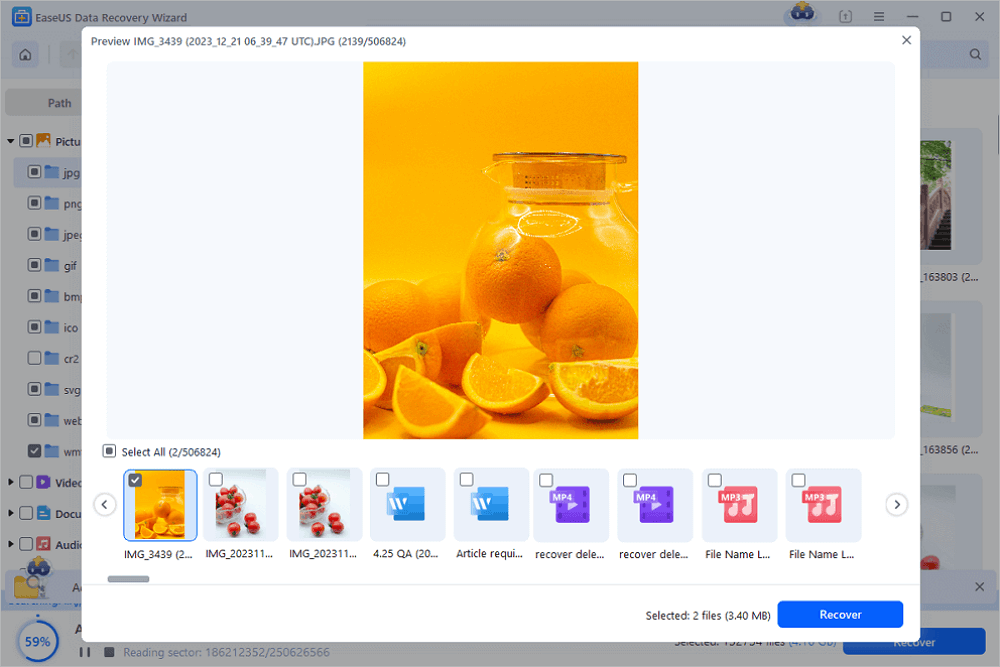
Step 3. Restore lost RAID drive files
Select the wanted files and click "Recover". Browse to save these files to another secure location.
💡Tip: You can restore data on the local disks, external hard drives, and also the cloud storage. Do not save them on the RAID drive again.
Also, watch the video tutorial about RAID 1 data recovery. Why not download this raid 1 recovery software to experience the magic recovery functions now.
RAID 1 Data Recovery for Mac
If you lost RAID 1 data on Mac, what can you do? Finding Mac RAID 1 recovery software is usually more difficult than finding software for Windows. In fact, EaseUS can also help. RAID is composed of multiple disks. If the RAID structure is intact, you will be able to recover data from the virtual disk created on the RAID with EaseUS Mac data recovery software.
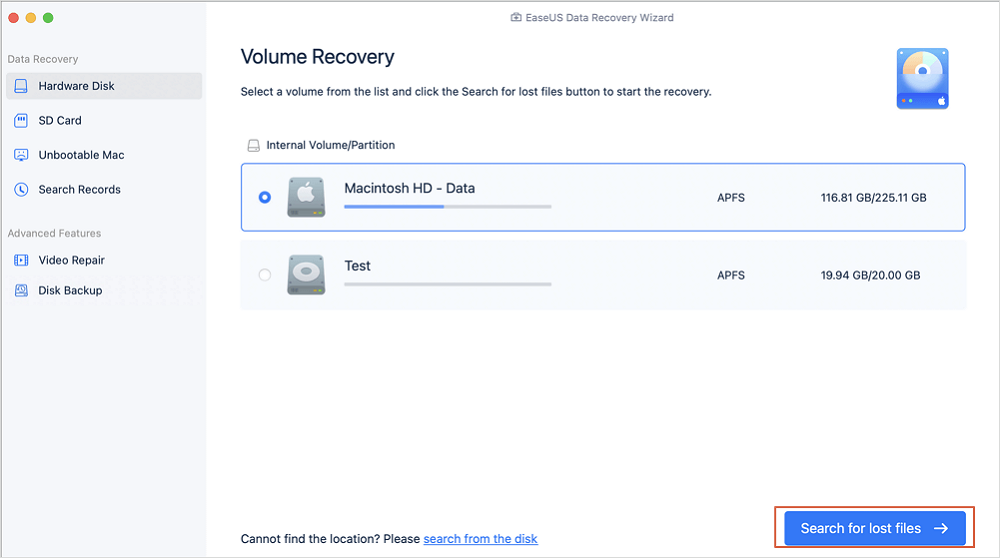
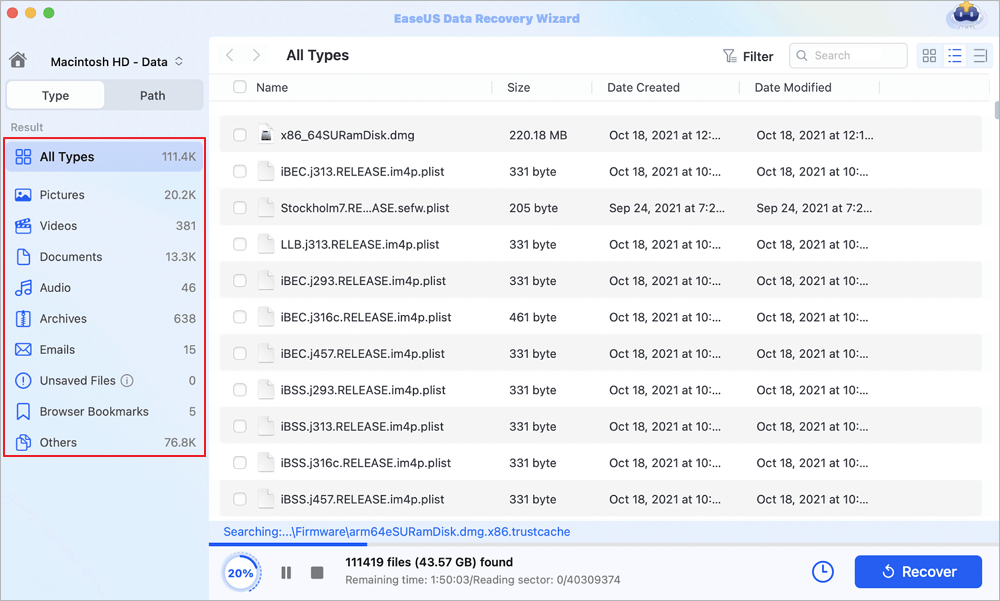
Step 1. Search for lost files
Select the disk location to search for lost files (it can be an internal HDD/SSD or an external hard drive) where you lost data and files. Click the "Search for lost files" button.
Step 2. Go through the scanning results
This software will immediately scan your selected disk volume and display pictures, documents, audio, videos, and emails on the left pane.
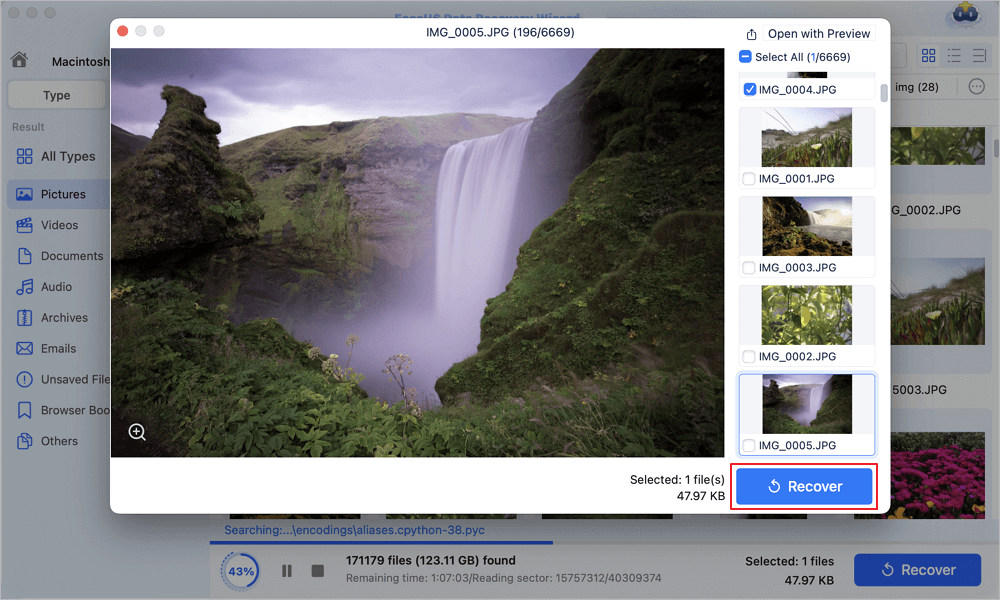
Step 3. Select the file(s) and recover
Click the data to preview, and click the "Recover" button to have them back.
People Also Ask
1. What is RAID recovery?
RAID recovery is the process of data recovery from a RAID array that failed for whatever reason. EaseUS data recovery software is a powerful data recovery tool that can successfully recover RAID data.
2. Can a RAID 1 disk be read on its own?
Yes, most RAID 1 systems create disks that are readable separately when connected to a non-RAID controller.
3. What is the difference between RAID 0 and RAID 1?
RAID 0 consists of striping, but no mirroring or parity. RAID 1 consists of data mirroring, without parity or striping.
4. Can RAID 1 have more than 2 drives?
Yes, a minimum of two disks is required for RAID 1 hardware implementations. With software RAID 1, instead of two physical disks, data can be mirrored between volumes on a single disk.
Was this page helpful?




 Why Trust EaseUS
 Editor Reviews

20+
Years of experience

160+
Countries and regions

72 Million+
Downloads

4.9 +
Trustpilot Score





