






-
![]()
-
![]()
-
![]()
-
![]()
-
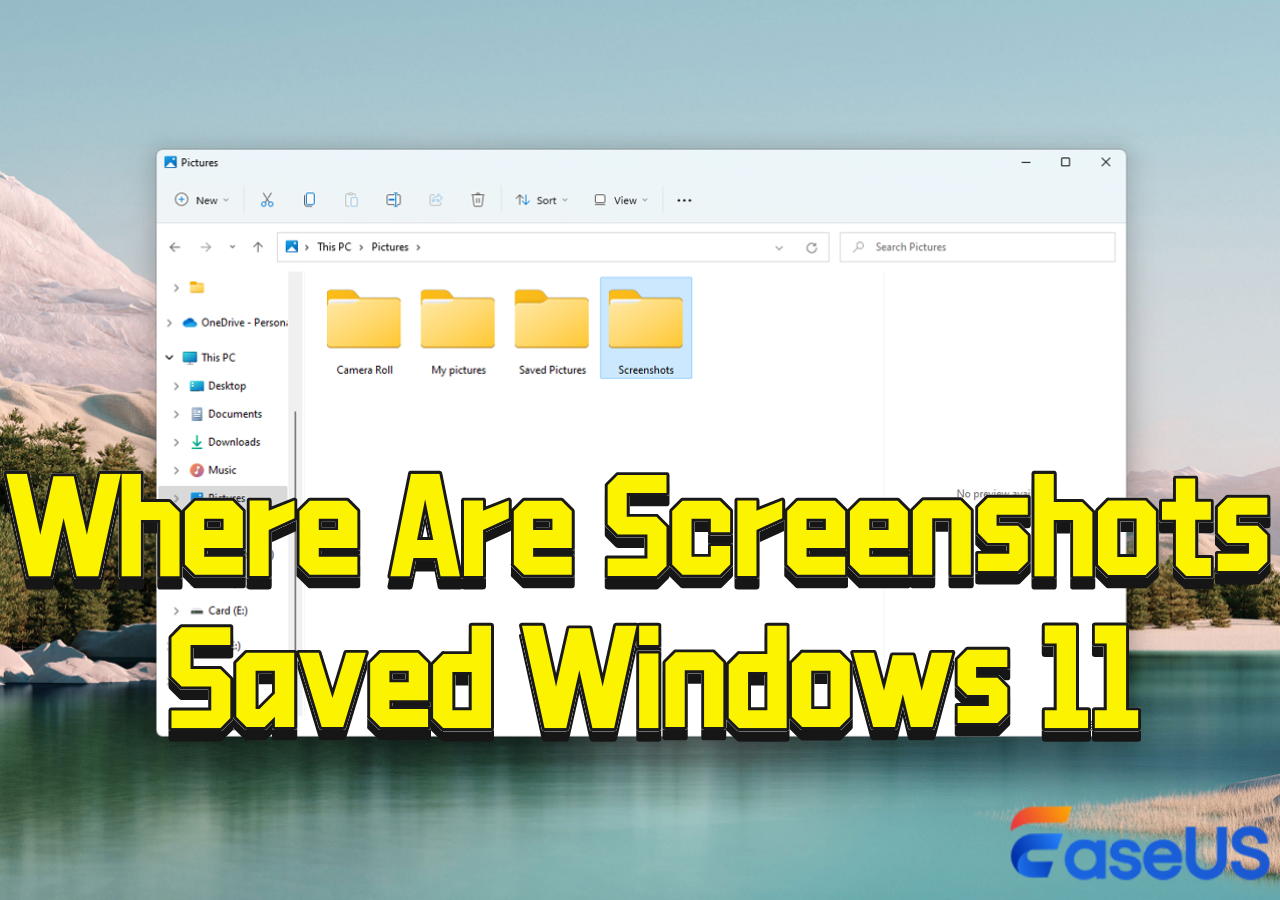
![]() Where Are Screenshots Saved Windows 11 | Screenshots Default Location
Where Are Screenshots Saved Windows 11 | Screenshots Default Location October 22,2026
 6 min read
 -
![]()
-
![]()
-
![]()
-
![]()
-
![]()
Page Table of Contents
| To recover data from a corrupted hard drive, first use data recovery software, then try the built-in Windows CHKDSK utility by running it from an administrator Command Prompt with the command chkdsk X: /f /r, replacing "X" with the drive letter, to fix errors and recover data from bad sectors. |  |
Data loss from a corrupted hard disk is a stressful experience, whether it involves precious family photos, critical work documents, or important projects. The good news is that in many cases, the data is recoverable. This guide will walk you through the essential steps to understand, diagnose, and recover data from a corrupted hard disk, then, if possible, repair the damaged hard disk!
PAGE CONTENT:
How a Hard Disk Becomes Corrupted/Damaged or Dead
Hard disk corruption can be broadly classified into two categories: logical failures or physical failures. Here are the main hard disk corruption scenarios, which are also the reasons why a hard drive can become corrupted, damaged, or even dead:
#1. Logical Corruption
- File System Corruption: This can be caused by improper ejection, sudden power outages, system crashes, or virus attacks. The drive may prompt you to format it or show as "RAW".
- Accidental Deletion or Formatting: Human error, like permanently deleting files or formatting the wrong drive by mistake, is a common cause of data loss.
- Partition Table Damage: The partition table acts as a map for your operating system. If it's damaged, the system won't know where to find the data on the drive.
- Virus Attacks: Malicious software may distort, erase, hide, or alter your data. The good news is that recovering from certain malware infections doesn't often involve much pain.
#2. Physical Corruption
- Overheating: Heat is the most common cause of hard drive corruption. If your CPU fans aren't operating properly, your hard disk will overheat and become corrupted.
- PCB (Printed Circuit Board) Failure: The PCB controls the drive's operations. Power surges or physical damage can cause PCB failure, potentially preventing the drive from being recognized or producing a burning smell.
- Read/Write Head Failure: The heads read and write data from the platters. If they fail, you might hear a clicking or ticking sound from the drive. This is a severe issue that requires professional help.
Can You Recover Data on a Corrupted Hard Drive
It's crucial to identify the type of failure, as the recovery approach differs significantly:

- Important
- This guide focuses exclusively on hard disk drives (HDDs), but not solid-state drives (SSDs). For SSD users, check out our guide on how to 👉How to Recover Data from an SSD [Detected or Not Detected].
How to Recover Data from a Corrupted Hard Disk (3 Steps)
Follow the three parts to methodically maximize your chances of a successful data recovery process:
Section 1. Preliminary Checks Before Data Recovery
Before diving into recovery software, perform these basic checks: Ensure the SATA/USB cable and power connector are secure, and try a different cable or a different USB port on your computer. A loose connection is a common reason a drive isn't detected.
Then, check Disk Management: Press Win + R, type diskmgmt.msc, and press Enter. This tool shows all drives connected to your system:
- If it has a partition but no drive letter (e.g., D:, E:), you can right-click the partition and select "Change Drive Letter and Paths" to assign a new letter.
- If the drive is visible but shows as "Unallocated" or "Not Initialized", you will need to recover data first, so you can initialize a disk without losing data.
Read on to learn how to recover data on a corrupted hard disk using a reliable hard drive recovery tool! Don't forget to share this guide to help more people learn how to retrieve data from a corrupted hard disk!

Section 2. Recover Data from a Corrupted Hard Drive via Software
EaseUS Data Recovery Wizard has a user-friendly interface that allows users to recover files from corrupted hard drives without effort. This hard drive recovery software allows you to restore lost data from hard drives in almost all data loss situations.
Follow these steps to recover data from a corrupted hard drive using EaseUS hard drive recovery software:
| ✅EaseUS software provides an image backup feature that helps create a byte-to-byte backup to protect data from a corrupted hard disk. So you can then recover data from it instead of the corrupted/damaged hard disk. |
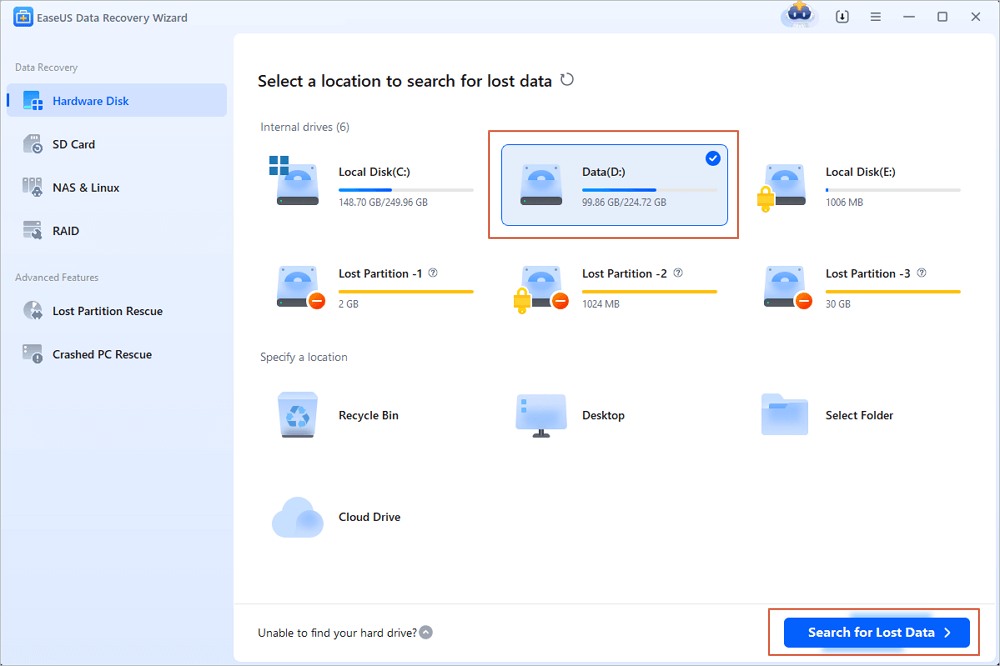
Step 1. Select and scan the corrupted hard disk: Select the corrupted/damaged hard drive (or its disk image backup), and click "Scan". EaseUS data recovery software starts scanning for all lost data and files on the corrupted hard disk.
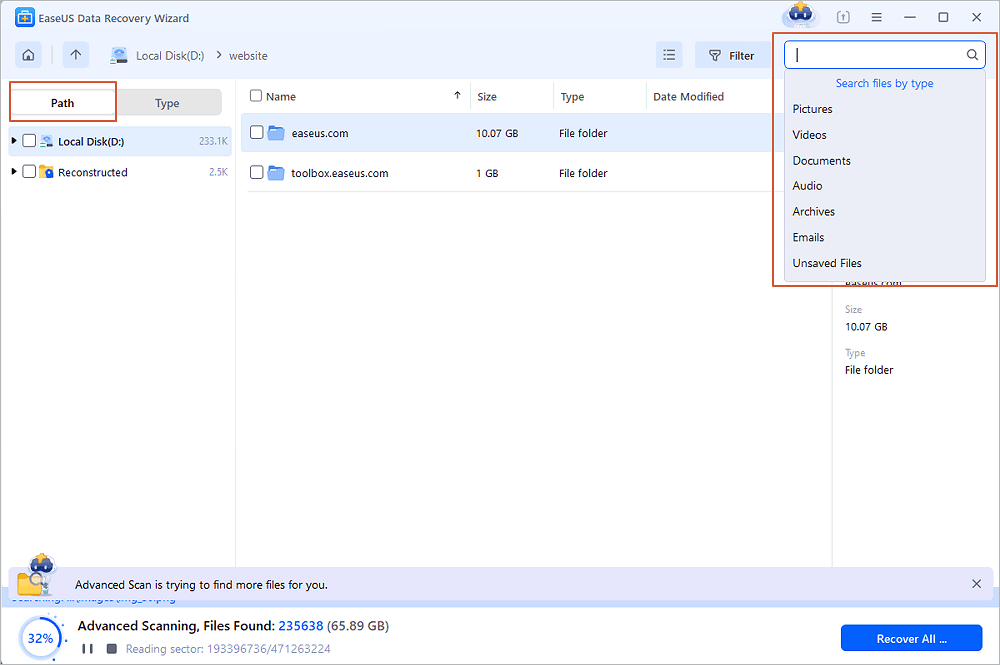
Step 2. Locate the files you want to recover: When the scan is complete, apply the "Filter" feature or click the "Search files or folders" option to find the lost files on the hard drive.
Step 3. Restore lost data from the corrupted hard drive: Select the wanted files that you lost on the drive and click "Recover" to save them to another location.

Here's a video tutorial that provides you with more details on hard drive recovery. Take a look!

Section 3. Data Recovery from Corrupted Hard Disk with Data Recovery Service
If you are hesitant to try the software, hiring a trustworthy data recovery service provider specializing in corrupted hard drive recovery is a sensible choice. The first option to fix and repair corrupted hard drives is using EaseUS data recovery services, which the experts can help you check and repair the corrupted file system and bad sectors online.
EaseUS data recovery professionals are skilled at recovering data from a range of devices, including hard drive corruption. Our professionals claim an unrivaled 90% success rate. Thus, you can be secure in the knowledge that your data will be returned to you.
Consult with EaseUS data recovery experts for one-on-one manual recovery service. We could offer the following services after a FREE diagnosis
- Repair corrupted RAID structure, unbootable Windows OS, and corrupted virtual disk files
- Repair your disk to ensure optimal performance
- Fix a damaged virtual disk file (.vmdk,.vhd,.vhdx, etc.)
- Fix disks that become GPT-protected partitions
Step 1. Click the link to contact the experts. They will evaluate your hard drive's full degree of harm and offer suggestions for recovering the most data.
Step 2. After diagnosing the problem, they will value the recovery services in price.
Step 3. EaseUS professional data recovery services let you arrange a remote desktop meeting with committed support engineers. The IT experts will repair your corrupted hard drive and recover data from it remotely.

How to Repair a Corrupted Hard Disk After Data Recovery (3 Tips)
After saving your essential data with EaseUS hard drive recovery software. How do you repair the hard disk after restoring lost files from a corrupted hard disk drive? Below are a few tips.
Tip 1. Using CMD to repair the hard disk drive
If the hard disk has bad sectors or internal errors, it can be corrupted easily. If you know how to run the CHKDSK command on your PC, it will be effortless for you to recover data from a hard disk. Let's see how to run CHKDSK and repair the corrupted hard disk drive now:
- Press Win + X, and select "Command Prompt (Admin)".
- Click "Yes" to launch Command Prompt as Administrator.
- Type chkdsk and hit "Enter" to check errors in the corrupted hard drive.
- Type chkdsk C: /f /r/x to let CHKDSK fix the drive. (C is the drive letter of your corrupted hard drive)
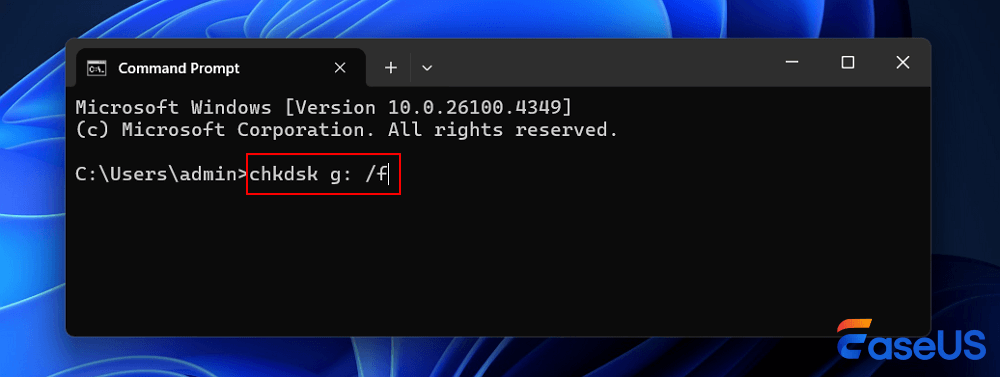
If the target drive is a boot disk, the system will ask you to run the command before the next boot. Type yes and hit "Enter" to restart the computer. The command will run before the operating system loads, allowing it to access the disk and fully repair the corrupted drive.
Tip 2. Run a Disk Check to Fix a Corrupted Hard Disk
- Open This PC or Computer, right-click the hard drive, and select "Properties".
- Click "Tools" and click "Check".
- Select "Check local disk" and click "Start".
- Close all running and open programs, and select the option to let the system check upon the next boot.
- After this, restart the PC.

If it reports that your drive has 'bad sectors or clusters', don't worry. The CHKDSK command in Tip One will fix this issue.
Tip 3. Repair the Corrupted System Drive from the Control Panel
- Launch "Control Panel" and go to "System and Security > Action Center > Security and Maintenance".
- Click "Maintenance > Run Scan > Restart".

Corrupted Hard Disk Recovery Conclusion
After all these steps, you can successfully recover data from a corrupt hard drive and fix the corrupt hard disk issue with useful methods. Now, you can reuse the hard disk drive to store and save data again. If you face a similar problem on your corrupted hard drive, external hard drive, or USB storage devices, don't worry. Just follow this article to get your problem fixed without losing any data.
How to Recover Data from Corrupted Hard Disk FAQs
Here are 4 additional questions about how to recover data from a corrupted hard disk. Check here for the answers.
1. How to recover the corrupted hard drive by myself?
- You can repair the corrupted Windows hard drive with an antivirus program. Windows Defender or other third-party solutions can remove the infection and repair your hard drive.
- Use Command Prompt to repair the corrupted Windows hard drive, and then use the CHKDSK command to check and repair the disk.
- Select a file system repair tool to fix the corrupted Windows hard drive.
2. Can a corrupted hard drive be recovered?
A corrupted hard disk can be recovered with free data recovery software, such as EaseUS Data Recovery Wizard. Install the software on your computer. Start it up and select the corrupted hard drive to scan for lost files.
3. How can I recover my corrupted hard drive for free?
Steps to free data recovery from a corrupted hard drive:
- Download and install the EaseUS Data Recovery Wizard for free.
- Launch EaseUS data recovery software and choose the faulty hard disk to scan.
- Preview and recover the files from the corrupted hard drive.
4. Can formatting HDD fix a corrupted hard drive?
Yes, that is one option to consider. A full format will completely clean the hard drive, rebuild all its file structures, and scan the disk to ensure everything is in working order. However, this operation results in data loss.
Was this page helpful?
-
Dany is an editor of EaseUS who lives and works in Chengdu, China. She focuses on writing articles about data recovery on Mac devices and PCs. She is devoted to improving her writing skills and enriching her professional knowledge. Dany also enjoys reading detective novels in her spare time. …




 Why Trust EaseUS
 Editor Reviews

20+
Years of experience

160+
Countries and regions

72 Million+
Downloads

4.9 +
Trustpilot Score





