





-
![]()
-
![]()
-
![]()
-
![]()
-
![]() [Solved] Windows Cannot Access the Specified Device Path or File
[Solved] Windows Cannot Access the Specified Device Path or File October 23,2026
 6 min read
 -
![]() Free Toshiba HDD Recovery: Perform Toshiba Hard Drive Recovery for FreeOctober 22,20266 min read
Free Toshiba HDD Recovery: Perform Toshiba Hard Drive Recovery for FreeOctober 22,20266 min read -
![]()
-
![]()
-
![]()
-
![]()
Page Table of Contents
PAGE CONTENT:
EXT2, EXT3, and EXT4 are the most common Linux file system. When you lose your important data in Linux and want to get them back, you should find a reliable Linux data recovery tool. Here, I have listed the 5 best free Linux data recovery software with their pros and cons after testing 11 tools. You can pick any one of them according to your needs. Here is a quick glance at Linux data recovery software testing statistics.
| Criteria | Value |
| 🔢 Number of tested tools | 11 |
| ⏰ How long have we tested | 1 month |
| 🖥️ OS version | Linux & Windows 10 |
| 🗂️ File system | Ext2/Ext3/Ext4 |
| 💸 Minimum cost | Freeware |
| 💰 Average cost | $69 |
Part 1. What Is the Best File Recovery Tool for Linux
It is fair to say that most of us lose essential data on our computers either through virus attacks, accidental deletion, formatting, etc. Most people feel desperate because they thought these files were gone forever. In this post, we will discuss some of the best data recovery available for Linux systems. These tools can save your data on your Linux hard drives.
Top 1. EaseUS Data Recovery Wizard
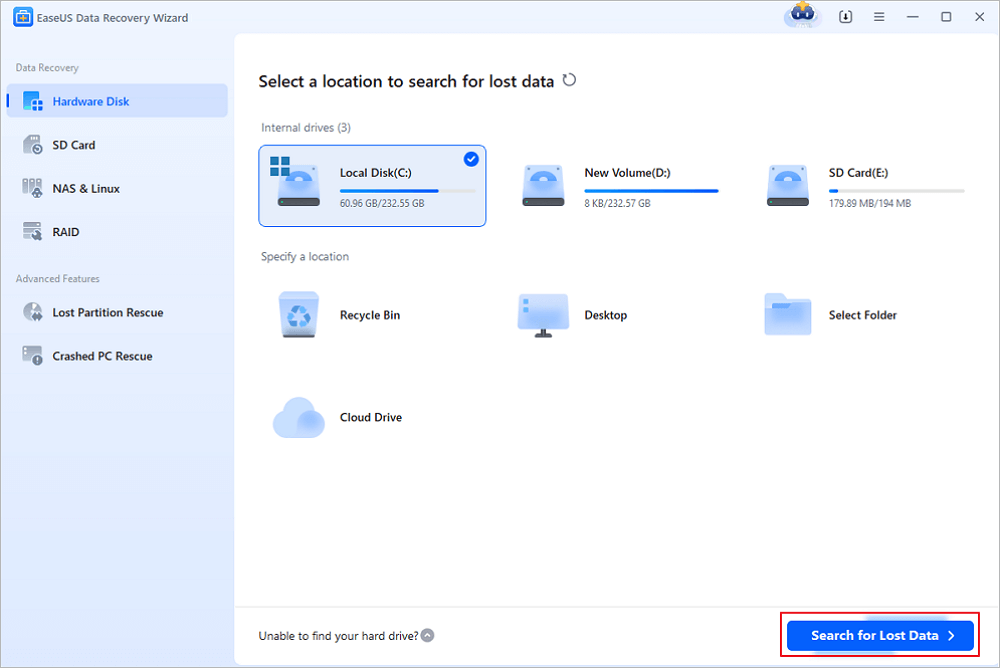
EaseUS Data Recovery Wizard Pro is recommended. It can easily unformat files or perform partition recovery to rescue your data. You can easily recover all of your deleted and lost files.
Pros
- Restore data after reinstalling the OS.
- Recover files deleted/formatted/damaged from Linux volumes.
- Retrieve data removed by using the "Shift + Delete" keys.
- Support EXT2/EXT3 Linux hard drive data recovery.
- EaseUS free data recovery software allows up to 2GB data recovery for free.
Cons
EaseUS Data Recovery Wizard can not run on a Linux computer. You need to take out your EXT2/EXT3/EXT4 HDD and connect it to a Windows computer. You can also create a bootable disk on a Windows PC. Then, recover data without an operating system.
Top 2. R-Linux - Linux File Recovery Software
R-Linux is a free file recovery utility for the Ext2/Ext3/Ext4 FS file system used in the Linux OS and several Unixes. It is useful in recovering data removed by virus attacks, power failures, or system crashes. It has a Linux version and a Windows version. You can run this Linux data recovery software on Windows and Linux PCs.

Pros
- Support Ext2/Ext3/Ext4 FS (Linux) only.
- Display S.M.A.R.T. attributes for hard drives to show their hardware health.
- Recover Linux data after the files were reformatted, damaged, or deleted.
Cons
- R-Linux cannot recover data over the network, reconstruct RAIDs, or provide object copies.
Top 3. TestDisk - Open Source
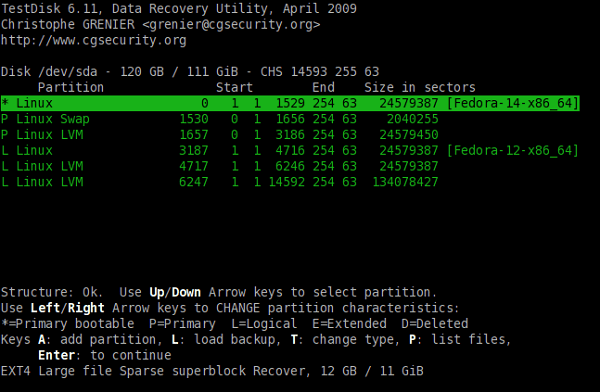
TestDisk is an open-source Data recovery tool mainly used to retrieve damaged partitions. This is a command-line-based tool but is really easy to use. If you lost data on Linux caused by harmful software, viruses, or even accidental file deletion, try this software.
Pros
- Recover lost partitions on Windows/Mac and Linux.
- Create partition backups for EFI GPT partitions.
- Recover various file types from a Linux partition.
Cons
You need to learn about the commonly used file command options in Linux. If you have little technology know-how, EaseUS data recovery software and R-Linux are suggested.
Top 4. Ddrescue - Data Recovery Tool
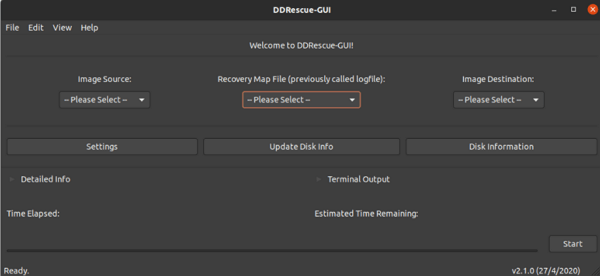
Ddrescue is also a command-line utility. It was developed by GNU. You can run this data recovery software when a read error occurs. Besides, this software highlights the bad sector on a drive. You can recover Linux data from a drive with bad sectors.
Pros
- Recover necessary data efficiently in spite of disk errors and bad sectors.
- Enables users to stop/pause an ongoing activity and resume at any time.
- Data is rescued very efficiently (only the needed blocks are read).
Cons
- You need to learn about the commonly used file command options in Linux.
Top 5. PhotoRec
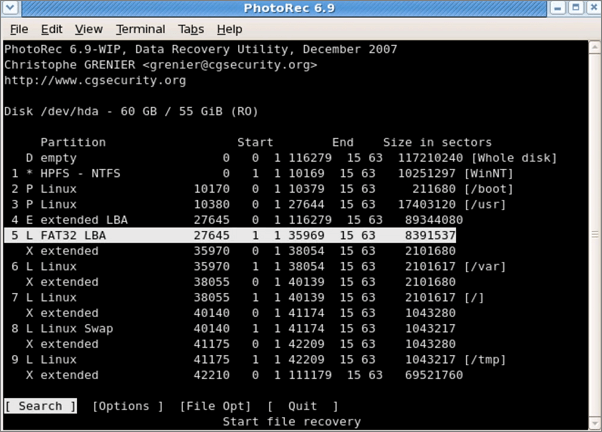
PhotoRec is a free and open-source utility software for data recovery with a command-line-based utility. It was specifically created for recovering deleted photos and other graphic-style media from SD cards and hard drives.
Pros
- Recover files even if the hard drive is badly damaged.
- Support a wide variety of file formats.
- Discover unseen or unexplored data to recover photos
Cons
- It is unable to retrieve all formats of files sometimes.
- You need to learn about the commonly used file command options in Linux.
Part 2. How to Recover Files with EaseUS Linux Data Recovery Software
EaseUS provides the best solution for Linux data recovery on the Ext2/Ext3 drive. You can download the data recovery software and follow the guide below to rescue your lost files.
Step 1. Launch EaseUS file recovery software on your Windows computer. Choose the exact location where you lost the files and click the "Search for Lost Data" button.
Step 2. The software will immediately start scanning the drive, and the deleted files will be displayed soon. If you find the files you need during the scan, you can stop the scan. In order to find the target file quickly, you can use the file format filter or search in the search box.
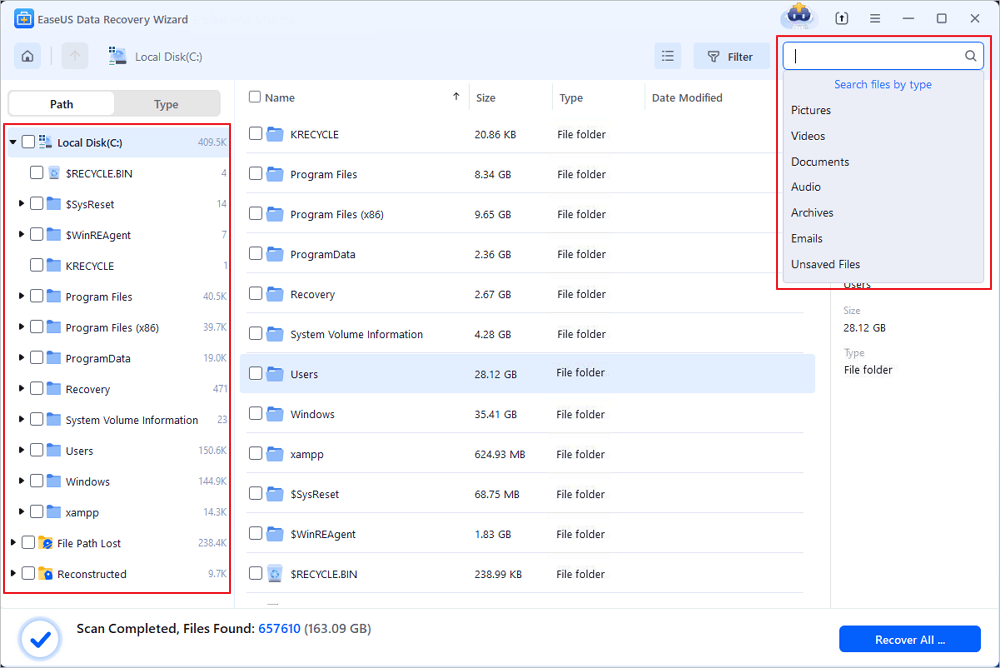
Step 3. Select files, such as Word, Excel, PDF, photos, videos, or emails and click the "Recover" button. You can browse for a different location or Cloud drive to keep the recovered files.

Part 3. How to Protect Your Linux Data
To prevent your PC from data loss problems, the best choice is to back up data in advance. You can simply copy the data to another place. Or you can use file backup software - EaseUS Todo Backup. It enables you to back up the system, files, and folders and restore them easily. It is a Windows application, but you can create a WinPE disk. Then, you can back up data without OS. Boot from your emergency disk and follow the steps below:
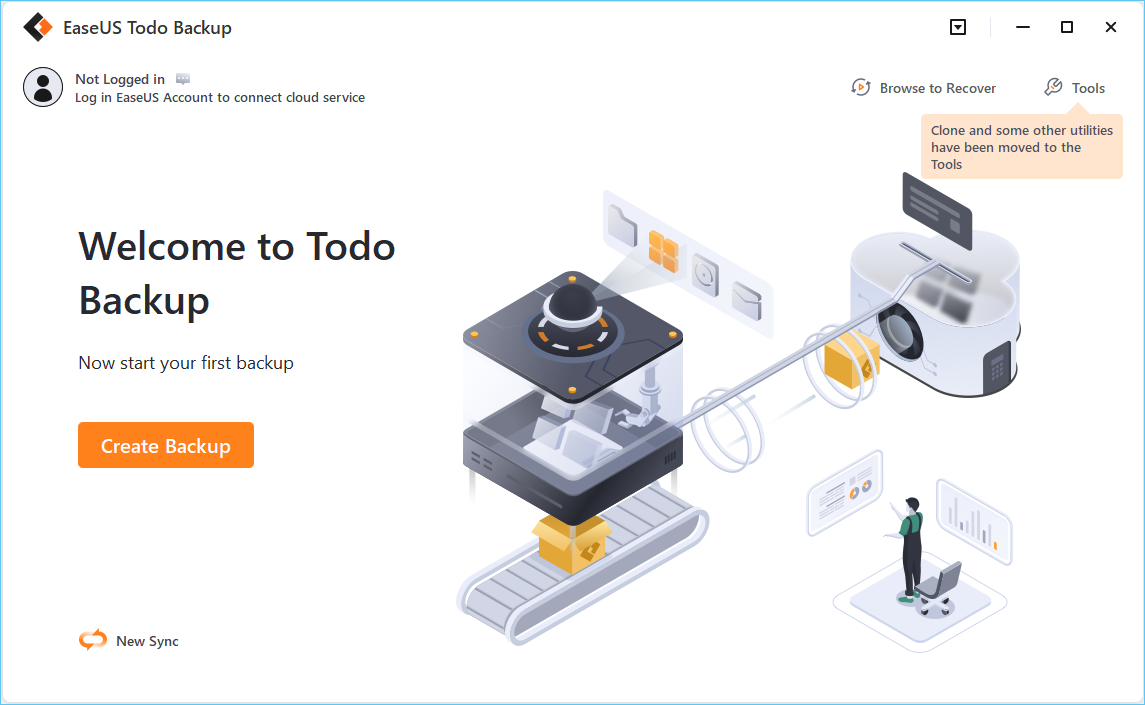
Step 1. For the first time you use EaseUS Todo Backup to back up files, click Create backup on the home screen and then mouse click the big question mark to select backup contents.
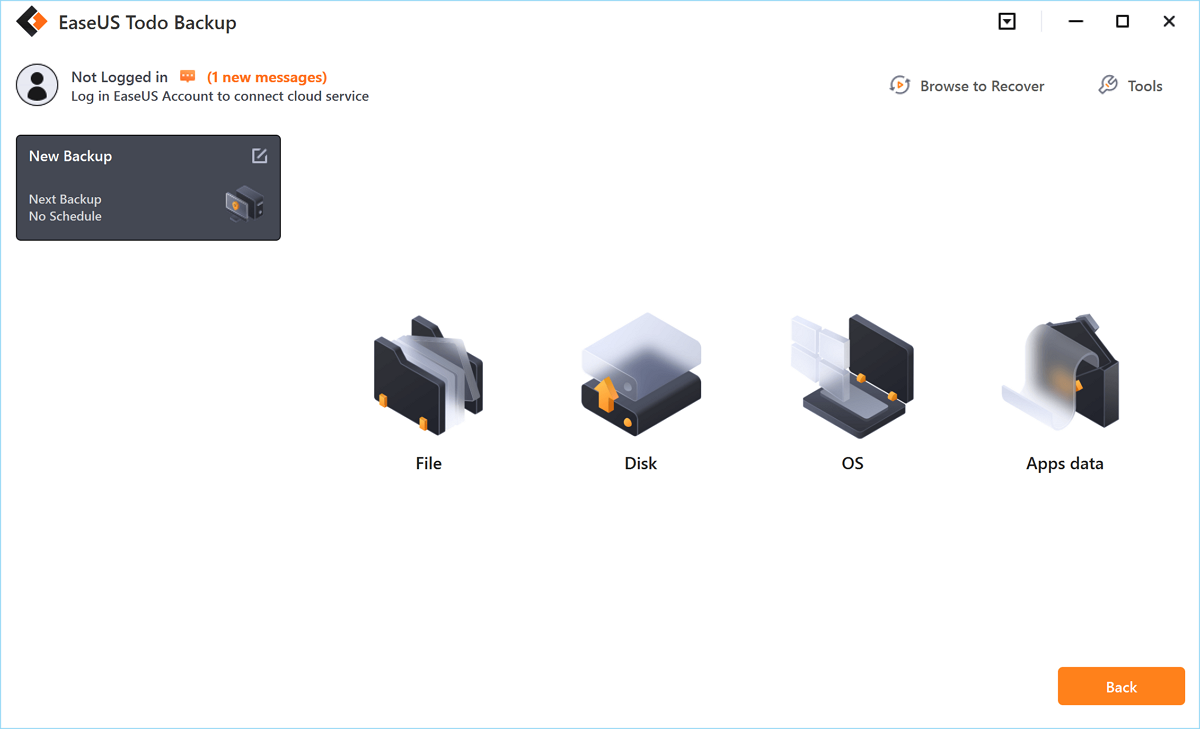
Step 2. Since you're going to back up files and folders on your computer, go on with the "File" backup mode, where you can select pictures, videos, documents and all other types of files to back up.
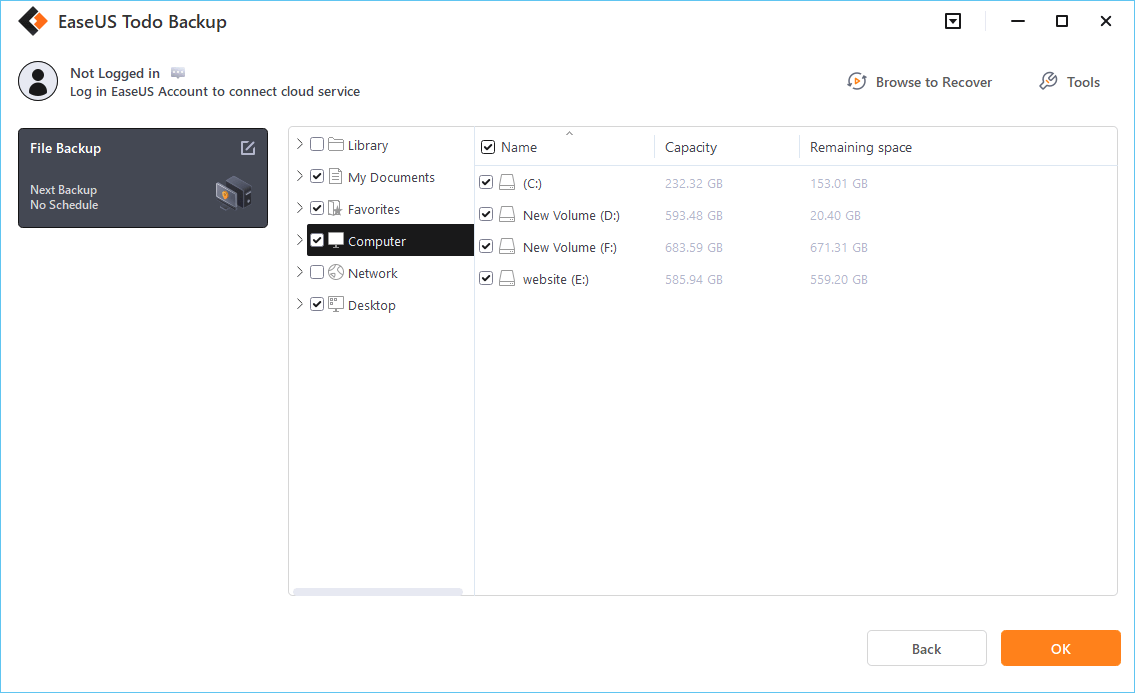
Step 3. Follow the paths to locate the files, folders or directories you want to back up, select them all and click "OK".
Step 4. Now you need to select a backup location to save and retain the backup.
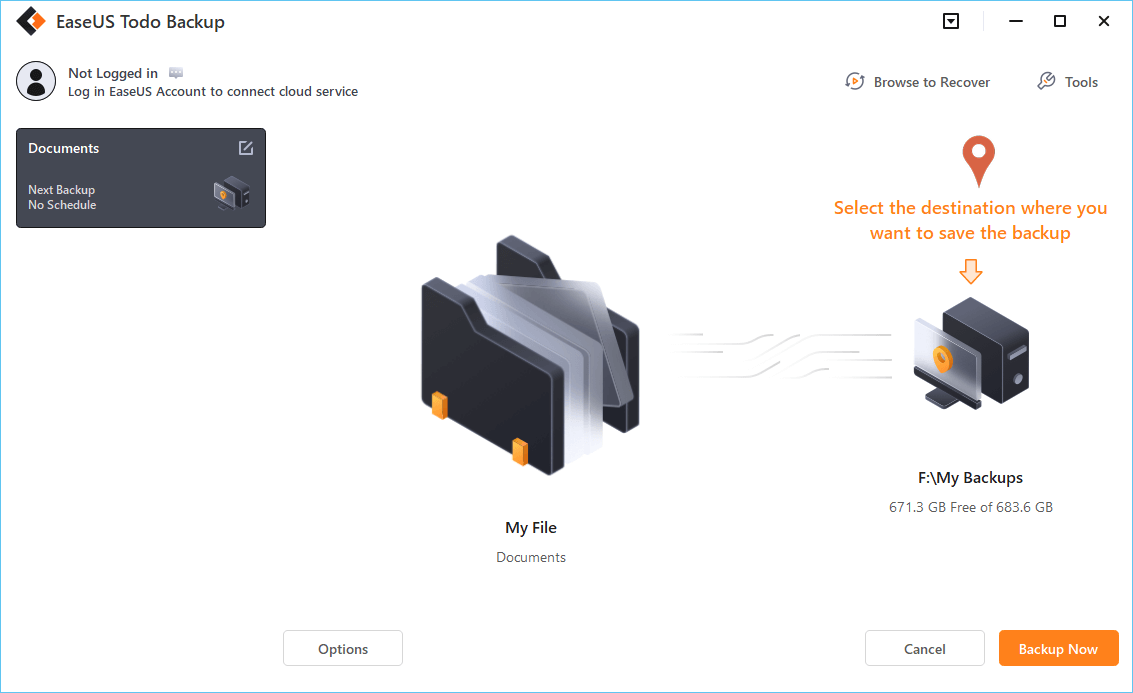
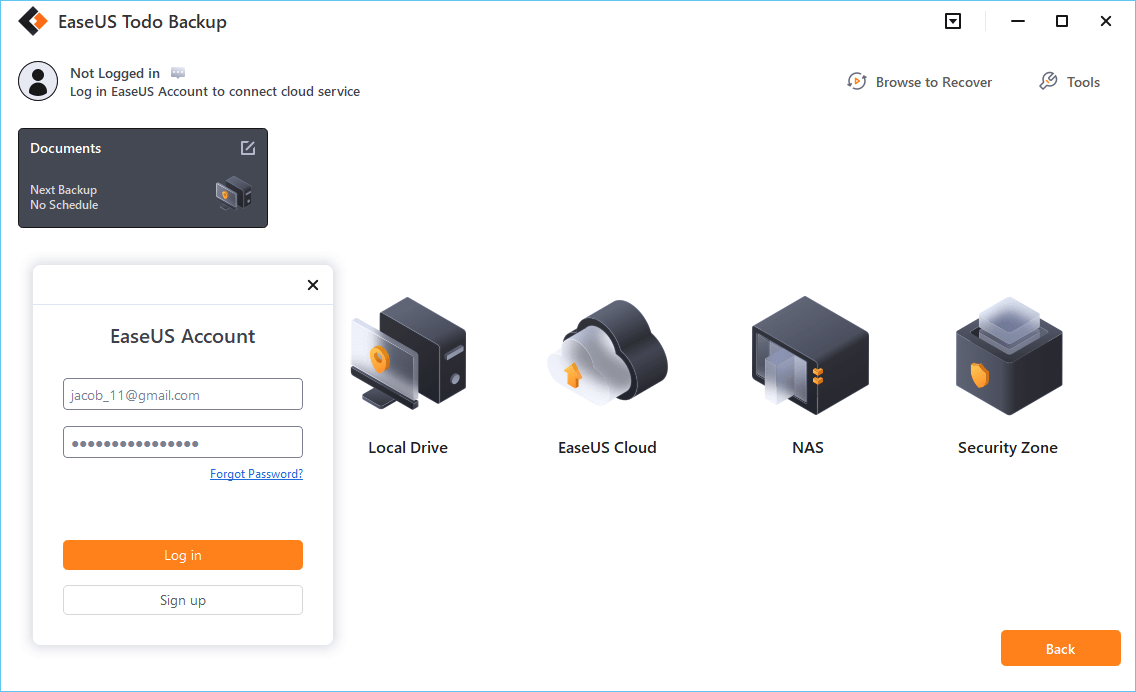
Step 5. EaseUS Todo Backup allows users to save the backup files to every device that is handy for you, like a local hard drive, external USB drive, SD card, network drive, or a NAS drive, plus a cloud drive of the EaseUS brand. We personally recommend users to choose the cloud drive prior to a physical drive to save important backups due to the greater accessibility, flexibility and safety.
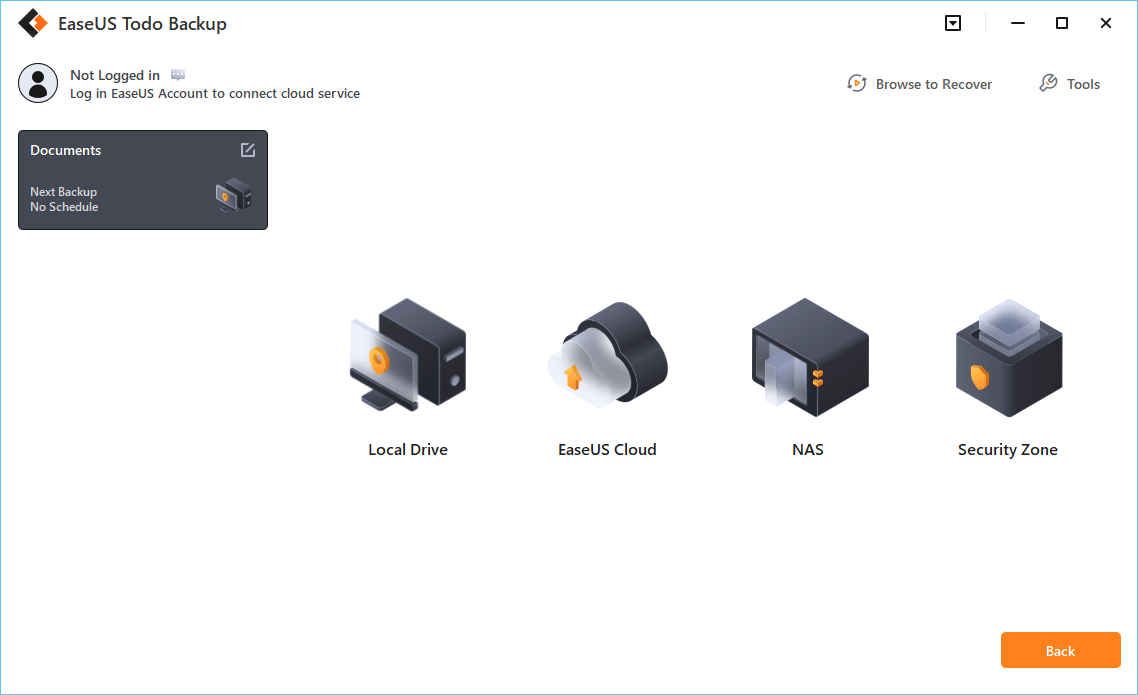
To be able to access to EaseUS cloud, all you need is an email registration and login.
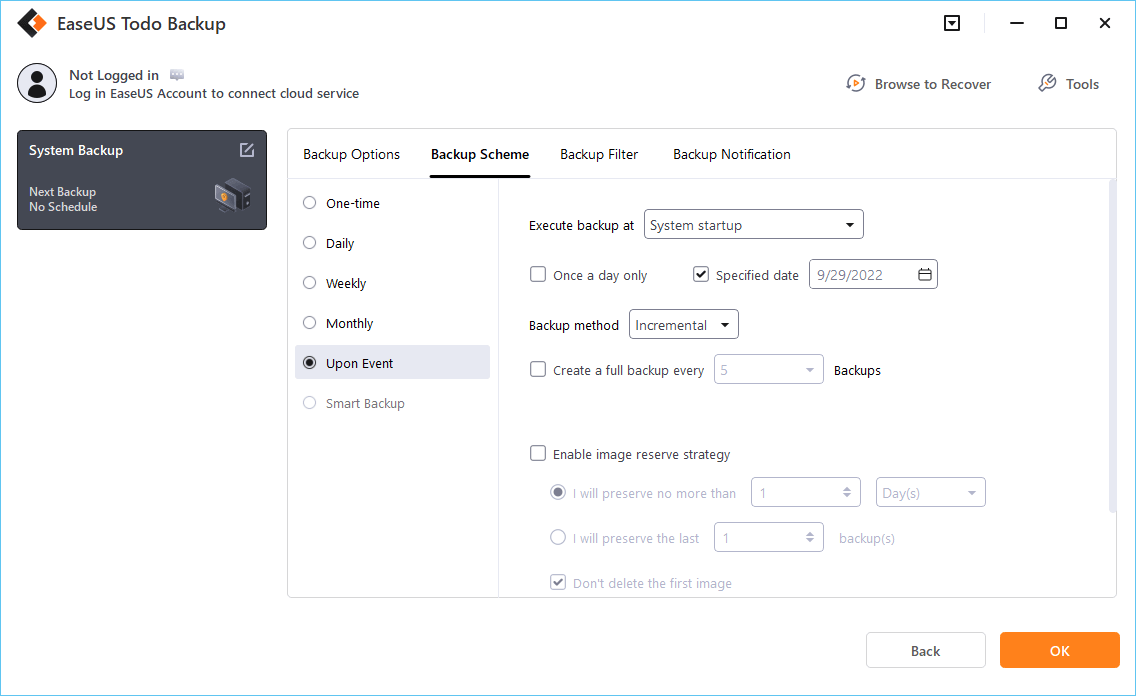
Step 6. If you're interested in an automatic and intelligent backup schedule for the next file backup task, go on with the "Options" setting. There you can encrypt a confidential file backup, compress the backup image size, or customize a backup scheme to tell the software in what time to start the next backup.
Customize an advanced and automatic backup task here:
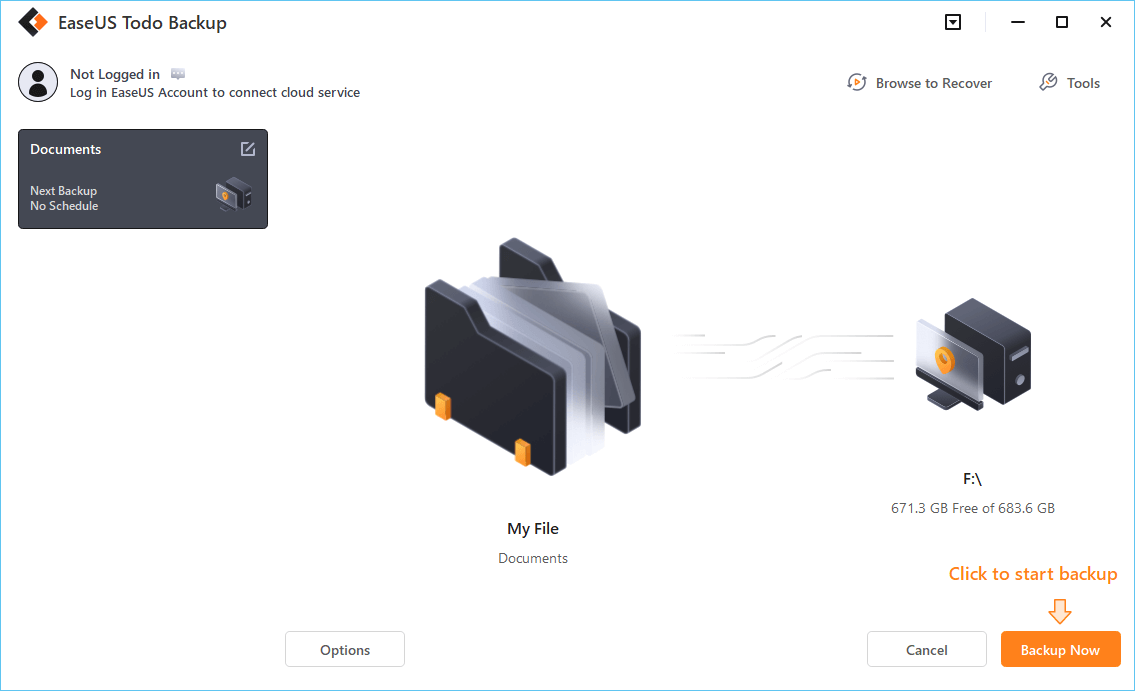
Step 7. Click "Backup Now" to start the file backup process. Your completed backup files are visible on the left area in a card style.
Conclusion
You have learned about the five free Linux data recovery software. And you can restore EXT2/EXT3/EXT4 data with simple steps. In the top list, EaseUS data recovery software is my recommendation. You can not only restore data from a Linux partition but also recover lost files from Windows and Mac. If you find this post helpful, share it on your Twitter, Facebook, and Instagram.
Was this page helpful?



 Why Trust EaseUS
 Editor Reviews








