what's new in iOS 12
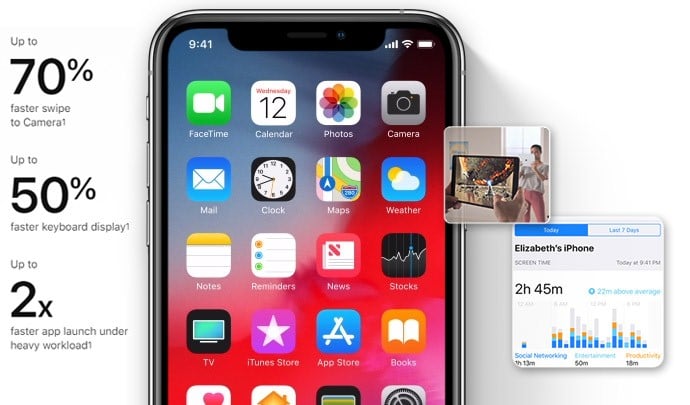
The most expected feature in iOS 12 is the enhancement on the iPhone performance, Apple said that iOS 12 will be 70% faster. When it comes to launching and taking photos, it will be more obvious.
System enhancements
Performance
The most expected feature in iOS 12 is the enhancement on the iPhone performance, Apple said that iOS 12 will be 70% faster. When it comes to launching and taking photos, it will be more obvious.
Screen Time
This feature will let parents be able to contorl and track how their kids are using the devices. The system will provide a chart of how the time is spending on this device to parents. It will give dad and mom a release.
ARKit2
AR is not a new tech and AR products are just getting more popular in recent years, but it is new to combine a smartphone system with AR. ARKit 2 additionally allows full 2D image tracking and incorporates the ability to detect 3D objects.
![]()
![]()
Application enhancements
Siri
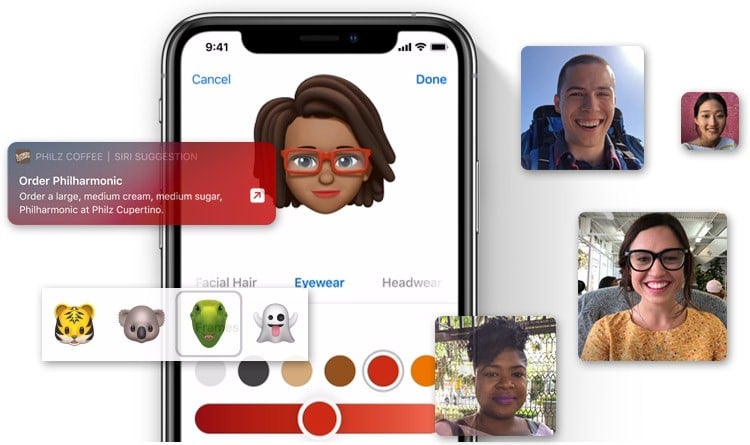
Siri is getting smarter and at the same time user could even make Siri smarter. Go to“Settings > Siri and Search > Add to Siri”or find the app which could support this function and tap “Add to Siri”directly. This will set a shortcut for Siri when you ask Siri to find the app.
Memoji and Animoji
We are already pretty familiar with the Animoji, now there are four more characters, rex, ghost, koala, and tiger, in Animoji. Memoji is a new kind of Anomoji, users could use memoji to create their own animoji and use them in messages or facetime.
FaceTime
The new FaceTime on iOS 12 could support a conversation with 32 people. Animoji and Memoji are also available in FaceTime.
Supported devices
iPhone
- iPhone 5S
- iPhone 6
- iPhone 6 Plus
- iPhone 6S
- iPhone 6S Plus
- iPhone SE
- iPhone 7
- iPhone 7 Plus
- iPhone 8
- iPhone 8 Plus
- iPhone X
- iPhone XR
- iPhone XS
- iPhone XS Max
iPad
- iPad Air
- iPad Air 2
- iPad (2017)
- iPad (2018)
- iPad Mini 2
- iPad Mini 3
- iPad Mini 4
- iPad Pro (9.7-inch)
- iPad Pro (10.5-inch)
- iPad Pro (12.9-inch 1st generation)
- iPad Pro (12.9-inch 2nd generation)
iPod Touch
- iPod Touch (6th generation)
Other features in details
Find more features on Apple.com
What to Do before Upgrading to iOS 12?
Before updating to iOS 12, you'd better backup all important data including photos, contacts, messages, notes, etc to a safe place. EaseUS MobiMover Free is a totally free tool that can help you finish the job. Follow the tutorial and just a few clicks, all your data will be safely saved on your computer.
-
![]()
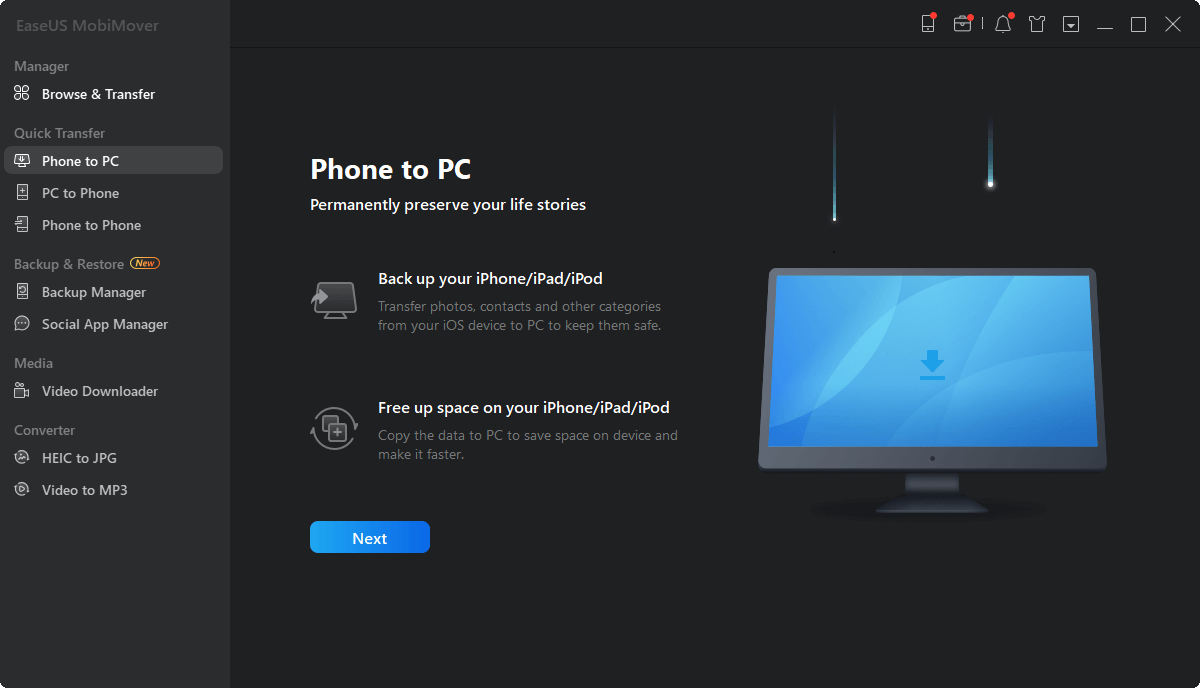
Step 1: Connect your iPhone/iPad to your computer with a USB cable. Tap Trust on your device screen when a pop-up asks to trust this computer. Run EaseUS MobiMover and go to the main screen.
-
![]()
Step 2: Click the Folder icon or the computer icon to set the location for backing up iPhone data. Or you can directly click Next and let MobiMover save the backup files at a desktop folder.
-
![]()
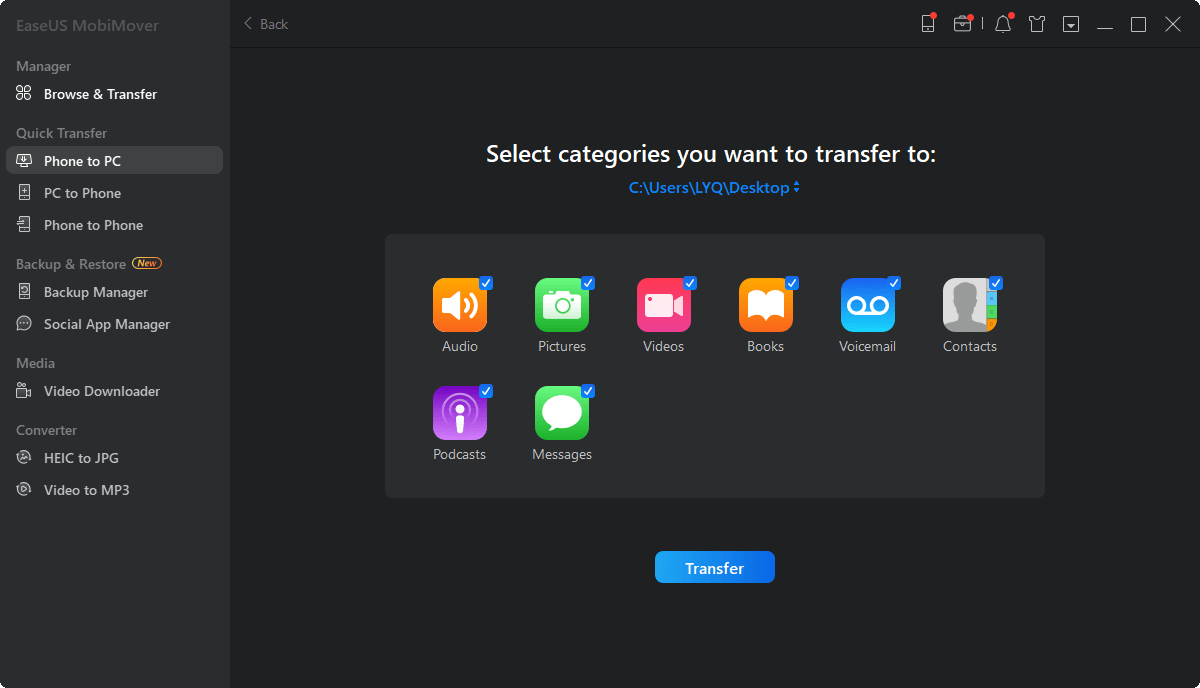
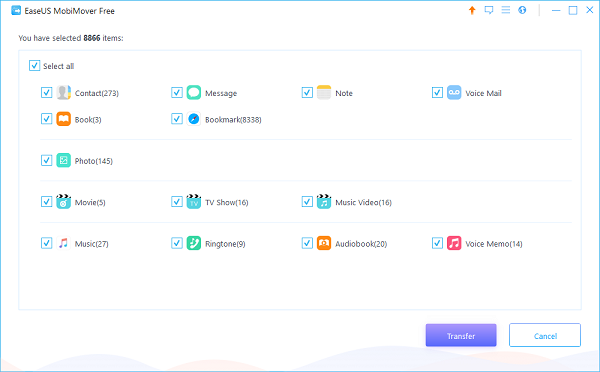
Step 3: You can back up the whole iPhone/iPad data at one time. Or uncheck Select all and keep the categories you'd like to transfer.
-
![]()
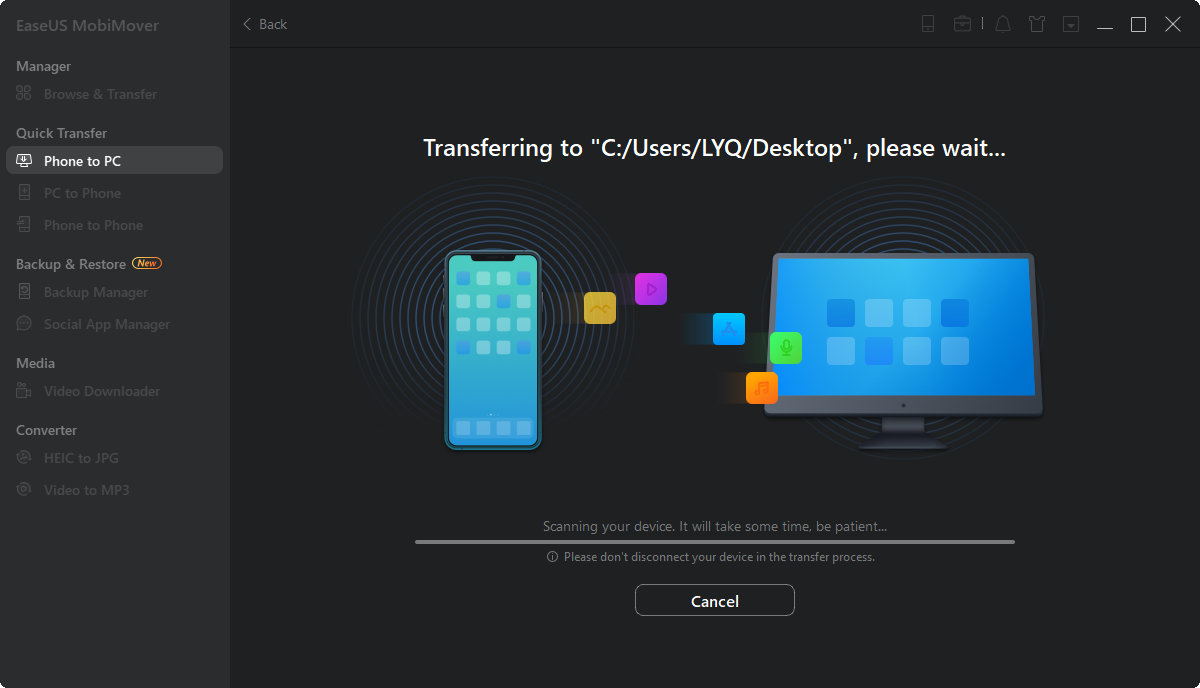
Step 4: Click Transfer and MobiMover will start to back up your iPhone/iPad to the computer. When it's completed, you can click View to check the items. If the exported data is saved as a .html file on your computer, thus you need to open it with a browser to view the details.
What if iPhone data lost while upgrading?
This iPhone recovery tool is able to scan your device, recover data from iTunes and iCloud, just try this useful tool to recover data from iPhone.
-
![]()
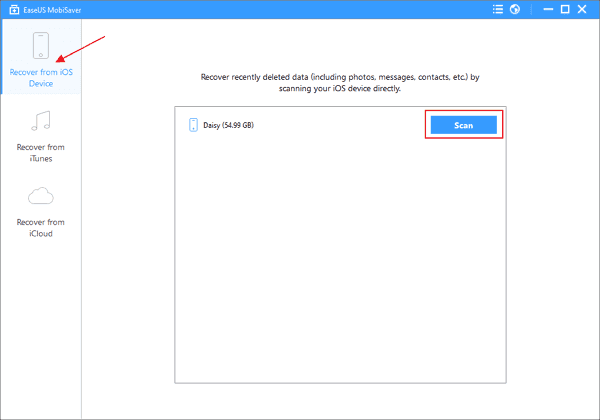
Step 1. Connect iPhone to the computer and run EaseUS MobiSaver Run EaseUS MobiSaver and connect your iPhone to the computer with USB cable. Choose "Recover from iOS Device" and point the mouse to your phone when the software recognized it. Then click the "Scan" button. The program will scan your iPhone to find all the data.
-
![]()
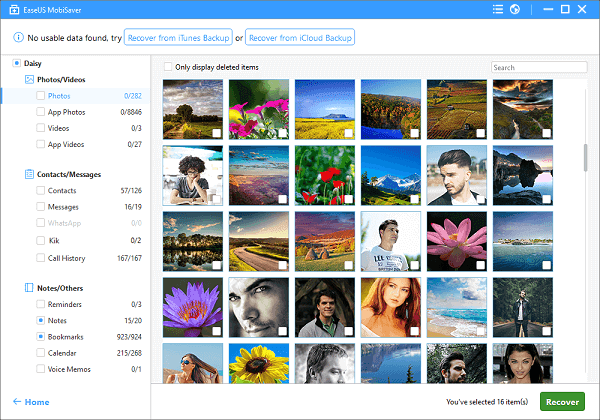
Step 2. Preview and recover iPhone data after restore without backup Wait until EaseUS MobiSaver finishes scanning your iPhone, all the data on the device can be found and listed in well-organized categories on the left. You can click one type to preview and select out the files you want to export. Finally, click the "Recover" button to selectively retrieve and export them to your computer.
Just follow the steps above to recover as much iPhone data after restore as you need.
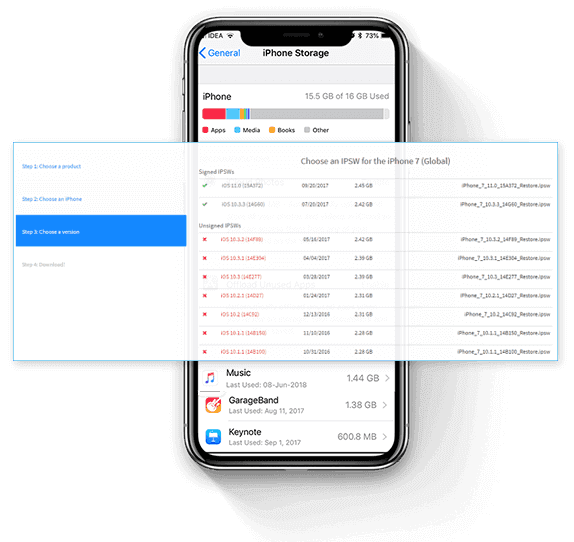
How to downgrade to iOS 11?
How to downgrade iOS 12 to iOS 11 with iTunes? If you make sure your iPhone/iPad and computer meed the demands above and also have a backup of iOS 11. You are able to begin to downgrade iOS 12 to iOS 11 now.
- Connect your iPhone/iPad to the computer and run iTunes.
- Click the iOS device button in the upper left corner of iTunes.
- Click "Summary" > and find the "Check for Update" button.
- For Mac and PC users, the way to activate downgrading process is different:
- For Mac OS users: press "Option" on your keyboard + click "Check for Update" button
- For PC users: press "Shift" on your keyboard + click "Check for Update" button
- Choose the iOS 11 or other iOS 11 IPSW file you downloaded on your computer before to update to that version.
- When the downgrade process begins, your iPhone/iPad screen will turn black. Once the process is done, the Apple logo will occur. Wait patiently.