x  

Upgrade to Full Version with Limited-Time Discount

00DAYS 00HRS 00MINS 00SECS 000MS

Editions Comparison

Professional

$39.95$29.95

Buy Now
  • Single license for 1 PC
  • Resize/clone/merge/format/delete/
    wipe/check partitions
  • WinPE bootable disk
  • Partition Recovery
  • Disk & Partition Clone
  • Supports Windows Storage Spaces
  • Manage Dynamic Volume
  • Support Windows Server
  • Repair RAID-5 Volumes

Server

$259$159.00

Lifetime UpgradesFree upgrades to every latest version. No extra cost.
Buy Now
  • Single license for 1 PC
  • Resize/clone/merge/format/delete/
    wipe/check partitions
  • WinPE bootable disk
  • Partition Recovery
  • Disk & Partition Clone
  • Supports Windows Storage Spaces
  • Manage Dynamic Volume
  • Intelligent partition adjustment
  • Support Windows Server
  • Repair RAID-5 Volumes

Unlimited

$499$399.00

Lifetime UpgradesFree upgrades to every latest version. No extra cost.
Buy Now
  • Single license for unlimited PCs in one company
  • Resize/clone/merge/format/delete/
    wipe/check partitions
  • WinPE bootable disk
  • Partition Recovery
  • Disk & Partition Clone
  • Supports Windows Storage Spaces
  • Manage Dynamic Volume
  • Intelligent partition adjustment
  • Support Windows Server
  • Repair RAID-5 Volumes

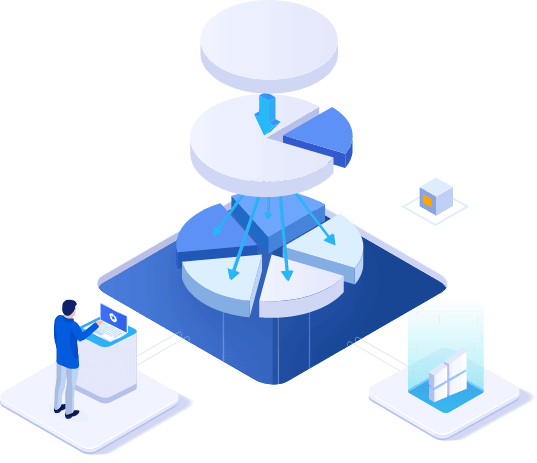
Redistribute Space on Disk Flexibly

EaseUS Partition Master Pro makes it effortless to partition hard drives and take full advantage of your disk space.

  • Resize/Move Partitions

    Adjust a partition to a larger or smaller one for your need.

  • Merge Partitions

    Merge partitions into a larger one without losing data.

  • Create/Format/Delete Partitions

    Organize and optimize your hard disk.

  • Copy Disk/Partition

    It helps you clone/migrate partition to the unallocated space.

  • Migrate OS to SSD

    Migrate OS to SSD to speed up Windows.

  • Dynamic Volume Management

    Resize/extend/shrink/create dynamic volume easily.

Partitions Converter & Wizards

  • MBR/GPT Disk Converter

    Change disk style from MBR to GPT without data loss, and vice versa.

  • Change FAT32 to NTFS

    Convert file system from FAT32 to NTFS.

  • Primary/Logical Partition Converter

    Convert partition from primary to logical and vice versa.

  • Dynamic/Basic Disk Converter

    Convert dynamic disk to basic disk and vice versa.

More Management Tools

A range of features are available to improve disk management and performance

  • Create WinPE Bootable Disk

    You are allowed to resize partitions, extend system partitions, rebuild MBR and settle low disk space with bootable disk.

  • Partition Recovery

    Quickly recover deleted or lost partitions by scanning the whole disk or unallocated space.

  • SSD 4K Alignment

    Align SSD partitions correctly to speed up your PC

  • Partition Recall Protection

    Automatically restore the partition state to previous if something goes wrong when you are attempting to adjust partitions.

What's new System Requirements

What's New in Version  

  • Intelligent partition adjustment
  • New disk operation guide
  • Improved allocation of free space

As Featured in

AWARDS

  • I've yet to find the perfect partitioning program--one that's easy, reliable, versatile, non-destructive (meaning it can resize a partition without erasing it). It is extremely easy.

  • When you add a new hard disk or SSD to your system, you must format and partition it before you can use it. The best tool for the job is a full-featured disk partition manager, which can not only format and partition drives but repartition them.

  • EaseUS Partition Master is comprehensive, which enables you to perform basic and advanced partition operations.

USERS SAY

  • Loads up in seconds. Identifies Hard Drives Correctly. Easy to figure what to do and how to do it. Works GREAT with Windows 7 - 64Bit. NO data loss When Windows is up or via the "dos" mode.

    Wesley

  • Have used the program a couple of times to reduce the C: system/ programs partition and increase the D: my data partition. The program works flawless every time again. Very simple to use, highly recommended.

    Fred Huisman

  • We use it in the whole company, partition master help us greatly save the cost. Nice!!!

    David Colber

Frequently Asked Questions System Requirements
How to wipe the disk with EaseUS Partition Master?
You can use the Wipe feature to wipe out a disk with EaseUS Partition Master, which alternately overwrites the disk by 0x00 and random digit according to the wipe times. In most cases, the data cleaned with this feature are not able to be retrieved.
Is it a mandatory upgrade when a newer major version is released, like from ver 12 to ver 13?
Nope, we will not force you to upgrade the product. You can either continue with the old version, or pay to upgrade to the new version. If you have purchased the Free Lifetime Upgrade package, the major upgrades are for free.
What should I prepare before resizing the partition?
On the partition that is going to be operated, there might be some files being occupied by other programs. To ensure a successful operation, we suggest that you close all the unnecessary software before resizing that partition. Otherwise, EaseUS Partition Master will detect the partition being locked by the other software and require a reboot to resize the partition under boot mode.
Will the “Migrate OS” feature transfer the Windows system files only or the whole C drive?
To ensure that the migrated system will boot normally, the Migrate OS feature will transfer all the files in the system and the boot partitions. Generally, the boot partition is the C drive so the transfer will include all the files in C.
If I couldn’t boot my computer, can I use EaseUS Partition Master to check the partition status?
You can create a WinPE disk with a paid copy of EaseUS Partition Master. It can help you boot the PC prior to Windows to check the partition status on a problematic computer.