EaseUS Disk Copy
Do you want to leave? Wait!
1.5 million users have downloaded this product
EaseUS Disk Copy TrustScore 4.6

1.5 Million
Users

98%
Successful Boot Rate

500 Downloads
1 Day
Thanks, I'm not interested
 30-day money back guarantee
 100% secure
 Free tech support
Pro
$19.90
Technician
$89.00
Server
$699.00
Clone Hard Drive to New Disk
Upgrade your hard drive effortlessly: Transfer data from old to new HDD/SSD with EaseUS Disk Copy in one click, ensuring no data loss.
Upgrade to a Larger Disk
Upgrade your hard drive seamlessly with EaseUS Disk Copy: Clone the system or the entire disk without data loss during the upgrade process.
Migrate OS to SSD
EaseUS Disk Copy can easily migrate Windows installation from HDD to SSD, or clone SSD to M.2 SSD or SATA/M.2/NVMe types.
Create A Complete Backup
Backup your data effortlessly with EaseUS Disk Copy: Clone your hard disk and preserve all programs, files, and preferences without any data loss in the future.
Clone Hard Drive for Recovery
Securely back up your entire hard drive with EaseUS Disk Copy: Copy files, applications, and registry for a complete OS restoration in case of drive failure or software issues.
Create WinPE Bootable Disk
Create a USB bootable device with EaseUS Disk Copy: Boot crashed computers, install OS, troubleshoot, and recover system data when the OS crashes.
Easy to Use
Easy-to-follow wizards make your system migration, partition management and disk cloning jobs simple - no tech knowledge required.
Upgrade to a Larger Disk
With EaseUS Disk Copy, you can freely choose to clone system only/the entire disk in the hard drive without losing any data in the process of upgrading the hard disk.
Migrate OS to SSD
EaseUS Disk Copy can easily migrate Windows installation from HDD to SSD, or clone SSD to M.2 SSD or SATA/M.2/NVMe types.
Create A Complete Backup
Safely clone your hard disk with EaseUS Disk Copy for data backup. Preserve all programs, files, and preferences without risking data loss.
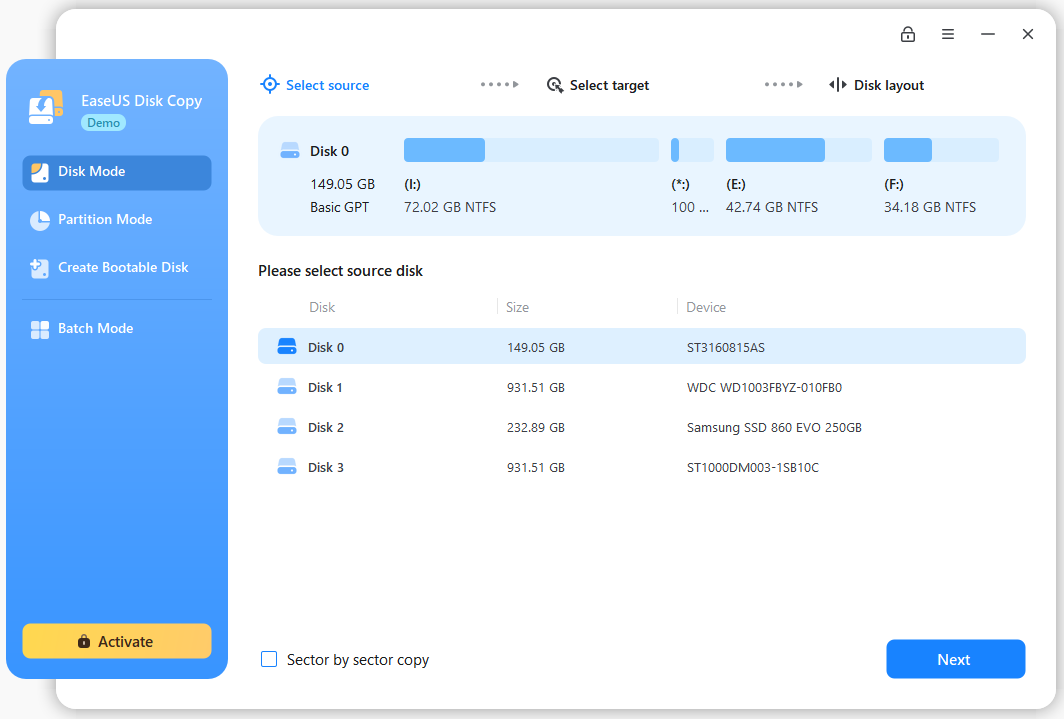
Choose a source disk
Select a disk/partition and click the sector by sector to start a sector-level copy.
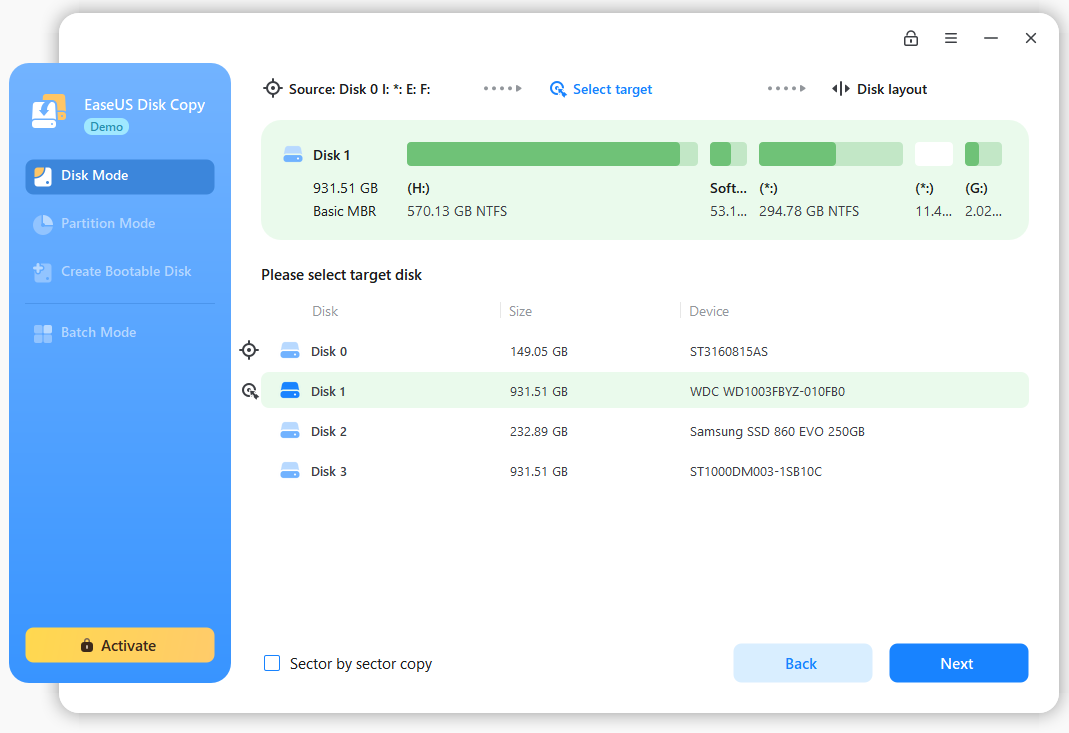
Set up a target disk
Confirm a disk that you attempt to clone the source disk to.
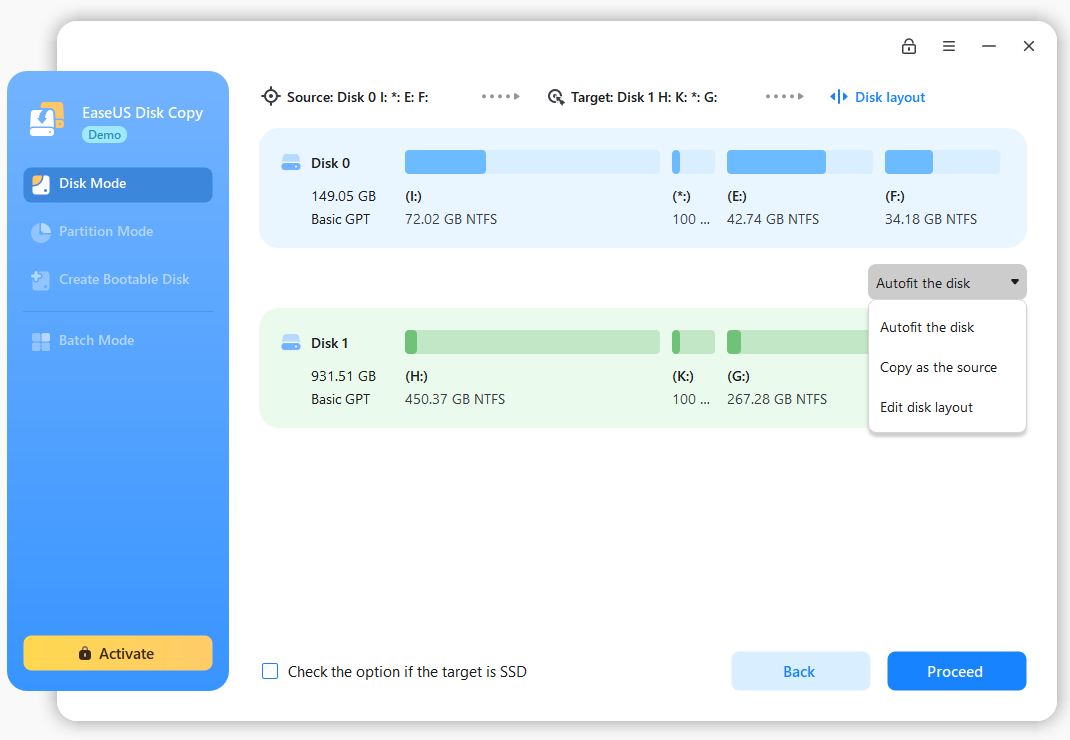
Clone and edit disk layout
Click to clone and auto-fit the disk afterward. Optimize SSD and edit disk layout.
Video Tutorial
Supported Storage Devices
Computer/Laptop
USB flash drive
Supported Hard Disks: HDD/SSD
Supported System and Languages
Operation Systems: Windows 11/10/8.1/8/7
File Systems: NTFS, exFAT, and FAT16/FAT32.
Supported Languages: English, German, French, Italian, Spanish, Portuguese, Russian, Japanese, Korean, Arabic, Dutch, čeština, Traditional Chinese and Simplified Chinese.
What our customers say
We receive feedback from our users regularly.
Numerous reviews show us how satisfied they are with our solutions and services.
 (4.7/5 based on more than 14,500 reviews)
Colin Wilson
Great Help
Jesse - was a great help in resolving an issue when i was cloning a SSD . He therefore jumped onto my PC with TeamViewer and was able to resolve my problems.
Rob Rundbaken
Transferring data to new phone
Most helpful with a real tricky problem. Took me step by step. AND SOLVED IT! Got my info transferred to the new phone. Seamless. Thank you!!! Ken Zhou was amazing!
Mike
This company is the best for service
This company is the best for service . I have bought many products from them and they respond almost immediately. Just open the chat and they there.
Thank you to the great technicians on call.
I can highly recommend. 10 star!
damian NICOLAS canan
I just have the best customer service…
I just have the best customer service ever! I had a problem in my PC that several technicians couldnt fix it and EaseUS took its time and knowlage to drive throughout the whole process. It was not free nor easy but it's solved! I work with my PC so for me the it was priceless, huge thanks for EaseUS - See you next time for another product!
Rayf
Updating the Hard Drive
Working on Windows XP and a review said the cloning software would be what I needed, however the version I downloaded didn't work on XP. I sent an email to support and received a reply giving me a link to the most recent version that supported XP. Cloned the entire hard drive to a new hard drive. Replaced the old HD with the new HD and everything worked.
Saved a huge amount of time and effort reinstalling all the software. This was done on an HP XW4400.
Andrea Coakley Russell
After a windows update I totally could…
After a windows update I totally could not see any of my files on my external hard-drive. After much research I realize that they had not gone anywhere but I needed someone to help me to get them back. I found EaseUS and reached out to them. They were very helpful and fast. The hoped right on my system virtually to get it all set up after about 15 hours all of my files had been moved to my new drive. I cannot thank you enough for all your help. I highly recommend your services.
FAQ
1. Can you migrate Windows 10/11 to SSD?
Yes, you can make Windows 10 clone to SSD by using the cloning tools which can be easily downloaded and used.
2. Can you migrate an OS without losing data?
If you are wondering how to transfer OS without data loss, we will suggest using EaseUS Disk Copy. It will effortlessly move the OS from hard disk to SSD with all the data intact.
3. How do I migrate to SSD without reinstalling Windows?
How can I move an operating system to an SSD without reinstalling Windows? Actually, it is not as difficult as many people believe as long as a competent third-party software is accessible to assist. EaseUS Disk Copy is a strong and simple program that can assist you!
4. What should I prepare before cloning disk?
First, you need to ensure that the capacity of the target disk is equal to or larger than the source disk. Second, the data on the target disk will be cleared, so if you have important data on it, please make sure to make a backup first.
Can’t find your answer?
For pre-sales inquiry, we also can be reached out at a free 800 number 1-800-570-4634 which is available from 6:00PM to 7:00AM Mon to Fri PST
We guarantee to answer your email within 24 hours : [email protected]
Talk to a live Pre-sales Rep now! Available for 24*5 Monday to Friday, 2*2 from 9:00 AM to 11:00 AM UTC+8 on weekends