Looks like you are using a macOS device?
Switch to Mac
Data Recovery Wizard
★★★★★ 4.9/5 on Trustpilot
★★★★☆ 4.6/5 on Capterra
412+ verified reviews

3-step Easy Recovery Process

An easy interface to have a
Recovery of Any Device

Which Situation Describes You?

Whatever happened to your files
The solution is one free scan away.

Say Hello to your Deleted Files

Did you accidentally delete an important file? Did you also empty the Recycle Bin? Don't worry. Here is the best way to recover them in minutes.

  • Accidentally deleted a file?
  • Emptied the Recycle Bin?
  • Deleted files with Shift + Delete?

Recover in unworked devices

Easily recover lost data from a deleted, formatted, unknown, inaccessible or raw partition! Also, rescue your photos in unworked SD card in minutes!

  • Formatted Recovery
  • Partition/Disk Recovery
  • SD Card Recovery

More Scenarios

Not your case? Maybe this can help

  • Recover Data from a Failed OS

    The system constantly reboot and freeze with an error message displayed on the screen ? EaseUS data recovery wizard can easily copy out all the critical files.

  • Damaged Hard Drive Recovery

    Recover data from the dead hard drive and repair your hard disk due to some physical damages.

  • Recover from More Scenarios

    You may encounter a variety of data loss dilemmas. If you are faced with one of these symptoms, EaseUS Data Recovery Wizard is the fastest way to recover data.

  • Free Download – Recover Now

Recoverable Devices & File Types

Support 2000+ Storage Devices

and 1000+ File Types

Free Download – Recover Now

We're Leader in Industry

And there's even more...

File Repair

Corrupt MP4 and MOV videos, JPEG/JPG photos can be repaired during data recovery.

NAS Recovery

It can recover all types of content of your NAS. Almost all of the NAS brands

Manual Recovery Service

One-on-one technical expert service, quickly diagnoses the probability

File Preview

Supports previewing files prior to restoration. You can browse the folders as you would in Explorer.

Recover While Scanning

You can recover your files without having to wait for the data recovery software to finish.

Auto-Recover

For a large disk data recovery, you can choose to automatically restore files

File Filter

Lets you quickly find your target files by sorting files by file type, date it was removed, and name.

Enhanced Video Recovery

Run a full scan to find all videos on your device. You can select the missing parts to.

Free Download – Recover Now

Video Tips for Recovering

Follow our Video Tips to Get Data Back

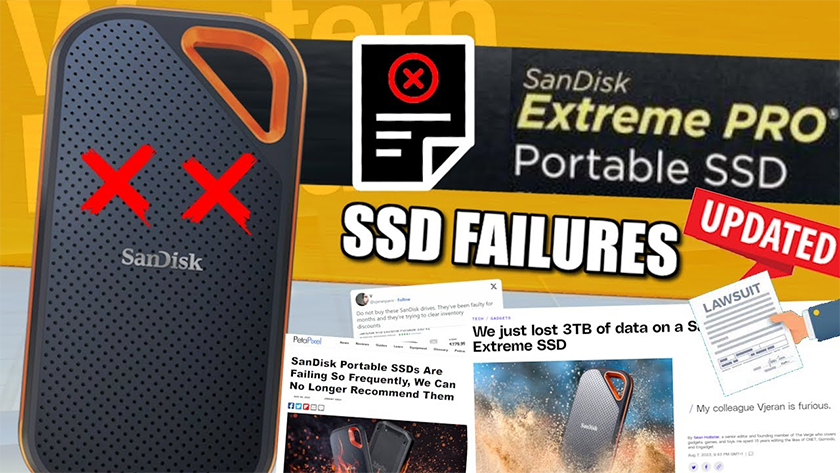
Sandisk Extreme SSD Failures UPDATED

Sandisk Extreme SSD Failures UPDATED - Lawsuits, More Data Loss, Firmware Issues and Recovery?

6 Ways to Fix USB Storage Drive Not Showing/Detected in Windows

Tricks to fix your USB drive not showing up or not recognized in Windows 11/10/8/7.

[Fixed] Hard Drive Not Showing Up in Windows 11/10/8/7

Tricks to fix your USB hard drive not showing in Windows 11/10/8/7.

Recover Deleted Files from Recycle Bin in Windows10/11 (Even Emptied)

The best way that you can recover deleted files from the Recycle Bin in Windows 10/11.

(External) Hard Drive Not Showing Files Though They Still Exist

A video tutorial covers the causes and solutions of hard drive not showing data problem.

How to Recover Files from Formatted Hard Drive in Windows 11/10/8/7

Easy to recover files from formatted drives and partitions for you.

How to Recover Deleted Files from Hard Drive | Recover Deleted Files in Windows

Best way to recover deleted files and folders from a hard drive.

Real people. Real files recovered.

4.9 Stars from 72,000+ Reviews

Editor Reviews User Comments
  • Recover lost files, be they images, videos, songs, documents, emails or archive files, while getting support for filters, preview options and deep scan mode.

    - By Softpedia staff

  • No data-recovery app can retrieve everything, but EaseUS Data Recovery Wizard Pro does the best job in testing at recovering lost and deleted files—including files that rival products couldn't find a trace of.

    - By Lincoln Spector

  • EaseUS Data Recovery Wizard Pro is one of the most powerful file recovery programs we’ve used. It’s backed by highly advanced features, a great user interface, and a fast deep scan tool, among other things.

    - By Nick Peers

Frequently Asked Questions

Got Questions? We've Got Answers

How much can I recover for free? +
The free version recovers up to 2GB of data — no credit card required. To see if your files are there, just run a free scan first: it shows you everything recoverable before you pay a cent. If you need to recover more, our Pro version is a one-time purchase with a 30-day money-back guarantee.
Will EaseUS damage or overwrite my remaining files? +
No — and here's exactly why: EaseUS runs in read-only mode during every scan. It only reads data from your drive; it never writes a single byte to it. Your existing files are completely untouched. Think of it like reading a book without touching a page. Writing only happens if you choose to restore a file, and EaseUS always saves to a different drive to avoid overwriting.
What if EaseUS can't find my files? +
Run the free scan first — it takes 30 seconds to 3 minutes and shows you exactly what's still recoverable before you buy anything. If the scan comes back empty, you owe nothing. If you upgrade and are unsatisfied for any reason, our 30-day money-back guarantee refunds you fully.
Does EaseUS work on Mac? +
Yes — EaseUS Data Recovery Wizard for Mac is a fully separate, native application optimized for macOS. It supports macOS Ventura, Sonoma, and all recent versions, including M1/M2/M3 chip Macs. Get the Mac version here →
Is EaseUS safe to download? Will it install any extra software? +
EaseUS is completely clean. It contains zero bundled toolbars, adware, or browser extensions. The installer has been verified by VirusTotal, Softpedia (Clean Award), and MajorGeeks. We've been distributing software safely since 2004 — 19 years, 72 million users, zero safety incidents.
Do I need to be technical to use EaseUS? +
Not at all. EaseUS is designed for anyone, regardless of technical background. The process is 3 clicks: select your drive → scan → choose files to recover. The average recovery takes under 5 minutes. If you run into anything, our 24/7 support team is ready to help.
Why pay for EaseUS when there are free recovery tools? +
Free tools like Recuva are excellent for simple deleted files. EaseUS outperforms them when the situation is more complex: formatted drives, lost partitions, corrupted file systems, and crashed operating systems. PC Mag tested multiple tools head-to-head and found EaseUS recovered files that "rival products couldn't find a trace of." For anything beyond basic recovery, EaseUS is worth it — and you can verify with the free scan before paying.
How long does recovery take? +
A Quick Scan typically takes 1–3 minutes. A Deep Scan (recommended for formatted drives and corrupted partitions) takes 20 minutes to 2 hours depending on drive size. You can preview and recover files while the scan is still running — you don't have to wait for it to finish.

Risk-Free Recovery

Your Data Is Waiting.
Recover It Now – Risk Free.

If EaseUS doesn't recover your files
We'll refund every cent. That's our 30-day promise.

No credit card required

2GB free recovery
30-day money-back guarantee